
Boosting your sales team's productivity isn't about cracking a whip or demanding longer hours. It's about being smarter with their time. Right now, your best closers are likely buried in administrative tasks, which means they aren't focused on the one thing that actually grows your business: talking to homeowners who need your services.
The Real Reason Your Reps Are Drowning in Admin Work
Think about a typical day for one of your sales reps. They clock in, ready to hit the phones and close some deals. But what really happens?
The first hour disappears into manually updating the CRM with notes from yesterday's calls. Then they spend another chunk of time sorting through a messy list of leads, trying to guess which ones are actually qualified. Throw in a company meeting about a new seasonal special, and boom—lunchtime. Half the day is gone, and they've barely had a real conversation with a potential customer.
This isn't just inefficient; it's a direct hit to your bottom line. Hot leads go cold, critical follow-ups get missed, and your reps end up feeling busy but completely unproductive. The core of the problem is simple: their most valuable hours are being wasted on low-value work instead of revenue-generating activities.
The Hidden Cost of "Busy Work"
This isn't just a hunch; the data backs it up. In the home service world, whether it's HVAC, plumbing, or roofing, it's common for sales reps to spend only about 28-30% of their day actually selling. The other 70%? It's swallowed by administrative quicksand: endless data entry, CRM hygiene, internal meetings, and trying to qualify leads that were never a good fit to begin with. You can dive deeper into these critical sales productivity metrics to see how this imbalance stunts growth.
This inefficiency has a very real, tangible cost. Let’s break it down for just one rep working an 8-hour day. If 70% of that time is spent on non-selling tasks, that’s almost 6 hours completely wasted. Every single day.
Want to see how much this is costing your company? Grab a calculator.
- Step 1: Find daily wasted hours per rep: (Total Daily Hours) x 0.70
- Step 2: Calculate the daily cost: (Wasted Hours) x (Rep's Hourly Rate)
- Step 3: Get your total monthly loss: (Daily Cost) x (Number of Reps) x (Work Days)
That final number is the money you're lighting on fire every month due to administrative overload.
Where Your Sales Reps' Time Really Goes
Let's put that 8-hour day under a microscope. It’s often shocking for owners to see exactly how little time is dedicated to actual selling.
| Activity Category | Time Spent (Hours) | Impact on Your Business |
|---|---|---|
| Non-Selling Activities | ||
| Manual CRM Updates & Data Entry | 2.0 | High potential for errors, time-consuming |
| Internal Meetings & Admin Tasks | 1.5 | Pulls reps away from customer interaction |
| Unqualified Lead Research | 1.5 | Wasted effort on prospects who won't convert |
| Planning & Miscellaneous Prep | 0.6 | Necessary, but often unoptimized |
| Total Non-Selling Time | 5.6 | Lost revenue opportunities |
| Selling Activities | ||
| Actively Selling on Calls/Visits | 2.4 | Direct revenue-generating activity |
| Total Selling Time | 2.4 | The most valuable part of their day |
Seeing it laid out like this really puts the problem into perspective. The majority of your payroll is funding activities that don't close deals.
The pie chart below offers another stark visual of this reality.
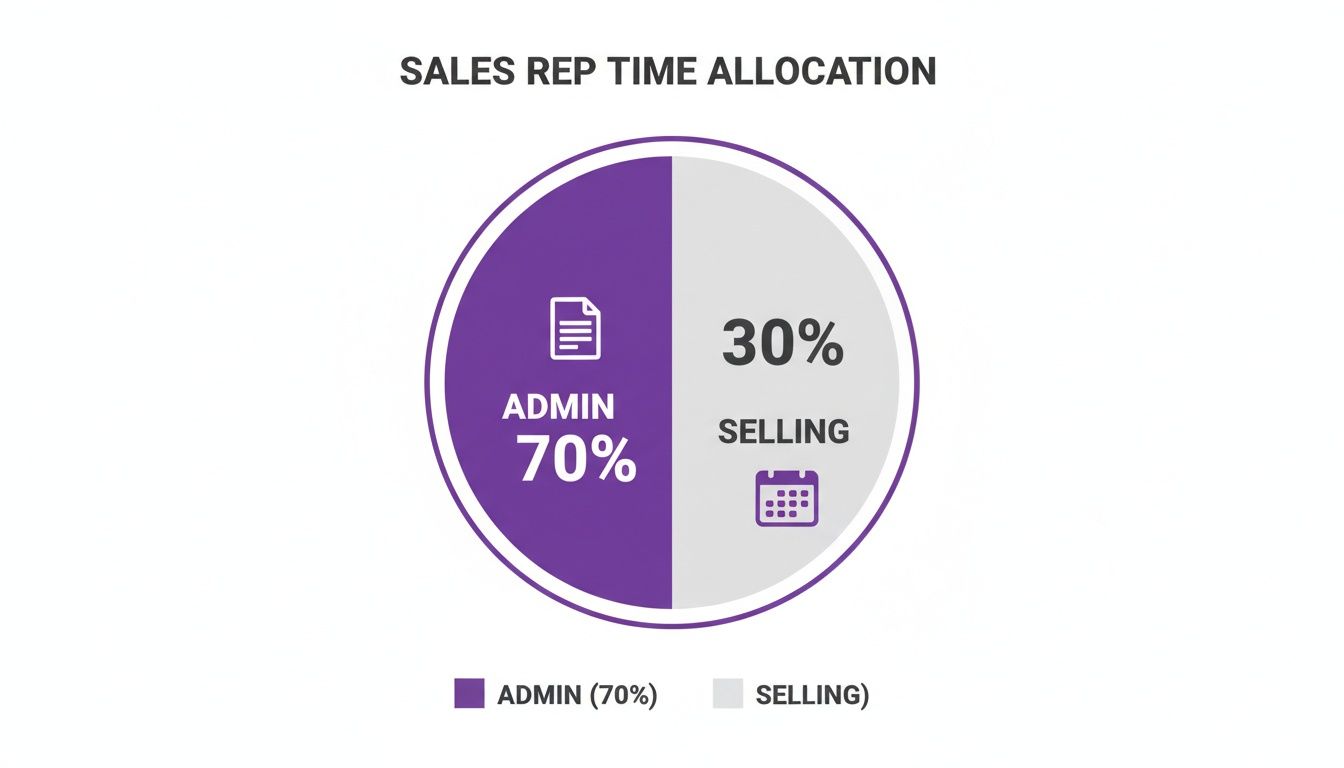
It’s clear as day: the bulk of your sales reps' time is spent on work that doesn’t directly bring in a single dollar.
From Busy to Productive
Simply seeing the problem is the first major step. Once you free your team from the administrative grind, they can finally focus on what they were hired to do: build rapport with homeowners, diagnose their problems, and close jobs. This shift doesn’t just bump up your numbers—it creates a more energized, successful, and motivated sales culture.
The goal is to build a system where your best closers spend their time closing, not clicking. By offloading the administrative weight, you empower them to perform at their peak, which directly fuels your company's growth.
Now, let's get into the practical, actionable steps you can take to reclaim those lost hours and get your team firing on all cylinders.
Defining What Sales Productivity Actually Means
Before we can boost sales productivity, we have to get real about what it actually is. Vague goals like "sell more" are totally useless. For a home service business, productivity isn't about how busy your team looks—it's about the measurable outcomes of their actions.
This means we need to stop obsessing over vanity metrics and start focusing on the Key Performance Indicators (KPIs) that directly lead to booked jobs and revenue. You can't fix a problem you can't see. By tracking the right numbers, you can diagnose exactly where your sales process is breaking down and make surgical improvements instead of just guessing.
The Core Metrics That Matter for Home Services
Forget about those complex dashboards that track a hundred different things at once. To get started, you just need a handful of essentials that paint a clear picture of your sales engine's health. These are the numbers that tell you if your reps are doing enough of the right things, and if those things are actually working.
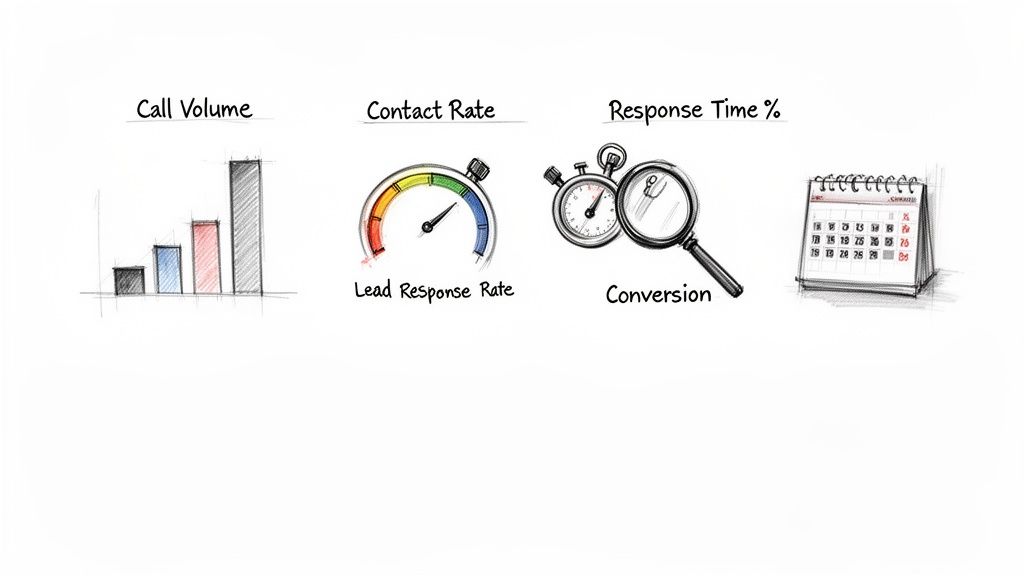
Here are the non-negotiable KPIs you should be tracking immediately:
- Call Volume: How many outbound calls is each rep making every day? This is the bedrock activity metric. If the volume isn't there, nothing else matters.
- Contact Rate: What percentage of those calls actually connect with a decision-maker? This tells you if your lead lists are solid and if your team is calling at the right time.
- Lead Response Time: How long does it take for a rep to follow up on a new inbound lead? Speed is everything. A homeowner's interest plummets after just a few minutes.
- Conversion Rate by Lead Source: What percentage of leads from Google Ads, Angi, or your website form actually turn into a booked job? This shows you which marketing channels are worth your money.
Tracking these KPIs gives you a common, objective language to talk about performance. It moves the conversation away from feelings and gut instincts and grounds it in hard data.
Turning Data into a Diagnostic Tool
Once you have this data flowing in, you can start asking much smarter questions. Is call volume high but the contact rate is in the gutter? That could mean your team is dialing bad numbers or calling when nobody's home. What if the contact rate is great but the booking rate is terrible? That points to a problem with the script or maybe the rep's ability to build value on the call.
This is how simple numbers transform into powerful diagnostic tools. They shine a spotlight on the exact friction points in your sales process.
By measuring the right things, you stop asking, "Are my reps working hard?" and start asking, "Is their hard work effective?" This shift is the first step toward building a truly productive sales system.
Let's say you notice a low conversion rate on your expensive Google Ads leads. That's a huge red flag. Instead of just pouring more money into ads, you can dig in. Is your response time too slow? Is the script not addressing the specific problem the homeowner searched for? The data guides you straight to the root cause.
Setting Realistic Benchmarks
So, what do "good" numbers actually look like? Industry averages can give you a rough idea, but your most valuable benchmarks will come from your own history. Look at your best months and your top-performing reps to set an internal baseline for what's possible in your business.
Start by digging into your data from the last quarter to set your first benchmarks for each of these core KPIs.
| KPI | How to Establish Your Benchmark | Real-World Example |
|---|---|---|
| Call Volume | Average the daily dials of your top-performing rep over the last 30 days. | Your top rep, Sarah, averages 120 calls/day. That's the new team target. |
| Contact Rate | Calculate the team-wide average percentage of calls that result in a conversation. | Your team made 5,000 calls last month and had 500 conversations. Your benchmark is 10%. |
| Lead Response Time | Measure the average time from when a lead comes in to the first call. | The CRM shows your team average is 15 minutes. Your goal is to slash that to under 5 minutes. |
| Conversion Rate | Break down booked jobs by where the lead came from to find your best channels. | Website leads convert at 25%, but leads from a third-party service only convert at 8%. |
These benchmarks aren't meant to be set in stone. As you roll out new scripts, training, and systems, you need to revisit and raise the bar. The goal is always continuous, measurable improvement. Without this foundational step of defining and tracking KPIs, any other changes you make are just shots in the dark.
Building Your High-Performance Sales Support Team
Defining your KPIs is a great start, but the real leap in productivity happens when you give your closers the one thing they crave most: focus.
The fastest way to do that is to build a dedicated support system around them. This team isn't just an extra expense; they're a force multiplier. They take over the high-volume, time-sucking tasks that keep your best reps from spending their day in front of qualified, ready-to-buy customers.
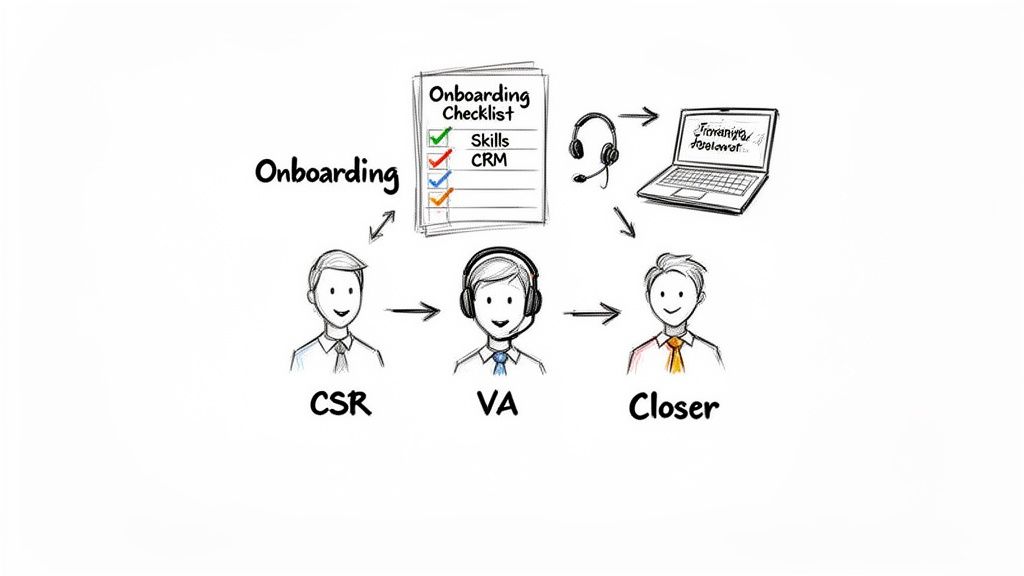
Whether you hire an in-house Customer Service Representative (CSR) or bring on a remote Virtual Assistant (VA), the goal is identical. You need someone to own the top of the funnel—fielding inbound calls, making initial contact with new leads, scheduling appointments, and keeping the CRM clean. This simple division of labor is what separates the home service companies that are always scrambling from the ones that are growing like clockwork.
When your closers are freed from that grind, their capacity for actually closing deals skyrockets. They can spend their time prepping for solid appointments and building rapport with homeowners, not chasing down leads who might not even be a good fit.
Finding the Right Fit: In-House vs. Remote
The choice between an in-house CSR and a remote VA usually comes down to where your business is at right now. An in-house employee gets deeply embedded in your company culture with direct oversight. A remote VA, on the other hand, offers incredible flexibility, significant cost savings, and access to a much bigger talent pool.
No matter which way you go, the person you’re looking for has the same core traits. This isn't just an order-taker. They are the voice of your company and the very first impression a potential customer gets. They need a specific skill set to thrive.
Key Traits to Look For in a Sales Support Hire:
- Exceptional Communication: Can they sound clear, confident, and empathetic on the phone? They need to make a killer first impression, every single time.
- Tech-Savviness: They have to be comfortable with CRMs, scheduling software, and whatever communication tools you use. You can’t afford a long learning curve.
- Resilience and Positivity: This role is full of rejection. You need someone who can shake it off and stay upbeat.
- Detail-Oriented: A single mistake in scheduling or data entry can cost you a job. Accuracy is non-negotiable.
Don't underestimate the power of this role. Top-performing reps contact over 1,000 prospects a year, while 66.7% of reps manage just 250 or fewer. That gap is often filled by a rockstar support person who tees up all those conversations.
Crafting an Onboarding Process That Breeds Success
Finding the right person is only half the job. A solid, structured onboarding process is what actually turns that promising new hire into a valuable team member. If you rush it or cut corners, you’re setting them—and yourself—up for failure.
Your onboarding isn't just about teaching tasks; it's about instilling confidence. A well-trained CSR or VA who understands your services, customers, and systems will perform with the authority and efficiency needed to support your closers effectively.
A thorough onboarding program builds consistency and sets clear expectations from day one. For more specific ideas, our in-depth article on how to hire a virtual assistant is a great resource.
Treat your onboarding checklist like a living document that covers every part of their role.
The Essential Onboarding Checklist:
- Company & Culture Immersion:
- Walk them through the company's story, mission, and what you stand for.
- Introduce them to the team and explain who does what.
- Map out the customer journey from the first call to a five-star review.
- Service & Product Knowledge:
- Drill down on every service you offer, from HVAC repair to a full roof replacement.
- Cover the most common customer pain points and how you solve them.
- Review pricing, financing options, and any current promotions.
- Systems & Tools Mastery:
- Get them logged into the CRM and provide hands-on training.
- Do a full walkthrough of your phone system and scheduling software.
- Explain how you use internal tools like Slack or Microsoft Teams to communicate.
- Sales Process & Scripting:
- Role-play. Practice call scripts for both inbound and outbound calls until it feels natural.
- Make your lead qualification criteria crystal clear.
- Define the exact process for booking a qualified appointment for a closer.
When you invest heavily in this initial training, you’re empowering your new hire to handle almost anything without needing constant supervision. That autonomy is what will truly unlock productivity for your entire sales team.
Creating Your System for Consistent Outreach
Okay, you’ve defined your KPIs and started building your team. Those are the foundational pieces. But now it’s time to build the engine that actually drives your daily sales activity: a repeatable system for outreach.
Without a clear process, even your most motivated reps will burn precious time just figuring out what to do next. That hesitation leads to inconsistent follow-up, and inconsistent follow-up means lost deals. It's that simple.
A bulletproof outreach system makes sure every single lead gets the right touch at the right time. It’s all about standardizing the high-value activities that turn a cold name into a booked appointment on the calendar. This isn’t about being rigid; it’s about being reliable and removing the guesswork so your team can focus on what they do best.
Designing Scripts That Actually Work
I know, the word "script" can make a sales rep cringe. They picture robotic, impersonal conversations that sound awful. But a good script isn’t a word-for-word mandate—it's a flexible framework. Think of it as a guide that keeps the conversation on track, ensures the critical qualifying questions get asked, and helps reps handle the same old objections with confidence.
For a home service business like yours, you really only need scripts for a few key scenarios:
- The Inbound Call: When a homeowner calls you, their hair is on fire. They have a problem right now. Your script needs to focus on immediate empathy, quick problem identification, and a clear, simple call-to-action to get a technician on the way.
- The Outbound Follow-Up: This is for the lead who filled out a form on your website or got referred by a neighbor. The goal here is to quickly establish context ("You reached out to us about…"), remind them of their initial interest, and pivot to scheduling an estimate.
- The Voicemail: Let's face it, most of your calls will go to voicemail. A powerful, concise message that states your value and promises a specific next step is your best shot at getting a callback.
The key is to build a "skeleton" of talking points, not a cage. This gives your reps the structure they need but allows their own personality to shine through.
A great script doesn't tell a rep what to say; it reminds them of what to accomplish on the call. It's a roadmap that ensures they hit all the critical points on the journey to booking an appointment.
Mapping Your Call and Email Cadences
What’s a cadence? It's just a pre-planned sequence of touchpoints you use to engage a lead over time. Think of it as your insurance policy against good leads falling through the cracks. In the home services world, persistence pays off because homeowners are busy, they shop around, and they get distracted. You have to stay top of mind.
A simple but incredibly effective cadence might look something like this:
- Day 1 (Immediate): Call within 5 minutes of the lead hitting your system. If there's no answer, leave that killer voicemail and immediately fire off an introductory email or text.
- Day 2: Call again, but at a different time of day. If you called at 9 AM yesterday, try 4 PM today.
- Day 4: Time for another call. This time, send a follow-up email with something valuable, like a link to a blog post on "Choosing the Right HVAC System" or "5 Signs Your Water Heater is About to Fail."
- Day 7: One final call attempt, followed by a "break-up" email. This is a friendly, no-pressure message that gently closes the loop but leaves the door wide open for them to re-engage when they're ready.
This structured approach guarantees every lead gets consistent attention, which will dramatically increase your contact and conversion rates.
Configuring Your CRM for Maximum Efficiency
Your CRM should be your team's single source of truth—not some glorified digital rolodex they hate using. When you set it up right, it automates the soul-crushing administrative busywork that kills sales rep productivity.
Start by creating a few simple automations that do the heavy lifting:
- Automated Task Creation: Set up a rule so that when a rep logs a call with the outcome "Left Voicemail," the CRM automatically creates a task for them to call that same lead again in 24 hours. No thinking, no remembering—the system does it for them.
- Triggered Follow-Ups: As soon as a lead is moved to the "Proposal Sent" stage in your pipeline, the CRM can kick off an automated email sequence to check in a few days later.
- Automatic Call Logging: This is a game-changer. Using a system with integrated calling means every dial, every connection, and every call duration is logged automatically. This completely eliminates manual data entry and gives you, the manager, clean and accurate activity data to review.
These small automations add up in a big way, saving each rep hours every single week. That reclaimed time is then spent on what actually matters: having quality conversations with homeowners and booking more jobs.
Using Automation to Reclaim Selling Time
You’ve built a solid system for outreach, but the daily grind of administrative work can still sabotage even the best-laid plans. This is exactly where automation and AI stop being trendy buzzwords and start becoming your most powerful tools for unlocking massive gains in sales rep productivity.
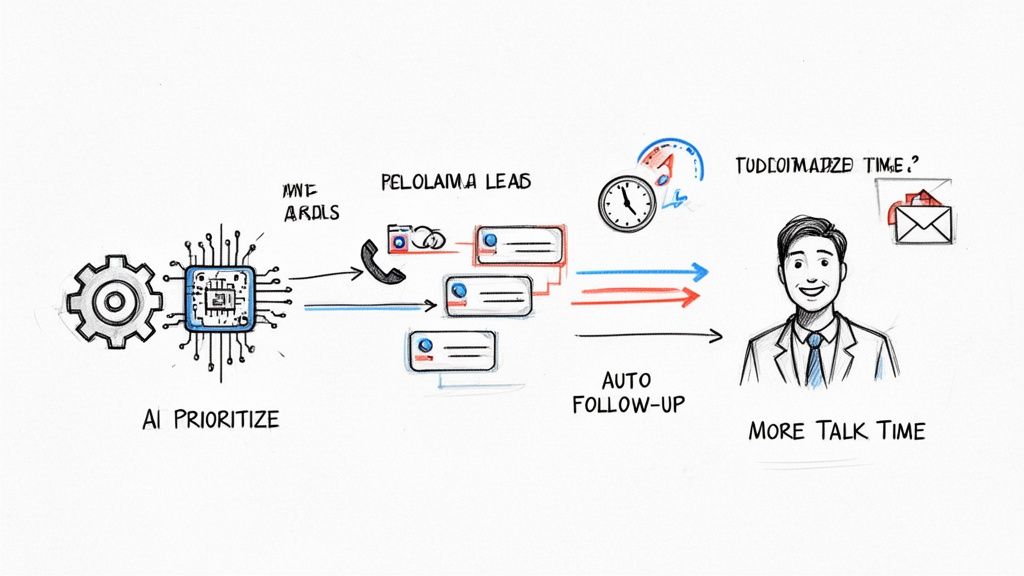
The goal here is simple: let technology handle the repetitive, mind-numbing tasks so your team can focus on what they do best—having revenue-generating conversations. Think of it as giving every rep a digital assistant who works tirelessly in the background to keep things organized and moving forward.
Putting these tools in place crushes the administrative burden that leads to burnout and missed opportunities. Instead of your reps wasting the first hour of their day just figuring out who to call, AI-powered tools can intelligently sort and prioritize their leads. They’ll always know exactly which prospect to contact next for the highest chance of success.
Prioritizing Leads with Intelligence
Let's be honest, not all leads are created equal. A homeowner who just filled out your "request an estimate" form is a much hotter prospect than someone who downloaded a maintenance checklist three weeks ago. Without an intelligent system, though, reps often work through a list chronologically, treating every lead the same.
AI completely flips this model on its head by analyzing engagement signals in real time. It looks at key factors like:
- Recent activity on your website
- Email opens and clicks
- The specific service pages they viewed
This allows the system to score and rank every lead automatically, pushing the most promising prospects right to the top of the queue. Your reps can start their day with a clear, data-driven plan of attack, focusing their energy where it will actually make a difference.
Putting Follow-Up on Autopilot
Everyone knows consistent follow-up is critical, but it's also a massive time sink. Automation lets you build out entire follow-up cadences that run on their own. For example, when a rep leaves a voicemail, the system can automatically schedule the next call for two days later and immediately send a follow-up text.
This simple step ensures no lead ever goes cold because someone got busy and forgot. In fact, research shows that embracing AI and automation can recover 20% of a sales rep's time. Better yet, reps using AI are 3.7 times more likely to hit their quota and report being 2.4 times less overworked, according to these insightful go-to-market statistics.
By automating routine communication, you free up your team’s mental energy. Instead of remembering when to follow up, they can focus on what to say when they finally connect with a homeowner.
This systematic approach can also handle your post-appointment communication. After an estimate is sent, an automated email sequence can keep your company top-of-mind, share glowing customer testimonials, and answer common questions, gently nurturing that lead toward a signed contract. For businesses looking to optimize all their frontline communications, exploring a dedicated home service receptionist can be a powerful next step in this journey.
High-Impact Automation for Home Service Teams
So, what does this look like in the real world? Here’s a quick breakdown of how automation can transform common manual tasks into major productivity boosters for your team.
| Manual Task | Automated Solution | Productivity Gain |
|---|---|---|
| Manually dialing leads | Power dialer that calls through a list automatically | Drastically increases call volume and talk time |
| Typing call notes into CRM | AI-powered call transcription and summary generation | Eliminates post-call data entry and improves record accuracy |
| Sending follow-up emails | Pre-built email sequences triggered by CRM actions | Ensures consistent, timely follow-up without manual effort |
| Scheduling appointments | Integrated calendar links sent via email or text | Reduces back-and-forth and empowers customers to self-book |
Each one of these automations chips away at the non-selling activities that bog your team down. The result is more time spent talking to customers and, ultimately, more closed deals.
Knowing When to Bring in the Specialists
Every growing home service business eventually hits a wall. Your best sales reps—the people who are absolute wizards at in-home estimates and getting contracts signed—start drowning in prospecting calls and initial outreach. Their calendars get clogged, and their real talent gets wasted.
This is a classic growing pain. Pushing for more sales rep productivity at this stage isn't about telling your team to work harder. It's about working smarter by strategically offloading certain tasks to specialists.
Bringing in an outside team isn't just about cutting costs; it’s a serious strategic move to scale your business. The whole point is to get low-value, high-volume work off the plates of your most valuable, highest-paid people. When you hand off things like cold calling and appointment setting to a dedicated team, your in-house experts can focus entirely on what they do best: running great appointments and closing deals.
The impact is almost immediate. You'll see your top reps' closing rates shoot up when they're only walking into homes where the owner has already been qualified and is actually expecting a quote.
The Telltale Signs It's Time to Outsource
Knowing when to pull the trigger on outsourcing is everything. For most home service companies, it’s when you run into one of these scenarios:
- You're drowning in new leads. A great marketing campaign is a good problem to have, but it can quickly swamp your team. An outsourced partner ensures every single lead gets a fast follow-up, so your closers aren't pulled off the road to play catch-up.
- You're expanding to a new area. Trying to break into a new city or state requires a ton of upfront grunt work to get your name out there and fill the pipeline. A dedicated outsourced team can hammer the phones and build that initial momentum for you.
- Your sales reps are burning out. Are your best closers getting ground down by endless cold calls and talking to unqualified prospects? That's a recipe for tanking morale and performance. Offloading that grind can completely re-energize them.
Think of it this way: You wouldn't pay your master electrician to dig the trench for the wiring. You bring in a different crew for that. The same logic applies here. Let your closers close.
By handing over those top-of-funnel tasks, you're building a much more efficient sales machine. Your reps show up to appointments focused and prepared, which naturally leads to better conversion rates and a healthier bottom line. If you're a home service business thinking about this, you can learn more about how to hire offshore virtual assistants to take on these essential roles.
Common Questions from Owners Like You
We get these questions all the time from home service business owners trying to get more out of their sales teams. Here’s some straight talk based on what we’ve seen work.
How Much of Their Day Should My Reps Actually Be Selling?
You’d think the answer would be "most of it," right? The hard truth is that most sales reps are only spending about 28-30% of their day on tasks that actually bring in money.
The rest of their time gets eaten alive by everything else: updating the CRM, sitting in meetings, trying to figure out which lead to call next. It’s a huge productivity killer. By offloading tasks with VAs and setting up smart automations, you can start to flip that number on its head. The goal is to get your reps back to what they do best: talking to customers and closing jobs.
What Are the Sales KPIs I Should Actually Care About?
Don't get lost in a sea of metrics. For most home service businesses, you only need to obsess over a handful of numbers to know if your sales engine is running smoothly.
Here are the big four:
- Call Volume: This is the most basic one. Are your people actually picking up the phone and dialing? It all starts here.
- Contact Rate: This tells you if you're calling the right people at the right times. A low contact rate often means your lead lists are stale or your timing is off.
- Lead Response Time: In this business, speed is everything. Every minute you wait to call a new lead, your chances of booking that job plummet.
- Conversion Rate: This is the ultimate scorecard. Of all the leads you talk to, how many turn into paying customers?
When Does It Make Sense to Outsource My Appointment Setting?
This is a critical growth question. You should seriously consider outsourcing the moment you see your best closers getting bogged down with prospecting. If the person who is lights-out at the kitchen table closing a $15,000 roofing job is spending hours a day cold calling, you've got a major problem.
Think of it this way: outsourcing isn't just about cutting costs. It’s about putting your most valuable players in a position to score. You're bringing in a specialized team to handle the high-volume grind of finding opportunities so your closers can focus on what they do best—running qualified appointments and bringing home the contracts.
This kind of specialization is one of the fastest ways to scale without overwhelming your top talent.
Ready to get your team out of the weeds and back to closing? Phone Staffer can help. We provide trained, remote CSRs and VAs to handle all the follow-up and admin work. We also have a done-for-you cold calling service that puts qualified appointments right on your calendar. Stop drowning in busy work and start closing more deals.