
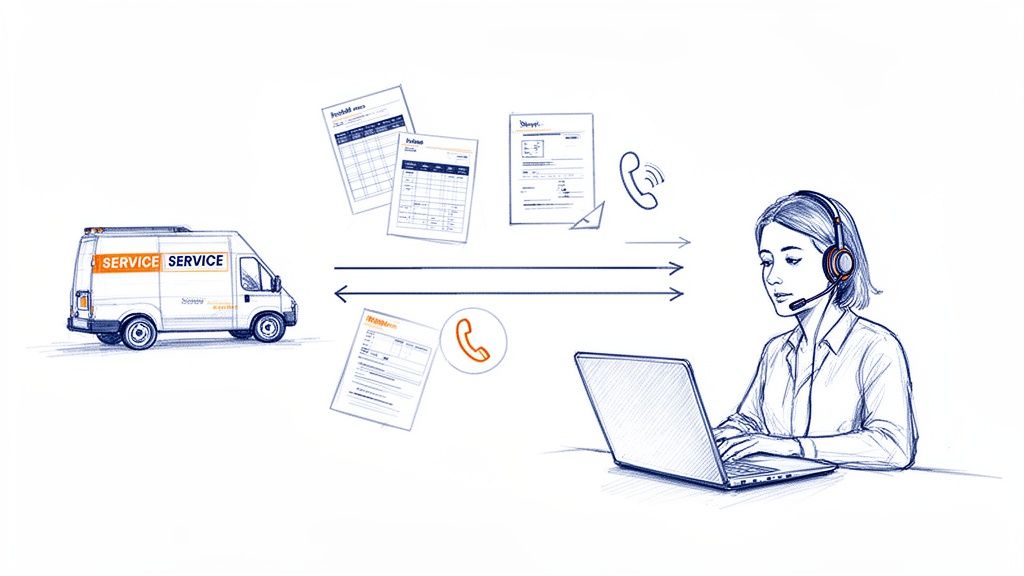
If you’re constantly drowning in scheduling, invoicing, and customer follow-ups, you're not just busy—you’re the bottleneck. For a growing home service company, outsourcing administrative work isn't just a band-aid; it's a strategic move that can transform that operational drag into a powerful growth engine. This frees you up to finally focus on the high-value work that actually scales the business.
Why Top Home Service Companies Outsource Admin Work
There's a painful moment every successful home service business owner faces: the point where your own success starts to feel like a problem. More jobs mean more calls to answer, more invoices to chase, and more scheduling headaches to sort out. Suddenly, the very tasks supporting your business are the same ones holding it back.

Think about a thriving HVAC company. The owner is a fantastic technician who built the business from the ground up on pure skill and quality. But now, he spends his mornings confirming appointments and his afternoons wrestling with QuickBooks instead of training new techs or landing that big commercial contract. Every hour he spends on paperwork is an hour he's not generating real revenue. It’s a fast track to burnout and a frustrating growth ceiling.
This is exactly where outsourcing your admin work can be a complete game-changer. It’s about strategically handing off those repetitive, time-sucking tasks to skilled professionals so you can get your focus back.
The Strategic Shift from Operator to Owner
Letting go of administrative duties is about more than just clearing your to-do list; it’s about fundamentally changing your role in the business. You stop being the chief scheduler and bill collector and start being the chief strategist. That’s the shift you need to make if you want to scale.
The benefits ripple out far beyond just having a cleaner desk:
- Capture More Leads: With a dedicated remote team, every call gets answered. No more potential customers hanging up and dialing your competitor because you were on a roof.
- Improve Customer Satisfaction: Professional follow-ups, on-the-dot scheduling, and accurate invoices create that smooth, professional experience that earns repeat business and five-star reviews.
- Increase Billable Hours: When you’re not stuck in the back office, you and your best technicians can spend more time on the tools, doing the work that actually makes money.
And the numbers don't lie. Companies that outsource functions like customer support and accounting are seeing massive returns. Recent reports show they're not just cutting labor costs by an average of 32% but also boosting their process efficiency by up to 25%. This is already standard practice for small businesses, where 37% outsource their accounting and 24% hand off customer support.
The real cost of handling your own admin isn't the hours you put in; it's the high-value opportunities you miss while you're busy with low-value work.
Ultimately, deciding to outsource your administrative work leads you down two main paths. You can either use a "Done-For-You" (DFY) service for a specific outcome, like lead generation, or hire dedicated remote staff like a Virtual Assistant (VA). For a deeper dive into that model, you can learn more about why businesses hire virtual assistants. Each approach solves different problems, and the next sections will help you figure out which one is the perfect fit for your company.
Finding and Fixing Your Administrative Bottlenecks
Before you can even think about outsourcing, you need to know exactly what’s holding you back. That feeling of being perpetually overwhelmed? It’s a symptom, not the root cause. To really fix the problem, you have to get specific and identify the administrative bottlenecks that are secretly draining your time and leaking money from your business.
Think of this as a diagnostic check-up for your company's back office.
The first step is to play detective in your own company. For one full week, your only mission is to track where every single non-billable minute goes. This isn't about judging yourself; it's purely about collecting honest data. And trust me, what you find will probably surprise you.
Conducting Your Time Audit
You don't need anything fancy for this. A simple notepad, a spreadsheet, or a time-tracking app on your phone will do the trick. The whole point is to create a detailed log that reveals the hidden time-sucks lurking in your day. Every time you have to stop doing the work that actually makes you money to handle an admin task, jot it down.
Be brutally honest and get specific. Don't just write "paperwork." That's too vague. Your log should look more like this:
- 8:15 AM – 8:45 AM: Answered five customer emails about what time we’d arrive.
- 11:30 AM – 12:15 PM: Manually built and sent out three invoices for jobs we finished today.
- 2:00 PM – 2:20 PM: Called Mrs. Jones to confirm her appointment for tomorrow.
- 4:45 PM – 5:30 PM: Chased down two overdue payments from last month.
After a week of this, you’ll have a raw, detailed log. This isn't just a to-do list; it's a treasure map that points directly to your biggest bottlenecks.
A time audit is the single most powerful tool for a busy owner. It turns that vague feeling of "I just don't have enough time" into a concrete, actionable list of tasks you can finally delegate, automate, or just plain eliminate.
Now, take that log and start grouping similar tasks. This is where the patterns really start to emerge. Your categories might look something like this:
| Task Category | Examples of Activities |
|---|---|
| Inbound Communication | Answering the phone, responding to contact forms from the website, replying to emails |
| Scheduling & Dispatch | Booking new jobs, confirming existing appointments, rescheduling when things change |
| Billing & Collections | Creating invoices, processing credit cards, chasing down late payments |
| Data Entry & Reporting | Updating customer info in the CRM, pulling a daily sales report |
Once you see it laid out like this, the problem becomes obvious. You might realize you're burning 90 minutes every single morning just dealing with scheduling emails, or that chasing down late payments is eating up more than four hours a week. These are your prime candidates for outsourcing.
Pinpointing High-Impact, Low-Skill Tasks
With your categorized list in hand, it’s time to analyze each group. You're searching for the sweet spot: tasks that are repetitive, suck up a ton of time, and are critical for your business to run, but don't actually require your trade expertise to get done.
This is the low-hanging fruit.
For each task category, ask yourself these three simple questions:
- Is it repetitive? Does this task follow the same basic script every time, like sending an appointment reminder or creating a standard invoice?
- Does it require my expertise? Could a trained professional with a clear checklist handle this just as well as I can? Be honest.
- What's the cost of me doing it? If I spend an hour on billing, what’s the dollar value of the big-ticket estimate I could have been working on instead?
Answering these questions will help you build a priority list. Almost always, tasks like appointment confirmations, initial follow-up with new leads, and chasing those overdue invoices shoot right to the top. They are absolutely essential for your cash flow and customer experience, but they are perfect for a skilled remote assistant to manage.
This frees you up to focus on the high-value activities that actually grow the business. This targeted list is the foundation of your entire outsourcing plan.
Choosing Your Outsourcing Model: DFY Service vs. Remote Staff
Alright, you've pinpointed the administrative tasks that are gumming up the works. Now comes the big decision: how do you actually offload them? For most home service pros, it really boils down to two main paths for outsourcing that work.
The first route is what we call a Done-For-You (DFY) service. Think of this as hiring a specialized agency to deliver one specific outcome. You're not hiring a person; you're buying a result. A classic example is a cold-calling service whose only job is to get qualified estimates booked on your calendar.
Your other option is to hire your own dedicated remote staff. This means bringing on a Virtual Assistant (VA) or a remote Customer Service Representative (CSR) who becomes an integral part of your team. They're your employee, just remote, handling a range of tasks you delegate.
If you're still on the fence about what to delegate, this decision tree can help you get clarity before you even think about hiring.
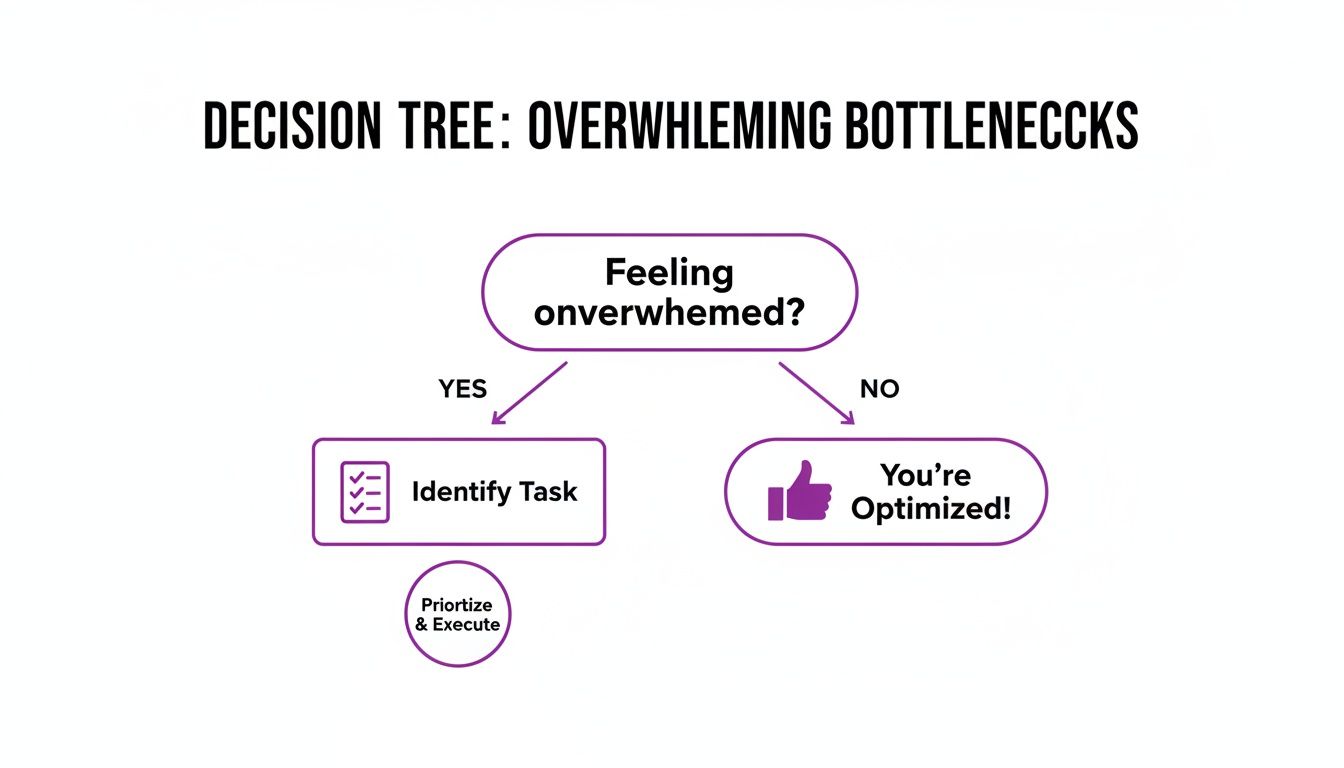
As you can see, feeling swamped is just the starting point. The real solution comes from identifying specific tasks you can hand off—that's the critical first step before picking your outsourcing model.
When a DFY Service Makes Sense
Let's say you just hung out your shingle as a new plumbing company. Your biggest headache isn't a phone ringing off the hook—it's the silence. You need leads, and you need them now to build a customer base and get cash flowing.
This is a textbook case for a DFY appointment-setting service. You don't need someone to manage your non-existent customer database or send invoices yet. You just need appointments. A DFY service is a plug-and-play solution for this one thing. They have the trained callers, the proven scripts, and the dialers ready to go.
This model is a fantastic fit when you have a singular, well-defined problem and need to see results fast without the ramp-up time of hiring and training.
A DFY service is like hiring a sniper. You give them a target—"book 10 qualified estimates this week"—and they go execute that mission with specialized gear. You're paying for the kill, not the person holding the rifle.
The trade-off? You give up control and flexibility. A DFY service does one thing exceptionally well. If you suddenly need help with customer follow-ups or chasing down payments, they can't pivot. Their value is locked into their specialty.
When Dedicated Remote Staff Is the Right Call
Now, let's flip the script. Imagine you run an established electrical business that's been around for 10 years. Your schedule is packed, but you feel like you're constantly dropping the ball. You miss calls while you're crawling through an attic, website leads go stale, and your follow-up game is non-existent.
Your problem isn't a lack of business; it's a lack of capacity to manage the business you've already earned.
This is where a dedicated remote CSR or VA is the clear winner. You need a versatile team member who can learn the ins and outs of your operation. This person can:
- Answer every inbound call with a professional, branded greeting.
- Jump on new web leads within minutes, not hours.
- Make "happy calls" to customers after a job is complete.
- Help manage scheduling and dispatch for your technicians.
- Even handle back-office tasks like invoicing and collections.
This approach gives you maximum control. Your remote hire becomes a true extension of your team, absorbing your company culture and adapting to your processes. They can grow right alongside your business. If you're exploring this path, this resource on virtual assistant firms that hire worldwide is a great place to start your research.
DFY Service vs Dedicated Remote Staff: A Head-to-Head Comparison
To make the choice even clearer, let's put these two models side-by-side. Seeing the differences laid out like this can really help you match the solution to your specific business challenge.
| Feature | Done-For-You Service (e.g., Cold Calling) | Dedicated Remote Staff (e.g., VA/CSR) |
|---|---|---|
| Primary Goal | Delivers a specific outcome (e.g., booked appointments). | Provides capacity and support across various tasks. |
| Control Level | Low. You control the goal, they control the process. | High. You direct their tasks, training, and priorities daily. |
| Flexibility | Very limited. Built for a single, specialized function. | High. Can adapt to new tasks and changing business needs. |
| Integration | Minimal. Operates as an external vendor. | Deep. Becomes a part of your team, culture, and internal systems. |
| Best For… | Businesses needing rapid lead generation or a single, focused result. | Businesses needing to manage existing workflow and improve operations. |
| Cost Structure | Typically pay-per-result, per-appointment, or a flat monthly retainer. | Typically a flat hourly or monthly rate for a dedicated person. |
| Onboarding | Fast. Often ready to go within days. | Slower. Requires hiring, onboarding, and training on your systems. |
Ultimately, deciding between a DFY service and a dedicated staffer isn't about which one is "better" in a vacuum. It's about what your business needs right now.
To make an objective choice, it helps to evaluate potential partners systematically. Using something like this Provider Scorecard can help you compare your options on an apples-to-apples basis.
So, ask yourself the fundamental question: Are you hunting for new elk, or are you trying to skin the ones you've already got? Your answer will point you directly to the right solution.
Your Playbook for Hiring and Onboarding Remote Talent
So, you’ve decided that hiring a dedicated remote CSR or VA is the right move for your company. That’s a huge step. But now comes the part where many home service owners get stuck: how do you actually find the right person and get them plugged into your business? It can feel like a shot in the dark, but it doesn't have to be. There’s a repeatable process you can follow.
This isn’t some fringe idea anymore; it’s a core business strategy for smart companies. Don't just take my word for it—72% of C-suite leaders have outsourced work, and a whopping 93% are happy they did. And with 66% of US businesses outsourcing at least one department, it’s clear this is a powerful way to grow.
Finding Candidates Who Actually Get Your Business
Your first instinct might be to blast a job ad across the big, generic job sites. The problem? That’s like fishing with a giant net in the open ocean—you’ll get a lot of junk and waste a ton of time sifting through it. You need to fish where the right candidates are actually swimming.
For a home service business, that means getting specific:
- Niche Job Boards: Look for platforms that focus on remote admin or customer service roles. The people there are already committed to working remotely and usually have the right tech setup.
- Specialized VA Agencies: Working with an agency that gets the home service industry can be a massive shortcut. They handle the initial sourcing and vetting for you, saving you countless hours.
- Referral Networks: This is gold. Ask other owners in your trade who they trust. A personal recommendation is almost always the most reliable way to find top-tier talent.
As you build out your hiring playbook, knowing how to effectively source candidates is key. Your job description has to be brutally honest about what the role demands. Be sure to highlight skills like crystal-clear communication, experience with CRMs, and the ability to stay cool under pressure when dealing with anxious customers.
The Vetting Process: Uncovering Real Competence
A polished resume is one thing, but you need to know if a candidate can actually perform when things get hectic. This is where you separate the pros from the pretenders with an interview and skills test designed to mimic the real-world challenges of your business.
The Interview Round
Forget the classic, tired questions like "what's your biggest weakness?" You need to hear how they think on their feet.
I like to throw real-life scenarios at them:
- "A customer calls, and they're furious because our technician is running 30 minutes late. Walk me through exactly what you would say and do."
- "A hot lead just came in through the website. What are your first three steps to give us the best shot at booking that job?"
- "You're juggling three things at once: an incoming call from a new customer, an email from a technician who is lost, and a request to send out an invoice. How do you prioritize them, and why?"
Their answers will tell you far more than a resume ever could. You’re listening for genuine empathy, sharp problem-solving skills, and a professional, unflappable attitude.
The Skills Test
This is my secret weapon for hiring. Before you even think about making an offer, give your top one or two candidates a short, paid skills test. This isn't a "gotcha" quiz; it's about confirming they have the practical chops to do the job.
A skills test is the single best way to cut through interview fluff and see how someone actually performs. It turns a hiring guess into an informed decision.
Your test doesn’t need to be complicated. It could include a few simple tasks:
- A Mock Call: Give them a basic script and have them leave a voicemail for a "customer" (which is really just your own voicemail).
- A Data Entry Task: Send them a sample work order and ask them to enter the details into a Google Sheet or directly into your CRM.
- An Email Response: Forward them a sample customer inquiry and ask them to draft a professional reply.
This simple exercise will immediately show you who has the real-world skills to hit the ground running. If you want a deeper dive into this, our guide on how to hire a virtual assistant covers it all.
A 30-Day Onboarding Plan for a Smooth Handoff
Finding the right person is only half the battle. How you onboard them will determine whether they sink or swim. A clear, structured plan is the key to making your new hire feel confident and getting them productive fast.
Week 1: System Immersion
The first week is all about tech and processes. Don't throw everything at them at once. Just focus on the absolute core tools they'll use every single day.
- Day 1: Get them all their logins and system access. Schedule a quick virtual meet-and-greet with the rest of the team.
- Day 2-3: A deep dive into your CRM. Let them practice looking up customers and adding notes to existing jobs.
- Day 4-5: Phone system training. Show them how to transfer calls, place clients on hold professionally, and use any specific software features.
Weeks 2-3: Supervised Practice
Alright, time for some hands-on learning, but with a safety net. Start them off by just listening in on your calls or handling very low-stakes tasks.
- Listen to Call Recordings: Have them review recordings of both great and not-so-great customer calls. Talk through what went right and where things could have been handled better.
- Reverse Shadowing: Let them take the lead on a few easy calls while you listen in. This allows you to offer immediate feedback and jump in if needed.
Week 4: Gaining Autonomy
By the final week of the first month, the goal is to ease off and let them own the role. You can start removing the safety nets and empower them to make decisions. Set clear KPIs, like "answer 95% of calls by the third ring," so they know exactly what success looks like. Brief, daily check-ins are crucial here to build their confidence and smooth out any final wrinkles.
Integrating Your Systems and Measuring What Actually Matters
A skilled remote team member is a huge asset, but they're only as effective as the systems you give them. Nailing the technical setup and tracking performance is what separates a good outsourcing decision from a great one. This is where you build the digital framework that lets your remote pro act like a true extension of your in-house team.
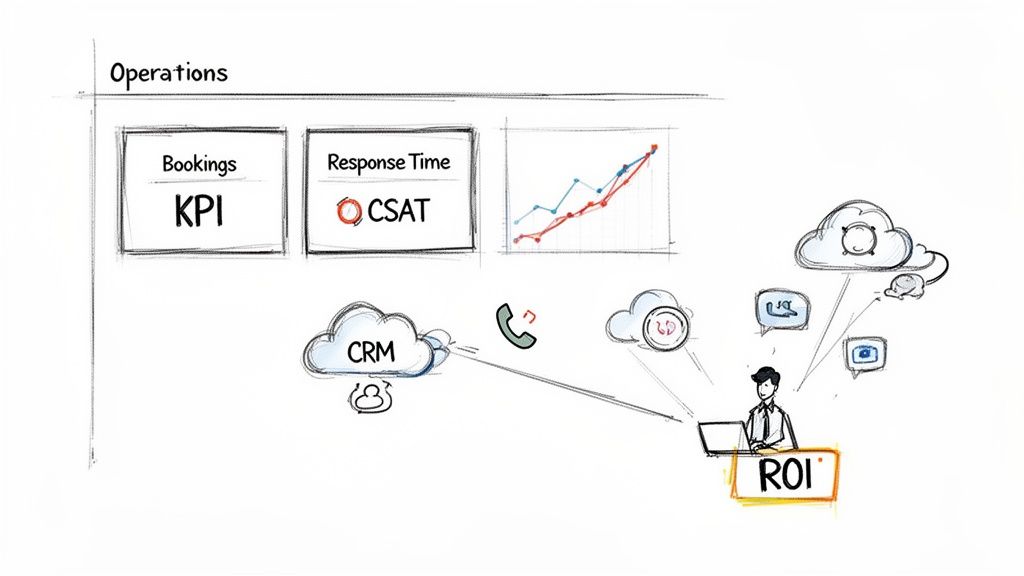
Without the right tools and clear metrics, you’re just guessing. Let's get into the nuts and bolts of setting up your tech and tracking the numbers that prove this is working.
Building Your Remote Operations Hub
Getting your systems right from day one is non-negotiable. Your goal is simple: give your new hire secure, reliable access to the tools they need without creating security risks or clunky workarounds.
Start with your core platforms—usually, your phone system and your Customer Relationship Management (CRM) software. Modern, cloud-based versions of these tools are perfect for outsourcing administrative work because they’re built for secure remote access. If you're still running older, on-premise software, this might be the perfect push you need to upgrade.
Here's a quick-start checklist for system access:
- Create a Dedicated User Profile: Never, ever share your own login. Set up a unique account for your remote hire with permissions locked down to only what they need to do their job.
- Use a Password Manager: Get a tool like LastPass or 1Password. This lets you share access to different software securely without ever handing over the actual passwords. It's a lifesaver.
- Establish Communication Channels: Drowning in emails is no way to work. Set up a dedicated channel in Slack or Microsoft Teams for quick questions and daily check-ins. It creates a central hub for communication that feels more connected and immediate than a cluttered inbox.
Moving Beyond Cost to Measure Real Impact
The single biggest mistake I see owners make is focusing only on the hourly rate. Sure, cost savings are a nice perk, but the real win comes from the massive improvements in your business operations. You have to track the Key Performance Indicators (KPIs) that directly affect your bottom line.
Your ROI isn't just about saving $20/hour. It's about the $5,000 job you booked because the phone was answered on the first ring, or the 15% drop in overdue invoices because someone was finally dedicated to chasing them down.
Think beyond expenses and start measuring the gains. This simple shift in mindset turns your remote hire from a cost center into a powerful revenue generator.
Key Performance Indicators That Matter Most
To really see the ROI of outsourcing administrative work, you have to track metrics that reflect efficiency, sales, and customer happiness. After bringing on your remote team member, you should see these numbers start moving in the right direction.
Here are the top KPIs I tell every owner to watch:
- Lead Response Time: How fast are you calling new web leads back? This is everything. A famous study from LeadResponseManagement.org found that contacting a lead within 5 minutes makes you 21 times more likely to qualify them. Track this before and after you hire your remote pro. The change can be dramatic.
- Call Answer Rate: What percentage of calls are you answering live versus letting go to voicemail? Every missed call is a competitor's new customer. A dedicated remote CSR should easily get this number above 90%.
- Booking Rate: Of all the qualified leads that come in, how many are you actually booking? A skilled person on the phone can significantly boost this conversion rate with professional handling and consistent follow-up.
- Customer Satisfaction (CSAT) Score: If you use post-job surveys, watch these scores like a hawk. A smooth, friendly admin process—from the first call to the final payment—has a huge impact on how customers feel about your entire company.
A Simple Framework for Calculating Your ROI
Ready to put some real numbers to this? Calculating your ROI doesn't have to be some complex accounting project. You can get a crystal-clear picture with a straightforward formula that includes both your direct savings and your new revenue.
Let's walk through a real-world example for a home service business.
| ROI Calculation Component | Example Data & Calculation | Monthly Impact |
|---|---|---|
| A. Monthly Cost of Remote VA | 160 hours @ $10/hour | -$1,600 |
| B. Owner's Time Reclaimed | 15 hours/week saved @ $100/hr value | +$6,000 |
| C. New Jobs Booked | 5 extra jobs/month @ $800 profit each | +$4,000 |
| D. Total Monthly Value (B + C) | $6,000 + $4,000 | $10,000 |
| E. Net Monthly Gain (D – A) | $10,000 – $1,600 | $8,400 |
| ROI Percentage ((E / A) * 100) | ($8,400 / $1,600) * 100 | 525% |
In this scenario, the business owner isn't just saving a little cash; they're generating a massive 525% return by investing in remote admin support. This is the kind of financial clarity that proves outsourcing is one of the smartest strategic moves you can make for growth.
Common Questions We Hear About Outsourcing
Even with a solid game plan, it's completely normal to have some lingering questions or second thoughts before you dive into outsourcing. This is a big step for your business. Let's walk through the most common concerns we hear from owners just like you, with some straight-up, practical answers.
What’s This Actually Going to Cost Me?
This is always the first question, and the honest answer is: it depends on which route you take.
A dedicated remote CSR or virtual assistant can run anywhere from $8 to $25 per hour. That range comes down to their experience level, where they're located, and the specific skills you need. On the other hand, a "Done-For-You" service, like an appointment-setting agency, will typically charge per booked job or on a flat monthly retainer.
But here’s the thing—the hourly rate isn't the real number to focus on. The real question is, what's the value of your own time? What’s the cost of a single missed call that could have been a $2,000 job?
When you factor in salary, benefits, payroll taxes, and office space, the investment in a remote team member is almost always a fraction of a full-time, in-house hire. You're turning a heavy fixed cost into a flexible operational expense you can scale up or down.
"Stop thinking of a remote team member as an expense. It's an investment in getting your own high-value time back. If they free you up for just 10 hours a week, and your time is worth $100/hour, you're already ahead by $1,000 before they even book a single job."
Can a Remote Person Really Understand My Business?
This is a big one for trade professionals, and it’s a fair question. You’ve got your own lingo, your common customer problems, and a certain way of doing things. The secret here isn't finding someone who used to work for another roofer or HVAC company; it's all about your onboarding process.
When you're hiring, look for people with a strong background in customer service, period. It doesn't matter if it was in retail or a call center. They already have the skills that can't be taught quickly: empathy, active listening, and problem-solving under pressure. Your training will bridge the gap.
Give them the right tools, and they'll get up to speed fast:
- Service Cheat Sheets: A simple breakdown of what you do and—just as important—what you don't do.
- A "Top 15" FAQ Document: List out the most common questions every new customer asks about pricing, scheduling, and services.
- Basic Call Flows: Forget rigid scripts. Give them a simple framework for greeting callers, gathering lead info, and handling the "I need to talk to my spouse" objection.
- Real Call Recordings: Let them listen to a few great customer calls and a few train wrecks. It’s the best real-world training you can offer.
A good remote hire wants to learn your business. How well you prepare them will determine how quickly they start making you money.
How Do I Keep Tabs on Quality When They’re Not in the Office?
A lot of owners worry that "out of sight" means "out of control." But in reality, you can often manage a remote worker with more data and clarity than someone sitting ten feet away. It's not about watching over their shoulder; it's about having good systems.
Start by creating dead-simple Standard Operating Procedures (SOPs) for their main tasks. Use your CRM as a shared source of truth where you can see their activity in real-time. A quick, 15-minute check-in call a few times a week is perfect for reviewing performance and sorting out any roadblocks.
For anyone on your phones, listening to call recordings from time to time is the single most powerful tool you have. It's not for "gotcha" moments; it's for coaching. Set clear Key Performance Indicators (KPIs) from day one, like "contact every new web lead within 10 minutes" or "follow up on all open quotes every 48 hours." This creates an objective standard for success and leaves no room for guessing.
At Phone Staffer, we live and breathe these challenges every day. Whether you need a Done-For-You cold calling team to aggressively fill your schedule or a dedicated, US-based remote CSR to be the friendly voice of your company, we have the people and the playbooks to help your home service business scale. See how we can help you get started.