
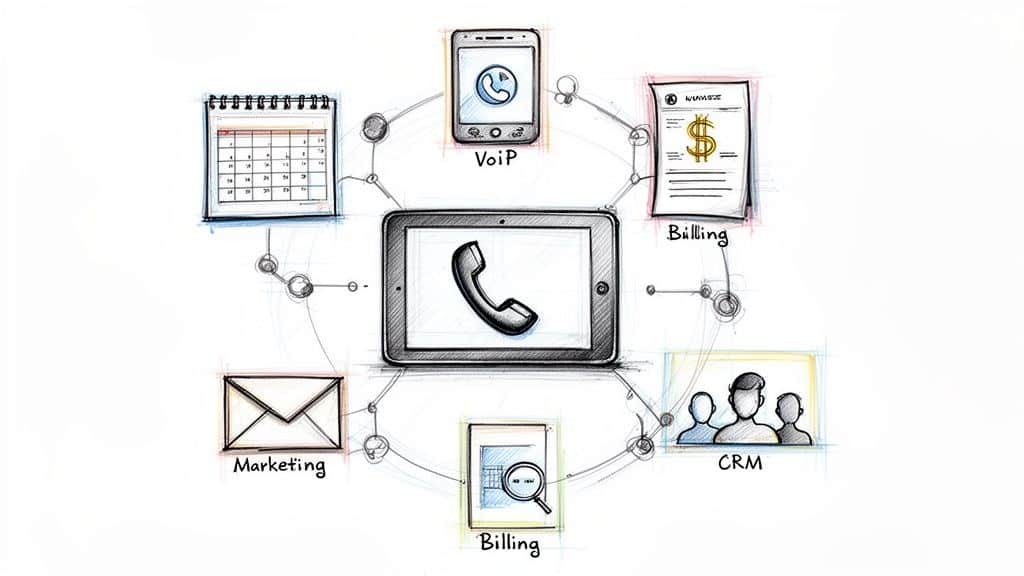
Running a successful service business hinges on operational efficiency. Juggling customer calls, scheduling technicians, creating estimates, sending invoices, and managing marketing efforts can quickly become overwhelming, leading to missed opportunities and frustrated clients. The right technology stack isn't just a convenience; it's a fundamental requirement for scaling operations, improving customer satisfaction, and boosting profitability. This is where finding the best software for service business operations becomes a critical task.
This guide is designed to cut through the noise. We've compiled a comprehensive roundup of the top software solutions tailored specifically for home service professionals. Instead of generic feature lists, you'll find a detailed analysis of each platform, complete with pros, cons, pricing insights, and ideal use cases. We'll explore powerful all-in-one platforms like ServiceTitan and Jobber, as well as specialized tools for every aspect of your business. A cornerstone of efficient service business operations is the implementation of the best appointment scheduling software, designed to automate bookings and drive growth.
Our goal is to provide a clear, actionable blueprint to help you select the perfect tools for your specific needs. Each entry includes screenshots and direct links to help you evaluate the options quickly. Whether you're a small owner-operator looking for your first CRM or a multi-location franchise needing a robust field service management system, this resource will equip you with the information needed to make an informed decision and build a more streamlined, profitable business.
1. ServiceTitan
ServiceTitan is a comprehensive, all-in-one software platform engineered specifically for established residential and commercial service businesses. It excels at managing the entire job lifecycle, from the initial customer call to the final payment, making it a powerhouse for trades like HVAC, plumbing, and electrical. The platform’s strength lies in its ability to unify complex operations, providing a single source of truth for dispatching, invoicing, reporting, and customer history.

What truly sets ServiceTitan apart is its enterprise-grade architecture, designed for scaling. It features robust tools like advanced commission tracking, multi-location management, and a sophisticated pricebook system. These features are indispensable for larger teams and franchise operations that require granular control and deep business intelligence. The ecosystem also includes a marketplace of integrations and add-on "Pro" products for marketing and scheduling automation, creating a truly end-to-end solution.
Key Details & Considerations
- Best For: Growing mid-size to large service businesses, multi-location operations, and franchises needing a powerful, scalable system.
- Pricing: Custom-quoted. Pricing is not publicly listed and requires a consultation with their sales team to build a package tailored to your business needs.
- Pros:
- Extensive, end-to-end feature set covers nearly every aspect of a service business.
- Mature integrations and a robust marketplace for third-party tools.
- Excellent for complex workflows, franchises, and multi-trade businesses.
- Cons:
- The premium pricing and feature depth can be overkill for solo operators or small crews.
- Requires significant setup and training to fully leverage its capabilities.
For businesses looking to optimize their front-office operations without the steep software learning curve, integrating a dedicated answering service can be a strategic move. You can learn more about how to hire a virtual assistant or answering service to manage your calls and booking.
Website: servicetitan.com
2. Housecall Pro
Housecall Pro is a highly popular and accessible field service management platform designed for owner-operators and small to mid-sized home service businesses. It shines by offering a user-friendly interface that simplifies core operations like scheduling, dispatching, invoicing, and payment processing. The platform is built for ease of adoption, helping businesses quickly modernize their workflow with tools for online booking, customer notifications, and a robust mobile app for technicians in the field.

What makes Housecall Pro a top contender in the best software for service business category is its transparent, tiered pricing and focus on growth. Unlike enterprise systems, it provides a clear path for small companies to start with essential features and add more advanced capabilities like consumer financing, automated marketing, and sales proposal tools as they expand. The strong community, dedicated support, and straightforward onboarding process make it a reliable partner for businesses looking to professionalize their operations without a steep learning curve or prohibitive upfront cost.
Key Details & Considerations
- Best For: Solo operators and small to mid-sized service businesses seeking an easy-to-use, all-in-one platform with transparent pricing.
- Pricing: Offers tiered monthly plans (Basic, Essentials, Max) with a free trial available. Pricing is based on the number of users and feature set.
- Pros:
- Transparent, predictable pricing and a free trial make it accessible.
- Excellent mobile app for both iOS and Android, with multilingual support.
- Strong focus on onboarding, customer support, and an active user community.
- Cons:
- The most powerful features are reserved for higher-priced tiers or paid add-ons.
- Costs can increase significantly as your team grows and requires more user licenses.
Website: housecallpro.com
3. Jobber
Jobber is a highly approachable field service management software designed for small to mid-sized home service businesses aiming for growth. It simplifies daily operations by centralizing quoting, scheduling, invoicing, and customer communications into one user-friendly platform. Its core strength lies in its intuitive interface and clear, scalable plan structure, making it an excellent starting point for businesses moving away from spreadsheets and paper systems.

What makes Jobber a standout choice is its focus on customer experience and automation without overwhelming complexity. Features like a self-serve customer portal, automated appointment reminders, and two-way text messaging help businesses look professional and stay organized. As a business grows, Jobber scales with it, offering more advanced tools like marketing automation and an optional AI-powered receptionist in its higher-tier plans. This progressive feature set ensures businesses only pay for the capabilities they currently need.
Key Details & Considerations
- Best For: Solo operators and small to medium-sized service businesses seeking an easy-to-use platform with a clear growth path.
- Pricing: Offers several transparently-priced tiers: Core, Connect, and Grow, with custom "Plus" plans available. Plans typically include one user with fees for additional seats.
- Pros:
- Intuitive and user-friendly interface allows for rapid onboarding.
- Clear, scalable pricing plans are well-suited for growing businesses.
- Strong automation features and excellent customer-facing communication tools.
- Cons:
- Key growth-oriented features are gated behind more expensive higher tiers.
- Per-user fees on most plans can increase costs as teams expand.
For businesses that want to ensure every call is captured professionally without hiring in-house staff, pairing Jobber with a live answering service is a powerful combination. You can explore options for a dedicated plumbing virtual receptionist to handle booking and customer inquiries.
Website: getjobber.com
4. ServiceM8
ServiceM8 is a field service management solution built from the ground up for small trade and service contractors who primarily use Apple devices. It is designed with an iPhone and iPad-first approach, delivering a remarkably fast, intuitive, and polished user experience on iOS. The platform covers the core needs of a service business, including job cards, scheduling, quoting, invoicing, and accepting online payments, all streamlined for mobile efficiency.

What truly makes ServiceM8 stand out is its unique pricing model and iOS optimization. Instead of charging per user, paid plans offer unlimited users and bill based on the number of jobs completed each month using a job-credit system. This approach is highly cost-effective for growing teams. The platform also integrates deeply with QuickBooks Online and Xero and offers an optional VoIP add-on, ServiceM8 Phone, which includes call recording and transcription to keep all job communication in one place, positioning it as some of the best software for a service business focused on mobile operations.
Key Details & Considerations
- Best For: Small to mid-size service businesses, especially those already invested in the Apple ecosystem (iPhone/iPad).
- Pricing: Offers a free plan for up to 20 jobs/month. Paid plans start at $29/month for 50 job credits, with higher tiers adding more jobs and advanced features like job profitability reporting. All paid plans include unlimited users.
- Pros:
- Speedy, polished, and highly intuitive native iOS experience.
- No per-user fees on paid plans, making it affordable to scale your team.
- Strong online booking and payment processing capabilities.
- Cons:
- The user experience is best on Apple devices; Android and web app users get less native depth.
- The job-credit model may require frequent plan upgrades as job volume grows.
For businesses that want to ensure every call is captured without adding to their administrative workload, having 24/7 phone answering for home services can provide a seamless customer experience.
Website: servicem8.com
5. Workiz
Workiz is a field service management software designed for small to mid-sized home service teams, with a standout feature being its deeply integrated phone system. It combines essential operational tools like scheduling, dispatching, invoicing, and payments with a native communication suite that includes two-way texting, call recording, and configurable call flows. This unique approach simplifies the tech stack by eliminating the need for a separate third-party phone provider.

What makes Workiz a compelling option in the best software for service business category is its focus on practical, accessible technology. The platform offers its "Workiz Genius" AI features, which assist with lead capture from missed calls and automate certain scheduling tasks, directly addressing common pain points for busy service companies. This blend of core field service management with an intelligent, built-in communication hub makes it a powerful tool for improving customer response times and streamlining job booking.
Key Details & Considerations
- Best For: Small to medium-sized service businesses (e.g., locksmiths, junk removal, appliance repair) that want an all-in-one system with a powerful, integrated phone solution.
- Pricing: Publicly listed plans. Starts with the "Lite" plan at $225/month for up to 5 users, with higher tiers including more users and advanced features. Phone plans are an additional cost.
- Pros:
- Integrated phone system reduces complexity and third-party software costs.
- Transparent, upfront pricing is easy to understand for growing teams.
- Practical AI features that directly help with lead capture and scheduling.
- Cons:
- Plans have fixed user counts, requiring add-on fees for additional team members.
- Key features like the AI Answering service require a separate phone plan subscription.
Website: workiz.com
6. FieldPulse
FieldPulse is a flexible field service management (FSM) platform designed with a strong focus on the technician's experience and adaptability for growing businesses. It provides a robust yet user-friendly toolset for managing jobs from start to finish, including CRM, scheduling, dispatch, work orders, and invoicing. The platform emphasizes fast onboarding and workflow customization, allowing businesses to tailor the software to their specific operational needs rather than forcing them into a rigid system.

What makes FieldPulse a standout option in the best software for service business category is its scalable architecture. It caters to small teams with core functionalities but also offers an open API and multi-location management for more mature organizations. This makes it an excellent choice for businesses planning for future growth. Optional add-ons, like the FieldPulse Engage VoIP system and AI/operator answering services, allow companies to integrate their communications and customer service directly into their core operational platform as they expand.
Key Details & Considerations
- Best For: Small to mid-sized service businesses seeking a customizable platform that can scale with them, from core operations to advanced features.
- Pricing: Quote-based. Pricing is tailored to your business size and feature needs and requires a consultation to determine the final cost.
- Pros:
- Highly flexible and customizable to fit various business workflows.
- Strong focus on implementation support and tailored customer service.
- Scalable features like an open API and multi-location support for growing teams.
- Cons:
- Pricing is not transparent and requires direct contact with their sales team.
- Advanced tools like VoIP and fleet tracking are only available as paid add-ons.
For businesses that need a dedicated solution for managing customer calls without adding software complexity, integrating a live answering service can handle booking and support. You can explore how virtual receptionists compare to automated systems to find the right fit for your needs.
Website: fieldpulse.com
7. Service Fusion
Service Fusion is an all-in-one field service management platform designed to provide comprehensive functionality without the per-user pricing model that can escalate costs. It includes core features like CRM, estimates, job management, scheduling, and invoicing, making it a strong contender for small to mid-sized businesses looking for predictable software expenses as they grow. The platform is built to handle the entire service workflow, from lead intake to final payment collection.

What makes Service Fusion stand out is its commitment to unlimited users on every plan. This is a significant advantage for businesses that need to provide access to office staff, technicians, CSRs, or even virtual assistants without incurring additional per-seat fees. This model supports team growth and allows for more flexible staffing. Higher-tier plans unlock advanced capabilities like inventory management and a customer web portal, while an optional add-on, ServiceCall.ai, introduces voice and text automation for streamlined communication.
Key Details & Considerations
- Best For: Small to mid-sized service businesses seeking an affordable, all-in-one solution with predictable pricing that doesn't penalize team growth.
- Pricing: Plans start at $166/month (billed annually) for the Starter tier, with options for month-to-month billing. Higher tiers add more advanced features.
- Pros:
- Unlimited users on all plans provides excellent value and scalability.
- Flexible month-to-month and discounted annual payment options.
- Offers a broad feature set covering core operational needs for SMBs.
- Cons:
- Critical features like inventory management and job costing are gated behind more expensive plans.
- The user interface can be deep, potentially requiring dedicated onboarding time to master.
Website: servicefusion.com
8. ServiceTrade
ServiceTrade is a field service management platform built from the ground up for commercial contractors, particularly those focused on service, maintenance, and asset management. It excels in environments where compliance, documentation, and recurring service contracts are paramount, making it a top choice for businesses in fire protection, commercial HVAC, and industrial equipment servicing. The platform’s core strength is its ability to manage complex commercial workflows, from asset tracking and maintenance tasking to multi-layered project management.

What truly differentiates ServiceTrade is its laser focus on the commercial service contract lifecycle. It provides robust customer portals that give clients full visibility into service history and compliance reports, a critical feature for building trust and retaining high-value accounts. The system also handles project management with subcontractor handling and features advanced business analytics on higher tiers. This commercial-centric approach makes it some of the best software for service business operations that need to manage complex assets and strict service-level agreements.
Key Details & Considerations
- Best For: Commercial service contractors, businesses with a heavy focus on recurring maintenance contracts, and companies managing complex assets for clients.
- Pricing: Quote-based. Plans are aligned to technician counts and typically start with a minimum of five technicians. Office user licenses are unlimited.
- Pros:
- Specifically designed for commercial and service-contract workflows.
- Powerful customer portals and contract management support compliance and client retention.
- Scales effectively across multiple brands, locations, and service lines.
- Cons:
- Its commercial focus and feature set may be overly complex for residential-only businesses.
- The pricing structure is geared toward established teams rather than solo operators.
Website: servicetrade.com
9. mHelpDesk
mHelpDesk is a veteran field service management software designed for small and mid-size service businesses that need a reliable, all-in-one solution. It provides a solid foundation for managing core operations, including scheduling, dispatching, work orders, estimates, and invoicing. The platform’s key strength is its deep and dependable integration with both QuickBooks Online and QuickBooks Desktop, making it a standout choice for businesses heavily reliant on the QuickBooks ecosystem for their accounting.

What truly distinguishes mHelpDesk is its transparency in payment processing and its support for legacy accounting systems. Unlike many competitors who hide their rates, mHelpDesk publicly lists its credit card and ACH processing fees, providing clarity and predictability for job payments. Its continued support for QuickBooks Desktop is a critical differentiator for established companies that haven't migrated to the cloud. This combination of an established feature set and straightforward financial integrations makes it a trusted tool for service business management.
Key Details & Considerations
- Best For: Small to mid-size service businesses that use QuickBooks (especially QuickBooks Desktop) and value transparent payment processing rates.
- Pricing: Quote-based. While payment processing rates are public, software subscription pricing requires a consultation.
- Pros:
- Excellent, robust synchronization with both QuickBooks Online and Desktop.
- Transparent and publicly published rates for integrated payment processing.
- Long-standing, mature platform with a well-established set of core features.
- Cons:
- The user interface can feel dated compared to more modern software solutions.
- Subscription pricing is not publicly listed and requires a custom quote.
Website: mhelpdesk.com
10. ServiceMonster
ServiceMonster is a field service management platform built with a specialized focus on the cleaning industry, catering to businesses like carpet cleaning, window washing, and janitorial services. It combines core operational tools like scheduling and invoicing with robust CRM and marketing features designed to help cleaning businesses grow. The platform emphasizes customer relationship management, enabling businesses to track leads, manage marketing campaigns, and maintain detailed client histories all in one place.

What makes ServiceMonster stand out is its deep understanding of the cleaning service model. Features like its price-list tools are ideal for creating and managing packaged services, a common practice in the industry. It also offers a first-party payment solution, ServiceMonster Pay, with transparent, published rates for credit card and ACH processing, eliminating guesswork. This niche specialization makes it a compelling piece of software for service business owners in the cleaning vertical who need tools tailored to their specific workflows and marketing needs.
Key Details & Considerations
- Best For: Small to mid-size cleaning-related service businesses (carpet, window, pressure washing) that need strong marketing and CRM tools.
- Pricing: Tiers start at $99/month for the Standard plan. All subscriptions require an annual commitment. Payment processing rates are published on their site.
- Pros:
- Industry-specific features tailored for cleaning services.
- Transparent and upfront pricing for both subscriptions and payment processing.
- Strong reporting and marketing tools to help grow a client base.
- Cons:
- Subscriptions lock you into an annual commitment.
- Advanced features like SMS and review management may require add-ons or integrations.
Website: servicemonster.com
11. Capterra — Field Service Management Category
Capterra isn't a software platform itself but rather a comprehensive software directory and review marketplace. For service business owners overwhelmed by choice, its Field Service Management category is an invaluable starting point for research. It aggregates hundreds of software options, allowing you to compare tools side-by-side using thousands of verified user reviews, feature checklists, and pricing snapshots. This makes it one of the most efficient resources for discovering and shortlisting the best software for your service business.
What makes Capterra particularly useful is its powerful filtering system and curated reports. You can quickly narrow down the vast market by your specific trade, business size, budget, and required features, such as dispatching or inventory management. The platform also publishes a frequently updated “Shortlist” that uses a data-backed methodology to identify top-performing products based on user ratings and popularity. This helps you cut through the marketing noise and focus on vendors that are proven to deliver value.
Key Details & Considerations
- Best For: Business owners in the initial research phase who want to compare a wide range of software options and read verified user reviews.
- Pricing: Free to use for software buyers. Capterra makes money from software vendors who pay for placement and lead generation.
- Pros:
- Massive, neutral marketplace with a high volume of recent, verified reviews.
- Excellent filtering tools to narrow options by trade, budget, and features.
- A fast way to discover and compare many FSM options at once.
- Cons:
- Sponsored placements can appear in listings, so be mindful of "promoted" tags.
- Pricing information on listings can sometimes lag behind vendor updates; always verify on the vendor's site.
Website: capterra.com/field-service-management-software
12. G2 — Field Service Management Category
While not a software itself, G2’s Field Service Management category is an indispensable research hub for any service business owner evaluating their options. It functions as a peer-review platform that aggregates verified user feedback, live category rankings, and detailed comparisons for dozens of software solutions. Instead of relying solely on vendor marketing, you can see real-world sentiment and uncover common pros and cons from businesses similar to yours.
What makes G2 uniquely powerful is its dynamic "Grid" report, which plots software based on user satisfaction and market presence, giving you a quick visual of industry leaders and niche players. You can filter results by company size, industry, and specific feature sets, making it easy to narrow down the best software for your service business. This allows you to build a highly relevant shortlist and compare platforms head-to-head based on transparent, user-generated data before committing to a demo.
Key Details & Considerations
- Best For: Business owners in the research phase who want to compare multiple software options using verified, unbiased user reviews and data.
- Pricing: Free to access and browse all reviews and reports.
- Pros:
- Large volume of verified, recent user reviews provides authentic insights.
- Excellent head-to-head comparison tools and filtering capabilities.
- Clear pros and cons summaries help set realistic pre-purchase expectations.
- Cons:
- Reviews can sometimes be skewed toward enterprise users, which may not reflect the experience of a small team.
- Not all software vendors disclose their full pricing on the platform.
Website: g2.com/categories/field-service-management
Top 12 Service Business Software Comparison
| Product | Core features | UX / Quality ★ | Value & USP ✨/🏆 | Target audience 👥 | Pricing 💰 |
|---|---|---|---|---|---|
| ServiceTitan | End‑to‑end job cycle, dispatch, pricebook, reporting | ★★★★★ | Enterprise breadth, mature integrations, franchise‑ready 🏆✨ | Growing / multi‑location teams & franchises | Quote‑based (sales) 💰 |
| Housecall Pro | Scheduling, online booking, GPS, mobile apps | ★★★★ | Easy adoption, strong onboarding, transparent tiers ✨ | Small → growing home‑service teams | Tiered pricing + free trial 💰 |
| Jobber | Quotes, scheduling, invoicing, automations, SMS | ★★★★ | Approachable UI, clear plan structure ✨ | Solo operators → mid‑size teams | Clear tiers; per‑user/add‑on fees 💰 |
| ServiceM8 | Job cards, iOS/iPad native, job‑credit model, VoIP | ★★★★ | Polished iOS experience; unlimited users on paid plans ✨ | Small trades that prefer Apple devices | Job‑credit pricing (scale with volume) 💰 |
| Workiz | Dispatch, estimates, integrated phone (talk/text), AI | ★★★★ | Native phone stack + AI lead capture & scheduling 🏆✨ | Teams wanting built‑in telephony & AI | Public plans; phone add‑ons may apply 💰 |
| FieldPulse | CRM, scheduling, work orders, open API, VoIP opt. | ★★★★ | Flexible workflows, tailored support & API access ✨ | Custom workflows & multi‑location teams | Quote‑based pricing 💰 |
| Service Fusion | CRM, scheduling, invoicing, unlimited users | ★★★★ | Unlimited users across tiers; predictable licensing ✨ | Owner‑operators with CSRs / VAs | Tiered plans; monthly or annual options 💰 |
| ServiceTrade | Asset/tasking, contract invoicing, project mgmt | ★★★★ | Commercial/service‑contract focus for compliance & scale 🏆 | Commercial contractors & multi‑site orgs | Quote‑based (typ. 5+ techs) 💰 |
| mHelpDesk | Scheduling, work orders, QuickBooks sync, payments | ★★★ | Strong QuickBooks Desktop support; published processing rates ✨ | Small → mid‑size firms needing QB Desktop | Subscription (quote) + published processing rates 💰 |
| ServiceMonster | Marketing/CRM, price‑lists, payments tailored to cleaning | ★★★★ | Cleaning industry specialization; transparent rates ✨ | Cleaning, carpet, window‑wash services | Published subscription & payment rates (annual) 💰 |
| Capterra — FSM | Category filters, vendor shortlists, review marketplace | ★★★★ | Large neutral marketplace for discovery & comparisons 🏆✨ | Buyers researching FSM vendors | Free directory; vendor listings 💰 |
| G2 — FSM | Live rankings, verified reviews, head‑to‑head comparisons | ★★★★ | Peer reviews, up‑to‑date sentiment & grids 🏆✨ | Buyers & procurement teams | Free platform; vendor links 💰 |
Putting It All Together: Building Your Ideal Tech Stack
Navigating the crowded market for the best software for service business owners can feel overwhelming. We've explored a wide array of powerful tools, from comprehensive all-in-one platforms like ServiceTitan and Jobber to more specialized solutions that excel in specific areas. The ultimate goal isn't just to buy software; it's to strategically build a technology stack that streamlines your operations, delights your customers, and drives sustainable growth.
The key takeaway is that there is no single "perfect" solution for every company. A plumbing enterprise with 50 technicians has vastly different needs than a solo HVAC specialist just starting out. The right software for you depends entirely on your business size, trade, budget, and long-term goals. Your tech stack should be a reflection of your unique operational DNA.
Key Insights and Actionable Next Steps
Making the right choice requires a clear-headed assessment of your current processes and future ambitions. Before you commit to a long-term contract, take these crucial steps:
- Audit Your Current Workflow: Where are the biggest bottlenecks? Are you losing time on manual scheduling, disorganized invoicing, or missed customer calls? Identify the most significant pain points that technology needs to solve. Is it dispatching, customer communication, or financial tracking?
- Define Your Non-Negotiables: Create a checklist of essential features. Do you absolutely need GPS tracking, integrated payment processing, a robust mobile app for field techs, or seamless QuickBooks integration? Prioritize these "must-haves" to narrow down your options effectively.
- Plan for Growth: The software that fits you today might not be adequate in two years. Consider the scalability of each platform. Evaluate their higher-tier plans and ask about their ability to support more users, multiple locations, and increased job volume as your business expands.
- Leverage Free Trials and Demos: Never purchase software based on a features list alone. Sign up for free trials and schedule personalized demos for your top two or three contenders. Get your hands on the software to experience its user interface, test its core functionality, and see if it truly feels intuitive for you and your team.
Assembling Your Perfect Tech Stack
Think of building your software suite like assembling a toolkit. You need the right tool for the right job. While an all-in-one platform like Housecall Pro or Service Fusion might cover 80% of your needs, you can enhance its capabilities by integrating specialized solutions.
For instance, your field service management software is the central hub, but your marketing efforts are equally critical for filling the pipeline. To effectively manage your local presence and gain actionable insights from your online data, consider integrating a Google My Business reporting tool into your tech stack. This allows you to track performance, understand customer behavior, and optimize your local SEO strategy, ensuring the jobs keep coming in.
Ultimately, the journey to finding the best software for service business operations is an investment in your company's future. It’s about more than just efficiency; it's about creating a stable, scalable foundation that empowers your team to deliver exceptional service, reduces administrative headaches, and frees you up to focus on strategic growth. Choose wisely, implement thoughtfully, and watch your business thrive.
Tired of choosing between answering the phone and finishing the job? Let Phone Staffer handle your incoming calls with professional, industry-trained receptionists. We book jobs directly into your calendar, ensuring you never miss a lead while you focus on what you do best. Visit Phone Staffer to see how we can become the most valuable part of your tech stack.