

Let’s get real for a moment. The phrase "documenting business processes" probably makes you think of stuffy corporate meetings and binders of paper you don't have time for. I get it. But what if I told you it's the single most powerful tool you have to grow your home service company?
The truth is, the most successful businesses don't run on the heroic efforts of one or two people. They run on systems.
Why Bother Documenting Your Business Processes?
For most owners in the trades, the idea of writing everything down feels like a distraction. You’re juggling customer calls, moving crews around, and putting out fires on job sites. Who has the bandwidth for paperwork?
Thinking like that, however, misses the entire point. Documenting your workflows isn’t about creating red tape. It’s about building a business that’s predictable, scalable, and ultimately, a lot more profitable.
This isn’t just some local trend, either. The global market for managing business processes was valued at USD 3.95 billion and is expected to rocket to over USD 14.67 billion by 2034. That boom shows just how seriously companies are taking this to get ahead. You can read more about these market projections and see why North America is at the forefront of this shift.
Moving from Chaos to Consistency
Take a second and think about your most frequent—and most expensive—mistakes. Is it a tech who keeps forgetting to order a specific part for a job? Maybe it's an inconsistent quoting process that leaves money on the table. These aren't just one-off problems; they're signs of a bigger issue: a lack of clear, documented processes.
When you write down exactly how tasks should be done, you create a single source of truth for your entire team. This pays off immediately.
- Fewer Callbacks: Clear instructions and checklists mean jobs get done right the first time. That slashes the time and money you waste on warranty work.
- Faster Onboarding: Imagine handing a new hire a simple, visual guide for a common repair. They can get up to speed in hours, not days, without you or your top tech holding their hand.
- A Consistent Customer Journey: From the moment they call to the final invoice, every single customer gets the same professional experience. That's how you build trust and earn rave reviews.
Your goal should be to build a business that runs itself, not a high-stress job that relies on you for every single decision. Documented processes are the blueprint for creating a valuable, sellable asset.
By taking the time to map out how your business works, you’re not just getting organized. You're building the engine for real, sustainable growth.
How to Map Your Workflows Without the Overwhelm
Let’s be honest: the idea of documenting your business processes can feel overwhelming. It’s like being asked to draw a map of your entire state when you just need to know the best way to get to the grocery store. The trick is to start small. Don't try to boil the ocean.
Forget mapping everything at once. Instead, pick just one workflow—the one that causes the most friction or has the biggest impact on your cash flow. For most home service businesses I’ve worked with, this is the journey from the first customer call all the way to getting that final payment. This core process is the lifeblood of your company, so it's the perfect place to start.
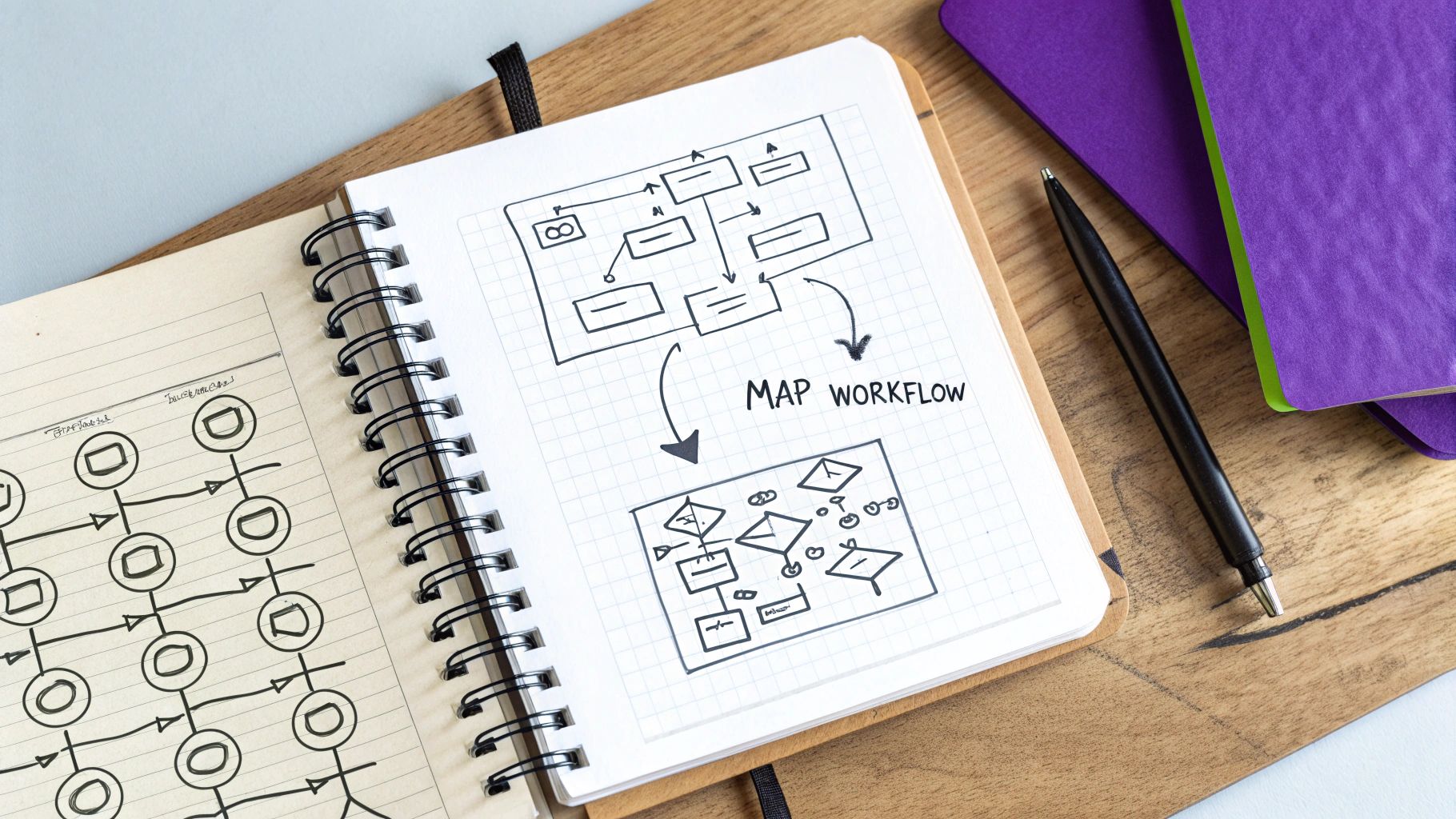
The image below really captures the spirit of this. It’s about getting your team together to turn a bunch of complex, individual tasks into one clear, shared picture of how work actually gets done.

This kind of collaborative mapping is so important because it gets you closer to the truth of what’s happening in the field, not just what you think is happening from the office.
Start With What Actually Happens
This is where so many owners go wrong. They sit down and document the process based on how it’s supposed to work. But the reality of what happens on a job site or during a frantic phone call is often a different story entirely. The only way to get the real scoop is to talk to the people living these processes every single day.
To get an accurate picture, you have to get out there and observe. This isn't just about calling a meeting.
- Shadow a Top Technician: Spend a day riding along with one of your best techs. Watch how they talk to customers, how they diagnose a problem, and the little things they do that aren’t written down anywhere. These unwritten rules are pure gold.
- Listen to Office Calls: Pull up a chair next to your dispatcher or CSR. Just listen. You’ll hear firsthand where communication breaks down, how leads are handled, and what frustrates customers most. This is ground zero for identifying opportunities.
- Talk to Your Newest Hire: Your greenest employee has the freshest eyes. Ask them what was most confusing during their first few weeks. Their answers will point directly to the gaps in your process that seasoned vets no longer even notice.
This isn’t about making perfect, color-coded flowcharts right now. It's about getting a clear, factual starting point.
My Two Cents: Your first pass at mapping isn't about perfection; it’s about clarity. You're creating a "current state" snapshot, warts and all. This honest picture is the foundation for every improvement you'll make later.
Record the Process (The Simple Way)
Okay, you've done your homework and observed the process in the wild. Now it’s time to get it out of your head and onto paper. Please, resist the temptation to jump into complicated software. A whiteboard or a simple Google Doc is all you need for this stage.
Write down every single step, no matter how tiny it seems. For example, let's map out taking a customer's payment. It might look something like this:
- Tech finishes the job and confirms the final total with the customer.
- Tech pulls up the invoice on their tablet or phone.
- Customer is given their payment options: credit card, check, or maybe a financing link.
- Payment is taken right there using a mobile card reader.
- The system automatically emails a receipt to the customer.
- Back at the office, the software marks the invoice as “Paid.”
When you break it down like this, you create a simple, step-by-step map. This becomes your baseline. It's what you'll use to spot bottlenecks, find wasted steps, and see where a piece of tech could make everyone’s job a whole lot easier. This is the first real step toward making your business run predictably instead of reactively.
Choosing the Right Documentation Tools for Your Team
When you start documenting your business processes, the tools you pick can make or break your efforts. It's a classic mistake to overthink this. The truth is, you don’t need to drop a ton of cash on some complicated, enterprise-level software. For most home service companies, the best tool is simply the one your team will actually use.
The real goal isn't to buy the shiniest new system. It's to create clear, useful guides that are easy to pull up and just as easy to update. Think about it: your documentation needs to work for a tech on their phone in a customer's driveway just as well as it does for your office manager at their desk.
Don't Overcomplicate It—Start Simple
So many owners I talk to get bogged down researching complex Business Process Management (BPM) software. In reality, the simple tools you probably already use are more than enough to get started. Sticking with familiar software lowers the learning curve and helps you build momentum right away.
Here’s where I’d suggest you begin:
-
Google Docs & Sheets: Nearly everyone knows how to use them. They’re free, built for collaboration, and perfect for creating step-by-step guides, checklists, or simple forms. A shared Google Drive folder is often the best first step.
-
Visual Whiteboards: Tools like Miro or Lucidchart are fantastic for mapping out workflows visually. Getting the team together to draw out a process on a digital whiteboard is an amazing way to see the big picture and spot problems in real-time.
-
Your Field Service Software: Don't forget to look at what you're already paying for. Most FSM platforms like Jobber or Housecall Pro have features for creating job-specific checklists or notes. This keeps your processes right inside the tool your techs use every single day.
My Advice: Please don't let a hunt for the "perfect" tool paralyze you. A well-organized Google Doc that everyone on your team actually opens and uses is a thousand times more valuable than a high-end system nobody ever logs into.
Finding the Right Balance of Power and Simplicity
While simple is a great starting point, it's smart to know what you might be missing. On a global scale, businesses are taking process management very seriously. The push for better data security and remote work has led to massive adoption of more formal systems, as you can see if you discover more insights on this global trend.
What does that mean for your home service company? It means finding a balance. As you scale, you might find you need more horsepower than a simple document can provide.
To help you decide what's right for you now—and what you might need later—here’s a quick comparison of your options.
Simple vs. Sophisticated Documentation Tools
| Tool Type | Examples | Best For | Potential Drawbacks |
|---|---|---|---|
| Simple Documents | Google Docs, Word | Quick-start checklists, text-based SOPs, initial drafts. | Can get messy; version control becomes a headache. |
| Visual Mapping | Miro, Lucidchart | Brainstorming sessions, visualizing high-level workflows. | Not built for detailed, step-by-step instructions. |
| Integrated FSM | Jobber, Housecall Pro | On-the-job checklists, notes tied to specific job types. | You're limited to the features your FSM provides. |
Choosing a tool is a strategic decision, not just a technical one. The smartest path is to start simple, get your team on board, and only upgrade when you feel a real, painful need for more features. At the end of the day, success isn't about fancy software—it’s about giving your team the right information, right when they need it.
Creating SOPs Your Team Will Actually Use
Let's be honest: a process document nobody reads is completely worthless. It just collects digital dust in a forgotten folder. The real magic happens when your Standard Operating Procedures (SOPs) are so clear and genuinely helpful that your team wants to use them. This is the moment documenting business processes stops being a chore and becomes a serious competitive advantage.
The point isn't to create some stuffy, corporate manual that no one understands. It's to build a reliable playbook that can guide a brand-new hire to do a job correctly on their very first day. To get there, you have to shift your mindset from just "writing things down" to creating a truly powerful resource.
Think about it. A report from Salesforce pointed out how much productivity is lost to clunky processes and walled-off information. Your SOPs are the answer. They create a single source of truth that tears down those walls.
Make Your SOPs Visual and Actionable
Your technicians in the field don’t have time to wade through a novel just to figure out a water heater installation. The best SOPs I’ve ever seen blend simple, direct language with visuals that do the heavy lifting. Static text is easy to forget, but a photo or video from a real job site? That sticks.
So, how do you bring your instructions to life?
- Job Site Photos: Get in the habit of snapping pictures of key steps. Show what "done right" actually looks like—the perfect wiring connection, the proper way to seal a duct, or the exact tool to use on a stubborn bolt. A quick caption is all you need to add context.
- Quick Videos: You don't need a professional film crew. A 30-second video shot on your phone demonstrating a tricky part of a repair can be more valuable than five pages of text. This is gold for showing techniques that are just plain hard to describe with words.
- Simple Checklists: For routine parts of the job, like a pre-work safety scan or a final cleanup, nothing beats a simple checklist. It guarantees nothing gets overlooked and builds a consistent standard of quality on every single call.
Key Takeaway: An SOP isn't just a document; it's a training tool. When you make your guides visual and easy to scan, you slash the number of mistakes and dramatically shorten the learning curve for your whole team.
Use Language Everyone Understands
One of the biggest blunders I see is companies writing SOPs filled with industry jargon and overly formal, corporate-speak. Always remember who you're writing for: a busy technician, probably on their phone, in the middle of a job.
Write like you talk. Use simple, direct sentences. If you wouldn't say it out loud to a new tech you're training, don't put it in your SOP.
For instance, instead of writing, "Technicians must ensure all particulate matter is evacuated from the premises post-service," just say, "Clean up your entire work area before you leave the job." See the difference?
This simple change in tone makes your documentation far more approachable and easier to follow, especially under pressure. Clearer instructions mean fewer panicked phone calls to the office and more consistent, high-quality work. That's what effective process documentation is all about.
A Practical SOP Template for Home Services
Don't start with a blank page—that’s a recipe for forgetting something important. Using a simple template ensures you cover all the critical info every single time. Here’s a stripped-down structure that works incredibly well for most home service tasks.
| Section | What to Include | Example |
|---|---|---|
| Purpose | A single sentence explaining the goal of the task. | To safely install a Model XYZ smart thermostat for the customer. |
| Tools & Materials | A bulleted list of every single tool and part needed. | Phillips screwdriver, wire strippers, wall anchors, Model XYZ thermostat. |
| Step-by-Step Guide | Numbered steps with clear, actionable instructions. | 1. Turn off power at the breaker. 2. Remove the old thermostat. |
| Quality Checklist | A few "must-do" checks before finishing the job. | Is the thermostat level? Does the heat/AC turn on? Is the app synced? |
| Safety Warnings | Critical safety reminders specific to this task. | WARNING: Always confirm power is off with a voltage tester. |
Following a structure like this makes documenting business processes systematic. It ensures every SOP you create is complete, easy to follow, and actually useful to the people who need it most.
Keeping Your Process Documents Current and Relevant

Here’s the biggest mistake I see companies make with process documentation: they treat it like a one-and-done project. They invest a ton of time creating a library of beautiful SOPs, pat themselves on the back, and then let them collect dust on a digital shelf. Within six months, they're completely outdated and worse than useless.
The real magic of documenting business processes happens when they become a living, breathing part of your company culture. These documents should evolve right alongside your business as you hire new people, adopt better tools, or simply find smarter ways to get a job done.
This is where most businesses fall flat. There's a massive gap between creating documents and actually using them. One survey I came across was eye-opening: while a staggering 96% of companies documented their procedures, a tiny 4% were actively tracking and managing them. You can see more stats on these business process trends to understand just how critical this is.
Your goal is to be in that 4%.
Build a Culture of Continuous Improvement
Keeping your processes up-to-date can't be one person's job; it has to be a team effort. Think about it—the people on the front lines, your techs in the field and your CSRs on the phones, are the first to know when a process is broken or a better way exists. You have to make it incredibly easy for them to share that insight.
Don't overcomplicate this. You can create a simple feedback loop with the tools you're probably already using.
- Dedicated Communication Channel: Set up a specific channel in your team chat app (like Slack or even a group text) and call it something obvious, like "#Process-Feedback." Encourage your team to drop notes, voice memos, or even photos there the moment they spot an issue.
- Simple Suggestion Form: A basic Google Form with just two questions works wonders: "Which process needs an update?" and "What's your suggestion?" Put the link right inside your SOPs so it’s always just one click away.
This simple approach turns your entire team into a proactive quality control department, constantly making sure your documented methods actually reflect reality.
Assign Ownership and Schedule Reviews
To stop your documentation from going stale, you need clear accountability. This means assigning a "Process Owner" for each key workflow. This isn't about adding a massive burden to someone's plate; it’s about making someone the champion for that specific process.
The Process Owner is simply the go-to person responsible for collecting feedback and ensuring the document stays accurate. For example, your lead technician might own the "New HVAC Install" SOP, while your office manager owns the "Customer Invoicing" process.
Once you have owners, get reviews on the calendar. A simple quarterly review is often all it takes. The process owner just needs to spend an hour or two reviewing their assigned SOPs, incorporating any feedback, and making sure everything is still on point.
This small, consistent effort prevents the massive, time-sucking overhaul that happens when documents are ignored for years. By embedding these simple habits, you turn your documentation from a static file into a dynamic asset that actually fuels your company's growth.
Frequently Asked Questions
Even with the best roadmap, you're bound to have questions once you start the real work of documenting business processes. That’s completely normal. Let’s walk through some of the most common concerns we hear from home service owners to get you moving forward with confidence.
How Do I Get My Long-Term Employees On Board?
Getting your veteran employees to embrace newly documented processes can feel like a challenge. The secret isn't forcing them to change; it's making them part of the solution.
Real adoption begins with inclusion. Don't frame this as a new set of rules to follow. Instead, approach it as an opportunity to capture their priceless expertise for the good of the whole company. When you invite your most experienced people to help create and refine the SOPs, you show them their knowledge is the foundation of your success.
When your senior staff see their own knowledge and experience reflected in the final documents, they naturally become advocates for the system. This is far more effective than any top-down mandate.
It's also crucial to be transparent about the "why." Explain how these standards will cut down on frustrating callbacks, make everyone’s job a little easier, and help new hires get up to speed in record time. This actually frees up your senior team from repetitive training, letting them focus on the complex jobs where they shine.
What Is the Single Most Important Process to Document First?
For almost any home service company, the one process you should document first is your "Initial Customer Inquiry to Quoting" workflow. This is where every dollar you earn begins, and it's your first—and sometimes only—chance to make a great impression.
Nailing this process down ensures every single lead is handled with consistency and professionalism. It means your team gathers all the necessary information correctly, generates quotes accurately and on time, and guarantees that critical follow-ups never fall through the cracks. Perfecting this one workflow directly boosts your conversion rates and sets a professional tone for the entire customer relationship.
Is Documenting Processes Really Necessary for a Small Business?
Absolutely. In fact, it’s most powerful—and easiest—when you’re still small. Documenting your core processes early on builds the solid foundation you need to grow without the chaos.
Think about it this way: when you make your next hire, clear SOPs mean they can become a productive team member in days, not weeks. As you get busier, you can rest assured that your service quality won't suffer. You’ll also be able to spot small inefficiencies and fix them before they snowball into expensive, five-alarm-fire problems.
Spending the time on documenting business processes now is what allows a small company to scale into a larger, more profitable, and well-run organization. It's a direct investment in your own future.
Stop letting valuable leads slip through the cracks. Phone Staffer can hire, train, and place expert remote CSRs in your business to handle calls, book jobs, and ensure every customer gets a professional response. Learn how our trained staff can help you convert more leads.