
Roadmap To Cold Sales Calling Success
Cold sales calling keeps your calendar filled with qualified appointments by targeting homeowners who actually need your services. It all comes down to four main areas: List Building, Scripts, Operations, and AI-Driven Sequencing. Nail each one, and you’ll have a clear path to consistent results.
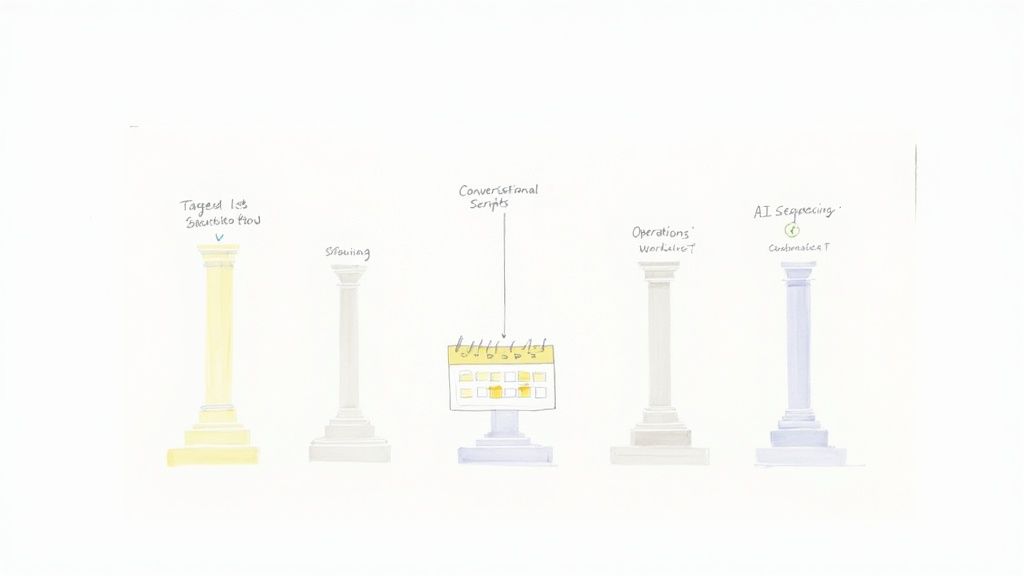
Here’s a quick look at what each stage involves and the outcomes you should expect:
- List Building makes sure reps dial the right homeowners
- Scripts spark genuine curiosity and keep conversations alive
- Operations track every call and lock in compliance
- AI-Driven Sequencing fine-tunes follow-ups and boosts connect rates
High-Level Stage Metrics
| Stage | Target Metric |
|---|---|
| List Building | 98% accuracy with phone verification |
| Script Testing | 65% meaningful conversation rate |
| Operations Tracking | 2–4.8% average conversion per call |
| Sequencing Uplift | 15–50% higher booked meetings |
Metrics matter most when they link to real revenue. Watching connect and conversion rates early saves wasted effort.
Catching issues like unverified numbers or stale scripts right away means you can course-correct before budgets go up in smoke.
What Success Looks Like Before You Dial
- 500 contacts filtered by service area and need
- 30 meaningful conversations per 100 calls
- 8–12 appointments set per 100 calls
- CRM dashboard updating in real time
When you hit these benchmarks, you’ve got proof your campaign is on track. It’s a confidence boost and a clear signal to keep pushing or tweak your approach.
Common Pitfalls To Avoid
Skipping fresh data, muddled scripts, weak follow-ups, and ignoring compliance will sap your momentum. For instance, dialing outdated numbers can lead to 22–30% lost connections every year.
- Automate number verification and refresh lists weekly
- Test different five-second hooks to see which one sparks engagement
- Monitor early metrics — adjust scripts on day three or shift call times by a couple of hours
These simple checks lift performance by 10–15%, keeping each pillar strong and your appointment pipeline flowing.
Build Targeted Outbound Lists
Good contact lists are the secret to productive cold sales calls. When your agents dial into real needs, they book more meaningful conversations and skip the dead ends.
Advanced Sourcing Tactics
You can mine local public records for homeowner details the moment permits land at the courthouse. Imagine a plumbing team zeroing in on recent pipe-repair filings—every outreach feels relevant.
Likewise, a chamber of commerce directory can flag businesses growing in your area. Narrow that list by employee count and revenue, and you speak straight to decision makers.
- County courthouse filings surface fresh remodel projects, ready for your CRM.
- Lawn care permit applications point to homeowners primed for seasonal sprucing.
- Niche data vendors sell curated lists focused on home upgrades and local retailers.
These methods cut through noise, boosting connect rates and slashing dial queues.
Automated Verification Tools
Nobody likes calling dead numbers. Automating phone checks lifts your valid connect rate to 98%, turning more rings into real conversations.
Data decays at roughly 2.0–2.5% per month, compounding to 22–30% annually if left unchecked. That slow drift can gobble up rep hours week after week.
Dive deeper into these findings on LeadsAtScale.
Here’s a snapshot of how data age shifts accuracy and drains rep time.
Impact Of Data Quality On Cold Calling Efficiency
| Data Age | Accuracy Rate | Monthly Degradation | Rep Time Lost |
|---|---|---|---|
| <1 Month | 98% | 2.0% | 0–1% |
| 3–6 Months | 92% | 2.2% | 5–7% |
| 6–12 Months | 80% | 2.4% | 15–20% |
| >12 Months | 55% | 2.5% | 30–40% |
Clean data fuels every stage of cold sales calling.
You can see how even a few months of decay eats into your team’s bandwidth and your overall connect rate.
Segmentation Strategies
Generic scripts are a recipe for hang-ups. Break your list into slices—emergency repairs, routine maintenance, new installs—and craft intros that speak each prospect’s language.
- Sort by last service date to pitch annual maintenance.
- Tag first-time contacts to A/B test fresh opening hooks.
- Rank zones by call success so your top reps hit the hottest areas first.
This precision builds trust faster and sends appointment rates upward.
Continuous Data Refresh
Data never stays fresh on its own. Set up weekly cleanups and let your verification APIs flag duplicates or stale entries in minutes. That way, reps grab live numbers instead of chasing ghosts.
That dashboard highlights spikes in invalid numbers and the resulting drop in connect rates. It’s your real-time alarm bell for list health.
Geographic Segmentation
Plot contacts by zip code to find your true sweet spots. When reps cover tight clusters, you cut downtime and avoid dialing outside contracted zones.
- Weave local landmarks into scripts for instant familiarity.
- Respect time preferences by skipping calls beyond normal hours.
- Track zone-level KPIs to pinpoint underserved pockets and shift outreach.
Rotating focus between areas keeps rep energy high and lists from drying up. Clients using Phone Staffer’s routines report a 20% lift in connect rate within the first month.
List Maintenance Best Practices
Keeping lists in shape shouldn’t be a last-minute scramble. Link your CRM to verification APIs for real-time flags, archive records after three failed attempts, and carve out time each quarter for a deep audit.
- Integrate CRM and verification for instant updates.
- Archive or delete contacts after three unanswered calls.
- Schedule quarterly cleans to catch silent bounces.
These habits free your team from manual cleaning. Instead, reps spend their energy having conversations—not scrubbing lists.
Fresh, segmented data is your launchpad for cold-calling success. Up next: crafting personalized scripts that resonate with each segment.
Craft Personalized Sales Scripts and Handle Objections
Turning a cold-call into a conversation homeowners actually value takes more than a quick template. Start with a human tone, add local flavor, and watch confidence—and appointments—rise.
Script Frameworks That Open Doors
Every successful call begins with an opener that feels familiar, not forced. Consider a roofing specialist who says, “Morning Alex, I noticed your new shingles on Maple Street and thought you’d appreciate a quick maintenance tip.” That one line shows you’ve done your homework.
Try this simple outline:
- Hook that mentions a street name, landmark, or local event
- Value statement focused on what the homeowner cares about
- Question that invites a response
“Good hooks get you past gatekeepers and into meaningful conversation.”
In our experience, mini role-play sessions boost connect rates by 15–20%. A daily two-minute drill can make all the difference when real calls go off-script.
Inject Local References And Benefits
Long-winded pitches turn people off. Instead, tie benefits directly to neighborhood-specific issues. A Phoenix plumber might explain, “With this heat, pipes expand and contract more—our tune-ups save up to 15% on unexpected repairs.”
Here’s a quick morning routine to sharpen local insights:
- Identify three neighborhood facts before dialing
- Slip one detail into your opening line
- Swap examples with a teammate for fresh angles
These small habits transform scripted chatter into genuine conversation.
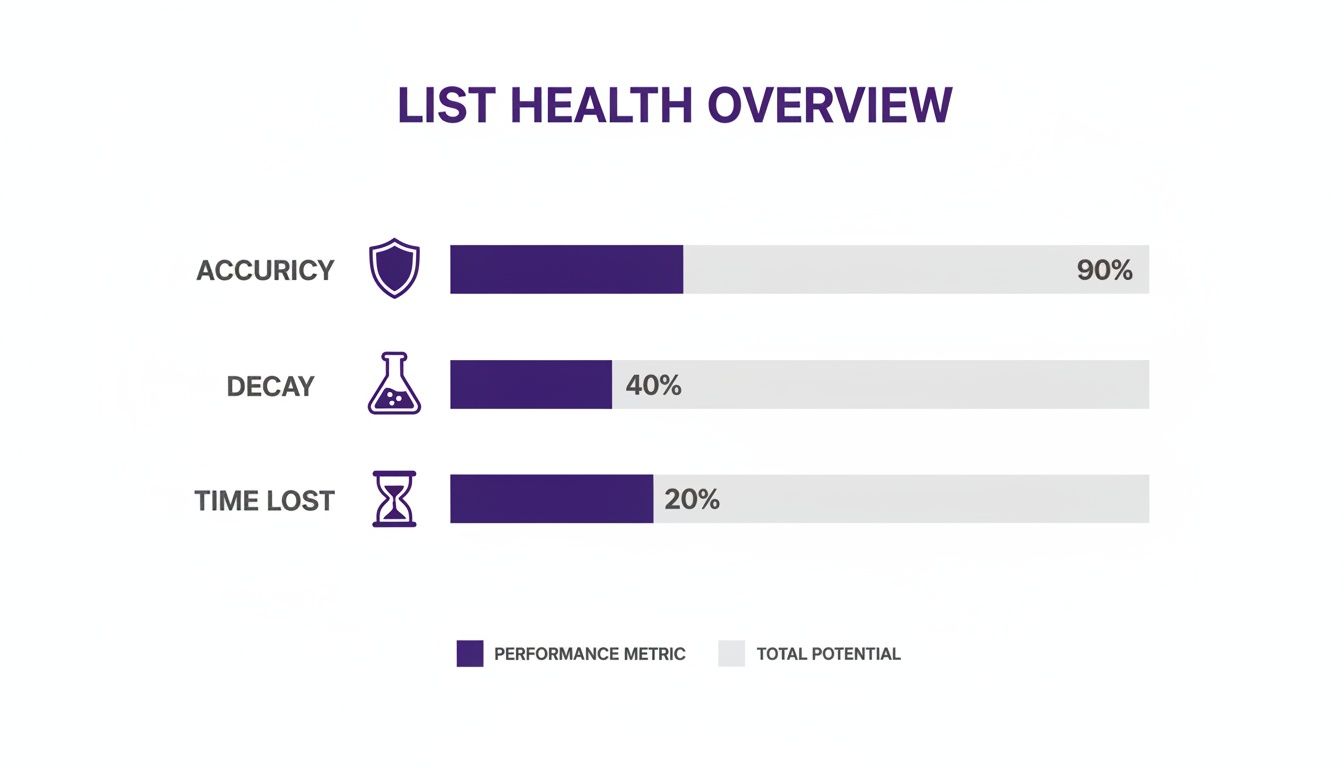
This infographic visualizes list health metrics across accuracy, decay, and time lost. It highlights where stale data undercuts cold sales calling efficiency.
Key insight: aging contact lists can bleed away nearly 30% of potential calls annually and waste rep bandwidth.
Objection Handling Pivots
When prospects balk at price, meet them with context. You might say, “I hear budget is key. Can I break down how this small investment can save you more over the next year?” That reframes cost into value.
Common pivot patterns:
- Price Sensitivity → Shift to ROI discussion
- DIY Attitudes → Offer a safety or warranty tip
- Timing Concerns → Provide a no-obligation scheduling window
“Reframing objections sparks curiosity and opens windows for dialogue.”
Keep these pivots in a shared doc. In daily huddles, challenge reps to practice one scenario. Rotate weekly to lock in muscle memory. Short, 60-second drills can cut hesitation by 40%.
Building Personalized Script Templates
A template should feel like a set of notes, not a word-for-word script. Encourage reps to drop in local street names or mention a recent community festival. Before you know it, generic text becomes a friendly exchange.
Example HVAC outreach snippet:
- “Hi [Name], I saw your AC was serviced near [Landmark] last summer. How’s it holding up?”
- “Our tune-ups help neighbors cut energy bills by 15%. Interested in a quick check?”
Best practices for your script library:
- Save neighborhood references in each template
- Focus on one clear homeowner benefit
- Log the most effective pivots after each call
Review and refresh these templates monthly based on real feedback and success stories.
Daily Huddles And Confidence Builders
Consistency beats marathon training. Begin each morning with a two-minute huddle where reps throw objections at one another. This quick routine reinforces comfort with the script and hones reflexes.
Huddle tasks to rotate through:
- Celebrate the top two wins from yesterday
- Introduce one new local detail for use on calls
- Run through a challenging objection pivot
“Small, consistent practice beats rare, long training blocks.”
Over time, reps forget they’re following a script. That effortless delivery resonates with homeowners and drives higher conversion rates. Combine these tactics with regular analytics reviews to stay ahead of market shifts and script fatigue.
Set Up Operations And CRM Workflows
When every ring matters, you need a system that never drops the ball. A centralized CRM means calls get logged the moment they happen, freeing your team to focus on building rapport instead of wrestling with spreadsheets.
Key Metrics To Monitor
Tracking a handful of metrics gives you an instant read on how your outbound engine is running:
- Connect Rate: Ratio of answered calls to total dials.
- Average Call Time: A rough measure of engagement depth.
- Appointment Set Ratio: Booked meetings divided by total calls.
These figures, displayed on a live dashboard, help you spot trends before they become problems. For example, a local roofing outfit moved from manual sheets into HubSpot and watched their dashboard update in seconds—no more late-night data merges or version conflicts.
| Activity | Spreadsheet | CRM Dashboard |
|---|---|---|
| Call Logging | Manual entry in rows | Auto-logged with call widgets |
| Follow-Up Reminders | Rep-driven calendar invites | Triggered tasks and email alerts |
| Performance Reports | Monthly pivot tables | Live charts with drill-down filters |
| Compliance Checks | Manual DNC list merges | Real-time DNC scrubbing on dialers |
Configuring Call Outcome Templates
Capturing accurate call outcomes is the backbone of reliable forecasting. By adding custom fields like Call Result, Lead Score and Next Step, you remove guesswork from your data.
Consider these dropdown options:
- Call Result: Answered, Voicemail, Busy, No Answer
- Lead Score: Auto-updates based on outcome and recent activity
- Next Step: Schedule follow-up tasks or advance the record
- Urgency: Flags hot leads for same-day attention
When those fields feed workflows—say, a Lead Score dipping below 20 triggers an immediate script review—you’ll catch performance hiccups early.
Automating outcome templates cuts admin time by up to 35% and boosts follow-up consistency.
Streamlining Compliance
Staying on the right side of TCPA and DNC regulations doesn’t have to be a headache. Modern dialers scrub numbers against Do-Not-Call lists in real time, while embedded consent tick boxes ensure every recorded conversation is above board.
Daily stand-ups around the live CRM dashboard keep everyone honest. If connect rates slip, the team tweaks the script on the fly. But remember: cold calling isn’t what it used to be. Conversion rates now hover around 2–4.8% per call, yet answered dials deliver a 65.6% chance of a meaningful conversation—and those calls now run 93 seconds on average. Dig into the details in this Salesmate blog post.
Automating Follow-Ups And Scheduling
As outcomes feed into your lead-scoring engine, prospects shuffle into the right lanes without manual handoffs. Here’s how you might configure follow-up triggers:
- Left Voicemail: Sends a “tap-on-the-shoulder” email after two days
- Not Interested: Tags as cold and moves to archive
- Interested: Creates an immediate task for the next available rep
- Booked Appointment: Advances the contact into a confirmation pipeline
To connect the dots between calls and calendars, link your CRM to scheduling tools like Calendly or Acuity Scheduling. A quick checklist looks like this:
- Connect your CRM’s API key to the scheduler
- Map appointment types to your service offerings
- Personalize confirmation messages with the right details
- Run a test meeting to confirm everything flows
- Watch the first-week logs for hiccups and adjust on the fly
Once live, reps can drop booking links right into their call scripts, sealing the deal in real time. In one HVAC operation, this cut admin work by 5 hours per week—freeing up the team to make 40 extra calls in the same span.
Automating routine tasks turns CRMs into growth engines, not filing cabinets.
With these workflows humming, every lead gets the attention it deserves—and your appointment calendar fills itself.
Choose In-House Or Outsourced Appointment Setting
When you’re planning a cold-calling program, choosing between an in-house team and an outsourced partner shapes every detail—from your budget to your daily workflow.
Before you commit, map out these critical factors:
- Cost for salaries, tools and overhead
- Messaging Control and process flexibility
- Ramp-Up Speed and appointment volume
- Local Market Knowledge and quality checks
Budgeting Models
A simple spreadsheet can highlight where your dollars go and when you’ll hit that next growth milestone. Break expenses into four buckets:
- Labor: Base salary, benefits and payroll taxes
- Software: CRM, dialer subscriptions and integrations
- Training: Hourly coaching, role-play sessions and feedback loops
- Management: Team leads, quality audits and performance tracking
Tweak headcount or outsourcing thresholds until your forecast aligns with your call-volume goals.
Use budget models to prevent surprises as you scale.
Hiring Remote CSRs
Bringing customer service reps (CSRs) onboard quickly keeps you nimble—and avoids chasing the wrong candidates. Here’s a shortlist to screen talent:
- Define role expectations, hours and performance metrics
- Confirm cold-calling experience and regional familiarity
- Run a live script test during the interview
- Role-play common objections to gauge attitude
Onboarding can happen in three days:
- Day 1: Product overview, script walkthrough and instant feedback
- Day 2: Supervised calls with real-time coaching
- Day 3: Independent dialing followed by a performance review
In-house teams give you full control but demand more setup time.
Outsourced Appointment Setting
A specialist service can flood your calendar with leads while you skip the hiring headaches. Typical per-lead fees range from $25 to $60, depending on volume and market. You stay in the driver’s seat by approving scripts and joining regular quality-check calls.
| Vendor | Cost Per Lead | Ramp Time | Control Level |
|---|---|---|---|
| Vendor A | $30 | 2 weeks | High |
| Vendor B | $45 | 1 week | Medium |
| Vendor C | $25 | 3 weeks | Low |
Case Study Growth Story
One home-service business launched with two in-house reps making cold calls. After six months, they added eight more reps, leaning on weekly playbook reviews and performance check-ins. When overflow calls hit a peak, they switched to an outsourced partner—dropping cost per lead from $50 to $35. The hybrid model kept quality high and growth on track.
Tools And Platforms
Your team needs dialing and CRM software that just works. Here are three options to consider:
- RingCentral for quick local-number setup and call recording
- HubSpot CRM for unified call logs, lead scoring and workflows
- Phone Staffer for full-service appointment setting
According to internal benchmarks, the right stack can cut manual tasks by 35%, leaving more time for conversations and follow-ups.
Choose Your Path
Line up per-lead cost, ramp time and control level against your monthly revenue targets. If maintaining brand voice and oversight matters most, build in-house. To ramp appointments fast without recruiting delays, consider a partner like Phone Staffer.
“Phone Staffer helped us double our bookings in two months at a stable $28 CPL.”
Next Steps
Run your budgeting model, then launch a small outsourced pilot to compare real numbers quickly. Check integration costs and rep performance after two weeks. Let the data guide your decision—and watch your appointment counts climb.
Use AI And Multi-Channel Sequencing
Cold calling can feel like firing blind arrows. By weaving AI-driven dialing together with emails, social nudges and follow-ups, you turn those arrows into guided missiles—hitting prospects when they’re most receptive.
Dialers powered by machine learning analyze your past calls to spot the best windows, while real-time scoring flags the warmest leads. The result? Reps spend less time guessing and more time closing.
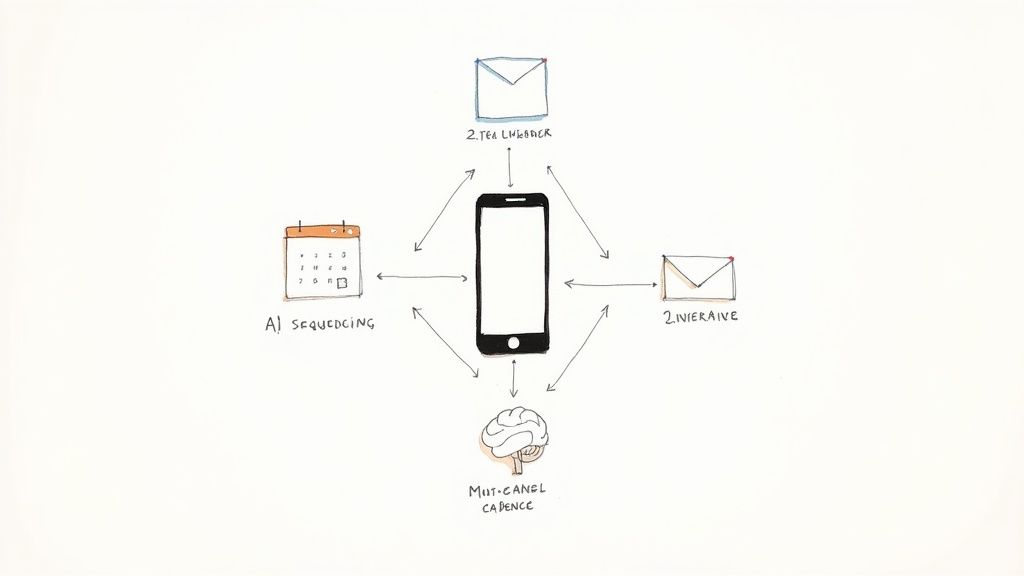
That chart above underscores a simple truth: sprinkle AI through every touchpoint and ROI climbs.
Here’s a quick breakdown of how different outreach strategies stack up:
AI and Multi-Channel Sequencing Benefits
| Approach | Conversion Uplift | Efficiency Gain | ROI per $1 Spent |
|---|---|---|---|
| Calls Only | 0%–10% | Baseline | $1.00 |
| Calls + Email | 15%–30% | +20% | $2.50 |
| Multi-Channel | 15%–50% | +35% | $4.50 |
Choosing the right mix can supercharge your pipeline without blowing your budget.
Setting Up AI-Powered Dialers
Start by feeding your dialer with historical call logs. In practice you’ll see it zero in on prime answer times—for many home-service teams, midweek mornings outperform Friday afternoons.
Next, bring your scripts to life using dynamic tokens: insert a customer’s [LastServiceDate], a nearby landmark or the name of their community association. Then set a lead-score threshold so only the hottest prospects hit your reps’ queues.
- Call Time Optimization can cut idle dialing by about 25%.
- Predictive Lead Scoring surfaces the top contacts for immediate outreach.
- Dynamic Tokens boost live answer rates by roughly 18%.
About 70–75% of B2B outfits plan to adopt AI for outbound calling—automating verification, predictive scoring and conversation analytics. Dive into these cold call benchmarks on Martal cold call insights.
“AI workflows lifted our booked meetings by 30% in just ten days,” shares a home-service franchise owner.
Designing Multi-Channel Cadences
One local plumbing team I coach uses a five-touch flow that feels like a conversation, not spam:
- Day 0: Quick email mentioning the neighborhood and next steps.
- Later that day: AI-optimized call attempt.
- Within hours: LinkedIn connection request with a helpful tip.
- Next morning: Follow-up email featuring a nearby case study.
- Two days later: Final call including a limited-time booking link.
Best practices to keep engagement high:
- Keep emails tight—two lines max with a bold call-to-action.
- Save social outreach for prospects who’ve already opened an email.
- Swap personalization tokens every month to prevent message fatigue.
Analyzing Conversation Analytics
Your analytics dashboard is more than a log of calls—it’s a treasure trove of patterns.
Filter for phrases like “estimate,” “repair” or “warranty” to see which words signal a likely appointment. Set alerts around these high-value terms so you can coach reps in real time.
Key metrics to watch:
- Average sentiment score per call
- Top three objections by count
- Live token usage vs. response rates
“Analyzing call themes increased our first-call booking rate by 22%,” reports a roof repair team manager.
Scheduling Sequence Integration
Link your CRM to Calendly or Acuity Scheduling so prospects book themselves without back-and-forth.
Define appointment types, set availability windows and automate confirmations. Then layer in reminders:
- Immediate booking confirmation email
- SMS reminder one day before
- Email nudge two hours before
This hands-off approach slashes no-shows and keeps your calendar full.
Importable Templates For Tech Stack
Drop this JSON into platforms like RingCentral or HubSpot to spin up your five-step AI multi-channel cadence instantly.
{
"cadenceName": "AI Multi-Channel 5-Step",
"steps": [
{"type": "email", "delay": "0h", "template": "Warm Local Hook"},
{"type": "call", "delay": "2h", "dialTime": "AI_Optimized"},
{"type": "social", "delay": "6h", "platform": "LinkedIn"},
{"type": "email", "delay": "24h", "template": "Nearby Case Study"},
{"type": "call", "delay": "48h", "dialTime": "AI_Optimized"}
]
}
After import, tweak delays and tokens to reflect your service area and audience. Monitor metrics for each step and iteratively refine.
Combine these pieces in a weekly rhythm—kick off each Monday by comparing call-only runs against your latest multi-channel play. Run simple A/B tests on email hooks or call windows, and let the data guide you.
Over time, this approach shifts cold calling from guesswork to a predictable, scalable pipeline.
Next up, we will explore templates you can import into Phone Staffer to automate your sequences and book more appointments.
Frequently Asked Questions
Cold calling can feel like hitting a brick wall. These answers come from real-world experience—no fluff, just tactics you can apply today to keep your calendar full.
Which Metrics Should I Prioritize When Evaluating Cold Call Performance?
Start by tracking connect rate, average call duration, appointment set ratio, and lead conversion rate. These four numbers show whether your team is getting through, holding attention, booking meetings, and closing deals.
Once you spot a weakness—maybe calls end too quickly or appointments don’t turn into jobs—you can zero in on the script or the follow-up process instead of guessing.
What’s the Best Way to Reduce Data Decay In My Outbound Lists?
Keeping your list clean is non-negotiable. Try this:
- Run a monthly verification cycle with an AI-driven tool.
- Enrich each contact with fresh details (service history, neighborhood updates).
- Purge anyone who hasn’t engaged after three campaigns.
“Fresh data fuels every successful cold sales calling effort by boosting connect rates and cutting wasted dial attempts.”
Compliance And DNC
You can’t afford a slip-up with call regulations. Here’s how you stay on the right side of the law:
- Use an autodialer with built-in live DNC scrubbing.
- Train reps on federal and state telemarketing rules.
- Record calls only when you have explicit permission—and audit those logs weekly.
Team Structure
Deciding between in-house versus outsourced appointment setting comes down to control and speed:
- In-House: Best for hands-on script coaching and message consistency.
- Outsource: Ideal when you need rapid volume, predictable costs, and no recruiting headaches.
- Hybrid: Mix both to balance quality, budget, and scale.
Next Steps
- Weekly DNC Audits – Catch compliance issues before they become fines.
- Daily KPI Checks – Scan connect and conversion rates each morning to spot dips.
- Monthly Script Rotations – A fresh angle keeps conversations lively and prospects curious.
Use these tactics to tighten your process. Watch your appointment rate climb—and stay ahead of the competition.
Ready to fill your schedule with qualified appointments? Contact Phone Staffer today and let our team drive your next wave of leads.