
In the construction industry, a professional and accurate estimate is more than just a quote; it's your first impression, a critical sales tool, and the essential roadmap for project success. A well-structured construction estimate sample builds immediate client trust, clarifies the project scope to prevent misunderstandings, and is the first line of defense in protecting your profitability. Yet, creating a detailed and polished estimate from scratch for every single bid is inefficient, time-consuming, and leaves you vulnerable to costly errors.
This guide eliminates that guesswork. We have compiled and will break down 7 top-tier construction estimate templates you can download and adapt today from leading platforms like Smartsheet, ArcSite, and Jobber. We're going beyond just listing sources; for each example, we'll analyze its strategic value, highlight key line items, and provide actionable insights to help you create better estimates faster. Our goal is to equip you with the tools to not only streamline your bidding process but also to convert more of those bids into profitable, booked jobs. While these templates focus on the estimate itself, to further equip yourself with financial planning tools, consider exploring these top construction budget template options to manage project costs from start to finish. Let's dive into the templates that will set the foundation for your next successful project.
1. Smartsheet: The Ultimate Template Library for Every Trade
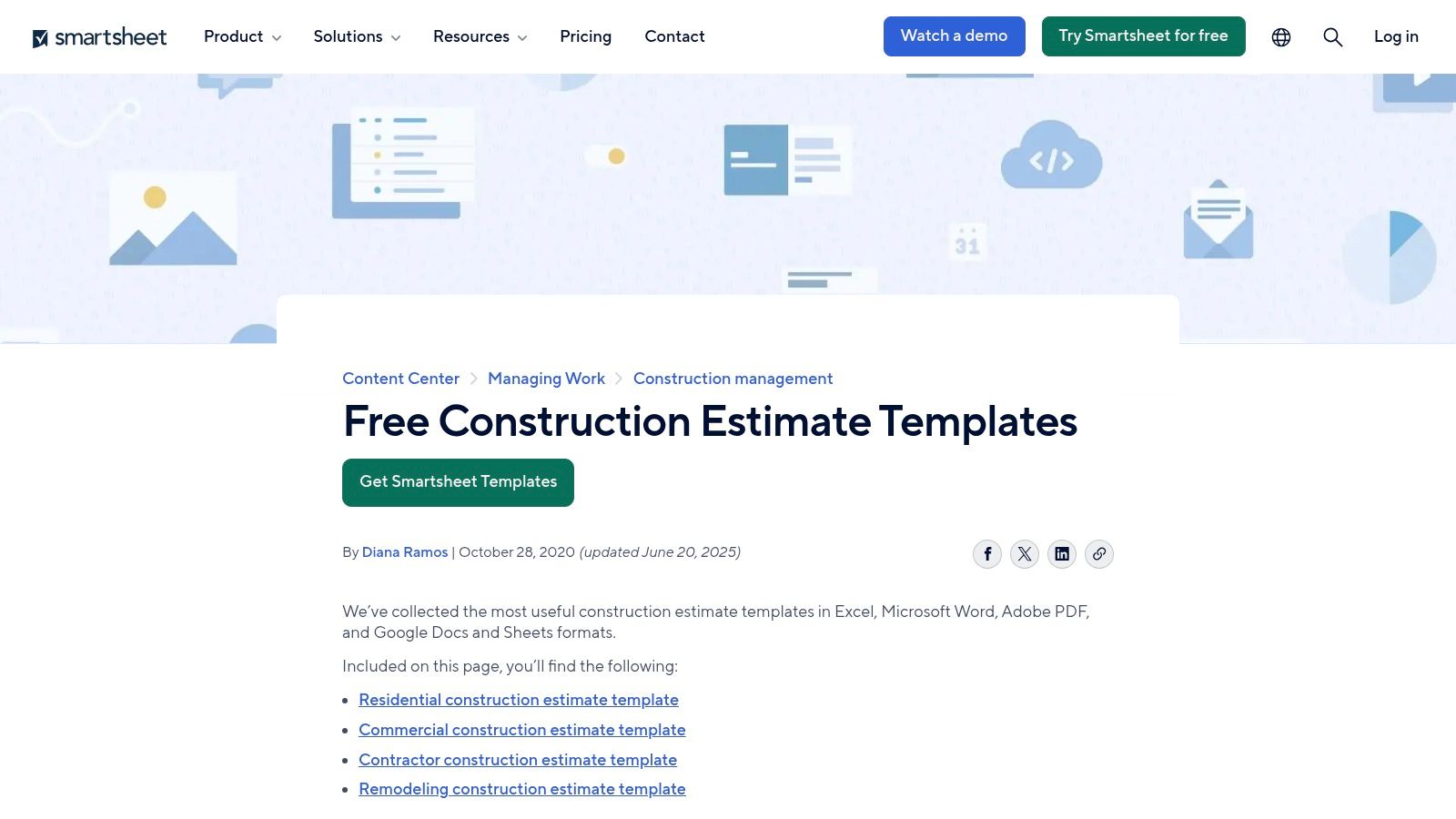
Smartsheet secures the top spot on our list by offering one of the most comprehensive and accessible libraries of free construction estimate templates available online. Unlike software-specific solutions that lock you into a platform, Smartsheet provides a versatile collection of downloadable files in universally compatible formats. This makes it an ideal starting point for contractors who need a professional, well-structured construction estimate sample without an immediate financial or software commitment.
The platform's core strength lies in its sheer variety and thoughtful organization. Instead of a one-size-fits-all approach, Smartsheet offers specialized templates for nearly every scenario. Whether you're running a residential remodeling project, bidding on a large commercial build, or specializing in a specific trade like roofing, electrical, or painting, there's a tailored template ready to download.
Why It Stands Out
What makes Smartsheet particularly valuable is its inclusion of sample-filled versions alongside blank templates. This feature is a game-changer for new contractors or those expanding into different types of work. By examining a pre-filled sample, you can quickly understand the expected level of detail, common line items for a specific job, and the correct way to structure costs. This significantly reduces the learning curve and helps prevent costly omissions.
Strategic Insight: The dual-offering of blank and sample-filled templates allows contractors to reverse-engineer a professional estimate. You can see the finished product first, understand the logic behind it, and then apply that structure to your own blank template with confidence.
Features & Access
Smartsheet’s template gallery is completely free to access and download. The user experience is straightforward: navigate to the construction templates page, select the one that fits your needs, and choose your preferred file format.
- Available Formats: Excel, Word, Google Sheets, Google Docs, and PDF.
- Cost: All template downloads are free. Advanced project management and automation features require a paid Smartsheet subscription, but the static templates are available without any cost or sign-up.
- Access: Direct download from their website at https://www.smartsheet.com/content/construction-estimate-templates.
Practical Tips for Use
To maximize the value of Smartsheet's resources, start by downloading both the blank and sample-filled versions of the template most relevant to your next project. Use the sample as a checklist to ensure you haven't overlooked any potential costs, such as permits, site cleanup, or specialized equipment rentals. Customize the blank template with your company logo, contact information, and specific terms and conditions to create a reusable master document for future jobs.
2. ArcSite: The Calculator-Powered Spreadsheet Template
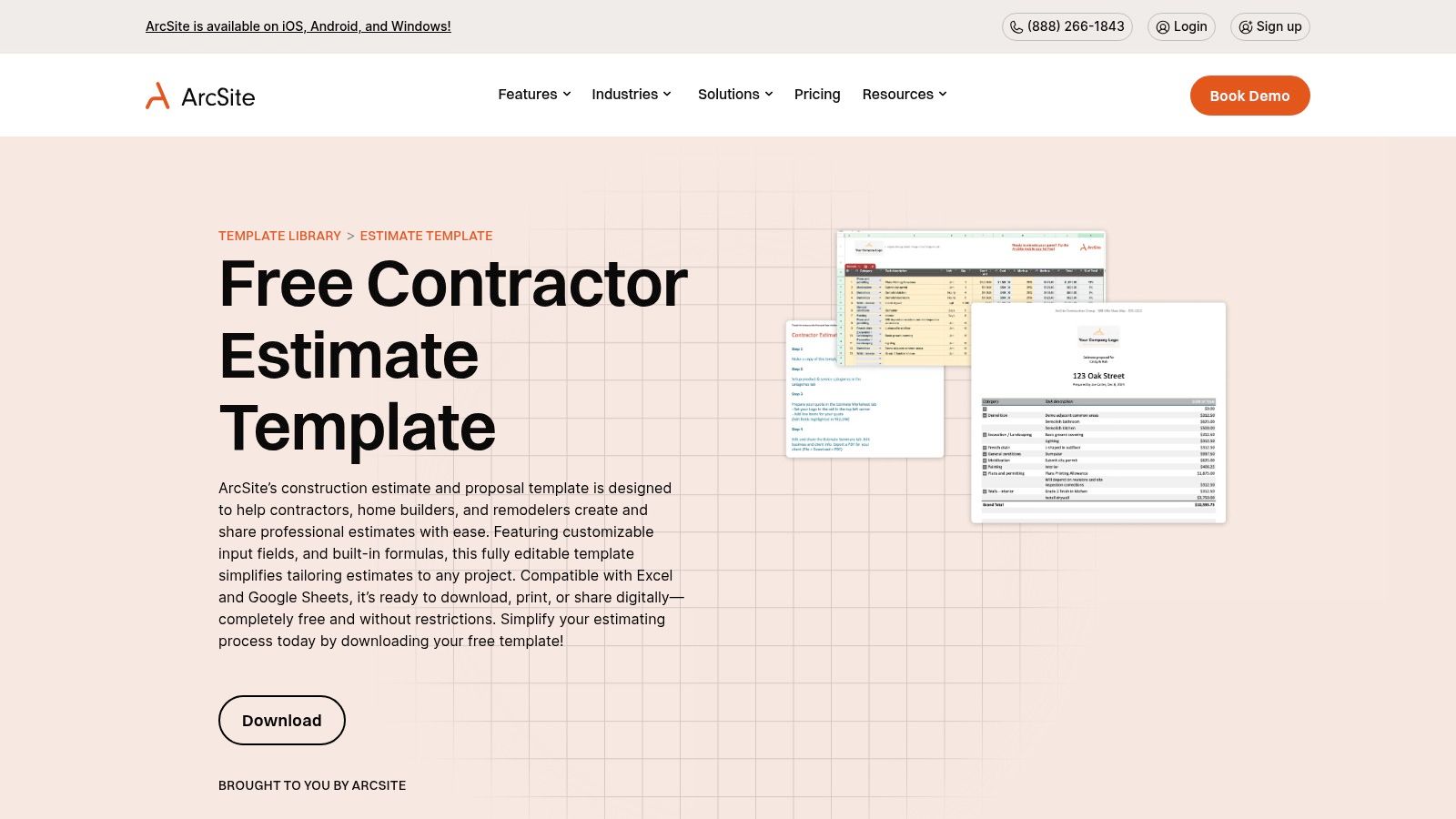
ArcSite earns its spot by providing contractors with powerful, formula-driven estimate templates that go beyond simple layouts. While many platforms offer static documents, ArcSite’s free downloads for Excel and Google Sheets come with prebuilt calculations for labor, materials, and markups. This makes it an excellent resource for contractors who need a functional construction estimate sample that actively helps them calculate job costs and profit margins.
The platform specializes in creating spreadsheets that act as simple calculators, reducing the risk of manual math errors. ArcSite offers a robust collection of trade-specific templates, including dedicated options for roofing, HVAC, electrical, and general contracting. This focus on providing a "ready-to-use" tool, complete with embedded formulas, distinguishes it from more basic template libraries.
Why It Stands Out
The key differentiator for ArcSite is its integration of automatic calculations directly into the templates. Instead of just providing columns for "Quantity" and "Unit Price," their templates often include a "Total" column that multiplies these values automatically. Furthermore, they often feature sections for calculating overhead, applying a markup percentage, and generating a final project total with tax. This built-in functionality saves time and significantly improves accuracy.
Strategic Insight: By using a template with prebuilt formulas, you can test different pricing scenarios instantly. Adjusting a material cost or changing your markup percentage will automatically update the final estimate, allowing you to fine-tune your bid for competitiveness and profitability without redoing all the math.
Features & Access
ArcSite’s spreadsheet templates are genuinely free and do not require signing up for their software. The download process is simple, giving you immediate access to highly functional files.
- Available Formats: Excel and Google Sheets.
- Cost: All spreadsheet template downloads are free. The templates serve as a gateway to their paid software, which offers advanced mobile estimating and takeoff tools, but the downloads themselves are not paywalled.
- Access: Direct download from their website at https://www.arcsite.com/utility/contractor-estimate-template.
Practical Tips for Use
To get the most out of an ArcSite template, first identify the one most specific to your trade. Once downloaded, take a few minutes to examine the formulas in the cells to understand how they work. You can then customize the markup percentages, labor rates, and tax rates to match your business's financial structure. Save this customized version as your new master template, ensuring every future estimate you create is consistent, professional, and mathematically accurate.
3. ProjectManager: The Excel Template for Detailed Cost Control
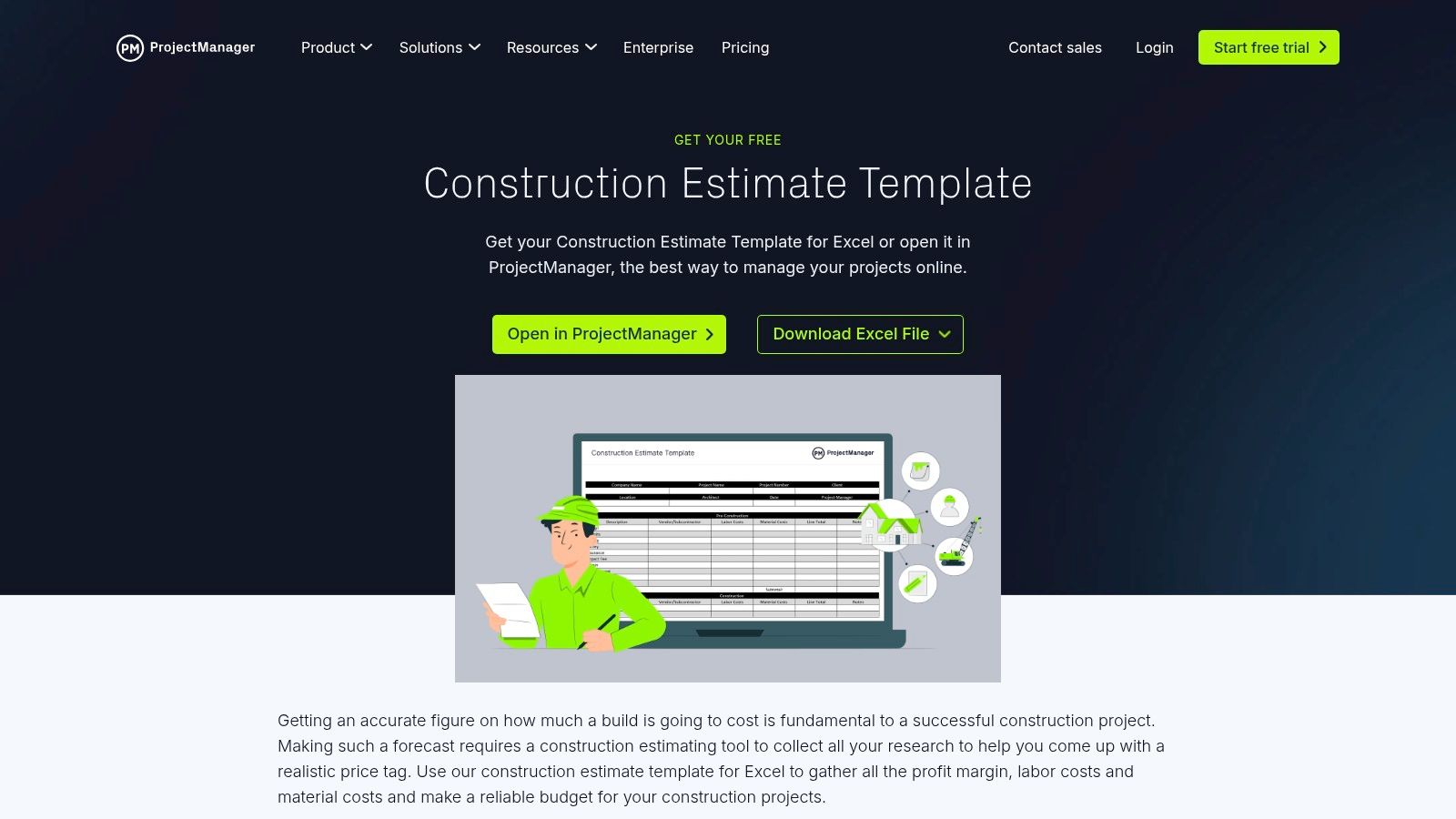
ProjectManager carves out its niche by offering a highly detailed and free construction estimate template specifically designed for Excel. This resource is tailored for general contractors and subcontractors who prefer the familiarity and control of a spreadsheet but require a robust framework that goes beyond basic line items. It provides a powerful, downloadable starting point for anyone needing a granular construction estimate sample focused on tracking costs from bid to completion.
The template’s strength lies in its logical structure, which separates costs into clear, manageable categories. It includes dedicated sections for labor, materials, subcontractor fees, and other direct costs, as well as fields for indirect expenses and a calculated profit margin. This comprehensive layout helps ensure no cost is overlooked during the bidding process, providing a clear financial overview of the entire project.
Why It Stands Out
What distinguishes the ProjectManager template is its design as a "control estimate." It’s built not just for bidding but for active project financial management. Contractors can use the initial estimate as a baseline and track actual expenses against it as the project progresses. This functionality provides critical insights into budget variances, helping to identify potential overruns early and maintain profitability. This dual-purpose nature makes it an invaluable tool for both winning the job and managing it effectively.
Strategic Insight: Using this template as a control document transforms your estimate from a static sales tool into a dynamic project management asset. It bridges the gap between pre-construction and construction phases, ensuring financial accountability from start to finish.
Features & Access
The Excel template from ProjectManager is completely free and requires no account creation to download. The accompanying instructions on their website offer helpful guidance on how to fill out and apply the template for maximum benefit.
- Available Formats: Microsoft Excel (.xlsx).
- Cost: The template download is 100% free. Advanced, real-time collaboration and project management features are part of their paid software subscription.
- Access: Download the file directly from their website at https://www.projectmanager.com/templates/construction-estimate-template.
Practical Tips for Use
After downloading the template, customize the header with your company's branding and contact details. Use the pre-defined categories as a guide but feel free to add or modify line items to better suit your specific trade or project type. For general contractors, linking this detailed cost sheet to your procurement process is a powerful next step; exploring how automated purchase order systems can integrate with your financial tracking will further streamline operations. The detailed client and project information fields also serve as an excellent data source for your customer relationship management efforts, helping you build stronger client connections.
4. Etsy: The Marketplace for Specialized Contractor Templates
For contractors seeking a highly specific or visually unique construction estimate sample, Etsy emerges as an unexpected but powerful resource. It's a vast marketplace where independent creators and business-savvy contractors sell their own custom-built templates, calculators, and comprehensive spreadsheet bundles. This peer-to-peer model provides access to niche documents that are often more detailed and feature-rich than standard free offerings.
Etsy’s strength lies in specialization and variety. Instead of generic forms, you can find templates designed for specific trades like HVAC, landscaping, or interior design, often including pre-built formulas, visual dashboards, and automated calculations. These tools are created by individuals with direct industry experience, resulting in practical layouts that address real-world estimating challenges. Many listings bundle an estimate template with other crucial documents like change order forms, project timelines, and schedule of values (SOV) sheets.
Why It Stands Out
What sets Etsy apart is the built-in social proof and the sheer creativity of its sellers. Each product listing includes user reviews, star ratings, and detailed screenshots, allowing you to vet the quality and functionality before making a purchase. You can see exactly how the spreadsheet is organized and what features it includes. This transparency helps mitigate the risk of purchasing a low-quality or poorly designed template.
Strategic Insight: Etsy allows you to acquire professionally designed, highly functional estimating tools for a one-time, low cost. Instead of a monthly software subscription, you can purchase a powerful Excel or Google Sheets template with advanced features like automated profit margin calculations and visual progress charts, which you can own and customize indefinitely.
Features & Access
Etsy's marketplace is designed for immediate digital access. The process is simple: find a template, review its features and ratings, and receive a download link instantly after purchase. The quality and support can vary, so it's crucial to check seller reviews.
- Available Formats: Primarily Excel and Google Sheets, with some sellers offering PDF and Word versions.
- Cost: Varies by seller but is generally very affordable, often ranging from $5 to $50 for a comprehensive bundle. It's a one-time purchase, not a subscription.
- Access: Browse and purchase directly from the marketplace at https://www.etsy.com/market/construction_estimate.
Practical Tips for Use
To find the best template on Etsy, use specific keywords like "remodeling estimate Excel" or "roofing bid template Google Sheets." Always thoroughly read the product description to understand its features, and carefully examine all the provided screenshots. Pay close attention to recent reviews from other contractors. Once purchased, save a blank master copy of the template before you begin customizing it with your company’s branding and typical line items for future use.
5. Builder’s Book, Inc.: The Specialist Form for Time-and-Materials Jobs
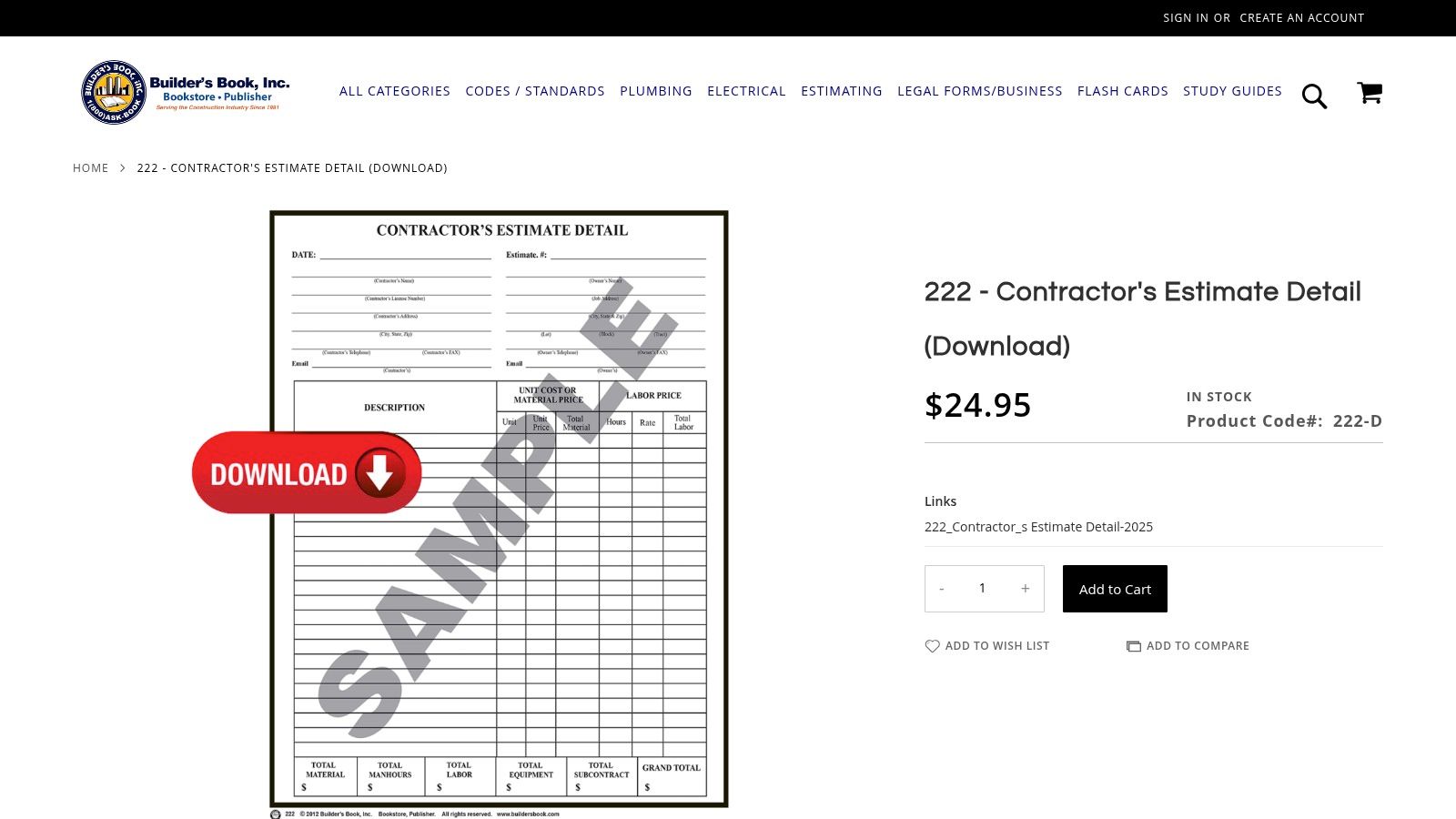
Builder’s Book, Inc. carves out a niche in our list by operating as a specialty construction bookstore rather than a broad template library. It provides paid, professionally crafted downloadable forms for specific contracting needs. This makes it a go-to resource for contractors seeking a polished construction estimate sample for time-and-materials (T&M) projects, where a detailed breakdown of labor and material costs is crucial for transparency and client trust.
The platform's standout offering is its "Contractor’s Estimate Detail" form. Unlike generic templates designed for fixed-price bids, this document is meticulously structured for T&M work. It includes dedicated sections for project scope, unit prices, an itemized list of materials, and a clear breakdown of labor hours and rates. This level of detail is essential for jobs where the final cost is variable, providing both the contractor and client with a clear, defensible framework for billing.
Why It Stands Out
What sets Builder’s Book apart is its specialized focus and legacy as a reputable retailer for contractor resources. The forms are not just templates; they are tools created with a deep understanding of construction business operations. The "Contractor’s Estimate Detail" form is specifically designed to be client-facing, with a clean, professional layout that instills confidence. For contractors who primarily handle repairs, renovations, or projects with undefined scopes, this T&M-focused structure is far more practical than a standard fixed-bid estimate.
Strategic Insight: Using a dedicated time-and-materials form like this one shifts the client conversation from a single bottom-line number to a transparent breakdown of value. It helps justify costs by clearly showing where every dollar is going, which can prevent disputes and build stronger client relationships on variable-scope projects.
Features & Access
The forms from Builder’s Book are paid digital downloads, positioned as a small investment in professional business documentation. The user experience is that of a straightforward e-commerce store: find the form, add it to your cart, and purchase it for immediate download.
- Available Formats: PDF and RTF (Rich Text Format), which is editable in most word processing software.
- Cost: This is a paid resource. The specific price for the "Contractor's Estimate Detail" form is listed on its product page.
- Access: Direct download after purchase from their website at https://www.buildersbook.com/222-contractor-s-estimate-detail-download.html.
Practical Tips for Use
Once you download the RTF version, customize it with your company logo, business details, and specific terms and conditions for T&M work. Define your standard labor rates, markup percentages, and payment schedules directly within the document to create a reusable master template. For each new T&M project, use this form to meticulously log all materials and labor hours as they occur. Presenting this detailed breakdown to the client during invoicing will provide full transparency and validate the final cost.
6. Joist: The Bridge from Static Templates to Digital Workflow
Joist carves out a unique space on our list by acting as both a repository for free, downloadable templates and a gateway to a full-featured digital estimating app. This hybrid approach is perfect for small contractors or tradespeople who want to start with a simple, professional construction estimate sample but anticipate needing a more powerful workflow management tool as their business grows. It offers the immediate gratification of a static file with a clear, low-friction upgrade path.
The platform provides a collection of clean, well-organized templates tailored for various trades, available in all the standard file formats. While the library isn't as vast as Smartsheet's, the templates provided are professional and cover the essential needs of most residential and light commercial contractors, making it an excellent starting point for those looking to standardize their quoting process without an upfront investment.
Why It Stands Out
Joist’s key differentiator is its seamless transition from static document to dynamic workflow. You can download an Excel or Word template today for free, and tomorrow, if you need more functionality, you can sign up for the free Joist app to create, send, and track estimates from your phone or tablet. This built-in scalability is invaluable. Features within the app, like client signatures and converting estimates directly into invoices, significantly improve professionalism and can even boost customer satisfaction by streamlining the client experience.
Strategic Insight: Use the free Joist templates to establish your baseline estimating process. Once your format is consistent, migrate that structure into the Joist app to leverage digital tools like estimate tracking and payment processing, which can shorten your sales cycle and improve cash flow.
Features & Access
Joist’s free templates are immediately accessible, but the platform’s real power is unlocked through its app, which operates on a freemium model. This allows contractors to digitize their process at no initial cost.
- Available Formats: Excel, Word, Google Sheets, Google Docs, and PDF.
- Cost: All template downloads are free. The Joist app has a free-forever plan with core estimating and invoicing features; advanced capabilities require a paid subscription.
- Access: Direct download from their website at https://www.joist.com/estimate-templates/.
Practical Tips for Use
Begin by downloading the template that best matches your trade to get a feel for Joist’s layout and structure. Customize it with your company branding and standard line items. If you find yourself manually tracking the status of multiple estimates, it’s a strong signal to try the free version of the Joist app. You can import your customized template structure into the app to maintain consistency while gaining the ability to track opens, get client approvals online, and create invoices with a single click.
7. Jobber: The Bridge from Static Templates to Dynamic Workflow
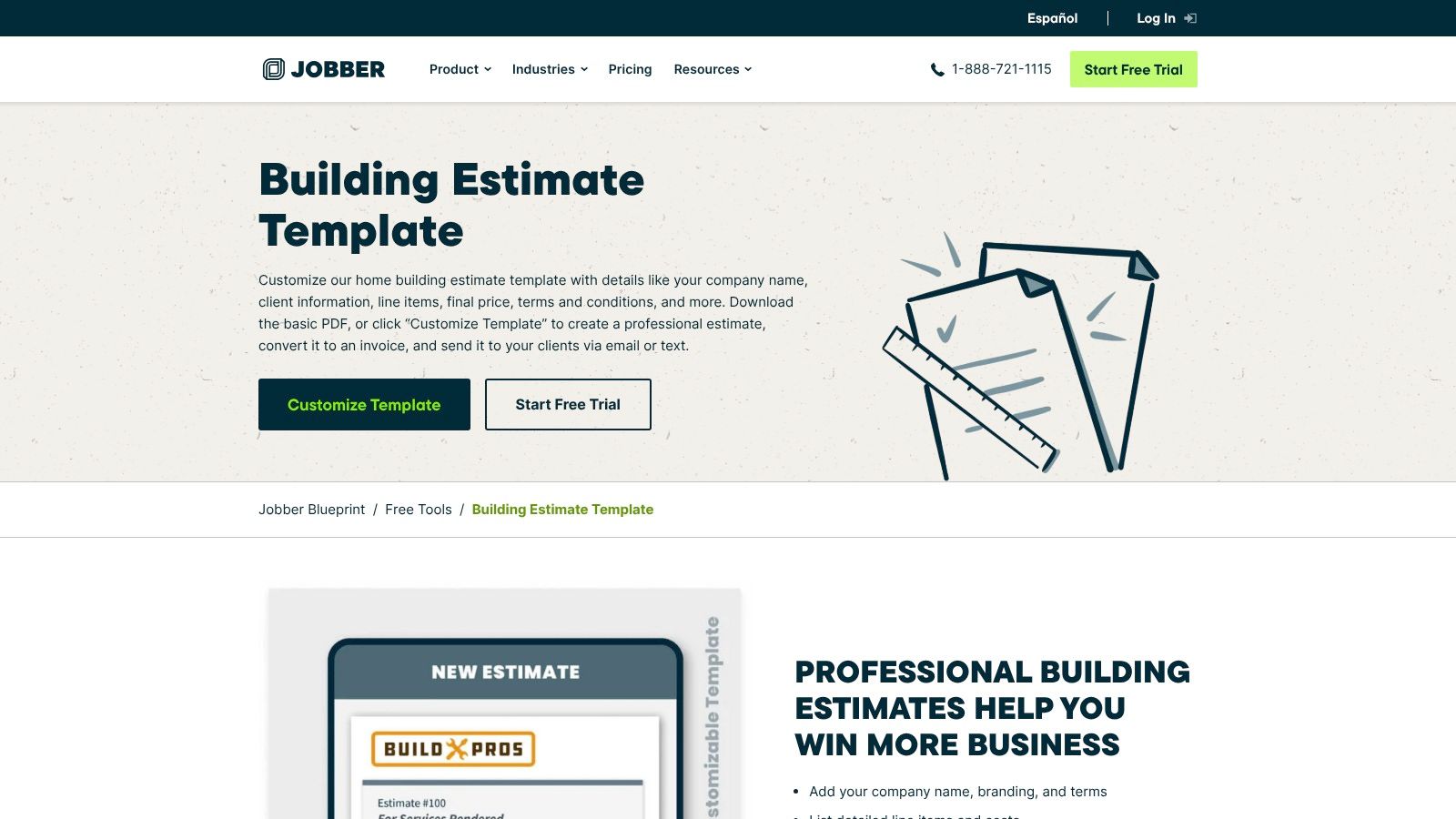
Jobber earns its spot on our list by serving as the perfect transition point for contractors ready to move beyond static spreadsheets and into a more dynamic workflow. It offers a clean, professional, and free building estimate template generator, but its true value lies in providing a clear upgrade path to a full-featured field service management software. This makes it an excellent choice for businesses aiming to improve efficiency without committing to a complex system from day one.
The platform provides a simple online tool where you can input your details and generate a polished construction estimate sample in minutes. While the initial output is a static file, it’s designed to seamlessly integrate into Jobber’s paid software, which allows for sending estimates via email or text, tracking their status in real-time, and converting them into jobs or invoices with a single click.
Why It Stands Out
Jobber's unique proposition is its role as a gateway to operational efficiency. Many contractors start with templates but soon face the administrative headache of tracking multiple bids, following up with clients, and manually creating invoices. Jobber’s free tool gives you a taste of the professionalism its software offers, making the decision to upgrade and streamline these processes much more intuitive.
The platform is designed specifically for service businesses, meaning its features are tailored to the real-world needs of contractors on the go. This focus ensures that when you do decide to adopt the software, you’re not getting a generic CRM but a tool built to manage jobs, schedule crews, and handle client communications effectively. Pairing this with a system to manage your client communications can be even more powerful; understanding after-hours answering service costs can help ensure you never miss a lead, even outside of business hours.
Strategic Insight: Use Jobber’s free template generator to standardize your quoting process immediately. As your business grows, the natural next step is to adopt the Jobber platform, which will already feel familiar, allowing you to easily import your client and job data to automate your entire sales cycle from estimate to payment.
Features & Access
Jobber's free template tool is accessible directly from their website without needing to sign up for an account. If you choose to try their software, you gain access to a powerful suite of management features.
- Available Formats: Excel and PDF (via the free online generator).
- Cost: The template generator is free. The full Jobber software suite is available through paid subscription plans with a free trial.
- Access: Generate your free template directly at https://www.getjobber.com/free-tools/estimate-template/building/.
Practical Tips for Use
Begin by using the free online generator to create a professional-looking template for your next few bids. Customize it with your logo and business details. Pay attention to how much time you spend manually tracking the status of these estimates. This will help you evaluate the potential return on investment if you were to upgrade to Jobber’s paid software, which automates follow-ups and provides a clear dashboard of all outstanding quotes.
Construction Estimate Sample: 7-Tool Comparison
| Option | Implementation Complexity 🔄 | Resource Requirements ⚡ | Expected Outcomes 📊 | Ideal Use Cases 💡 | Key Advantages ⭐ |
|---|---|---|---|---|---|
| Smartsheet | Low for downloading static files; higher to enable automation on platform 🔄 | Minimal (Excel/Docs/PDF); Smartsheet subscription for collaboration ⚡ | Editable, well‑documented templates; limited workflow unless paid 📊 | Contractors wanting free, editable starting templates 💡 | Wide trade coverage and sample‑filled examples ⭐ |
| ArcSite | Low to use spreadsheets; advanced mobile/takeoff features require app (paid) 🔄 | Excel/Google Sheets; templates free, app for enhanced tools ⚡ | Ready‑to‑use sheets with built‑in labor/material calculations 📊 | Contractors who want prebuilt spreadsheet calculators 💡 | Prebuilt formulas and detailed trade templates ⭐ |
| ProjectManager | Low (single Excel template); integration and tracking need paid software 🔄 | Excel skills only; ProjectManager paid for collaboration/forecasting ⚡ | Structured estimate (labor, materials, indirects, profit) usable as control vs actuals 📊 | GCs and subs needing detailed control estimates 💡 | Clear field structure and downloadable instructions; no account needed ⭐ |
| Etsy | Variable by seller — complexity depends on file features (macros, dashboards) 🔄 | Low purchase cost typical; Excel/Sheets + possible macro knowledge ⚡ | Niche, feature‑rich templates with variable quality and support 📊 | Buyers seeking specialized or niche templates beyond generic files 💡 | Large selection, instant delivery, visible ratings/screenshots ⭐ |
| Builder’s Book, Inc. | Low — downloadable forms formatted for T&M work; minimal setup 🔄 | Paid download; PDF/RTF editors for customization ⚡ | Ready‑made time‑and‑materials estimate forms suitable for client use 📊 | Contractors running time‑and‑materials projects needing formal forms 💡 | Specialty, contractor‑focused forms from a reputable retailer ⭐ |
| Joist | Low for static files; mid to adopt app workflow (freemium) for tracking/approvals 🔄 | Free multi‑format templates; optional Joist app account for full features ⚡ | Quick start with ability to upgrade to digital estimating and invoicing 📊 | Small contractors wanting an easy entry with an upgrade path 💡 | Free templates across formats + clear path to app workflow ⭐ |
| Jobber | Low for downloads; higher if adopting integrated Jobber software for automations 🔄 | Free PDF/Excel templates; Jobber subscription for CRM/automations ⚡ | Customizable templates with optional transition to job management workflow 📊 | Contractors ready to move from static files to lightweight CRM/estimating 💡 | Well‑known field‑service platform and smooth upgrade to app features ⭐ |
Turning Your Estimate Into a Booked Job
We’ve explored a powerful lineup of tools and templates, from the comprehensive project management of Smartsheet and ProjectManager to the trade-specific precision of ArcSite and Joist. Each construction estimate sample we dissected offers a unique pathway to creating professional, detailed, and persuasive proposals. You've seen how to structure residential remodels, break down complex commercial bids, and itemize costs with clarity for any trade.
The core lesson is clear: a well-crafted estimate is more than a price list; it's a strategic communication tool. It builds trust, showcases your professionalism, and sets clear expectations. By leveraging these templates, you replace guesswork with a systemized approach, ensuring every quote you send is accurate, comprehensive, and compelling.
Key Takeaways: From Template to Signed Contract
Remember that the document itself is just the first step. The real goal is to convert that meticulously prepared estimate into a signed contract and a successfully booked job.
Here are the most critical takeaways to implement immediately:
- Accuracy is Non-Negotiable: Use the detailed line items in the samples from tools like Jobber and Builder’s Book, Inc. as your guide. Inaccurate estimates erode client trust and can destroy your profit margins. Double-check material costs, labor rates, and contingency allowances.
- Professionalism Wins Projects: A clean, branded, and easy-to-read estimate makes a powerful first impression. Models from ArcSite and Smartsheet demonstrate how professional formatting can elevate your proposal above the competition.
- Clarity Prevents Conflict: Vague descriptions lead to disputes. Clearly define the scope of work, list specific materials, and outline payment terms. This transparency protects both you and your client.
- Speed is a Competitive Advantage: In the construction industry, the first professional quote often wins. Tools like Joist and Jobber are designed to help you create and send estimates quickly, often right from the job site, giving you a crucial edge.
Choosing the Right Tool for Your Business
The "best" tool depends entirely on your specific needs. Don't chase features you won't use. Instead, assess your business and choose a solution that solves your biggest estimating challenges.
- For All-in-One Management: If you need estimating integrated with scheduling, invoicing, and client management, platforms like Jobber or ProjectManager are excellent choices. They create a seamless workflow from initial quote to final payment.
- For Visual and Technical Precision: If your work involves detailed site plans, drawings, and measurements (like roofing, HVAC, or landscaping), a visual tool like ArcSite will be invaluable.
- For Maximum Customization: For those who prefer building their systems from the ground up with ultimate flexibility, Smartsheet offers a powerful, spreadsheet-hybrid solution.
- For Simple, Fast Quoting: If your primary need is simply to get professional-looking estimates out the door quickly, Joist is a focused and effective mobile-first option.
The Missing Link: Consistent, Professional Follow-Up
Here is the hard truth: the most detailed construction estimate sample in the world is useless if it sits unanswered in a client's inbox. Many high-value projects are lost not because of price, but because of slow or non-existent follow-up. As a busy contractor, you’re on-site managing crews, not sitting by the phone.
This is the critical gap where potential revenue disappears. The solution isn't to work longer hours; it's to implement a system. Investing in dedicated support to handle inbound questions and perform prompt follow-up calls can dramatically increase your conversion rate. When a client receives a timely, professional call to review their estimate and answer their questions, it reinforces their decision to choose you. You build, while a dedicated team builds your client list.
Don't let your perfect proposals fall through the cracks. Pair your high-quality estimates with high-quality follow-up to ensure your hard work translates directly into more booked jobs and a healthier bottom line.
A professional estimate deserves a professional follow-up. Phone Staffer provides dedicated, industry-trained virtual receptionists and assistants who can manage your calls, follow up on every estimate you send, and help turn your quotes into paying customers. Visit Phone Staffer to learn how you can stop losing leads and start winning more projects.