
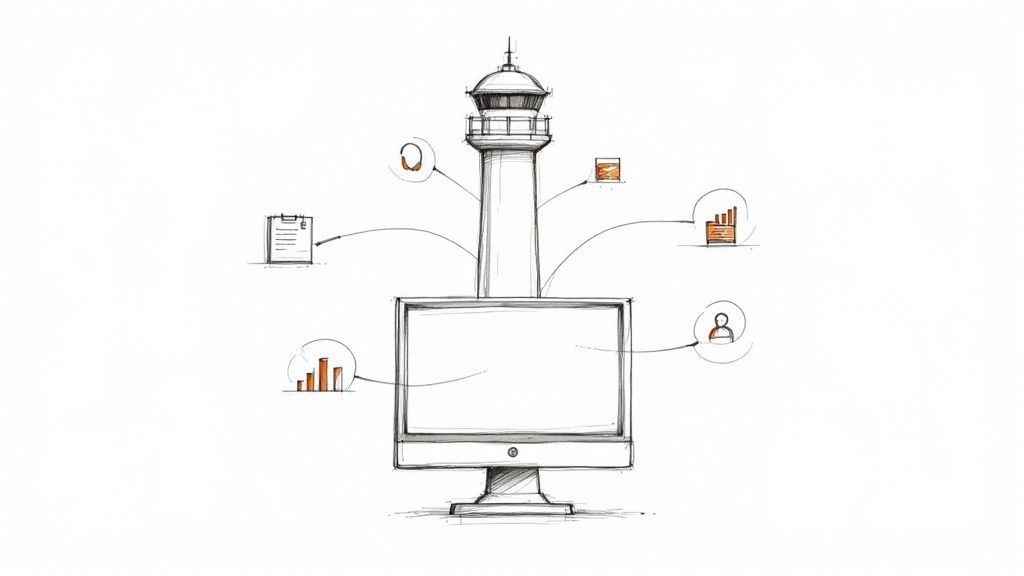
So, what exactly is contractor business management software? At its core, it’s an all-in-one digital hub built specifically for the unique chaos of home-service businesses—think plumbers, HVAC pros, electricians, and landscapers. It's designed to replace the messy web of spreadsheets, paper invoices, and sticky notes cluttering your dashboard.
This software becomes the single source of truth for your entire operation.
Your Business Command Center
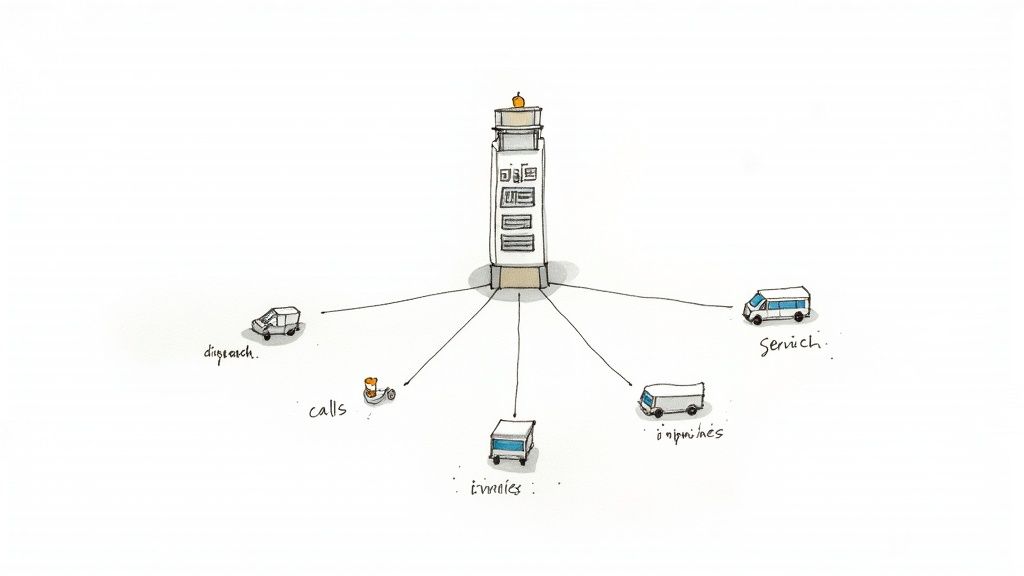
Trying to run a contracting business without dedicated software is like trying to conduct an orchestra where every musician has a different version of the sheet music. It's messy and uncoordinated. Contractor business management software isn't just another app; it’s the digital command center that gets everyone playing the same tune.
Think of it as the air traffic control tower for your company. From this central point, you can track every job, every technician, and every customer conversation as it happens. It brings much-needed order to the daily scramble of managing a mobile workforce, turning a disorganized paper trail into a smooth, automated workflow. Many fields are seeing the benefits of these specialized tools; for another perspective on how cloud solutions help, you can look into the ideas behind cloud-based practice management software.
Solving Daily Operational Chaos
Contractors face a unique set of challenges. Your office is often the front seat of your truck, and your team is scattered across town at different job sites. This is precisely the reality this software is built to handle. It tackles the big stuff, like:
- Scheduling and Dispatch: Smartly matching the right technician to the right job based on their location, skills, and current availability.
- Customer Communication: Storing a complete history of every client interaction—from the very first phone call to the final invoice.
- Financial Tracking: Creating accurate estimates on the spot, sending professional invoices, and taking payments right from a tablet or phone.
- Real-time Visibility: Giving you an instant snapshot of your business's health without having to wait for end-of-the-month reports to see how you're doing.
The real goal here is to bring order to the natural chaos of fieldwork. This software connects your office staff, your techs on the road, and your customers on a single platform, making sure everyone is on the same page.
This push for digital efficiency is fueling some serious growth. The contractor management software market was valued at USD 2.51 billion and is expected to hit USD 5.2 billion by 2035, growing at a compound annual rate of about 6.9%. It’s a clear sign that the industry is moving away from manual methods and embracing integrated digital tools. You can find the full research on the contractor management software market.
Core Features That Run Your Operations
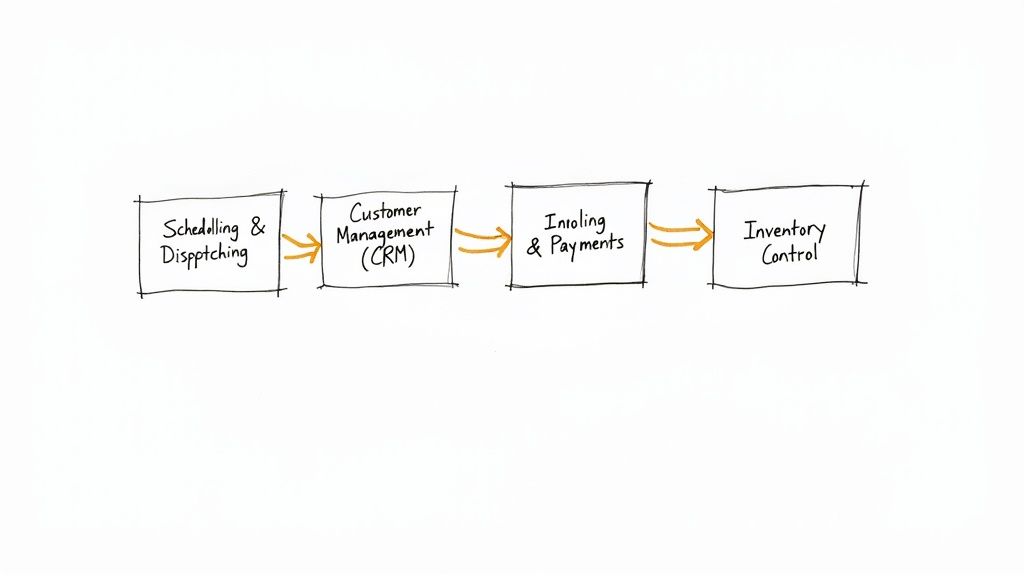
If your business is a high-performance vehicle, these core software features are the engine parts working together to make it go. They do more than just keep you organized; they actively drive your daily operations, turning what feels like chaos into a predictable and profitable system.
Once you understand what each piece really does, you’ll see exactly how contractor business management software can completely reshape your workflow. Each module is built to solve a specific, real-world headache that contractors like you face every single day.
Let's break down the essential features you'll find in most contractor management platforms and the specific business problems they're designed to fix.
Essential Features of Contractor Management Software
| Core Feature | Primary Function | Key Business Benefit |
|---|---|---|
| Scheduling & Dispatching | Visualizes and assigns jobs to technicians based on skill, location, and availability. | Reduces travel time, lowers fuel costs, and enables faster customer response. |
| CRM | Centralizes all customer data, including service history, equipment details, and communications. | Delivers a consistent, professional customer experience and builds long-term loyalty. |
| Invoicing & Payments | Generates digital invoices on-site and processes electronic payments immediately. | Drastically improves cash flow by shortening the time between job completion and payment. |
| Inventory Management | Tracks parts and equipment in the warehouse and on service trucks in real time. | Prevents project delays and return trips by ensuring techs always have the right parts. |
| Reporting & Analytics | Gathers operational data to create reports on profitability, efficiency, and team performance. | Provides the hard data needed to make smart, informed business decisions for growth. |
Each of these components plays a vital role in creating a smoother, more efficient operation from start to finish.
Scheduling and Dispatching
This is the nerve center of your field operations. Forget the messy whiteboard or confusing spreadsheets. Imagine a dynamic, drag-and-drop calendar that gives you a crystal-clear view of your entire team's day, week, and month at a glance.
But it’s so much more than just a calendar. Smart dispatching tools can automatically suggest the best tech for an emergency call based on their GPS location, specific skills, and current availability. This means less drive time, lower fuel bills, and quicker responses for your customers. When a priority call for a plumbing leak comes in, the system can instantly ping the closest plumber with the right certifications, sending the job details straight to their phone.
Customer Relationship Management (CRM)
A CRM built specifically for contractors acts as your company’s digital memory. It stores every critical piece of information about a customer, making it accessible to anyone on your team in seconds.
Think about it this way: when Mrs. Jones calls, your office staff doesn't have to stumble through questions like, "Have you worked with us before?" They can pull up her entire service history instantly, including:
- Past Jobs: Detailed notes and photos from every previous visit.
- Existing Equipment: The make and model of her furnace or water heater.
- Communication Log: A complete record of every phone call and email.
- Invoicing History: All past invoices and their payment status.
This level of insight allows your team to provide a truly personalized and professional experience that builds trust and keeps customers coming back. No more frantically searching for old paperwork—just fast, informed problem-solving.
A strong CRM means your business remembers every customer, every time. It ensures consistent, high-quality service, no matter which technician or office team member is handling the job.
Invoicing and Payments
Slow payments can absolutely cripple a contractor's cash flow. This feature digitizes the entire process, from creating the estimate to collecting the final payment, which dramatically speeds up how quickly you get paid.
Your technicians can generate a professional, itemized invoice on-site from a tablet the moment the work is done. The customer can review it, sign off, and pay right there with a credit card or bank transfer. This simple step eliminates the long delays of mailing paper invoices and waiting for a check to arrive. Plus, you can set up automated payment reminders to gently nudge clients with outstanding balances, saving your office staff from making those awkward follow-up calls.
Inventory Management
Finally, an inventory management module tracks every single part and piece of equipment, whether it’s sitting in the warehouse or riding around in a technician's truck.
The system can automatically deduct a part from inventory the moment it's used on a job, helping you maintain perfectly accurate stock levels. This prevents one of the most common—and frustrating—problems: a technician showing up to a job only to realize they don't have the right part. With real-time visibility, you can set up low-stock alerts, ensuring you reorder supplies before you run out and avoid costly, unnecessary project delays. It's all about making sure your team has what they need to get the job done right the first time.
Choosing the Right Software for Your Business
Selecting the right contractor business management software feels a lot like choosing a new work truck. Get it right, and your whole operation runs smoother. Get it wrong, and you’re stuck with a costly problem that just gets in the way. With so many options out there, the trick is to cut through the flashy sales pitches and focus on what your business actually needs to get the job done better.
The process doesn't start with looking at software features—it starts with a hard look at your own operations. Where are your biggest daily headaches? Is it the constant, chaotic back-and-forth of scheduling jobs? Or maybe it's the painful gap between finishing a job and seeing the money hit your bank account.
By pinpointing your biggest bottlenecks first, you create a natural filter for every platform you look at. A company drowning in scheduling confusion needs a tool with a powerful, easy-to-use dispatch board. A business struggling with cash flow should put seamless on-site invoicing and payment processing at the top of its list.
Differentiating Needs from Wants
Once you’ve diagnosed your main problems, you can start separating the "must-have" features from the "nice-to-haves." It’s incredibly easy to get distracted by fancy tools and add-ons you’ll probably never touch. The key is to stay disciplined and concentrate on the core functions that will make an immediate, tangible difference.
Your evaluation checklist should include these non-negotiables:
- Mobile Functionality: Your crew is out in the field, not sitting behind a desk. A solid mobile app that works reliably on both iOS and Android is absolutely essential for real-time updates, creating invoices on the spot, and snapping job photos.
- Offline Access: Job sites in basements, new constructions, or rural areas don't always have a great signal. The software has to let your techs keep working, pull up job details, and log their notes even when they're offline, then sync everything up automatically once they get a connection back.
- Scalability: The platform you pick today needs to be able to grow with you. Make sure it can handle more users, more jobs, and more complex workflows as your business expands, so you aren't forced into a painful and expensive switch down the road.
This practical focus is what drives the market. The U.S. construction software market, which is a huge part of this space, is expected to reach USD 13.9 billion by 2029. When you look at why, it's clear that contractors prioritize tools that solve immediate operational and financial headaches. In fact, 60% of them say that rapid cost calculation is one of their top requirements. You can find more details in these construction software statistics.
Asking the Right Questions During a Demo
A software demo is your chance to put a platform to the test with your real-world scenarios. Don't just sit back and watch a canned presentation. Come armed with specific questions that push the software's limits and reveal if it’s truly a good fit for your trade. As you explore, a good place to start is by looking at comprehensive platforms that offer various business solutions for SMBs.
Your goal during a demo is to cut through the sales pitch and see how the software performs under the pressure of your actual day-to-day operations.
Use this checklist to guide the conversation and get the answers you need:
- Onboarding and Support: What does getting set up actually look like? Will we have a dedicated person to help us? What kind of ongoing support is included after we sign up?
- Customization: Can we make this look and feel like our company? I'm talking about customizing invoice templates, job checklists, and reports to match our branding and internal processes.
- Integration Capabilities: How well does this play with our accounting software, like QuickBooks? We absolutely have to avoid entering data twice.
- User-Friendliness: Honestly, how hard is this to learn for both our office manager and our techs in the field? Can we get a free trial to let our team actually try it out?
Picking contractor business management software is a major investment of both time and money. By focusing on your specific pain points, prioritizing the features that matter, and asking tough, practical questions, you can confidently choose a tool that will become a genuine partner in your company’s growth.
Integrating Software for Maximum Efficiency
Your contractor business management software is powerful, but it shouldn't work on an island. The real magic happens when it acts as the central hub for your entire operation, talking to all the other tools you use every single day. This is the secret sauce to building a business that practically runs itself.
Think of your management software as the quarterback. It can call the plays, but it’s useless if it can’t communicate with the rest of the team—your lead sources, your customer service, and your accounting. When those systems are disconnected, you're stuck passing information back and forth manually. It's slow, tedious, and a breeding ground for costly mistakes.
Creating a Seamless Customer Pipeline
One of the biggest wins from integration is creating a smooth, automated path that turns a curious prospect into a happy, paying customer. This journey often starts on lead generation platforms like Angi or Thumbtack. When your software is connected, a new lead from one of these services automatically creates a customer profile and a job opportunity in your system.
No more manual copy-pasting. No more leads slipping through the cracks. But what about the folks who actually pick up the phone and call you?
This is where integrating with a professional call-handling service completely changes the game. Let's walk through it:
- A potential customer calls your business.
- A remote CSR from a service like Phone Staffer professionally captures all their details.
- That information is instantly pushed directly into your management software.
- A new job is created and pops up on your dispatch board, ready to be assigned.
In a workflow like this, a hot lead is captured and scheduled without you ever having to touch the phone. You're free to focus on the work, not the admin.
An integrated system ensures no lead is left behind. It creates a closed-loop process where every inquiry, whether from a web form or a phone call, is captured, tracked, and actioned automatically.
Syncing Financials for Accuracy
Another mission-critical connection is with your accounting software, which for most contractors is QuickBooks. Without an integration, your team is stuck with the dreaded task of double-entry—manually keying in invoices, payments, and purchase orders in both your management software and QuickBooks.
This isn't just a time-waster; it's a huge source of financial errors that can take hours of detective work to sort out.
The visualization below breaks down a simple framework for picking software that can handle these essential integrations and, just as importantly, scale as you grow.
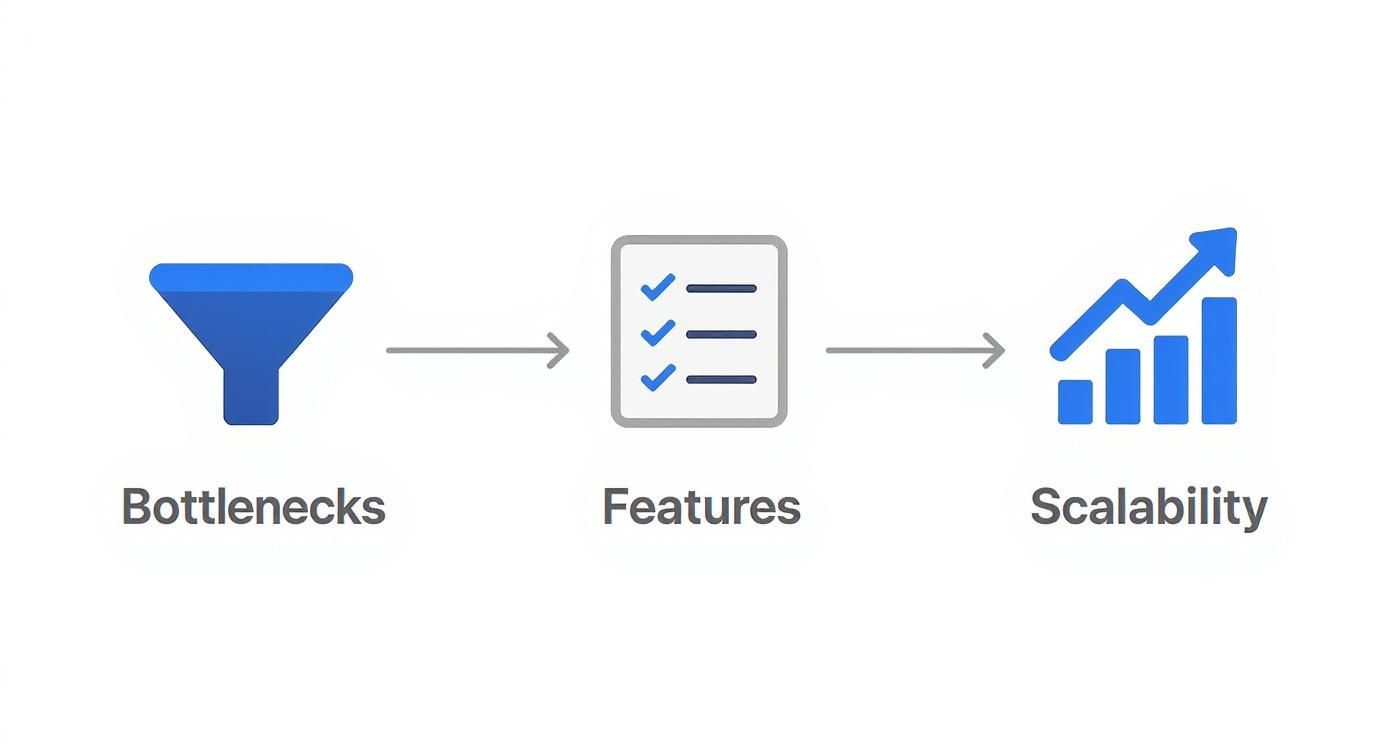
This process really drives home the need to identify your current bottlenecks, find features that solve them, and make sure the solution you choose can keep up with your ambitions.
When you connect your contractor software to QuickBooks, all that financial data syncs automatically. The moment a technician finalizes an invoice in the field, it shows up in your accounting records. Your books are always accurate and up-to-the-minute, giving you a real-time snapshot of your company's financial health.
Rolling Out Your New System to the Team
https://www.youtube.com/embed/OmjPsYIOoa4
Choosing the right contractor business management software is a huge step, but honestly, it’s only half the battle. You can pick the most powerful platform on the planet, but it's completely useless if your team doesn't actually use it. A successful rollout isn't about just flipping a switch one Monday morning. It’s a process that takes real planning, good training, and a sharp focus on the human side of change.
The goal here is to get the software out of the box and into your team's daily routine, making it a tool they can't imagine working without. That means everyone, from the office manager to your newest tech, needs to feel comfortable and confident using it.
Laying the Groundwork for Adoption
Before you even think about training, you need to get the technical setup right. This is the foundation. It ensures the system is actually useful from the second your team logs in. Think of it like prepping a job site before the crew shows up—you wouldn't start without the right materials and plans in place.
Get these three things done first:
- Data Migration: Pull in all your existing customer lists, price books for your go-to materials and services, and any current job details. A clean data transfer means your team is working with information they already know, not starting from a blank slate.
- User Roles and Permissions: Not everyone needs the keys to the kingdom. Set up different roles for your office staff, field technicians, and managers. Give them access to exactly what they need to do their jobs, without cluttering their screen with features they'll never touch.
- Basic Customization: Take a few minutes to upload your company logo and tweak the invoice templates to match your branding. It’s a small detail, but it makes the software feel like it’s yours.
Getting this prep work done prevents that initial wave of frustration and shows your team you’ve thought this through. It builds instant credibility for the new system.
Overcoming Resistance and Driving Engagement
Let’s be real: change can be tough. This is especially true for seasoned technicians who have their own way of doing things. The secret to getting them on board is to show them how the new software makes their job easier, not harder.
"The most common mistake is focusing training solely on how to use the software. Instead, you must focus on why it benefits them directly. Show a tech how the app saves them a trip back to the office, and you'll have a convert for life."
A great tactic is to appoint a software champion. Find a tech-savvy and respected person on your team who can be the go-to expert for questions. Having a peer to ask for help is way less intimidating than calling a support line. It’s also crucial to keep communication lines open for feedback and questions. Many of the same ideas apply here as they do in our guide on how to improve your customer service quality assurance.
This isn't just about your business, either. The entire industry is moving in this direction. Analysts expect the contractor management software market to balloon to over USD 4.1 billion by 2028, a huge jump from USD 2.02 billion. Why? Because businesses are chasing efficiency, and that efficiency only happens when the team actually adopts the tools. You can learn more about these market forecasts to see where things are headed.
Measuring Your Return on Investment
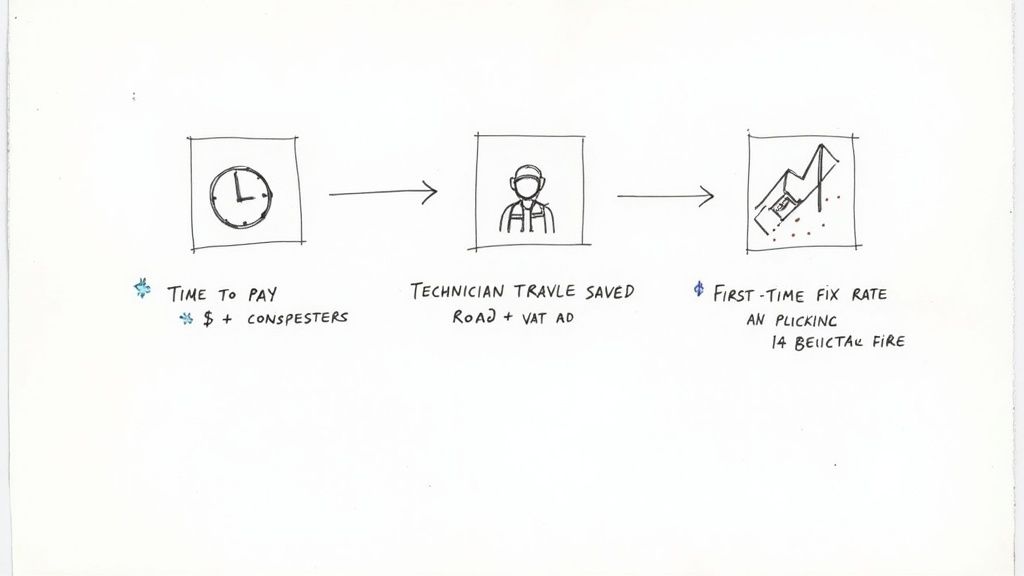
So, how do you actually know if your shiny new software is making you money? Investing in contractor business management software is a big step, and you need to move past a gut feeling to justify the cost with real data. The whole point is to see a clear return on investment (ROI), where the platform pays for itself and then some through better efficiency and more profit.
To get there, you need to track the right Key Performance Indicators (KPIs). These are just specific, measurable numbers that live inside your software’s reporting dashboard. Think of them as the scorecard for your business, showing you exactly where you’re winning. No more guessing—you can see the direct financial impact the software has on your day-to-day operations.
Key Metrics to Monitor
The best approach is to start with a few high-impact KPIs that tell a clear story about your team's performance and your company’s financial health.
Use your software’s reporting tools to keep a close eye on these:
-
Average Time to Payment: How long does it take to get paid after a job is done? A huge win with modern software is on-the-spot invoicing and digital payments. If this number drops from 30 days to 5 days, that’s a massive improvement for your cash flow.
-
Technician Travel Time: Your dispatching tools should be slashing that "windshield time." Monitor the average drive time per job. Every minute you cut saves real money on fuel and labor, freeing up technicians to fit more billable work into their day.
-
First-Time Fix Rate: How often do your techs solve the problem on the very first visit? A higher rate means fewer expensive callbacks and much happier customers. This metric is a direct reflection of better job prep and inventory tracking, all powered by your software.
-
Revenue Per Technician: This is one of the most powerful KPIs for measuring overall efficiency. As your scheduling, dispatching, and invoicing get smoother, each technician should be able to complete more profitable work. A steady increase here is hard proof that the software is making your whole team more productive.
Tracking these metrics isn’t just about proving the software was a good buy. It’s about making smarter business decisions. The data your software gives you is a roadmap—it shows you what’s working and where you can get even better.
By reviewing these numbers regularly, you can easily figure out your ROI. For example, if you save $500 a month on fuel and get paid two weeks faster on average, the software starts paying for itself almost immediately. This data-driven approach lets you confidently see the value of your contractor business management software and steer your company toward real growth.
Contractor Software FAQs
Diving into the world of contractor software can feel like a big step. Let's tackle some of the most common questions that pop up when contractors are weighing their options.
What’s This Going to Cost Me?
There’s no single price tag, and that’s a good thing. The cost of contractor software really depends on the size of your team and the specific tools you need to run your business. Most companies price their software in one of two ways.
- Per-User Pricing: This model is simple—you pay a monthly fee for every employee who needs to use the software. It’s easy to understand, but keep in mind that the costs will climb as you hire more people.
- Tiered Plans: Here, features are grouped into different packages. You might start with a basic plan that covers the essentials and then move up to a higher tier to get more advanced features as your business grows.
So, what's the damage? Entry-level software can start as low as $50–$150 per month. For businesses that are really scaling up, a more powerful platform can range anywhere from $150–$1,000 per month.
Is This Stuff Actually Helpful for a Small Crew?
One hundred percent. While big companies with huge fleets definitely need it, this kind of software is often a lifeline for small teams of one to three people. If you're a solo operator, think of it as your new business partner—the one who handles all the paperwork you hate doing.
For a small crew, the right software automates scheduling, invoicing, and customer follow-ups. This allows a solo contractor or small team to operate with the efficiency of a much larger company.
It keeps all your job details and customer history in one place, accessible right from your phone or tablet. That means no more frantic trips back to the office for a forgotten invoice or customer address.
How Long Does It Take to Get It Up and Running?
You can get started faster than you might think. For a small team with straightforward needs, you could be up and running in just a few days. The initial setup usually just involves uploading your customer list and creating a few templates for your common jobs.
Now, for larger companies with years of data to migrate or complex integrations with other systems, the process could take a few weeks. The key to a smooth launch is having your existing data organized and getting your team excited about learning the new system.
Ready to ensure every lead is captured and every call is answered professionally? Phone Staffer can hire, train, and place expert remote CSRs into your business, integrating seamlessly with your software and supercharging your growth. Learn how we can help you convert more leads today.