
To effectively document your business processes, you need to capture, define, and map out every single step in a workflow, from the very beginning to the final outcome. This process creates a clear, repeatable playbook for your team. It's the key to ensuring consistency, making training a breeze, and setting the stage for real operational improvements. Honestly, it’s the most critical first step in building a business that can scale efficiently.
Why Process Documentation Is Your Growth Engine

Before we jump into the "how," let's get real about the "why." Solid process documentation is the foundation of any business that's built to scale. It’s what separates chaotic, personality-driven operations from a system designed for predictable growth and quality. This isn't about creating dusty binders that nobody ever looks at; it's about building a living, breathing playbook that truly empowers your team.
For a home service company, the difference is night and day. Think about bringing on a new technician. Without clear process documents, their training is left entirely to shadowing a senior tech, who probably has their own unique—and not always best-practice—way of doing things. The result? Inconsistent service quality from one job to the next.
Creating a Blueprint for Consistency
Now, let's picture that same company, but this time they have a well-documented process for a "Standard HVAC Maintenance Visit." The new hire gets a clear checklist, visual guides for the tricky parts, and even a script for talking with the customer. This ensures every client gets the exact same high standard of service, which dramatically cuts down on callbacks and complaints.
The core benefit is simple: documentation transforms tribal knowledge into a company asset. It builds a repeatable system that reduces operational friction and directly fuels your bottom line by making excellence the default standard.
Well-documented workflows also open the door to powerful improvements. Once you have a process mapped out, you can finally see where the bottlenecks and opportunities for automation are. In fact, workflow automation is a game-changer for businesses aiming to document business processes effectively—it can slash human error by up to 70%.
Better yet, more than 90% of IT professionals report that Business Process Automation (BPA) frees up their teams to work on high-value, strategic tasks instead of just grinding through repetitive work. If you're curious, you can explore more business process automation statistics to see just how much it can boost efficiency.
This move toward structured, documented operations delivers clear wins right away and sets you up for future success.
Here’s a quick breakdown of what you stand to gain when you commit to documenting your processes.
Core Benefits of Process Documentation
| Benefit Area | Immediate Impact | Long-Term Advantage |
|---|---|---|
| Training | Faster onboarding for new hires and less reliance on senior staff. | A consistently skilled workforce and reduced training costs. |
| Quality | Fewer errors and a uniform standard of service delivery. | Higher customer satisfaction, better reviews, and brand loyalty. |
| Efficiency | Clear steps reduce wasted time and eliminate guesswork. | Streamlined operations that can handle increased volume without chaos. |
| Scalability | A defined model for replicating success in new teams or locations. | A strong foundation for sustainable business growth. |
As you can see, the benefits touch every part of your business, from the new hire's first day to your ability to expand into new markets. It's a foundational investment that pays dividends for years to come.
How to Capture How Work Actually Gets Done
Great documentation is built on reality, not assumptions. If you truly want to document business processes that your team will actually use, you have to go straight to the source—the people on the front lines. The goal here isn't to document what you think should be happening. It's to capture what is happening, complete with all the hidden steps, clever workarounds, and tribal knowledge that keep your business running day-to-day.
Right off the bat, you need to set the right tone. If your team feels like they're under a microscope, you'll get canned, unhelpful answers. Frame this as a team effort to make everyone's job easier and more consistent. You're not hunting for mistakes; you're mining for expertise.
Uncover the Real Workflows
The absolute best way to understand a process is to see it with your own eyes. Ask a top-performing tech or CSR if you can shadow them for a couple of hours. This isn't about standing over their shoulder and critiquing their every move. It’s about watching their natural rhythm and picking up on the smart shortcuts they’ve developed through sheer experience.
As you observe, keep your questions open-ended and focused on the practical reality of their work.
- "Could you walk me through how you handle a call like this from the very beginning to the end?"
- "What’s the one thing that always seems to bog you down right at this point?"
- "Show me the trick you use when the 'official' process doesn't quite work or cover a weird situation."
- "Is there anything you find yourself having to ask a coworker about almost every time?"
Questions like these cut through the theory and get right to the heart of daily operations. The answers you get will expose all those unofficial—but absolutely essential—steps that never make it into formal procedure manuals.
Your team's workarounds aren't signs of a broken system. They're road signs pointing directly to where your official process is falling short. Capturing this "ground truth" is the only way to build documentation people will trust and follow.
Run a Collaborative Workshop
Another fantastic technique is to get a small, cross-functional group together in a room for a workshop. For instance, pull in a dispatcher, a senior technician, and your invoicing person to map out the entire workflow from "job complete" to "final payment."
Grab a whiteboard or a stack of large sticky notes and start visually plotting out every single step. This hands-on, visual approach is powerful. It helps everyone see how their individual tasks connect to the bigger picture, often sparking "aha!" moments that you'd never get in a one-on-one interview. You’ll hear things like, "Oh, I had no idea you needed that info right away. I can easily add that to my closing notes."
By blending direct observation with these collaborative sessions, you change the dynamic completely. Your team goes from being passive subjects to active partners in the project. They become invested in creating a better system because they helped build it, ensuring your efforts to document business processes produce a playbook that’s genuinely rooted in reality.
Choosing Your Process Documentation Toolkit
Once you’ve gathered all the raw details of how work gets done, you have to shape them into something your team can actually use. Let's be honest, a simple checklist won't cut it for a complex workflow, but a detailed flowchart is complete overkill for a simple task. Picking the right format and tools is the most important part of the effort to document business processes. If you get this wrong, you'll just end up with a digital folder full of resources nobody ever opens.
The secret is matching the format to the complexity of the job. I’ve seen companies try to create a ten-page Standard Operating Procedure (SOP) for every single task, and it just doesn't work. For the kind of hands-on work common in home services, a quick, visual guide is often much more effective.
Matching the Format to the Process
Before you start creating anything, think about the person who will be using it. Is the process a straight line of simple tasks, or are there decisions and forks in the road?
-
Standard Operating Procedures (SOPs): These are your best friend for linear, step-by-step tasks. Think about a simple, repeatable process like an "End-of-Day Tool Inventory." An SOP uses clear text, checklists, and maybe a few screenshots to walk someone through a fixed sequence. No guesswork involved.
-
Flowcharts: These are fantastic for showing processes that involve decision points. For instance, a "Customer Complaint Resolution" process isn't a straight line. A flowchart makes it crystal clear: "Is the issue under warranty? If yes, follow Path A. If no, follow Path B." It turns a complex scenario into a simple, visual map.
-
Swimlane Diagrams: These are absolutely essential when multiple people or departments are involved. Imagine mapping out your "New Client Onboarding" process. A swimlane diagram gives you a lane for the Sales Rep, another for the Dispatcher, and one for the Field Technician. You can see exactly who is responsible for each step and, crucially, how handoffs happen. This clarity is what stops tasks from falling through the cracks.
The image below gives you an idea of how you might start sketching out the steps, no matter which format you choose.
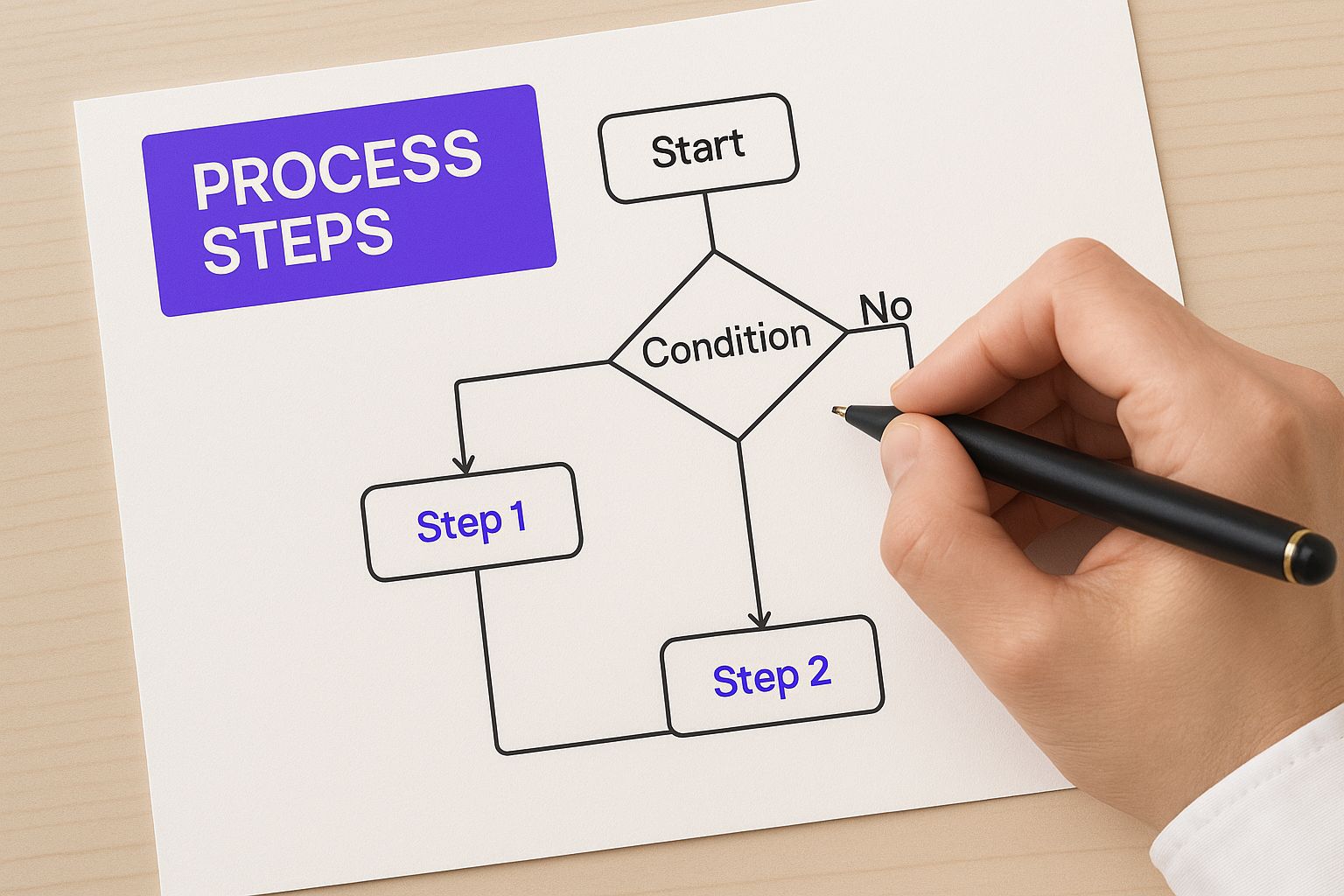
I always recommend starting with a quick sketch like this. It's the best way to untangle a messy workflow before you even think about putting it into a digital tool.
Selecting the Right Digital Tools
Your toolkit can be anything from simple, free options to sophisticated software. For a home service business, practicality wins every time.
Dedicated diagramming tools like Lucidchart or Miro are brilliant for creating professional-looking flowcharts and swimlane diagrams. They come loaded with templates and collaboration features that make visualizing complicated workflows much, much easier.
However, sometimes a more flexible platform like Notion or even a highly organized Google Drive works better. These can act as a central hub for all your documentation, letting you combine text-based SOPs with embedded diagrams and even training videos.
The best tool is the one your team will consistently use. Don't invest in a complex system if your team lives in their email and shared drives. Start where they are and build from there.
Looking down the road, it's worth knowing about the trend of hyperautomation. It’s changing how companies of all sizes document business processes. This approach uses AI and machine learning to analyze, map, and sometimes even automate workflows on the fly. The ultimate goal is to create a "Digital Twin of the Organization" (DTO)—a virtual, living model of your entire operation that provides constant insights.
This isn't some far-off fantasy. The U.S. hyperautomation market was valued at $14.14 billion in 2024 and is projected to skyrocket to $69.64 billion by 2034. You can read more about these business process automation trends and their impact. While full hyperautomation might be too advanced for a smaller home service company today, the core idea—using data to get smarter—is something we can all start doing right now.
Crafting Process Documents People Will Actually Use
Let's be honest: an SOP that sits on a virtual shelf collecting digital dust is just wasted time. To truly document business processes in a way that your team will embrace, the documents themselves have to be clear, easy to scan, and genuinely useful for the person actually doing the work.
Here’s the real test I use: could a brand-new employee, on their very first day, follow this document and nail the task without needing to ask a single question? If the answer is no, it's not done yet.
The key is to prioritize absolute clarity over stuffy corporate jargon. Forget about writing dense, formal paragraphs. Think in terms of simple, direct instructions, plenty of white space, and actionable language. We're building a tool for a specific person to make their job easier, not a manual to prove how complex our business is.
This means every single document, from a simple checklist to a detailed flowchart, needs a few key ingredients to work.
The Anatomy of a Usable Process Document
To make sure you’re not just creating busy work, every process document needs a solid, predictable structure. This isn't about being rigid; it's about including the right information so anyone can pick it up and know exactly what to do.
A great process document should always contain:
- A Clear Owner: Who’s on the hook for keeping this document current? Assigning an owner means it won't become outdated the second a piece of software updates.
- A Defined Scope: Be crystal clear about what this process covers and—just as important—what it doesn't. This prevents confusion and keeps the instructions laser-focused.
- Action-Oriented Steps: Write your instructions as commands. Instead of "The client's address should be entered," use "Enter the client's address." It’s direct, unambiguous, and gets straight to the point.
- Visual Aids: A picture is truly worth a thousand words, especially in our line of work. Screenshots, simple diagrams, or even quick screen recordings are essential for showing, not just telling.
The goal is to eliminate any and all ambiguity. If a step can be misinterpreted, trust me, it will be. Your documentation should be the one single source of truth that takes all the guesswork out of the equation for your team.
To see how this works in the real world, let's break down the essential components of a Standard Operating Procedure (SOP) with an example every home service company can relate to.
Essential Components of an SOP
A well-structured SOP is the backbone of consistent service delivery. To ensure every SOP you create is complete and easy to follow, it should include a few core elements. Think of this table as a pre-flight checklist before you "publish" any new process for your team.
| Component | Purpose | Example (for a 'New Client Call' SOP) |
|---|---|---|
| Process Title | Gives a clear, immediate understanding of the process. | New Client Intake & First Appointment Booking |
| Process Owner | Designates the person responsible for keeping it accurate. | Office Manager |
| Scope | Defines the start and end points of the process. | Starts when the phone rings; ends when the first job is booked on the calendar. |
| Required Tools | Lists all software, apps, or equipment needed. | Housecall Pro CRM, Scheduling Calendar, Phone Headset |
| Step-by-Step Instructions | The core of the document, detailing each specific action. | 1. Answer the phone using the approved greeting script. 2. Create a new client profile in the CRM. 3. Gather and confirm the service address. |
| Visuals | Clarifies any complex or unfamiliar steps visually. | Screenshot showing where the 'Create New Client' button is in the CRM. |
| Key Checkpoints | Highlights critical moments where accuracy is paramount. | Checkpoint: Before hanging up, repeat the appointment date, time, and service address back to the client for confirmation. |
When you build your resources with this kind of structure, you completely change how you document business processes. It stops being a tedious administrative task and starts becoming the creation of powerful training tools that give your team the confidence to perform at their best, every single time.
Turning Documentation into Automation and Growth

Getting your processes written down and mapped out isn't the end of the road. In fact, it's just the beginning. This is where all that hard work you put into documenting business processes really starts to pay off. With a clear visual guide to how work actually moves through your company, you can finally stop making educated guesses and start fixing the real problems that are holding you back.
Think of your process maps as an X-ray of your day-to-day operations. They shine a light on all the hidden inefficiencies that quietly bleed time and money. All of a sudden, those frustrating bottlenecks, redundant data entry tasks, and manual steps that gum up the works are impossible to ignore. This kind of clarity turns your documentation from a simple "how-to" guide into a powerful tool for growth.
Spotting Your Biggest Opportunities
Lay out your process maps—whether it's for scheduling new jobs, sending out invoices, or dispatching techs—and get your team involved. Ask them a simple question: "Where does it hurt?" Trust me, they know exactly which steps feel clunky, repetitive, or are just a complete waste of time.
You'll quickly start to see some common patterns emerge. Keep an eye out for these classic time-sinks:
- Repetitive Data Entry: Are your office staff typing the same customer name and address into three different pieces of software? That’s a massive time drain and a breeding ground for costly typos.
- Approval Delays: Where do jobs or invoices get stuck waiting for someone to sign off? These are the bottlenecks that directly slow down your cash flow.
- Manual Reporting: Is someone spending hours every Friday pulling numbers from various reports just to build a simple spreadsheet? That’s a perfect task for a machine to handle.
These aren't just minor headaches. They are serious drags on your team's productivity and your company's bottom line. Fixing them frees up your people to focus on what really matters—like delivering amazing customer service or finding new ways to grow the business.
The most powerful thing about documenting your processes is that it forces you to confront the reality of how work gets done. It moves you from just patching up problems to solving the root cause of the inefficiency.
Embracing Automation with RPA
Once you've pinpointed those manual, repetitive tasks, it's time to bring in some smart automation. A great starting point for this is Robotic Process Automation (RPA). Don't let the name scare you. RPA is simply software "bots" that you can teach to handle rules-based digital tasks—like a virtual assistant who never gets tired or makes mistakes.
For a home service company, this could look like:
- Automating Invoices: An RPA bot can see when a technician marks a job "complete" in their field service app and instantly create the corresponding invoice in your accounting software. No more manual entry.
- Syncing Customer Info: When a new customer calls in, the bot can take the details entered into your CRM and automatically create that customer's profile in your scheduling and billing systems.
- Generating Daily Reports: A bot can log into your key software platforms each morning, pull the performance numbers you care about, and compile a dashboard that’s waiting in your inbox before you've even had your first coffee.
The results can be pretty dramatic. Today, 53% of businesses are already using RPA, and a staggering 98% of IT leaders see automation as critical for strong business results. Companies often see a return on their investment between 30% and 200% in the very first year, with some hitting 300% over the long haul. You can learn more about the financial benefits of RPA and its adoption rates to see the full picture.
Ultimately, taking the time to document business processes is the first real step toward building a more efficient, scalable, and resilient operation. It’s what closes the gap between just having a process and having a high-performance system that truly powers your company’s growth.
Got Questions About Process Documentation? Let’s Clear Things Up.
Even with the best intentions, you’re bound to hit a few roadblocks when you start documenting your business processes. That’s completely normal. The key is to anticipate these common questions and have good answers ready, which helps keep everyone on board and the project moving forward. Let's tackle a few of the most frequent ones I hear from owners.
How Often Should We Update Our Process Docs?
One of the first questions that always comes up is about timing: "How often do we really need to review and update these things?" My best advice is to stop thinking of your documentation as a static file you create once. It’s a living, breathing guide to how your business runs.
A formal review every six to twelve months is a great starting point. This schedule ensures you catch bigger changes or outdated steps that might have been missed.
But what’s even more important is empowering your team to make updates on the fly. The moment a new software is rolled out, a team member's role changes, or a tech finds a smarter way to complete a job, the document should be updated. The person who "owns" that process needs the authority to make those small, immediate changes. That’s how you keep your documentation useful and trusted.
What's the Single Biggest Mistake to Avoid?
Easy. The biggest mistake you can make is trying to write these documents in a vacuum. It happens all the time: a manager locks themselves in an office and writes a procedure based on how they think a job should be done. This top-down approach almost never works because it completely misses the realities of the field.
The result? You get an impractical document that the team on the ground will see as a joke and promptly ignore.
The only way to create documentation that actually works is to do it collaboratively. You have to capture the ground-level truth of the work, including all those little tricks and shortcuts your best people have figured out over the years. Without their input, you're just writing fiction.
Is This Really Worth It for a Small Team?
This is a big one, especially for companies just starting to grow. "My team is small, we all know what to do. Is this just creating extra work?" The answer is a hard yes, it's worth it. In fact, it might be more critical for a small, nimble team.
Think about it. When you have a small crew, everyone is wearing multiple hats. What happens when your lead tech—the one who knows every little quirk of your system—is out sick or finally takes that long-overdue vacation? Chaos. Good documentation is your business’s insurance policy against that chaos.
With documented processes, you ensure:
- Onboarding is faster and smoother. New hires can get up to speed without constantly pulling your senior people away from their work.
- Your team can actually cover for each other. Someone can step into a different role for a day or a week without everything grinding to a halt.
- You're building the foundation to scale. You can’t grow your business on word-of-mouth instructions. Solid processes are the bedrock you need to handle more customers and more employees without everything breaking.
For a small home service company, this isn’t about adding bureaucracy. It’s a direct investment in your stability and your future.
Are you spending too much time on admin and not enough on growth? Phone Staffer can help. We provide trained, remote CSRs and VAs to handle your calls, book appointments, and manage your administrative workload. Let us handle the phones so you can handle your business.