

Remember trying to juggle a dozen technicians with sticky notes, a flurry of text messages, and a massive, messy whiteboard? That’s the kind of operational chaos many home service businesses are all too familiar with. Home service scheduling software is the answer, acting as a digital command center that swaps that chaos for a single, streamlined hub for all your field operations.
What Is Home Service Scheduling Software Anyway?
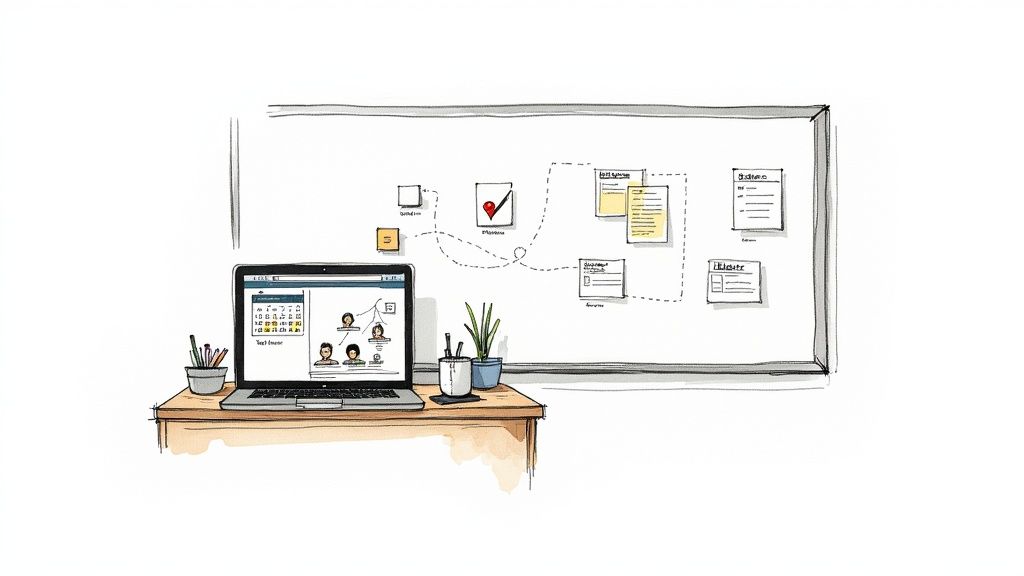
At its heart, this software is so much more than a digital calendar. Think of it as an intelligent system designed to manage job assignments, track technician locations, keep detailed customer histories, and handle communications—all from one place. It takes a messy, disorganized workflow and turns it into a predictable, automated process that brings order, skyrockets efficiency, and gives your business room to grow.
It's no surprise that the demand for these platforms is exploding. The global market for this type of software is expected to hit USD 1,287.91 million by 2035, growing at a steady 8.9% each year. Why? Because over 65% of field service operations are still running on fragmented systems, and owners are finally realizing they need a central platform to stay competitive.
From Whiteboard Chaos To Digital Clarity
Think of your business like an orchestra. Without a conductor, every musician plays their own tune, creating a disorganized mess. A whiteboard or a complicated spreadsheet is your orchestra without a leader—jobs get missed, timing is off, and the result is pure chaos.
Home service scheduling software is that conductor. It makes sure every piece of your operation works in perfect harmony:
- Smart Scheduling: It intelligently assigns jobs based on who's available, who has the right skills, and who is closest to the customer.
- Efficient Dispatching: It sends crystal-clear instructions and the fastest routes straight to your technicians' phones.
- Automated Invoicing: It handles billing and payment processing automatically, shrinking the time between finishing a job and getting paid.
- Deep Customer Management: It keeps a record of every customer interaction, service history, and note, building a rich profile for delivering top-notch, personalized service.
To see just how big the difference is, let's compare the old way of doing things with the new, software-driven approach.
Manual Chaos vs Automated Control
| Operational Area | Manual Scheduling (The Old Way) | Automated Software (The New Way) |
|---|---|---|
| Booking Jobs | Juggling phone calls, texts, and paper calendars. High risk of double-booking. | Instant online booking, automated confirmations, and a central, real-time calendar. |
| Dispatching Techs | Multiple calls to find an available tech, then verbally relaying job details. | Automatically assigns the best tech based on skill, location, and availability. |
| Route Planning | Techs figure out their own routes, often wasting time and fuel in traffic. | Optimized, multi-stop routes sent directly to a technician's mobile device. |
| Customer Updates | Manual reminder calls and vague arrival windows ("we'll be there between 1-5 PM"). | Automated SMS/email reminders and real-time technician tracking for the customer. |
| Invoicing & Payment | Paper invoices, manual data entry, and chasing down checks or card details. | Instant digital invoices, online payment portals, and automated payment reminders. |
This transition from manual to automated control solves the two biggest headaches in the home service industry: wasted time and missed opportunities. If you want to dig deeper into the nuts and bolts, it’s worth exploring what makes effective scheduling and dispatching software so powerful.
The real change is moving from a reactive business model—where you’re constantly putting out fires—to a proactive one. You can finally anticipate customer needs, optimize your resources, and focus on growing your business instead of just surviving the day.
The Real-World Impact on Your Business
Let’s walk through a real-life scenario. A customer calls to book an emergency plumbing repair. The old way means fumbling with a paper calendar, calling a technician to see if they're free, scribbling down the details on a notepad, and just hoping nothing gets lost in the shuffle.
With home service scheduling software, the entire process is seamless and instant. The system sees an open slot, confirms the nearest qualified plumber has the right parts in their van, books the appointment, and automatically sends a confirmation to the customer. At the same time, it adds the job to the technician's schedule, complete with GPS directions.
This isn't just about saving a few minutes here and there. It’s about creating a smooth, professional experience that builds customer loyalty and frees up your team to handle more jobs per day—directly boosting your bottom line.
The Core Features That Actually Boost Efficiency
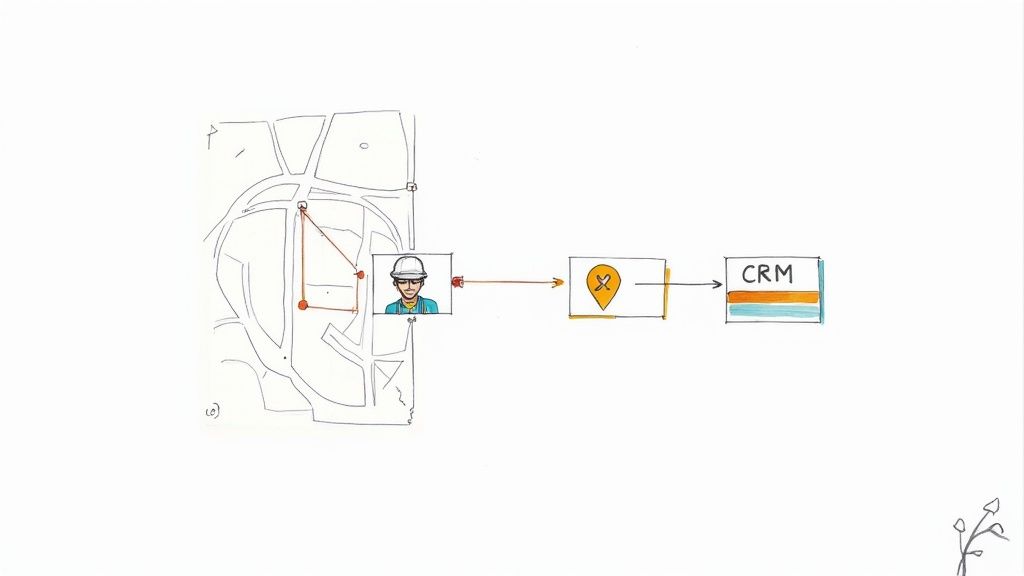
It's easy to get lost in long, generic feature lists. They don't really tell you the whole story. To get a real feel for the power of home service scheduling software, we need to look past the "what" and drill down into the "why"—how these tools directly impact your day-to-day operations and, ultimately, your bottom line.
Think of these features less like separate items on a checklist and more like interconnected gears in a powerful engine. When they all work in sync, they completely change how you manage your time, your techs, and your customers. All that operational friction starts to fade away, replaced by smooth, predictable growth.
Intelligent Dispatching and Route Optimization
At its heart, intelligent dispatching is about getting the right person to the right job at the right time. But modern software takes this to a whole new level. It acts like a master strategist for your business, juggling dozens of variables in real time.
This system is constantly analyzing:
- Technician Skills: It knows which of your plumbers is certified for tankless water heaters and which electrician is your go-to for smart home setups.
- Real-Time Location: Using GPS, it sees who is closest to an emergency call, cutting down travel time and making you look like a hero to the customer.
- Job Priority: It ensures your most urgent or high-value jobs are immediately assigned to the best available technician.
The result? Your first-time fix rate goes through the roof. When you send the perfect tech with the right skills and parts on the first try, you eliminate those frustrating and costly follow-up visits. Route optimization then adds another layer of savings by calculating the smartest, most fuel-efficient routes for each tech, slashing fuel costs and wasted time on the road.
Picture this: a frantic customer calls with a busted AC unit on a 95-degree day. Instead of you scrambling to call technicians, the software instantly sees that your senior tech, Mark, is finishing a job just two miles away and has the needed parts in his van. In seconds, it assigns him the job, updates his route, and sends the customer a notification with his new, accurate ETA.
Integrated CRM and Customer Communication
A solid Customer Relationship Management (CRM) tool is the brain of your entire customer service operation. It's the central hub for every piece of client information—service history, past invoices, even little notes about their property or pets.
Having all this data in one place lets you offer truly personalized service. When a repeat customer calls, your team—or even a professional answering service—can pull up their entire history instantly. Knowing their equipment, past issues, and preferences makes for a faster, more professional conversation that builds incredible trust. You can see how a dedicated home service receptionist can leverage this data to create amazing customer experiences.
Automated communication is the other half of the equation. The software can handle all those critical touchpoints without anyone lifting a finger:
- Appointment confirmations and reminders sent via text and email.
- "On my way" notifications with a live map so customers can track the tech's arrival.
- Follow-up messages asking for a review or suggesting future maintenance.
These simple automations practically eliminate no-shows and kill the endless phone tag that burns up so much of your team's day.
Streamlined Invoicing and Payment Processing
Let's be honest: chasing down payments is one of the biggest headaches—and cash flow killers—for any home service business. Integrated payment processing makes this problem disappear.
The moment a job is done, your technician can generate a professional, itemized invoice right on their tablet or phone. They can then take payment on the spot via credit card, tap-to-pay, or by texting a secure payment link to the customer.
This simple change transforms your cash flow. Money hits your account in days, not weeks or months. It also cuts down on administrative busywork back in the office, freeing up your staff from tedious data entry and chasing unpaid invoices. The numbers back this up: adoption of digital invoicing has passed 68%, helping businesses cut billing errors by 29% and boost overall technician productivity by a massive 34%. You can dig into more of these industry-wide technology shifts and their impact on marketgrowthreports.com.
How To Choose The Right Software For Your Business
Picking the right home service scheduling software is a lot like hiring a key employee. It's a big decision, one that will deeply affect your daily operations for years. You're not just buying a tool; you're investing in a platform that should feel like a natural part of your business, ready to grow right alongside you.
With a dizzying number of options out there, the trick is to start by looking inward. A solo electrician simply doesn't have the same needs as an HVAC company with 15 technicians on the road. By creating a clear framework for what you actually need, you can cut through the marketing noise and make a choice you feel good about.
Start With A Deep Dive Into Your Business Needs
Before you even think about watching a software demo, you need to get brutally honest about your current operations. What are the specific headaches you're trying to fix? A vague goal like "get more organized" is too fuzzy. It won't help you figure out if a feature is a must-have or just a nice-to-have.
Get specific by asking yourself the tough questions:
- Team Size and Structure: How many techs do you have right now? More importantly, where do you see that number in two years? This single answer will tell you if you need a simple calendar or a sophisticated system with zone-based dispatching.
- Job Complexity: Are most of your jobs quick, one-and-done service calls, or are they complex, multi-day projects? If you’re juggling bigger jobs, you’ll need software that can handle progress tracking, multiple visits, and detailed photo documentation.
- Customer Interaction: How are you talking to customers today? If you feel like you're drowning in phone calls, you absolutely need a system with automated reminders and a self-service customer portal.
Answering these gives you a concrete checklist, helping you separate the essential features from the flashy extras. It turns a confusing search into a methodical evaluation.
Core Evaluation Criteria For Any Software
Once you know what you're looking for, you can start sizing up the contenders. Look past the slick websites and focus on the three pillars that truly determine a platform's long-term worth.
1. Scalability: Will It Grow With You?
The software that fits you perfectly today has to fit the company you're building for tomorrow. A truly scalable platform won't grind to a halt when you add more users, jobs, and data. It should handle growth without forcing you into a costly and painful migration down the road. Don't be shy—ask vendors directly how their system performs when a company doubles in size.
2. Ease of Use: Is It Tech-Friendly?
The most feature-packed software on the planet is worthless if your team hates using it. The mobile app has to be dead simple for your techs in the field; they need to pull up job details and customer history in seconds, not fight with a clunky interface. The same goes for the office dashboard—it should be intuitive for dispatchers and admins from day one.
The ultimate test of user-friendliness is adoption. If your technicians are constantly fighting the software instead of using it, you've chosen the wrong tool. A simple, clean interface always wins over a cluttered one with a steep learning curve.
3. Integration: Does It Play Well With Others?
Your scheduling software can't be an island. It has to connect smoothly with the other tools you depend on, especially accounting software like QuickBooks. A solid integration eliminates the soul-crushing task of double data entry and keeps your financial records accurate and up-to-date. While you're at it, it’s also smart to look at integrated business solutions like Thryv to see how some platforms bundle scheduling with a wider suite of business management tools.
Your Software Selection Checklist
To keep your evaluation on track, use a checklist to compare your options. This simple grid ensures you're asking the same critical questions of every vendor, making your final decision much clearer.
| Evaluation Category | Key Questions to Ask | Your Notes |
|---|---|---|
| Business Fit | Does this software solve my top 3 operational problems? | |
| Ease of Use | Can my least tech-savvy technician use the mobile app easily? | |
| Scalability | What happens (and what's the cost) when I add 10 more users? | |
| Integration | Does it have a direct, two-way sync with my accounting software? | |
| Customer Support | Is support based in my time zone? Is it free or an add-on cost? | |
| Pricing | Are there any hidden fees for setup, training, or data storage? | |
| Onboarding | What does the implementation process look like and how long does it take? |
This checklist isn't just a tool—it's your roadmap to finding a partner, not just a product.
Demystifying The Different Pricing Models
Software pricing can feel intentionally confusing, but most plans fall into one of a few buckets. Figuring them out is key to understanding the true total cost, not just the number on the sticker.
- Per-User Pricing: You pay a monthly fee for each person—tech or office staff—who needs a login. This model is straightforward and can be great for small teams, but the cost can balloon quickly as you hire more people.
- Flat-Rate Subscription: You pay one predictable monthly or annual fee for unlimited users. This is often the best value for larger or fast-growing companies because your bill doesn't change every time you bring on a new hire.
- Tiered Subscriptions: The provider offers different packages (think Basic, Pro, Enterprise) with escalating features and prices. You pick the tier that fits, but watch out—sometimes a single "must-have" feature is locked away in a much more expensive plan.
Finally, you need to think about how well a new platform will work with your entire team, including any outside services you use. For example, strong integration capabilities are crucial if you rely on a service for always-on phone answering for residential services. The software must ensure that every new booking captured over the phone flows directly into the schedule without a hitch, guaranteeing no lead ever falls through the cracks.
A Practical Guide To A Smooth Software Rollout
Choosing a powerful piece of home service scheduling software is a huge step, but honestly, it’s only half the battle. The real challenge—and where I’ve seen countless businesses stumble—is in the rollout. It’s one thing to adopt new technology; it’s another thing entirely to get your whole team to actually use it and embrace it.
A bumpy implementation can create more headaches than it solves. Think frustrated technicians, confused office staff, and a slow slide back to the old, inefficient way of doing things. The key is a smart, phased approach that focuses as much on your people as it does on the platform. You aren't just flipping a switch; you're changing the daily rhythm of how your team operates.
When you plan the rollout right, what could be a chaotic transition becomes a smooth evolution. It means that from day one, the software starts delivering on its promise to make your business more organized, efficient, and profitable.
Laying The Groundwork For Success
Before you even think about importing a single customer file, your first job is to get your existing data in order. This is the perfect time for a little digital spring cleaning. Your customer lists, job histories, and price books are the fuel for your new system—they need to be clean, consistent, and accurate.
Next, you need to sit down and map out your current workflows. How do you handle things now? Then, decide how those processes will adapt to the new software. This means getting into the settings and configuring the system to match how you do business, from creating an estimate all the way to closing out a job. Getting this right from the start saves you from massive headaches down the road.
This is all about doing the prep work before you dive in.
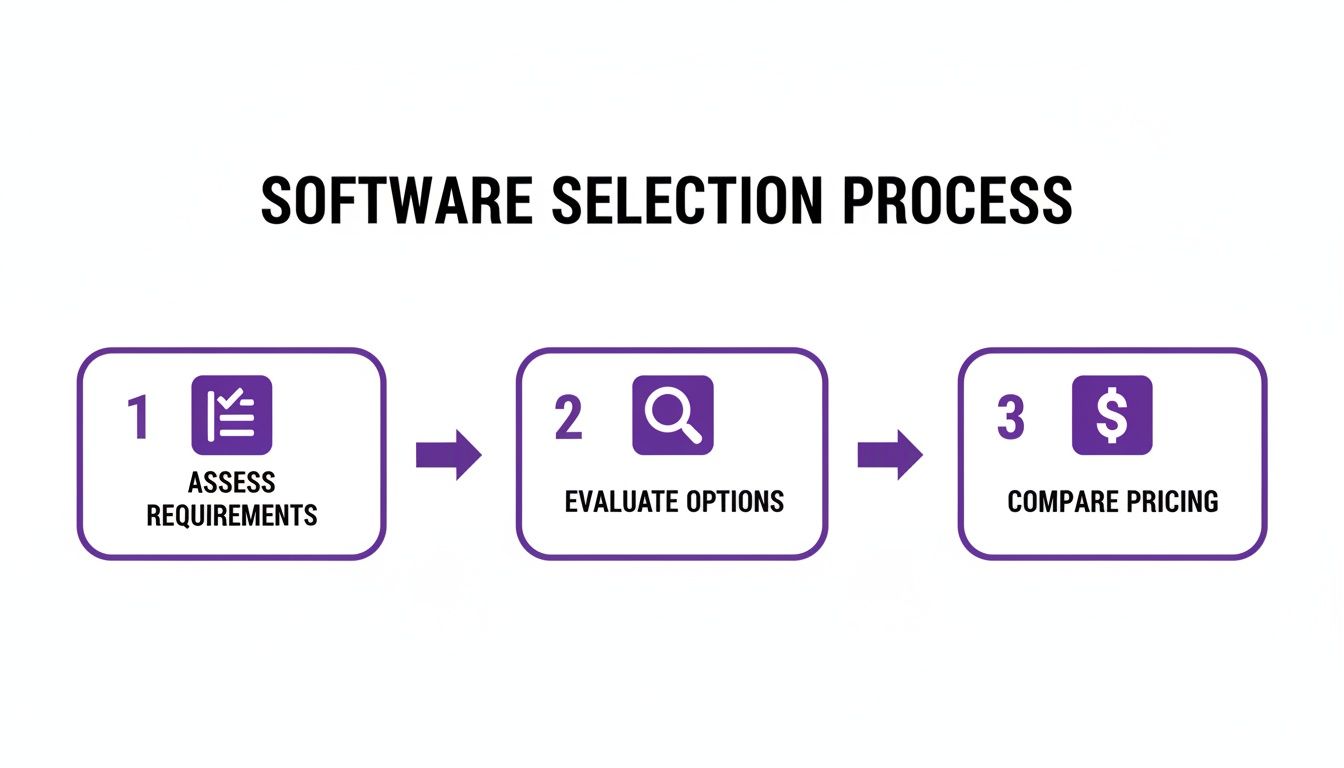
This flow shows that a successful launch starts long before you install anything. It begins with careful planning and a solid understanding of what you need.
Securing Team Buy-In And Training
Let me be blunt: your team’s attitude will make or break this transition. If your techs and office staff see the software as just another complicated thing to learn, they’ll fight it. But if they see it as a tool that genuinely makes their jobs easier, they’ll become its biggest champions. That all starts with clear communication.
You have to explain the "why" behind the change. Show them exactly how this new tool will get rid of their biggest frustrations.
- For Technicians: No more digging through paperwork, trying to read messy handwriting, or calling the office for customer history. Everything they need is right there on their phone or tablet.
- For Office Staff: Less time spent on mind-numbing data entry, wrestling with the schedule, and chasing down invoices. That frees them up to focus on what really matters, like great customer service and finding new ways to grow the business.
True adoption happens when your team feels heard and supported. Run hands-on training sessions, create simple cheat sheets for common tasks, and celebrate early wins to build momentum and excitement for the new system.
Building A Connected Operational Ecosystem
The real magic of modern software is its ability to talk to other essential services, creating a seamless flow for your entire operation. Integration turns your scheduling platform from a standalone tool into the central hub of your business.
Think about how you handle inbound calls. When your new software is connected to a professional answering service, a customer's call can be turned into a booked appointment directly in your system, without anyone in your office having to lift a finger. This eliminates manual entry and ensures no lead ever falls through the cracks. Some companies even find that learning how to hire a virtual assistant can further streamline these kinds of administrative tasks.
Suddenly, you have an automated pathway from the first phone call all the way through to job completion and payment. Every step is connected, tracked, and optimized—building a powerful, self-sustaining system that helps you grow.
Measuring Your ROI and Proving the Value
So, you've invested in new home service scheduling software. That's a big step. But how do you know if it's actually making you money? Moving past the fuzzy idea of "better efficiency" means digging into the numbers. Proving the software’s worth isn’t about what you feel is happening; it’s about tracking specific metrics that show a real impact on your bottom line.
This is how you get the hard data to justify the expense and see real, tangible growth. When you can point to the financial impact, you know for a fact your new system is working.
Key Metrics for Tracking Software Success
To figure out your true Return on Investment (ROI), you need to watch the numbers that directly tie to your revenue and costs. Think of these as your business's vital signs. A healthy operation will show clear improvements here once the software is up and running.
Here are the most important KPIs to keep an eye on:
- Jobs Completed Per Technician Per Day: This is the ultimate productivity measure. When routes are optimized and job info is instantly available, your techs spend less time driving and more time on billable work.
- Average Travel Time Per Job: Route optimization is one of the biggest promises of this software, and this KPI is the proof. Cutting down on drive time means immediate savings on fuel and more availability for paying customers.
- First-Time Fix Rate: Nothing kills profitability like a return visit. When techs show up with the right customer history, notes, and parts information, they can solve the problem on the first try. This makes customers happy and saves you a fortune in wasted time.
- Time-to-Invoice and Time-to-Payment: How fast does a finished job turn into money in your account? Digital invoicing and mobile payment processing should slash this time, giving your cash flow a serious boost.
A Simple Formula for Calculating ROI
You don’t need an accounting degree to figure this out. The formula is simple but powerful, giving you a clear percentage that shows what you’re getting back from your investment.
(Financial Gain – Cost of Software) / Cost of Software x 100 = ROI
Let's walk through a real-world example for a small plumbing company.
-
Figure Out the Financial Gain:
- More Revenue: Your three plumbers can now each fit in one extra job per day. At an average of $250 per job, that’s an extra $750 in revenue every single day.
- Lower Costs: Tighter routes save you $50 a day in fuel and vehicle maintenance.
- Total Daily Gain: $750 + $50 = $800. Over a typical 20-day work month, that's $16,000.
-
Tally Up the Software Cost: Your new home service scheduling software subscription is $300 per month.
-
Calculate Your Monthly ROI:
- ($16,000 Gain – $300 Cost) / $300 Cost = 52.33
- 52.33 x 100 = 5,233% ROI
A number like that isn't just impressive—it's the proof you need. It shows that the software isn't just another bill to pay; it’s a machine that generates profit.
The Bigger Picture
This drive for efficiency is happening everywhere. The entire home services market is exploding, with some experts predicting 18.91% annual growth. U.S. households are spending an average of $5,000 a year on home repairs and upkeep. This boom has created huge demand for better management tools, leading to a 41% jump in the adoption of automated scheduling as small businesses fight to keep up.
You can learn more about these marketing trends in the home services industry on invoca.com. By investing in this technology now, you’re not just improving your business—you’re setting yourself up to grab a much larger piece of a rapidly growing pie.
The Future Of Home Service Management Technology

If you think today's home service scheduling software is impressive, just wait. We're standing on the edge of another huge leap in technology, and what’s coming next will make current tools feel like a flip phone. The future isn't just about organizing your day—it's about the system predicting it for you.
Think about a system that spots problems before your customers even notice them. That's where we're headed. We're talking about intelligent automation and a network of smart, interconnected devices that will completely redefine what it means to run a home service business. Getting ahead of this curve is what will separate the leaders from the laggards.
The Rise of Predictive and Proactive Operations
Artificial Intelligence (AI) is quickly becoming the brain of the entire operation. Right now, your software might optimize a route based on today's traffic. The next generation will use AI for predictive scheduling, digging through years of your job data to forecast exactly how long a specific job should take, right down to the property and the technician assigned.
That means goodbye to guesswork and hello to schedules so tight and accurate they practically run themselves. But the real shift comes with the Internet of Things (IoT). Imagine smart appliances that diagnose their own faults and automatically schedule a service call right into your system.
For example, a customer's smart HVAC unit could flag a failing compressor and book its own maintenance appointment. You'd show up to fix the problem before the air conditioner ever quits on a hot day. This flips your business model from reactive repair to proactive, essential maintenance.
Augmented Reality and Self-Service Portals
Technology is also changing how the work gets done and how customers interact with you. Two advancements, in particular, are really moving the needle:
- Augmented Reality (AR): Instead of dispatching your top tech to every tricky job, what if they could stay in the office and use AR goggles to walk a junior technician through the repair, step-by-step? Suddenly, your best expert can be on three job sites at once, a massive boost for efficiency.
- Customer Self-Service: Giving customers more control is no longer a "nice-to-have." Self-service portals are becoming the norm. Clients will expect to book appointments, track their service history, and pay invoices online without ever picking up the phone, which frees up your office staff to handle more complex issues.
These advancements are all pushing toward one goal: making operations smarter and more efficient. Things like AI-powered scheduling, built-in payment processing, and detailed CRM modules are already becoming standard features. This isn't just tech for tech's sake; it's a response to customers who expect seamless digital experiences and the growing need for businesses to make sharp, data-driven decisions. You can read more about these emerging software trends and market shifts on openpr.com.
Got Questions About Scheduling Software? We’ve Got Answers.
Jumping into new tech always brings up a few questions. When it’s something as important as your home service scheduling software, you absolutely need clear answers before you commit. We’ve pulled together the most common questions we hear from business owners to help you feel confident about your decision.
These aren't just hypotheticals—they're the practical, real-world concerns that matter when you're choosing the right platform. Let's get into it.
So, How Much Does This Stuff Actually Cost?
This is usually the first thing people ask, and the honest answer is: it really depends. The price tag for home service scheduling software is tied to the features you need and how many people are on your team. Most companies use one of two main pricing models.
- Per-User, Per-Month: This is probably the most common setup. You pay a set fee for each technician and office staff member using the system. You can expect to see prices anywhere from $25 to over $100 per user each month, depending on how powerful the software is.
- Flat Monthly Fee: Some providers just charge a single monthly price for unlimited users. This can be a great deal for bigger companies or those planning to grow quickly. These plans typically start at a few hundred dollars a month.
Keep in mind that the final cost will shift based on what you need. Things like advanced reporting, inventory management, or premium customer support can add to the price. Always be sure to ask if there are any hidden setup or training fees so you know the full cost of what you're getting into.
Will It Play Nice With My Accounting Tools Like QuickBooks?
For most business owners, this is a deal-breaker. And the good news is, the answer is almost always a resounding "yes." The best home service platforms are built to be the central hub of your business, so connecting with your other essential tools is a core part of their design.
The most critical connection is with your accounting software. Any platform worth its salt will have a solid, two-way sync with tools like QuickBooks Online or Xero. This means invoices, payments, and customer details move back and forth automatically, killing double-entry and keeping your books clean.
That simple connection saves a massive amount of admin time and makes sure your financial reports are always accurate without you having to lift a finger. It’s a must-have feature, plain and simple.
Is This Software Going to Be a Pain For My Techs to Learn?
That’s a perfectly fair question. A tool is only as good as the team that uses it, and if your field crew won't adopt it, it's useless. Thankfully, modern software is designed with the technician's experience front and center. The top platforms have incredibly simple mobile apps built for people who are on the move, not stuck behind a desk.
Honestly, the learning curve is usually pretty small. Most techs can get the hang of viewing their schedule, pulling up job notes, updating a work order, and taking payments in less than a day. The trick is to pick a software company that provides great training and support, like live onboarding sessions or a library of how-to videos. That way, your team feels comfortable from day one, which means you'll see the benefits almost immediately.
Ready to stop missing calls and start booking more jobs? The team at Phone Staffer can provide trained CSRs who integrate directly with your new scheduling software, ensuring every lead is captured and every appointment is booked. Learn how we can help your home service business grow.