
If you want to improve your sales conversion rate, you first have to figure out where your current process is breaking down. Instead of just guessing what to fix, the real starting point is meticulously tracking key performance indicators (KPIs). Numbers like your lead-to-appointment and appointment-to-sale ratios tell the true story. This data-driven approach shines a light on the exact "leaks" in your sales funnel, letting you build a targeted strategy that actually works.
Pinpointing Your Sales Funnel Leaks
Before you can fix a leaky pipe, you have to find the source of the drip. It’s the exact same principle for your sales process.
Throwing random solutions at the problem—like a new phone script or a fancy CRM—without understanding the core issue is like patching the wrong part of the wall. You’ll just end up wasting time and money without seeing any real results. The first step, always, is to establish a clear baseline. You need to know your numbers inside and out. For a home service business, this means getting granular and looking past total revenue to see where potential customers are actually dropping off.
This whole diagnostic process really boils down to a few critical activities:
- Calculating Baseline KPIs: You have to know where you stand today to measure success tomorrow. What percentage of leads actually turn into appointments? And how many of those appointments become paying jobs?
- Analyzing Lead Quality: Let's be honest, not all leads are created equal. The leak might not even be in your sales process but in your marketing. Are you attracting homeowners who are ready to buy now, or are you getting a lot of tire-kickers?
- Reviewing Call Recordings: That first phone call is often a make-or-break moment. There is no faster way to spot problems with tone, messaging, or your process than to listen to how your team handles incoming calls.
- Assessing Follow-Up Effectiveness: So many sales are lost simply because of slow or non-existent follow-up. Are good leads going cold just sitting in your pipeline?
This three-step visualization breaks down how to connect the dots between tracking your numbers, analyzing what’s happening on customer calls, and ultimately finding those costly funnel leaks.
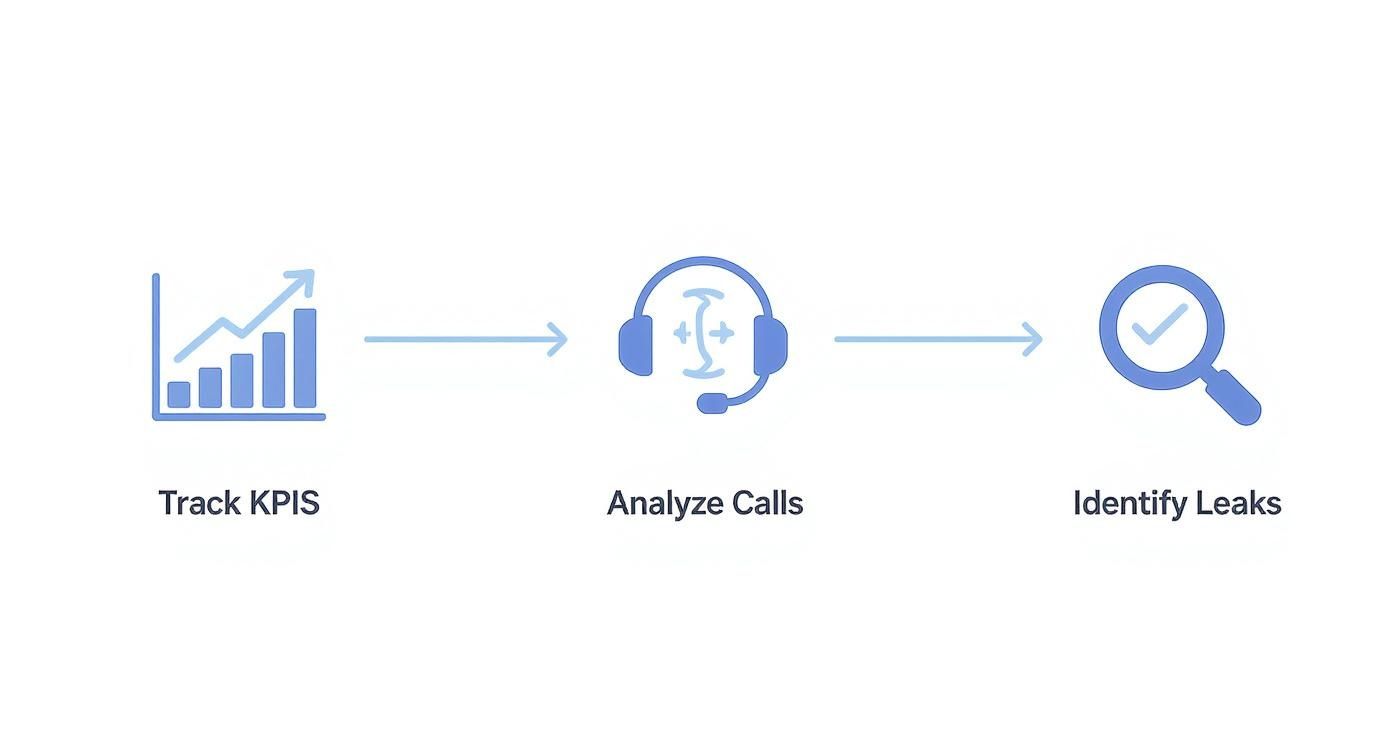
The graphic makes it clear: finding leaks isn’t a one-and-done task. It's a system of gathering data, reviewing real-world interactions, and drawing a straight line between the two.
Start With Your Core Conversion Metrics
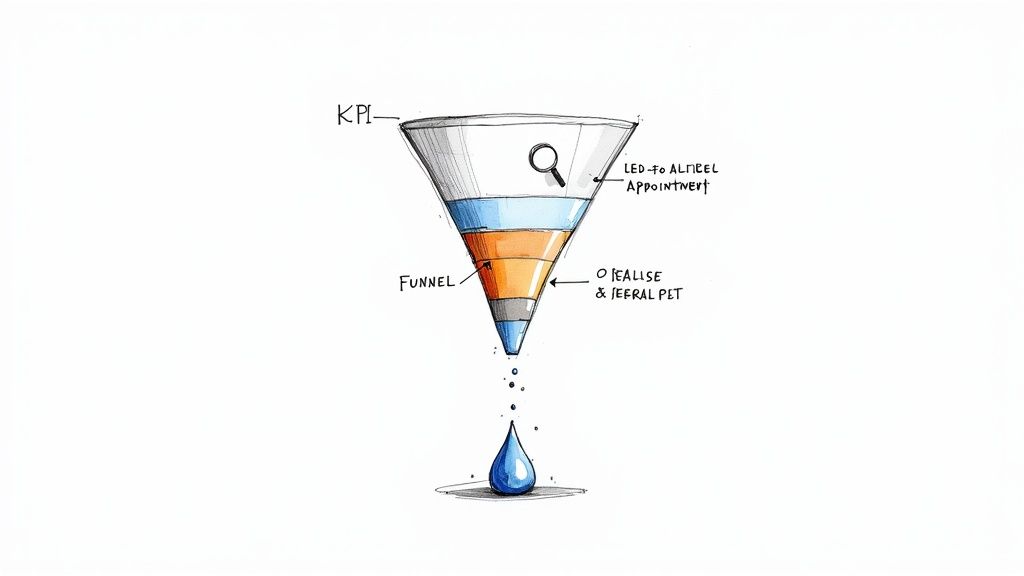
Your journey into the data begins with two non-negotiable metrics. These are the absolute backbone of your sales funnel analysis: your Lead-to-Appointment Rate and your Appointment-to-Sale Rate.
To get your Lead-to-Appointment Rate, just divide the number of appointments you booked by the total number of leads you received in a given period. For example, if you got 100 leads and booked 40 appointments, your rate is a solid 40%. If this number is low, it often points to problems right at the top of your funnel—things like poor call handling or painfully slow response times.
Next, you need to calculate your Appointment-to-Sale Rate. This is the number of closed jobs divided by the number of appointments your techs actually completed. So, if your team ran 40 appointments and closed 10 of them, your rate is 25%. A low number here is a big red flag for issues later in the process, like your in-person sales approach, your pricing, or even the quality of the appointments being set in the first place.
By tracking just these two numbers, you can instantly tell whether your biggest leak is happening on the phone with your CSRs or out in the field with your technicians. That distinction is crucial—it helps you focus your efforts where they'll make the biggest impact.
To help you get a handle on this, here are the key metrics you should be tracking to diagnose the health of your sales funnel.
Key Funnel Metrics for Home Service Businesses
| Metric | How to Calculate | What It Tells You |
|---|---|---|
| Lead-to-Appointment Rate | (Total Appointments Booked / Total Leads) x 100 | Effectiveness of your initial contact process (call handling, speed, CSR performance). |
| Appointment-to-Sale Rate | (Total Jobs Closed / Total Appointments Completed) x 100 | Performance of your technicians in the home (sales skills, pricing, presentation). |
| Lead Source Conversion Rate | (Jobs Closed from Source / Leads from Source) x 100 | The quality of leads coming from different marketing channels (e.g., Google vs. Facebook). |
| Average Response Time | Average time between lead submission and first contact | How quickly your team engages new leads. Slow response is a major conversion killer. |
Tracking these metrics gives you a dashboard view of your sales engine, showing you exactly where you need to tune things up for better performance.
Dig Deeper by Analyzing Calls and Lead Sources
Once you have your high-level numbers, it's time to put on your detective hat and figure out the "why" behind them. This is where you go from seeing the problem to understanding it.
Tools that provide conversation intelligence can be a game-changer here, giving you deep insights into customer interactions and making it much easier to pinpoint exactly where prospects are hesitating or dropping off.
A great place to start is by segmenting your lead sources. Is the conversion rate for leads coming from Google ads miles ahead of those from Facebook? A big difference like that usually points to a lead quality problem. The Facebook leads might just be less qualified, meaning they need a completely different approach or a longer nurturing sequence.
Speaking of nurturing, this is where many businesses drop the ball. Companies that actively nurture their leads close 50% more sales while spending 33% less to do so. On top of that, these nurtured leads tend to move through the sales funnel 23% faster and spend more when they buy. Don't let your leads go cold.
Crafting Phone Scripts That Actually Convert
That first phone call is where the magic happens. It's your single biggest chance to turn a casual lead into a confirmed appointment. I’ve seen too many businesses use rigid, robotic scripts that kill the conversation before it even starts.
The secret isn't a word-for-word mandate. It’s a flexible framework that empowers your team to build real rapport and guide the conversation, not just read lines. A great script is a roadmap, not a cage. The goal is to make every call a powerful conversion tool, not just another data-entry task.
The Anatomy of a High-Converting Call
To really move the needle on your booking numbers, you have to think about the call in distinct phases. Each part has a job to do, building on the last to create a smooth, persuasive experience for the customer on the other end of the line.
Think of it less like a script and more like a conversational playbook.
- The Rapport-Building Open: Get straight to the point, but do it with a warm, human touch. Ditch the generic "How can I help you?" and try something more proactive. "Hi, this is Sarah from Perfect Plumbing. I see you sent a request about a leaky faucet. I can definitely help you get that sorted out." It shows you’re prepared and ready to solve their problem.
- Strategic Qualifying Questions: This is your diagnostic phase. You need to understand the issue and, just as importantly, the customer's sense of urgency. Ask open-ended questions like, "Could you tell me a bit more about what's going on with it?" or "How long has this been an issue for you?"
- The Value Proposition: Once you understand their problem, it's time for a quick, confident pitch. This isn't a long-winded sales monologue. It’s a simple, two-sentence summary that builds trust: "We see that all the time, and our certified techs can absolutely handle it. We usually have the parts for that kind of fix right on the truck, so we can typically resolve it in one visit."
- The Clear Call-to-Action (CTA): This is where so many calls fall apart. Don't be vague. Guide the customer directly to the next step with a direct, simple ask. "I have an opening tomorrow morning at 10 AM or one in the afternoon at 2 PM. Which of those works better for you?"
This structure keeps your team in control while making the customer feel completely heard and taken care of.
Handling Common Objections with Confidence
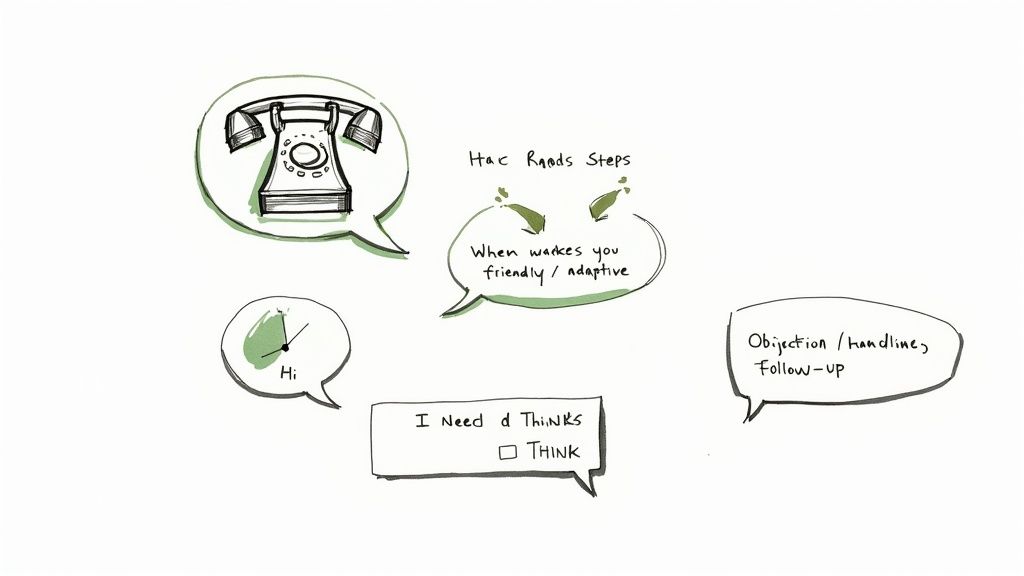
Even with the perfect script, you're going to get objections. The most common one is always, "I need to think about it," or its close cousin, "I need to talk to my spouse." A well-prepared team can navigate these moments without immediately losing the appointment.
Instead of just accepting it and hanging up, train your CSRs to respond with empathy before gently probing for the real reason.
Pro Tip: When a customer hesitates, it's almost never about needing more time. It's usually about an unaddressed concern—price, trust, or timing. Your job is to uncover that hidden objection.
For example, if a customer says they "need to think about it," a fantastic response is: "I completely understand. Just so I can give you the most accurate information to think over, was there a specific question you had, maybe about our pricing or how we schedule our appointments?"
This simple question opens the door for them to voice their actual concern. More often than not, just clarifying a small detail about the service fee or the arrival window is all it takes to get them to commit. For more on this, it's worth reading up on some best practices for perpetual phone response.
Making the Script Your Own
The final piece of the puzzle is letting your team sound human. A script should be a guide, not a straightjacket. Encourage your CSRs to internalize the flow and key talking points, but let them deliver the lines in their own authentic voice.
Here are a few ways to make this happen:
- Run role-playing sessions. Have your team practice on each other, testing out different ways to phrase things and handle curveball questions.
- Listen to call recordings together. Pinpoint what works in real customer interactions and pull those successful phrases into your framework.
- Focus on tone over words. Remind everyone that a friendly, confident, and empathetic tone is often more important than hitting every single word perfectly.
When you train your team to adapt these frameworks, every call feels personal and professional. That's how you turn more inquiries into booked jobs and see your sales conversion rate climb.
Building an Unstoppable Customer Service Team
Let's be honest: your phone scripts are only as good as the people reading them. A team of sharp, motivated Customer Service Representatives (CSRs) is the real engine behind your sales process. But building and managing that team can feel like a full-time job on its own.
For a lot of home service businesses, the old-school, in-office call center is becoming a thing of the past. The good news? You have some incredibly powerful and flexible options today. The two most effective paths are either building your own elite remote team or partnering with a specialized calling service.
Hiring and Managing a Remote CSR Team
Taking your hiring process remote opens up the entire country as your talent pool. Suddenly, you can find seasoned pros without being stuck with who's available in your immediate area. But making a remote team work requires a real strategy. You can't just hand someone a login and hope for the best.
Here’s a practical checklist I've seen work time and again:
- Define the Role with Precision: Before you even think about a job post, map out what a "win" looks like. What's your target call answer rate? What percentage of calls should turn into booked appointments? How critical is data entry accuracy? Get specific.
- Arm Them with the Right Tech: Your remote team is only as effective as their tools. This means a rock-solid VoIP phone system, a shared CRM that everyone can access, and a communication hub like Slack or Microsoft Teams for that real-time connection.
- Structure a Killer Training Program: Create a comprehensive onboarding that goes beyond the basics. It needs to cover your scripts, CRM workflows, your company's unique voice, and how to navigate the common questions and curveballs specific to your trade.
- Establish Clear Performance Metrics: Use your phone system and CRM to track your key KPIs. Make a habit of reviewing call recordings for quality checks and provide consistent, constructive feedback in weekly one-on-ones.
Building your own remote team gives you ultimate control over your brand's voice and the customer experience. It’s an amazing choice if you have the bandwidth to really invest in hiring, training, and day-to-day management. For a bit more context, it's worth understanding the full scope of the customer care role in the home service industry as you shape this position.
A common pitfall is underestimating the management time a remote team requires. You save money on office space, but you have to reinvest that time into structured communication, training, and performance monitoring to see a real ROI.
Partnering with a Professional Calling Service
For businesses that need to scale fast or simply want to get the headache of staffing off their plate, a professional calling service can be a total game-changer. These companies provide trained agents who can handle your inbound calls, make outbound follow-ups, and book jobs directly into your calendar.
This approach brings some serious advantages to the table.
Pros and Cons of Outsourcing Your Calls
| Advantages of Outsourcing | Potential Disadvantages |
|---|---|
| Instant Scalability: Handle a sudden rush of calls from a storm or marketing campaign without scrambling to hire. | Less Direct Control: You won't have the same micro-level oversight of every single conversation. |
| Reduced Overhead: You skip all the costs of recruitment, training, salaries, benefits, and tech. | Potential for a Generic Feel: Agents work with many clients, so they may lack the deep-rooted company culture of an in-house hire. |
| Pure Expertise and Focus: You get a team that does one thing all day, every day: handle calls and convert leads. | Integration is Key: This only works if their system talks flawlessly with your CRM and scheduling software. |
Using a calling service can radically improve your sales conversion rate, especially if you're dropping calls or your team is stretched thin. The secret is finding a partner that lives and breathes home services. They’ll already know the lingo, understand what your customers are looking for, and have proven methods for turning callers into paying clients.
This move frees you and your core team up to focus on what you're best at—delivering fantastic service in the field. It turns a massive operational challenge into a predictable, scalable part of your sales machine.
Using Your CRM to Automate Follow-Ups
How many great leads have fallen into the black hole of your inbox? It’s a story I’ve heard a hundred times: a potential customer calls for a quote, you promise to follow up, and then… life happens. The next day is a whirlwind of jobs and new calls, and that one lead slips through the cracks, gone forever. This is exactly where a properly set up Customer Relationship Management (CRM) system can completely change the game.
Your CRM shouldn't just be a digital rolodex. It needs to be an active, automated engine that guarantees no opportunity ever gets missed. When configured the right way, it becomes your virtual assistant, working tirelessly behind the scenes to keep your business top-of-mind with every single prospect. This is how you really start to improve your sales conversion rate, because consistent, persistent follow-up is often the one thing that separates a lost lead from a closed deal.
Configure Your CRM to Track Every Interaction
First things first, let's turn your CRM from a passive database into an active sales tool. This means making sure that every single touchpoint with a lead—every phone call, every email, every text message—is automatically logged in their profile.
Once that’s in place, anyone on your team can pull up a lead and see the entire communication history instantly. No more guessing games. No more awkward double-contacts. It creates a single source of truth that provides a seamless, professional experience for your customers.
Even better, it lays the groundwork for smart automation. For instance, if a prospect hasn't opened your last two emails or replied to a text, the system can automatically flag them for a personal phone call.
Automate Reminders and Tasks
Automation is your best defense against human error. Your team is juggling a dozen things at once, and even the most diligent person can forget to make a follow-up call. By building automated workflows into your CRM, you take memory out of the equation entirely.
- Initial Quote Follow-Up: Set a rule that automatically creates a task for a CSR to call a lead exactly 24 hours after a quote is sent.
- "No Contact" Reminders: If a lead doesn't answer the first time, have the CRM automatically schedule another follow-up task for two days later.
- Appointment Confirmations: Trigger an automated text message to go out the day before a scheduled appointment to slash your no-show rate.
These simple automations ensure your process is followed to the letter, every single time. As you scale, you'll find that having dedicated people to manage this is crucial. This is where learning how to hire a virtual assistant can give you the focused manpower needed to execute these CRM-driven tasks without fail.
A Proven Multi-Touch Follow-Up Cadence
Just "following up" isn't a strategy. You need a structured cadence that keeps you on the prospect's radar without being a nuisance. The key is to mix up your communication channels, because different people respond in different ways.
A lead who ignores a call from an unknown number might reply to a text message within minutes. By varying your approach, you dramatically increase your chances of making contact and re-igniting the conversation.
Here’s a simple but incredibly effective 7-day cadence you can build directly into your CRM’s automation:
- Day 1 (The Quote): Email the quote right after the call. A few hours later, follow up with a quick text: "Hi [Name], just confirming I sent over the quote for your project. Let me know if you have any questions! – [Your Name] from [Company]."
- Day 2 (The Call): Your CRM should automatically trigger a task for a personal follow-up call to go over the quote and answer their questions.
- Day 4 (The Value-Add): If you haven't connected, send an automated email that isn't a sales pitch. Offer genuine value. Link to a blog post on your site like "5 Things to Ask Before Hiring a Plumber" or share a glowing customer testimonial.
- Day 7 (The Final Check-In): Send one last, friendly text: "Hi [Name], just checking in one last time on the quote we sent. Are you still interested in moving forward with the project?"
This multi-channel approach makes your follow-up feel helpful, not high-pressure.
Ready-to-Use Templates for Re-Engagement
Having pre-written templates loaded into your CRM is a massive time-saver for your team and ensures your messaging is always consistent, on-brand, and effective.
Example Email Template (For Day 4):
- Subject: A few helpful resources for your project
- Body: Hi [Name], I hope you had a chance to look over the quote we sent. I know choosing the right company is a big decision, so I wanted to share a recent review from one of your neighbors, the Smith family, about their experience with us. [Insert link to review or short testimonial]. Let me know if you have any questions at all.
Example Text Template (For Day 7):
- Body: Hi [Name], just doing a final check-in on the quote for your HVAC repair. No pressure at all, just wanted to see if you had any final questions for us. Thanks!
When you integrate these strategies, your CRM becomes more than just a piece of software. It becomes the central nervous system of your sales process, ensuring every lead gets the attention it deserves and systematically driving your conversion rates higher.
Testing and Measuring Your Way to Higher Conversions
Lasting improvements in your sales process don’t come from a single, magic-bullet fix. Real, sustainable growth comes from building a culture of continuous improvement—one where every assumption gets challenged and every change is backed by hard data.
This is where testing and measuring come in. It’s how you turn guesswork into a predictable system for winning more jobs.
For a lot of home service owners, the term "A/B testing" sounds like something reserved for tech startups with big budgets. In reality, it's a straightforward concept you can start using today. The idea is simple: you test one small change at a time to see if it actually improves your results.
By isolating a single variable—like the first sentence of a phone script or the subject line of a follow-up email—you can definitively know what works and what doesn't. This methodical approach is how you systematically improve your sales conversion rate over time, making small gains that add up to a big impact on your bottom line.
What to Test for Maximum Impact
You don't need a fancy lab to start running these experiments. The best tests are usually the simplest ones that focus on the most critical points in your sales funnel—those moments where a lead either moves forward or drops off for good.
Here are a few practical A/B testing ideas you can implement right away:
- Phone Script Openings: For one week, have your CSRs open calls with your standard script (Version A). The next week, have them try a new, more direct opening (Version B). All you have to do is track the lead-to-appointment rate for both versions to see which one performs better.
- Follow-Up Email Subject Lines: Split your new leads into two groups. Send half your standard quote follow-up email. For the other half, test a subject line that creates more urgency, like "Your [Service] Quote Expires in 48 Hours." Then, just measure the open and reply rates for each.
- Call-to-Action Phrasing: Test different ways of asking for the appointment. Compare a softer CTA like, "Would you like me to see what times we have available?" against a more assumptive one like, "I have openings on Tuesday at 10 AM or Thursday at 2 PM. Which works better for you?"
The golden rule here is to only change one thing at a time. If you tweak both the script opening and the CTA at once, you’ll have no idea which change was actually responsible for the results you see.
Setting Up Your Experiment and Measuring Outcomes
Once you’ve picked what to test, setting it up is easy. Define your control (Version A, your current method) and your variation (Version B, the new idea). Decide on a timeframe—a week or two is usually enough to get solid data—and pick a single metric you’ll use to declare a winner. This clarity is what allows you to make confident, data-driven decisions.
Let's say you’re testing a new follow-up text message. Your main success metric would be the reply rate or, even better, the number of appointments booked directly from those replies. After the test period, compare how Version A performed against Version B. If the new version gave you a real lift, it becomes your new control. Then you move on to testing the next idea.
This cycle of testing, measuring, and implementing is the engine of conversion rate optimization (CRO). It’s a huge deal—the CRO software market is projected to hit over $5 billion by 2025 for a reason. Businesses that get this right often see conversion rates above 11% because they never stop experimenting. You can find more great CRO strategies at WordStream if you want to dig deeper.
To keep things simple, use a basic dashboard or even just a spreadsheet to track your key metrics weekly. It doesn’t have to be complicated to be effective.
A/B Testing Ideas for Home Service Sales
Not sure where to start? This table breaks down a few simple but powerful tests you can run to see what resonates with your customers and drives more bookings.
| Element to Test | Variable A (Control) | Variable B (Test) | Metric to Measure |
|---|---|---|---|
| Email Subject Line | "Your Quote from [Company Name]" | "Quick question about your [Service] quote" | Email Open Rate |
| Follow-Up Cadence | Call 24 hours after quote | Text 2 hours after, then call 24 hours later | Response Rate |
| Voicemail Script | Standard script with callback number | Script with a value prop and a text-back option | Callback/Text-Back Rate |
| CTA on Quote | "Call us to book" | "Click here to book your appointment online" | Appointment Booking Rate |
When you embrace this mindset, your sales process stops being static. It becomes a living system that constantly adapts and improves. Each test provides a valuable lesson, guiding you toward the most effective ways to connect with customers and, ultimately, win more jobs.
Got Questions? Let's Talk Conversion Rates
Even with the best playbook in hand, diving into your sales process is bound to bring up some questions. I hear the same ones from business owners all the time: "Where do I even start?", "What's a 'good' conversion rate, anyway?", and "How long until I actually see a difference?"
These are all fair questions. The great news is that the answers are usually simpler than you think. It's not about finding some magic bullet. It’s about being disciplined with the fundamentals—finding the leaks in your funnel and methodically testing your way to a better process.
So, What Is a Good Sales Conversion Rate for Home Services?
This is the big one, and my honest answer is always the same: it really, really depends. The target for a business selling $15,000 HVAC systems will look completely different from a company booking $200 pest control jobs.
Forget about chasing some industry-wide average. Your real benchmark is you.
The most important thing is to focus on improving your own historical numbers. If you closed 15% of your appointments last quarter, setting a goal for 20% this quarter is a smart, powerful move. That's real progress.
That said, if you need a ballpark figure, most healthy home service companies I've worked with land somewhere between a 25% to 50% appointment-to-sale conversion rate. If your numbers are falling way short of that, it's a huge sign that you have some serious, fixable issues in your sales process.
How Quickly Can I Actually See Results?
You'd be surprised. You can see the needle move on small tweaks almost right away. I've seen clients change the first line of their phone script or add a simple appointment confirmation text and watch their lead-to-appointment rate jump in less than a week.
Bigger changes, of course, take more time. If you're rolling out a new CRM, launching a multi-step follow-up sequence, or retraining your entire team, you should give it 30 to 90 days before you expect to see a clear impact on revenue.
My advice? Be patient but persistent. Keep an eye on your KPIs every week to catch early trends, but don't pull the plug on a new strategy after just a few days. Give your bigger changes room to breathe and prove themselves.
A lot of the questions I get these days also circle around new tech. To get a better handle on what's possible, it’s worth understanding what is AI and how it can benefit your business as you look at different tools. The right technology can definitely speed things up by automating follow-ups and giving you better data.
Ultimately, how fast you see results comes down to how big your leaks are. Plugging a massive hole—like all those calls going to voicemail—is going to give you a much faster and more dramatic lift than tweaking a process that's already working pretty well.
Ready to stop letting leads slip through the cracks? Phone Staffer can provide trained remote CSRs or a done-for-you cold calling service to answer every call, follow up with every lead, and book qualified appointments directly on your calendar. Learn how we help home service businesses grow at phonestaffer.com.