

Before you even think about plugging an address into your GPS, the most profitable routes are built on a solid foundation of clear goals. Without a target, you're just driving around. With one, every trip becomes a calculated move to grow your business. This initial planning phase isn't about geography; it's all about strategy.
Setting the Stage for a Smarter Sales Route
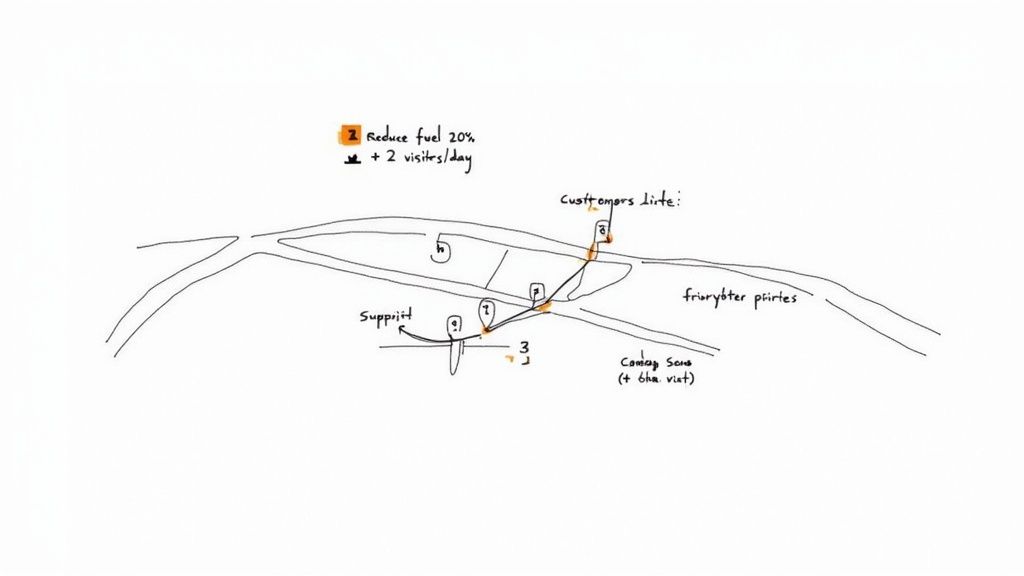
Simply wanting to "be more efficient" is a nice thought, but it’s not a plan. You need real, tangible targets that guide every decision you make when building out your day. These goals become the yardstick you use to measure whether your routing efforts are actually paying off.
Define Your Primary Objectives
First things first: what are you actually trying to accomplish? Get specific. Vague aspirations won't help you here. Your goals need to be measurable and directly linked to the health of your home service business.
What does that look like in the real world?
- Increasing Daily Appointments: Maybe your goal is to squeeze in one or two extra service calls per tech, every single day.
- Reducing Operational Costs: How about a concrete target, like cutting fuel and vehicle maintenance costs by 15-20% this quarter?
- Boosting On-Time Arrival Rates: Aim for something ambitious but achievable, like a 95% on-time arrival rate to keep customers happy and stop wasting time between jobs.
- Maximizing Revenue Per Mile: This one’s a game-changer. Focus on increasing the dollars you bring in for every mile your team is on the road.
Having these kinds of concrete objectives gives you a clear "why" behind your planning. It turns a logistical headache into a core part of your sales and service strategy. The demand for this kind of smart planning is booming—the global route optimization software market is expected to jump from USD 7.6 billion in 2025 to a massive USD 22.5 billion by 2035. You can dig into more details on these market trends and their drivers.
To help you get started, here’s a quick breakdown of common goals and how you might track them.
Key Route Planning Goals and Metrics
| Planning Goal | Primary Metric (KPI) | Example for Home Services |
|---|---|---|
| Increase Productivity | Appointments per day | A roofing company aims for 5 inspections per rep, up from 4. |
| Reduce Drive Time | Average time spent driving between jobs | An HVAC business targets a 20% reduction in windshield time. |
| Lower Operational Costs | Fuel costs per vehicle; miles driven per day | A plumbing company tracks fuel expenses to stay within a set budget. |
| Improve Customer Satisfaction | On-time arrival percentage | A window cleaning service strives for a 98% on-time arrival rate. |
| Boost Revenue Efficiency | Revenue generated per mile driven | An electrician focuses on routes with the highest-value jobs clustered together. |
Setting these targets is the first step. Next, you need to apply that thinking to your customer list.
Prioritize and Segment Your Customer List
Let’s be honest: not all appointments are created equal. An emergency call for a burst pipe at a commercial property is way more urgent than a routine gutter cleaning quote. This is where you have to get strategic about prioritizing your customers.
A well-planned route isn't just the shortest path between two points; it's the most profitable one. Putting your high-value stops first ensures your team's time is spent where it counts the most.
The easiest way to do this is to create a simple scoring or tier system for your leads and existing customers. Give them points based on things like the potential job value, how urgent the request is, their lifetime value to your business, or how close they are to signing a contract.
A tiered system usually works best:
- Tier 1 (Top Priority): These are your non-negotiables. Think urgent service calls, appointments to deliver final quotes on big projects, or visits with your most valuable long-term clients. Build your daily schedule around these.
- Tier 2 (Medium Priority): This bucket includes follow-up visits, routine maintenance for important customers, and appointments with promising new leads who aren't quite ready to commit.
- Tier 3 (Low Priority): Here you’ll find your routine check-ins, cold canvassing in a new neighborhood, or non-urgent maintenance for smaller accounts.
This hierarchy is your secret weapon. It lets you anchor your routes with the most important stops and then intelligently fill in the gaps with lower-priority visits that are right on the way. This kind of segmentation makes sure your best opportunities never get pushed to the back of the line.
Designing Territories That Actually Work
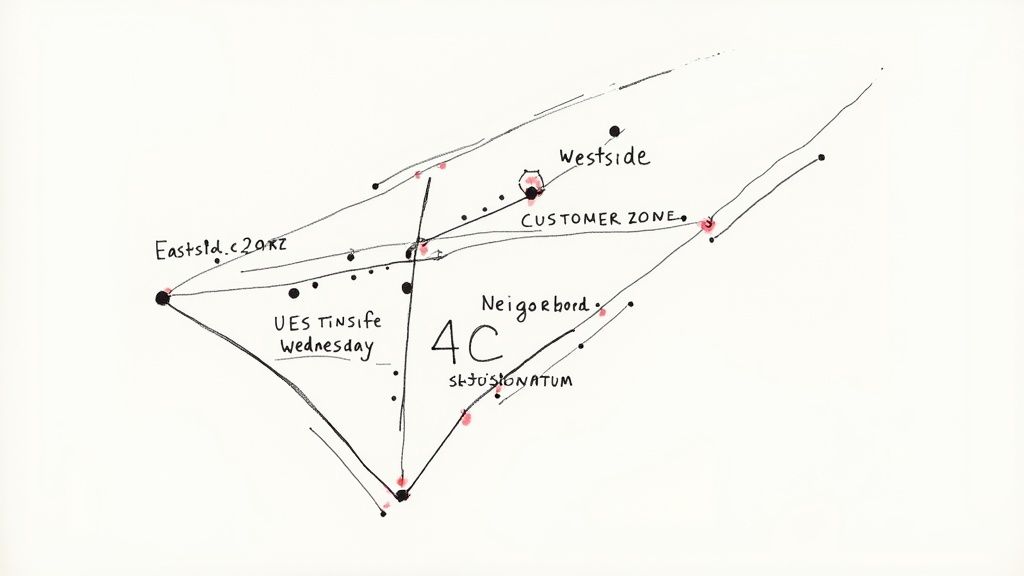
If your team is constantly crisscrossing town, you're not just wasting fuel—you're burning through profit. The foundation of any efficient route plan is carving your service area into smart, manageable territories. This is where you graduate from a simple list of zip codes and start thinking like a true logistics expert.
The whole point is to create tight clusters of appointments. This simple change drastically cuts down on that unproductive windshield time, turning a chaotic schedule into a predictable, money-making system.
Let Your Customer Data Draw the First Lines
Before you even think about opening a map, dig into the data you already have. Your best insights are sitting right there in your CRM or accounting software.
Pull a list of all your past jobs, complete with addresses, and plot them on a map. You’ll almost immediately see natural groupings pop up. These are your bread-and-butter zones—the neighborhoods or commercial strips where you already have a foothold. Targeting these areas first is the definition of low-hanging fruit.
This data-first approach helps you:
- Spot Your Hot Zones: Immediately see where the highest concentration of your current and potential customers live.
- Uncover Service Trends: Maybe you'll notice a neighborhood full of 20-year-old homes is a goldmine for HVAC replacements, making it a perfect spot for a targeted tune-up campaign.
- Balance the Workload: You can create territories with a similar mix of high-value prospects and existing clients, keeping things fair and motivating for your whole team.
Working this way stops you from spreading your resources too thin. It ensures every truck you send out has the best possible shot at landing multiple jobs in one small area. To really get a clear picture, using a custom map creator can bring all that raw data to life visually.
Think Beyond Geography: Grouping by Job Type
While location is your starting point, the most profitable territories are designed with more than just a map in mind. You need to consider the kind of work you do and the specific customers you serve. This lets you build specialized zones that boost both your efficiency and your closing rates.
Let's say you run a landscaping company. You could designate one territory that's exclusively for commercial properties needing weekly maintenance. That way, your crew shows up with the right heavy-duty mowers and gear, instead of wasting time swapping between residential and commercial tools all day.
Another great strategy is grouping by service. An HVAC business could create an "AC Tune-Up Zone" in a part of town known for older construction. Your tech can stock the van with the specific filters and common parts needed for those older models, which means fewer time-wasting trips back to the shop.
The best territories are a reflection of your business reality. They aren't just about where your customers are, but what they need and when they need it. This simple shift in mindset slashes prep time and maximizes what you can get done on-site.
Bring It All Together With Themed Days
Once your territories are defined, the final piece of the puzzle is assigning them to specific days of the week. It’s a deceptively simple tactic that brings a predictable rhythm to your entire scheduling process.
Think "Westside Wednesdays" or "Downtown Thursdays." This framework instantly brings order to the chaos.
This system delivers some huge wins:
- It Kills Decision Fatigue: Your dispatcher no longer has to reinvent the wheel every single morning, trying to build a logical route from scratch. The basic plan is already set.
- It Streamlines Customer Communication: When a customer from the west side calls for a non-urgent quote, you can confidently tell them, "Great, we'll have a truck in your area on Wednesday. Does the morning or afternoon work better?"
- It Slashes Drive Time: This is the big one. Themed-day scheduling naturally clusters your appointments, which can cut travel costs by up to 30% by eliminating backtracking and those long, inefficient drives across town.
When you combine data-driven territories with a themed-day schedule, you’re not just planning a route—you’re building a powerful, repeatable system. It’s a structure that guarantees your team spends less time driving and more time doing what actually brings in the money: serving your customers.
Choosing Your Route Planning Tech Stack
If you’re still planning sales routes with a paper map and a highlighter, you're not just old-school—you're leaving serious money on the table. Technology is your biggest ally in turning chaotic schedules into profitable, smooth-running operations. Honestly, moving past manual methods isn't optional anymore; it’s a must for staying competitive.
The right tech for you could be anything from a simple mapping app to a full-blown, dedicated software suite. The trick is finding the right fit for your business size, budget, and how you work. It's about swapping guesswork for data-driven decisions.
Start With What You Already Have
Before you go shopping for new software, it's worth taking inventory of what you already own. Many CRMs and field service management platforms have some kind of built-in mapping or basic routing feature. They might not offer high-level optimization, but they can be a great starting point for simply seeing where all your customers are on a map.
For a one-person show or a very small crew, even free tools are a huge upgrade. Take Google Maps, for instance. It lets you create a route with multiple stops. Sure, it’s a manual process, but it’s light-years ahead of a paper map.
Here’s a basic multi-stop route planned in Google Maps, showing a simple sequence of appointments.
Just having this visual instantly shows you a more logical path, helping you avoid backtracking even without fancy algorithms.
Dedicated Route Optimization Software
When you’re ready to get serious about efficiency, dedicated route optimization software is the way to go. These tools are built for one thing: creating the most efficient multi-stop routes possible. They are the workhorses for businesses with several technicians and a packed daily schedule.
What should you look for?
- Real-Time Traffic Data: The software has to be smart enough to adjust routes on the fly based on current road conditions, accidents, and construction.
- Drag-and-Drop Scheduling: You need the flexibility to easily move appointments around on a calendar or map and immediately see how those changes affect the day's efficiency.
- A Solid Mobile App: Your team in the field needs a mobile app that gives them their daily route, customer notes, and a way to update job statuses right from the site.
These systems do more than just map out a route; they connect your whole field operation. The data from the mobile apps feeds back into your main system, giving you real insight into how long jobs actually take and how much time is spent on the road.
Speaking of mobile teams, a good tech stack is critical for keeping everyone on the same page, which is why effective remote team management software often links up with these routing tools to keep communication seamless.
Don’t just get dazzled by a long list of features. Think about the user experience. If a tool is clunky and your team hates using it, they won't, and you've just wasted your money.
Choosing the Right Tool for Your Business
With so many options out there, from simple apps to enterprise-level software, it can be tough to know where to start. The best tool really depends on the scale and complexity of your operation. A solo contractor has very different needs than a company with a fleet of 20 vans.
Here's a quick breakdown to help you compare the different types of tools available.
Comparison of Route Planning Tool Types
| Tool Type | Best For | Key Features | Potential Drawbacks |
|---|---|---|---|
| Free Mapping Apps (e.g., Google Maps) | Solo operators or teams with < 5 stops per day. | – Free to use – Simple interface – Basic turn-by-turn navigation |
– Manual stop entry – No route optimization – No real-time team tracking |
| CRM/FSM with Basic Routing | Small to mid-sized businesses already using the platform. | – Integrated with customer data – Centralized scheduling – Visual appointment mapping |
– Limited optimization logic – Often lacks real-time traffic – May be an add-on cost |
| Dedicated Route Planners (e.g., Route4Me) | Businesses with 3+ vehicles and high appointment volume. | – Automated optimization – Real-time traffic data – Mobile app for drivers – Reporting and analytics |
– Subscription cost – Can be complex to set up – Potential for feature overload |
| AI-Powered Platforms (e.g., Wise Systems) | Large-scale operations focused on maximum efficiency. | – Predictive analytics – Self-learning algorithms – Considers variables like skill sets – Automated dispatching |
– Highest cost – Requires significant data to be effective – Longer implementation time |
Ultimately, the goal is to pick a tool that solves your immediate problems—like too much drive time—while also having the ability to grow with you as you add more technicians and customers.
The Rise of AI in Route Planning
The next level in route planning is all about artificial intelligence. AI-driven platforms don't just figure out the shortest path; they learn and predict. They analyze historical traffic data, consider which technician has the right skills for a job, and even account for specific customer time windows to build genuinely optimized schedules automatically.
This is where the biggest wins are. The adoption of AI in route planning is a game-changer for service businesses. Companies using AI have seen profit margin improvements of up to 15% by tightening up operations and slashing fuel and labor costs. If you want to dive deeper, you can explore the impact of AI on route optimization.
An AI-powered system can take a list of 100 appointments and instantly assign them to 10 technicians, creating perfectly balanced and efficient routes in seconds. That’s a task that would take a human dispatcher hours of frustrating work. This kind of automation frees up your team to focus on customer service and growth, not on solving logistics puzzles. It's the ultimate tool for scaling your home service business.
Turning Your Route Strategy Into a Real-World Plan
You've done the heavy lifting—you’ve set your goals, defined your territories, and picked your tech. Now it's time for the rubber to meet the road, literally. This is where we transform all that strategic work into daily and weekly schedules that directly pump up your bottom line.
The whole point is to build a repeatable, common-sense system. One that slashes windshield time and gets your team in front of more customers, doing what they do best. Every efficient day your team has is a direct result of the groundwork you're putting in now.
Think of how far we've come. Planning used to be a mess of paper maps, pushpins, and guesswork. Today, we have tools that can do in seconds what used to take hours.

This shift isn't just about convenience; it’s about unlocking layers of efficiency that were impossible before.
Crafting a Killer Daily Schedule
Let's walk through a real-world example. Imagine an HVAC company—we’ll call them "Comfort Zone HVAC"—getting ready for their "Westside Wednesday." The dispatcher has five appointments to slot into that territory.
Without a smart plan, the route would be a chaotic zigzag across town, wasting gas and time. But with a bit of forethought, the day becomes a masterclass in efficiency.
Here’s how they map it out:
- Plant Your Anchor Stops. First, they lock in the two most critical jobs: a high-value commercial AC unit repair and a final quote presentation for a full system replacement. These are the non-negotiables that the rest of the day will be built around.
- Cluster Everything Else Geographically. Next, they look at the three remaining jobs—two routine maintenance checks and one new lead consultation. They sequence these stops based on where they fall in relation to the anchor points, creating a logical path that flows from north to south.
- Build in a Reality Buffer. The dispatcher is experienced. They know that commercial repair could get complicated, so they block out an extra 30-minute buffer right after it. This one small move prevents one tricky job from throwing the entire day into chaos.
This isn't just about finding the shortest path; it's about building a smart, resilient schedule. When you consider that some studies show sales reps can spend up to a third of their day just driving, a tightly clustered route like this becomes a powerful tool for reclaiming lost hours.
Building a Bulletproof Weekly Plan
A great daily plan is fantastic, but a solid weekly framework is what creates consistency. This is where your themed territory days really start to pay off big time.
The real magic of a weekly plan is predictability. It ends the morning scramble, makes customer communication a breeze, and lets you easily slot in last-minute calls without blowing up your whole schedule.
Instead of reinventing the wheel every Monday morning, you have a blueprint. You know Thursday is dedicated to your eastern territory, so you can proactively book non-urgent maintenance calls for that day all week long. This approach also buys you incredible flexibility.
A Few Weekly Planning Tactics I’ve Seen Work Wonders:
- Designate a "Flex Afternoon": Keep Friday afternoon open. Use it for emergency calls, follow-ups that ran long, or just catching up on paperwork. This buffer keeps your team from constantly feeling behind.
- Schedule by Job Type: If you have an installation specialist, block out two full days a week just for those bigger, more complex projects. This allows them to focus without being pulled in different directions.
- Plan Around Traffic Hotspots: For jobs in that congested downtown area, schedule them for mid-morning or mid-afternoon to dodge the worst of rush hour. It’s a simple move that can save an hour of frustration.
This kind of foresight is what separates the pros from the businesses that are always putting out fires.
Getting the Plan Into Your Team's Hands
Look, the most brilliant route plan in the world is completely useless if your crew in the field can't access it. The final, critical step is syncing the schedule directly to your technicians' phones or tablets. This is a non-negotiable feature in any modern routing software or field service management platform like Jobber or ServiceTitan.
This seamless connection ensures everyone is on the same page, all the time.
- Real-Time Updates are a Must: A customer cancels or an emergency job pops up? The dispatcher updates the route, and the change instantly appears on the tech's device. No frantic phone calls needed.
- Give Them the Full Picture: A tech should see more than just an address. The synced appointment needs to include customer history, notes on the problem, and easy access to contact info.
- Automate Customer Communication: Good systems can automatically text customers an "on my way" alert with a real-time ETA. This is a massive win for the customer experience and dramatically cuts down on "no-shows."
When you put the plan directly into your team's hands, you eliminate confusion and empower them to work efficiently. This is how a well-designed strategy on a screen translates into a productive—and profitable—day on the road.
Measuring Performance to Refine Your Routes
Let’s be honest: a route plan is never really "finished." Think of it as a living document, not a stone tablet. Every single day, your team is out there generating a goldmine of data on what’s working and what’s not. Learning to tap into that data is how you turn a good routing strategy into a great one, constantly tweaking your approach for maximum profitability.
Without measurement, you're just guessing. You might feel like your new territories are more efficient, but you won’t know for sure until you look at the numbers. This is the final—and most important—loop in the process: turning real-world performance data into your next strategic move.
Pinpoint Your Most Important KPIs
To know if you’re winning the game, you first have to define the scoreboard. Don't get lost in the weeds with the dozens of metrics your software can track. Just start with the handful of key performance indicators (KPIs) that directly hit your bottom line.
For a home service business, these are the numbers that truly matter:
- Cost Per Stop: This is your reality check. Calculate your total daily operational costs (fuel, vehicle maintenance, the tech's hourly pay) and divide that by the number of jobs you actually completed. This tells you exactly how much it costs to simply show up at a customer's door.
- Drive Time vs. Service Time: This ratio is incredibly revealing. If your techs spend 30% of their day driving and 70% on-site doing the actual work, you’re in a great spot. But if that ratio starts creeping toward a 50/50 split, it's a huge red flag that your routes are bleeding money.
- On-Time Arrival Percentage: This isn't just a feel-good number; it's a crucial customer satisfaction metric. A high percentage proves your travel estimates are solid and your routes are realistic. If it starts to dip, something is broken.
Tracking these numbers gives you a clear, objective view of your operational health. To really sharpen your routes, it's essential to analyze crucial sales performance metrics that show you where the real inefficiencies and opportunities are.
The goal isn't just to plan a sales route; it's to create the most profitable path possible. Your KPIs are the compass that tells you if you're still heading in the right direction.
Dig Into Your Route Reports
Your routing software is so much more than a digital map. It's an analytical powerhouse waiting to be used. Get into the habit of regularly diving into the reports it generates. This is where you go from seeing high-level KPIs to diagnosing specific problems on the ground.
Look for patterns. Is there a particular neighborhood that consistently causes delays? Maybe one technician's routes always seem to run long, no matter the territory. This is how you spot small issues before they snowball into major profit drains.
This kind of analysis is becoming standard practice, and it’s fueling massive growth. The route optimization software market is projected to explode from USD 10.3 billion in 2025 to USD 33.5 billion by 2034. Why? Because businesses are laser-focused on this kind of operational efficiency.
Hold Regular Route Review Sessions
Data tells you the "what," but it's your team on the ground that can tell you the "why." The best insights happen when you combine hard data with the real-world experience of your field techs. They’re the ones who know about the new construction project backing up traffic or which apartment complexes are a nightmare for parking.
Set up a simple, consistent way to review routes with your team. You'd be amazed what a quick 15-minute huddle once a week can accomplish.
A Simple Route Review Agenda:
- Celebrate the Wins: Start on a positive note. Highlight a route that went perfectly and ask the tech what made it work so well.
- Analyze a Problem Route: Pull up a route from the past week that went completely off the rails. Without placing blame, just ask the tech, "What happened here?"
- Gather Feedback: Ask open-ended questions. "What's the most frustrating part of your current routes?" or "Where do you feel like we're losing the most time?"
- Decide on One Action Item: Based on the chat, agree on one small, concrete change to test in the coming week.
This collaborative approach does more than just fix your routes. It empowers your team and makes them an active part of the solution. By continuously measuring, analyzing, and talking it through, you create a cycle of constant improvement that makes every day on the road more efficient and profitable than the last.
A Few Common Questions About Sales Route Planning
Even with the best tools and a solid strategy, questions always pop up when the rubber meets the road. Every home service business runs into unique, on-the-ground challenges. Let's tackle some of the most common questions I hear from owners, with some straightforward advice to help you handle those real-world curveballs.
Think of this as your field guide for the "what if" moments. Nailing these details is what separates a decent plan from a truly profitable one.
How Should I Handle Last-Minute Changes or Emergencies?
This is the big one, and for good reason. In our line of work, chaos is part of the job description. A plumber can't just ignore a burst pipe because the day's route was perfectly optimized. The trick isn't to prevent emergencies—it's to build a system that can absorb them without blowing up the entire day.
You have to build that flexibility right into your schedule from the get-go.
- Create a "Flex Zone": I always recommend designating one tech as the designated "firefighter" for the day. Another approach is to keep a 90-minute block open in the afternoon across everyone's schedule. This reserved time is your buffer.
- Let Your Software Do the Math: When that frantic call comes in, your first move should be to check your route planner. It can instantly tell you which tech is closest and has the most wiggle room in their schedule. This beats making a gut call and accidentally sending the wrong person 45 minutes across town.
- Automate the Shuffle: If a tech gets pulled for an emergency, a good system lets you drag and drop their next non-urgent job onto another tech’s route. Crucially, it should also automatically fire off a notification to the rescheduled customer so they aren't left in the dark.
A plan that shatters the moment something unexpected happens isn't a plan; it's just a wish list. Building in this kind of resilience is everything.
What’s the Best Way to Balance Territories for My Team?
Keeping territories fair and balanced is a massive deal for team morale. Nothing crushes a salesperson's motivation faster than feeling like they've been handed a dead zone or an impossible task. True balance isn't about giving everyone the same number of square miles—it's about giving them the same shot at success.
When you plan a sales route and the territory that goes with it, you have to look deeper than the map.
- Focus on Potential Revenue: Dig into your past data. You might find that a dense urban area and a sprawling suburban one actually have similar revenue potential. The goal is to create zones that can generate comparable income.
- Mix Up the Leads: Make sure every territory has a healthy blend of high-value existing customers and fresh, promising leads. Don't give one person all your best accounts while another is stuck cold-calling from scratch.
- Balance the Actual Workload: Think about the jobs themselves. A territory filled with complex, multi-day HVAC installations is a much heavier lift than one with mostly quick pest control check-ups. Factor that average time-on-site into your calculations.
The real goal is to equalize the opportunity to win, not just the acreage. You have to regularly review the numbers and, just as importantly, listen to your team. Be ready to redraw those lines based on what's actually happening in the field.
How Often Should I Update My Routes and Territories?
Your routes and territories can't be a "set it and forget it" thing. Markets are alive—new neighborhoods pop up, customer demographics change, and even traffic patterns evolve. A plan that’s six months old is already out of date and costing you money.
So, what’s the right rhythm for making changes? It really depends on your business's pace.
- Daily Routes: These have to be dynamic. They should be optimized every single morning. While modern software like Route4Me can do this automatically, I always tell owners to have a dispatcher give it a quick human review before the trucks roll out.
- Territories: A full-blown territory realignment is something you should tackle at least once or twice a year. That said, you should be checking in quarterly. If you see one territory is consistently outperforming another, it might be time for a minor tweak.
Keeping your plan current ensures it reflects today's reality, not last year's. The average sales rep can burn up to a third of their day just driving. Think about that. Even small, consistent tweaks to their path can reclaim a huge amount of selling time over the course of a year. It’s an ongoing process, not a one-and-done project.
Are you tired of your team spending more time stuck in traffic than closing deals? Phone Staffer can help. We provide trained remote CSRs and VAs to manage your scheduling, answer every call, and handle the back-office work that bogs you down. Let us book qualified appointments directly onto your team’s calendars so they can focus on what they do best. Visit Phone Staffer to learn how we can fill your schedule with quality jobs.