
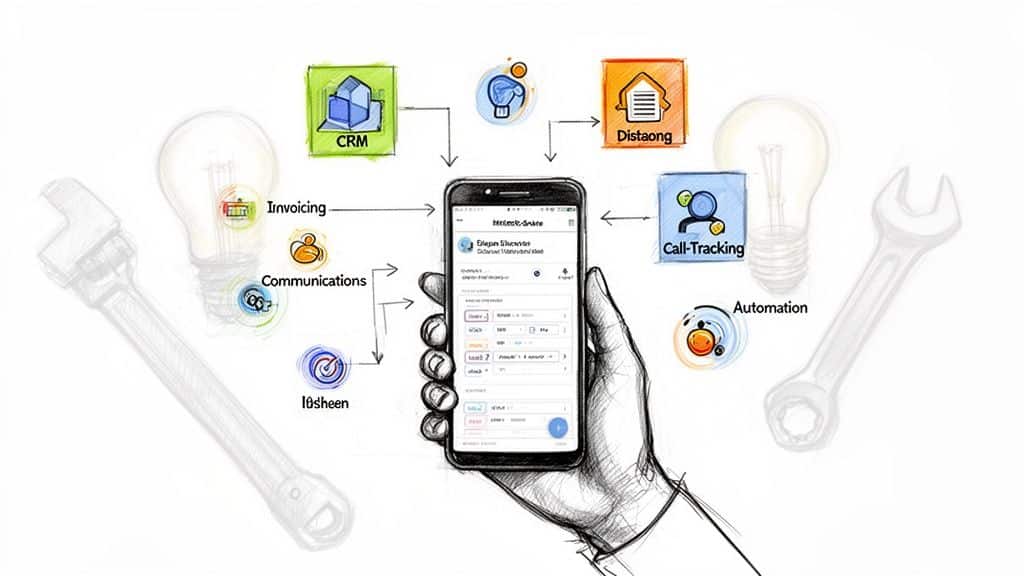
Trying to run your home service business with a patchwork of disconnected apps is a recipe for disaster. One missed appointment because your calendar didn't sync, a lost invoice buried in a messy spreadsheet, or a technician double-booked due to a scheduling error can cost you both revenue and customer trust. The core problem isn't a lack of tools; it's the operational chaos that comes from using the wrong ones that don't communicate with each other. The solution is building a cohesive 'tech stack' – a curated set of applications that work together to streamline every part of your operation, from the first customer call to the final payment.
This guide cuts through the noise. We've vetted the 12 best app resources specifically for home service businesses like HVAC, plumbing, electrical, and cleaning. Forget generic lists. We provide a comprehensive breakdown of each platform, complete with direct links and screenshots, to help you find genuinely good small business apps that fit your specific needs. You'll learn how these tools can save you countless administrative hours, eliminate costly errors, and elevate your customer experience. Customer Relationship Management (CRM) systems are often the backbone of a robust tech stack. To find a platform that aligns with your business needs, consider exploring some of the best CRM for small business options.
Our analysis goes deeper, offering real use cases, honest pros and cons, and practical integration tips. We’ll even show you how to pair these apps with services like Phone Staffer to ensure no lead is missed and every customer interaction is professional, creating a powerful engine for growth.
1. G2
Before diving into specific apps, the first and most crucial tool is a reliable platform for vetting your options. G2 is an expansive business software directory featuring over three million verified user reviews. For home service businesses, this is the starting point for researching and shortlisting everything from field service management (FSM) software to call-tracking and CRM platforms.
What makes G2 stand out is its granularity. You can filter good small business apps by company size, specific industry (like "Construction" or "Home & Garden Services"), required features, and pricing models. This allows you to move beyond generic recommendations and find software that peers in your specific field are successfully using. The side-by-side comparison grids are particularly useful for quickly evaluating key differences between top contenders.
Use Case for Home Service Businesses
Imagine you're a plumbing company owner looking for a new CRM. On G2, you can filter the CRM category for businesses with 1-50 employees, select features like "Mobile Access" and "Work Order Management," and read reviews exclusively from other home service professionals. This peer-validated insight helps you avoid costly mistakes and choose a tool that truly fits your workflow.
Key Considerations
- Pros: The sheer volume of peer reviews provides unparalleled social proof, and its detailed filtering helps you find niche tools perfect for your trade.
- Cons: Some users express skepticism about review authenticity due to rewards offered for submissions. Always read a mix of positive and negative reviews to get a balanced perspective.
- Pricing: Free to browse and use for research.
- Access: https://www.g2.com
While G2 is an excellent starting point, our own curated list of the top small business apps provides further context specifically for service-based operations.
2. Capterra
Similar to G2, Capterra serves as a comprehensive software marketplace, but with a specific focus on the needs of small and medium-sized businesses (SMBs). Acquired by Gartner, it offers a vast catalog of good small business apps, featuring user reviews, detailed comparisons, and helpful "best of" lists. For a home service business, Capterra’s robust filtering for trades like HVAC, plumbing, or electrical makes it an essential research hub.
What sets Capterra apart is its user-friendly interface and practical buying guides tailored directly to SMBs. It simplifies the complex software selection process by curating shortlists and providing clear, side-by-side comparison tables. This allows business owners to quickly assess crucial factors like pricing, mobile capabilities, and integration options, which is invaluable when searching for specific tools like Field Service Management or scheduling software.
Use Case for Home Service Businesses
An owner of a growing landscaping company could use Capterra to find dispatching software. They could filter by "Landscaping" and "1-10 Users," then use the comparison tool to evaluate three top contenders on features like GPS tracking, route optimization, and QuickBooks integration. The platform's focused shortlists and reviews from other landscapers provide the confidence needed to make a final decision.
Key Considerations
- Pros: The side-by-side comparisons are excellent for quick evaluations, and the platform is a strong signal for software that is genuinely suitable for small businesses.
- Cons: Some of the content and "best of" lists can be dated. It is crucial to always verify current pricing and features directly on the vendor's website.
- Pricing: Free to browse and use for research.
- Access: https://www.capterra.com
Using platforms like Capterra to vet your options ensures you invest in tools that are proven to work for businesses just like yours.
3. GetApp
Like G2, GetApp is another powerhouse in the software discovery space, owned by Gartner Digital Markets. It serves as a comprehensive directory where business owners can research, compare, and select the right tools. What sets GetApp apart is its highly intuitive interface and specific focus on creating curated shortlists for various industries, making it exceptionally useful for home service trades like HVAC, plumbing, electrical, and landscaping.

The platform features over 900 software categories, but its real strength for tradespeople lies in its robust filtering and comparison tools. You can quickly see screenshots, read verified user reviews, and even view direct alternatives to any given app. This makes it an ideal resource for finding good small business apps that cater specifically to the unique operational needs of field-based work, from scheduling and dispatching to mobile invoicing and customer management.
Use Case for Home Service Businesses
An electrical contractor looking to upgrade their field service management software can use GetApp to filter specifically for "Electrical Contractor" software. They can then apply further filters for essential features like "GPS Tracking," "Quote Management," and "Mobile Payments." The platform will generate a shortlist of top-rated options, complete with comparison data and reviews from other electricians, streamlining the decision-making process significantly.
Key Considerations
- Pros: Excellent industry-specific filtering for home services and clear, easy-to-digest snapshot pages for quick evaluation of different software.
- Cons: Some software listings can feel marketing-heavy, so it's important for users to validate vendor claims with free trials or demos.
- Pricing: Free to use for research and comparison.
- Access: https://www.getapp.com
4. Google Workspace Marketplace
For businesses already operating within the Google ecosystem, the Google Workspace Marketplace is a goldmine for enhancing existing tools. It’s a curated directory of third-party apps and add-ons that integrate directly into Gmail, Calendar, Drive, and Sheets. Instead of adopting entirely new platforms, you can find powerful tools for booking, quoting, e-signatures, and CRM that plug right into the software your team uses daily.

The primary advantage is seamless workflow integration. You can find good small business apps that let you manage a simple CRM from your Gmail inbox or create professional quotes directly from a Google Sheet. The marketplace clearly labels apps by category (like Sales & CRM or Accounting & Finance), shows user ratings, and specifies which Google products they work with, making it easy to find relevant extensions.
Use Case for Home Service Businesses
An HVAC company’s office manager can install a scheduling add-on for Google Calendar. When a customer calls to book a maintenance visit, the manager can see technician availability and create the appointment with all job details directly in the calendar event. This event can then automatically sync with other integrated apps, such as a simple invoicing tool that pulls customer data from the calendar entry to generate a bill later.
Key Considerations
- Pros: Direct integration with tools your team already knows reduces the learning curve. Centralized deployment and permissions simplify IT management.
- Cons: The platform offers the best value if your business is already committed to Google Workspace. Many of the most powerful add-ons require paid subscriptions.
- Pricing: Free to browse; many apps offer free tiers, but advanced functionality often requires a paid plan.
- Access: https://workspace.google.com/marketplace
5. Microsoft Marketplace / AppSource
For small businesses already invested in the Microsoft 365 ecosystem (Outlook, Teams, etc.), the Microsoft Marketplace, also known as AppSource, is a powerful and often overlooked research tool. It’s a curated directory of Microsoft-vetted applications designed to integrate seamlessly with the software you already use daily. This platform provides a trusted environment for discovering everything from specialized scheduling add-ins for Outlook to full-fledged business management solutions built on the Microsoft Power Platform.
What makes AppSource a valuable resource is its focus on integration and security. Every app is verified by Microsoft, which reduces the risk of adopting unreliable software. The platform emphasizes good small business apps that extend the functionality of your existing tools, offering try-before-you-buy trials, centralized deployment through the Microsoft admin center, and consolidated billing. This simplifies procurement and vendor management, a significant advantage for lean operations.
Use Case for Home Service Businesses
An HVAC company using Microsoft 365 for email and internal chat can explore AppSource to find a field service add-in for Microsoft Teams. This could enable technicians to receive job details, update work orders, and communicate with the office directly within the Teams mobile app they already have. This deep integration streamlines workflows without introducing an entirely new, disconnected application.
Key Considerations
- Pros: High level of trust and security due to Microsoft's vetting process. Consolidated invoicing reduces vendor sprawl and simplifies accounting.
- Cons: The platform offers the most value if your business is already standardized on Microsoft 365. Some apps are exclusively optimized for Microsoft products and may not integrate well with outside software.
- Pricing: Free to browse; app pricing varies from free add-ins to subscription-based enterprise software.
- Access: https://appsource.microsoft.com
While AppSource is ideal for Microsoft-centric businesses, our complete list of the top small business apps covers solutions for every type of software stack.
6. QuickBooks App Store
If your home service business runs on QuickBooks Online, its official App Store is less of a suggestion and more of a necessity. This marketplace is a curated directory of software designed to integrate directly with your accounting system. It eliminates the dreaded task of manual data entry, ensuring that operational data from your field service, time tracking, or CRM software flows seamlessly into your financial records.

What makes the QuickBooks App Store so effective is that it centralizes your search for compatible tools. Instead of guessing which apps will sync properly, you can browse categories like "Time Tracking" or "Inventory" and instantly see vetted options. The app pages provide user ratings, clear pricing details, and specifics on what data syncs between the platforms. This makes it one of the most practical resources for finding good small business apps that form a cohesive and automated tech stack.
Use Case for Home Service Businesses
An HVAC company uses a field service management app to schedule jobs and create invoices on-site. By choosing a tool from the QuickBooks App Store, the moment a technician finalizes an invoice in the field, it automatically syncs to QuickBooks Online. This sync includes the customer details, line items, and payment status, which drastically reduces administrative work for the office manager and keeps financial reporting accurate in real time.
Key Considerations
- Pros: Keeps your operational and financial data perfectly in sync, saving countless hours on bookkeeping and reducing the risk of manual data entry errors.
- Cons: You must verify that an app is compatible with your specific QuickBooks plan (e.g., Simple Start vs. Plus). Be cautious of third-party offers claiming lifetime licenses, as they may not be legitimate.
- Pricing: Free to browse; individual app pricing varies.
- Access: https://quickbooks.intuit.com/app/apps/home/
7. Square App Marketplace
If you already use Square for in-person payments, online invoicing, or scheduling, its App Marketplace is a critical resource. Rather than a standalone tool, it’s an ecosystem of vetted third-party applications designed to integrate directly with your Square account. This ensures that data like customer information, sales history, and appointments sync seamlessly across your entire operational toolkit.

What makes the Square App Marketplace one of the good small business apps platforms is its focus on extending functionality you already rely on. Instead of replacing your core payment system, you can connect specialized software for things like advanced team management, marketing automation, or sophisticated accounting without creating data silos. This approach simplifies your tech stack and reduces manual data entry between disconnected systems.
Use Case for Home Service Businesses
Imagine your HVAC company uses Square to process on-site payments and send invoices. Through the App Marketplace, you could connect an app like Jobber or ServiceM8. This integration would allow your technicians to create a job in the field service app, and when the work is complete, the invoice and payment details automatically populate and sync with your central Square dashboard, streamlining both field operations and financial reconciliation.
Key Considerations
- Pros: Seamlessly extends your existing Square workflow with specialized tools. The vetted partner integrations ensure a baseline level of quality and data security.
- Cons: The primary value is for businesses already committed to the Square ecosystem. The quality and depth of each integration can vary significantly between app partners.
- Pricing: Free to browse; individual app pricing varies (many offer free trials or freemium tiers).
- Access: https://squareup.com/app-marketplace
8. Zapier App Directory
Once you have individual apps running, the next challenge is making them work together. The Zapier App Directory is a massive library of over 7,000 no-code integrations, allowing you to connect disparate tools and automate workflows without writing a single line of code. For home service businesses, this means you can build bridges between your CRM, scheduling software, invoicing tools, and communication platforms.

What makes Zapier essential is its ability to eliminate manual data entry and create seamless handoffs. Instead of a team member copying lead information from a web form into your CRM, Zapier can do it instantly. This platform is one of the most effective good small business apps for creating powerful, custom automations that save countless administrative hours.
Use Case for Home Service Businesses
Imagine a potential customer fills out a "Request a Quote" form on your HVAC company's website. Using a "Zap," you can automatically create a new lead in your CRM, add their information to a specific email list, send a notification to your sales team in Slack, and create a follow-up task in your project management tool. For extensive automation possibilities, learn more about a powerful Zapier integration.
Key Considerations
- Pros: The massive ecosystem fits nearly any small business tech stack, and it's a fast way to automate the entire lead-to-invoice process.
- Cons: Complex, multi-step automations (Zaps) may require ongoing monitoring, and access to certain "premium" app integrations is only available on paid plans.
- Pricing: A free tier is available for basic automations, with paid plans starting at around $19.99/month (billed annually) for more tasks and premium apps.
- Access: https://zapier.com/apps
9. Apple App Store (Business category)
For businesses that run on iPhones and iPads, the Apple App Store's dedicated Business category is more than just a marketplace; it’s a secure and curated ecosystem. It serves as the primary distribution channel for getting vetted mobile tools onto your team's devices, ensuring every app meets Apple's stringent security and privacy standards. This is the starting point for finding native iOS apps for everything from document scanning and e-signatures to mobile CRMs and scheduling.

What makes the App Store a critical resource is its editor-curated collections and seamless integration with Apple Business Manager for Mobile Device Management (MDM). This allows an owner or manager to easily deploy specific good small business apps to every company device, control updates, and manage licenses centrally. The user-generated ratings and reviews, combined with clear disclosures on in-app purchases, provide a transparent view before you download.
Use Case for Home Service Businesses
An HVAC company owner equips all their field technicians with iPads for job management. Using Apple Business Manager, the owner can purchase volume licenses for a dispatch app, a mobile invoicing tool, and a communication app. They can then push these apps directly to every technician's device, ensuring uniformity, security, and that every team member has the exact software they need from day one without any manual setup.
Key Considerations
- Pros: High-quality curation and strong security/privacy controls provide peace of mind, while reliable, automatic updates keep tools running smoothly for frontline teams.
- Cons: This is a mobile-only distribution channel; web app purchases still happen directly with vendors. App availability and specific features can also vary by region.
- Pricing: Free to browse; app prices are set by individual developers.
- Access: https://apps.apple.com/us/iphone/grouping/25148
10. Google Play (Business category)
For businesses whose field technicians and crews primarily use Android devices, the Google Play Store's Business category is an essential starting point. This is not just a single app but an entire ecosystem, serving as a massive catalog for everything from mobile POS systems and document scanners to team communication and scheduling tools. It’s the direct source for downloading the mobile components of many larger SaaS platforms discussed in this list.

What makes the Google Play Store valuable is its direct integration with the Android operating system and features like Android Enterprise for managing apps across a fleet of company devices. Recent efforts by Google to enforce higher quality and safety standards have also improved the trustworthiness of the listings, making it a more reliable place to find good small business apps. You can browse top charts, see Editor's Choice selections, and critically review user ratings and required app permissions before installation.
Use Case for Home Service Businesses
An HVAC company owner can use the platform to equip their team's tablets. They might search for and deploy a specific field service management app, a mobile invoicing tool for on-site payments, and a route optimization app to improve fuel efficiency. They can manage these installations remotely, ensuring every technician has the same updated and approved software stack, streamlining operations from a central dashboard.
Key Considerations
- Pros: An enormous selection of apps and easy deployment on Android devices. Google's ongoing quality and safety enforcement has cleaned up the marketplace significantly.
- Cons: It's a mobile-only environment. Always verify that a mobile app has a corresponding web app or desktop version if you need office-based management features.
- Pricing: Free to browse; app pricing varies from free to subscription-based.
- Access: https://play.google.com/store/apps/category/BUSINESS?hl=en-US
Next, we will explore the Apple App Store, the essential counterpart for businesses running on iPhones and iPads.
11. Housecall Pro
Housecall Pro is a highly regarded, all-in-one field service management platform specifically designed for home service professionals. It consolidates nearly every operational task into a single system, covering job scheduling, dispatching, estimating, invoicing, payment processing, and even online booking. For trades like HVAC, plumbing, electrical, and cleaning, it’s one of the most comprehensive and user-friendly good small business apps available.
What sets Housecall Pro apart is its focus on streamlining the entire customer lifecycle. From the initial online booking to sending "on-my-way" texts with GPS tracking, processing payments in the field, and automating review requests after the job, the platform enhances both technician efficiency and the customer experience. The mobile app is robust, giving technicians in the field all the information they need without calling the office, while the deep integration with QuickBooks simplifies accounting.
Use Case for Home Service Businesses
An HVAC company can use Housecall Pro to create a digital price book with photos and descriptions, allowing technicians to build multi-option "good, better, best" proposals directly on a tablet in the customer's home. This not only increases the average ticket size but also provides a professional, transparent sales process. The system then converts the approved estimate into a job and finally an invoice, creating a seamless workflow.
Key Considerations
- Pros: The platform is incredibly intuitive, with a strong mobile app for field use and clear, public pricing that includes a 14-day free trial.
- Cons: The total cost can rise quickly with add-ons and a growing number of users, and some advanced features are locked behind higher-priced tiers.
- Pricing: Plans start at $65/month.
- Access: https://www.housecallpro.com/pricing/
Integrating a tool like Housecall Pro is a core part of building an efficient operational stack, a concept we explore further in our guide to the top small business apps.
12. Jobber
Jobber is a comprehensive field service management (FSM) platform designed specifically for the operational needs of growing home service businesses. It centralizes core functions like CRM, scheduling, quoting, dispatching, invoicing, and payment processing into a single, cohesive system. For businesses scaling from a solo operation to multiple crews, Jobber provides the structure needed to manage jobs from initial inquiry to final payment without letting details fall through the cracks.

What makes Jobber stand out is its balance of power and usability, making it one of the most accessible yet good small business apps in the FSM space. The platform is intuitive enough for a new business owner to adopt quickly but offers the depth required for larger teams, including a robust mobile app for technicians in the field, a client hub for customer self-service, and optional add-ons for marketing or virtual receptionist services.
Use Case for Home Service Businesses
An HVAC company can use Jobber to manage its entire workflow. A new lead comes in and is entered into the CRM. From there, a quote is created and sent to the client for approval via the client hub. Once approved, the job is scheduled and assigned to a technician, who sees all job details on their mobile app. After completing the work, the tech can generate an invoice on-site and collect payment immediately, with everything automatically syncing back to the main office and QuickBooks.
Key Considerations
- Pros: Strong integrations with QuickBooks Online and popular payment processors, scalable plans that grow with your team, and a 14-day free trial to test the full feature set.
- Cons: Key features like marketing automation and the virtual receptionist are costly add-ons, and some advanced capabilities are locked behind the more expensive pricing tiers.
- Pricing: Plans start at $69/month for the "Core" plan (1 user) and go up to $349/month for the "Grow" plan (up to 15 users).
- Access: https://getjobber.com/pricing/
Top 12 Small Business App Marketplaces Comparison
| Item | ✨ Core features | ★ Quality | 💰 Price / Value | 👥 Target audience | 🏆 Standout |
|---|---|---|---|---|---|
| G2 | ✨ Peer reviews, side-by-side comparisons, buyer guides | ★★★★☆ | 💰 Free browse; links to vendor pricing | 👥 SMB buyers shortlisting software | 🏆 Depth of verified user feedback |
| Capterra | ✨ SMB buying guides, category filters, shortlists | ★★★★☆ | 💰 Free browse; verify vendor pricing | 👥 Small businesses seeking fit-for-size apps | 🏆 SMB-focused shortlists & comparisons |
| GetApp | ✨ Industry/trades filters, screenshots, comparisons | ★★★★☆ | 💰 Free browse; vendor links | 👥 Home-service trades (HVAC, plumbing, etc.) | 🏆 Trade-specific filtering for home services |
| Google Workspace Marketplace | ✨ Gmail/Calendar/Drive add-ons; domain deploy | ★★★★☆ | 💰 Mix free/paid; best with Workspace | 👥 Teams already on Google Workspace | 🏆 Seamless Google tool integrations |
| Microsoft Marketplace / AppSource | ✨ M365/Dynamics/Teams apps; trials & deployment | ★★★★☆ | 💰 Trials + paid; centralized billing | 👥 Microsoft-stack organizations | 🏆 Microsoft vetting & admin deployment |
| QuickBooks App Store | ✨ QBO-syncing integrations (invoicing, time) | ★★★★☆ | 💰 Paid/free apps; saves bookkeeping time | 👥 Businesses using QuickBooks Online | 🏆 Direct accounting & data sync |
| Square App Marketplace | ✨ POS, payments, scheduling partner apps | ★★★★☆ | 💰 Free/paid; best with Square payments | 👥 Service pros using Square POS/invoicing | 🏆 Easy extension of Square workflows |
| Zapier App Directory | ✨ No-code automations; 7k+ connectors & templates | ★★★★☆ | 💰 Free tier; paid for premium automations | 👥 SMBs automating lead → scheduling flows | 🏆 Massive integration ecosystem |
| Apple App Store (Business) | ✨ Curated business apps; MDM & updates | ★★★★☆ | 💰 Free/paid mobile apps; App Store pricing | 👥 Teams using iPhone/iPad devices | 🏆 Strong curation, security & updates |
| Google Play (Business) | ✨ Android business apps; fleet management support | ★★★★☆ | 💰 Free/paid mobile apps; Play pricing | 👥 Crews using Android devices | 🏆 Broad Android app selection & deployment |
| Housecall Pro | ✨ Field service: scheduling, booking, payments, QB sync | ★★★★☆ | 💰 Tiered paid plans; 14‑day trial | 👥 Small–mid home-service teams | 🏆 All-in-one field service platform |
| Jobber | ✨ Scheduling, CRM, client hub, marketing add-ons | ★★★★☆ | 💰 Tiered plans; 14‑day trial; add-ons raise cost | 👥 Growing home-service companies & multi-crew teams | 🏆 Scales with team size; marketing/reception options |
Building Your Perfect Stack: How to Combine These Apps for Maximum Growth
Navigating the landscape of good small business apps can feel overwhelming, but the journey from app overload to a streamlined operational powerhouse is entirely achievable. We've explored everything from massive marketplaces like G2 and Capterra to specialized field service management tools like Jobber and Housecall Pro. The central takeaway is this: the "best" app doesn't exist in a vacuum. The right tool is always the one that fits your specific workflow, your team's size, your budget, and your growth ambitions.
The true power lies not in finding a single, perfect application, but in building an interconnected "tech stack" where each app handles a specific function and communicates seamlessly with the others. A well-designed stack eliminates duplicate data entry, automates tedious administrative tasks, and gives you a clear, 360-degree view of your business, from lead generation to final payment. Think of it as assembling a team of digital specialists, each an expert in its domain.
Sample Stacks for Home Service Businesses
To help you visualize how this works, here are two sample tech stacks designed for different stages of a home service business.
The Lean Starter Stack (For Solo Operators & Small Crews)
This stack is built for affordability, simplicity, and efficiency, focusing on core operations without overwhelming a new owner.
- Core FSM: Jobber. Its user-friendly interface is perfect for getting started with scheduling, quoting, and invoicing. The mobile app empowers you or a single technician in the field.
- Accounting: QuickBooks App Store. Use it to find a simple integration for QuickBooks Online, ensuring your financial data is always accurate and synced directly from Jobber.
- Automation: Zapier (Free or Starter Tier). Create simple "Zaps" to connect Jobber to other essential tools. For example, automatically add a new client from a Jobber invoice to a Mailchimp list for follow-up marketing.
The Growth Engine Stack (For Multi-Crew & Expanding Businesses)
This stack is designed for a business focused on scaling operations, optimizing team management, and maximizing lead conversion.
- Core FSM: Housecall Pro. Its robust feature set, including advanced dispatching, custom checklists, and deeper marketing tools, is ideal for managing multiple crews and a growing customer base.
- App Discovery & Integration: Zapier App Directory and G2. Use G2 for in-depth comparisons when you need to add a new tool (like a dedicated marketing automation platform). Use Zapier to build multi-step workflows, such as automatically creating a project folder in Google Drive and notifying a project manager via Slack when a high-value quote is approved in Housecall Pro.
- Communications: Integrate a call-tracking app found via the Google Workspace Marketplace. This allows you to assign unique phone numbers to different marketing campaigns (e.g., Google Ads vs. truck wraps) to see exactly where your best leads are coming from.
The Missing Piece: Fueling Your App Ecosystem
Your tech stack is a powerful engine for managing and fulfilling jobs, but it needs high-quality fuel to run. That fuel is a steady stream of qualified leads. This is where the synergy between operational apps and lead generation services becomes critical. The most sophisticated CRM or FSM is useless without appointments to manage.
This is precisely where Phone Staffer fits into your ecosystem. Our professional cold-calling teams fill the top of your funnel, booking qualified appointments directly into your FSM calendar, whether it's Housecall Pro or Jobber. Our remote CSRs and Virtual Assistants can then operate within your chosen app stack. They answer incoming calls, qualify leads using your criteria, schedule jobs, and update customer records in your CRM, ensuring a seamless experience from the very first contact. We don't just hand you a lead; we integrate directly into the operational workflow you’ve so carefully built. This creates a powerful, end-to-end system where lead generation flows effortlessly into job management, allowing you to focus on delivering exceptional service and scaling your business.
Ready to connect a world-class lead generation engine to your powerful app stack? The team at Phone Staffer can show you how our cold calling and remote CSR services seamlessly integrate with your favorite tools to keep your schedule full. Book a consultation with Phone Staffer today and build a truly unstoppable growth system.