
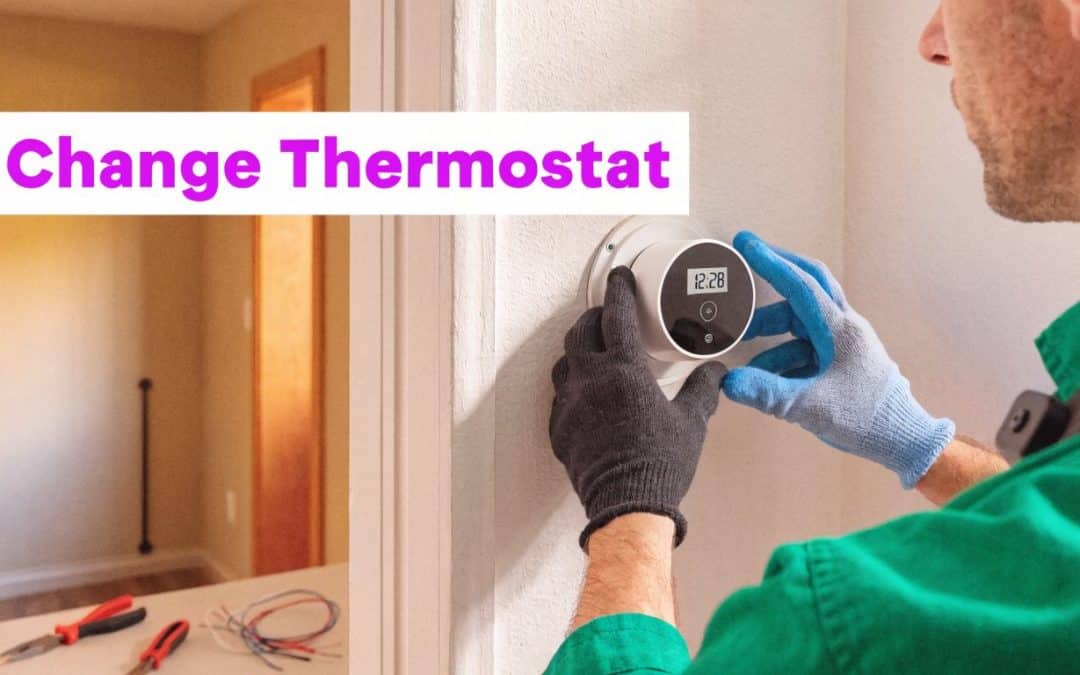
A homeowner called in for a “bad AC” after a weekend thermostat swap. The AC was fine. The thermostat wiring wasn't, and that small wall job turned into a control problem that should have been caught before power ever came back on.
More Than a Box on the Wall
New franchisees often underestimate thermostat work because the device looks simple. Four or five small wires, a plastic faceplate, a few menu screens. In the field, that little box controls whether the system heats, cools, runs the fan, or sits dead while the customer blames the furnace.

I've seen plenty of “quick swaps” go sideways in older homes. The common pattern is simple. The homeowner pulls the old stat off the wall, trusts the wire colors without checking terminals, reconnects by guesswork, and then powers the unit back up expecting magic. What they really did was create a no-cool call, a no-heat call, or an intermittent problem that eats technician time.
That's why I teach thermostat replacement as both a technical skill and a service-line skill. If your team knows how to change a thermostat cleanly, safely, and consistently, you don't just solve one small problem. You create a repeatable call type that leads to maintenance agreements, indoor air quality conversations, and strong reviews.
Why this job matters
The thermostat is the system's command point. If the wiring is wrong, setup is wrong, or system type is wrong in the menu, the equipment downstream can behave in ways that make good HVAC equipment look broken.
The upside is just as real. The move from manual thermostats to smart models has brought measurable efficiency gains, with U.S. households saving an average of 10% on heating and 23% on cooling costs after upgrading, based on DOE data cited in this thermostat guide video from the U.S. Department of Energy summary discussed here.
Practical rule: Customers rarely buy a thermostat because they love thermostats. They buy comfort, control, cleaner scheduling, and lower utility waste.
For owners, this call has another advantage. It's easy to market, easy to explain, and easy to diagnose over the phone compared with more complex HVAC failures. That makes it a solid fit for outbound campaigns and neighborhood follow-up. If you're building local demand in that direction, resources on UK trades lead generation are useful because they show how service businesses package simple, high-intent jobs into consistent booked work.
What separates pros from amateurs
Consumers think thermostat jobs are about replacing hardware. Pros know it's about process:
- Correct identification: Match terminals, not just wire colors.
- System fit: Know whether you're dealing with conventional heat/cool, heat pump, or a staging setup.
- Clean finish: Leave a level thermostat and a clean wall, not a scarred plate hiding old paint lines.
- Handoff: Show the customer how to use it before you leave.
That's the difference between a one-time invoice and a customer who calls your company first the next time something feels off.
The Pre-Install Safety and Tool Protocol
A thermostat job is won before the old stat comes off the wall. Good techs don't start with screws. They start with power, verification, and prep.

The kit that should already be on the truck
You don't need a giant loadout, but you do need the right tools every time:
- Non-contact voltage tester: This is your first check after shutting power off.
- Multimeter: Use it when the job gets strange, especially on equipment with unusual control behavior.
- Small screwdrivers and bit set: Many stat terminals are delicate. Oversized tools strip screws fast.
- Needle-nose pliers: Helpful when pulling conductors through the wall or straightening bent wire.
- Wire strippers: Clean terminations matter.
- Pre-printed wire labels or masking tape: Label first, disconnect second.
- Level: Smart thermostat bodies hide crooked work less than old round stats did.
- Wall anchors and patch supplies: A finished install should look intentional.
A technician who skips labels because “the colors are obvious” eventually buys that lesson the hard way.
The safety step that prevents expensive callbacks
Up to 30% of DIY failures stem from incomplete power isolation, and using a professional protocol that includes verifying with a non-contact voltage tester and labeling wires can push first-time success to 95%, according to guidance summarized in this thermostat replacement safety guide.
That number lines up with what happens in the field. People say they turned the power off. Then you find the furnace breaker still on, or a nearby disconnect left energized, or a control circuit still live where they didn't expect it.
Shut off the equipment. Then prove it's off. “Should be dead” isn't a test method.
The pre-install sequence
Use the same sequence on every call so your team doesn't improvise under pressure.
Find the right breaker
Don't assume the thermostat is powered from what the panel label says. Trace it to the furnace or air handler breaker and shut it off.Verify zero voltage
Check the exposed thermostat wires with a non-contact tester before touching conductors.Photograph the existing wiring
Take a clear photo of terminal labels and wire placement before loosening anything.Label each wire by terminal
Label by the old terminal marking, not by wire color. Red doesn't always mean the same thing on every system.Check wall condition and wire slack
If the conductors are short, fragile, or pushed back into the wall, solve that now before the new base is hanging loose.
A quick visual walkthrough helps newer techs lock the routine in:
Where margin gets protected
A sloppy pre-install burns money in ways owners feel fast. The truck rolls back. The customer gets irritated. The tech spends unpaid time tracing a mistake that never should've happened. Profit on the call disappears.
On well-run crews, the thermostat swap is one of the cleanest jobs on the board because the checklist is short and strict. That's what you want franchisees to copy. Not speed first. Clean process first.
Mastering Thermostat Wire Identification
At this stage, the job stops being “simple” for amateurs. Wires behind a thermostat can look orderly from the front and messy the second the base comes off. New techs need a clean mental model, not guesswork.

Read terminals first, colors second
The common residential set is familiar:
- R gives power
- W calls for heat
- Y calls for cooling
- G runs the fan
- C provides continuous power for many smart thermostats
Those color conventions help, but terminal letters matter more than insulation color. If the old installer used whatever wire was available, color alone can mislead your tech into a bad reconnection.
Here's the basic field reference your team should know.
| Wire Terminal | Common Color | Function |
|---|---|---|
| R | Red | Power Supply |
| G | Green | Fan Control |
| Y | Yellow | Cooling Stage 1 |
| W | White | Heating Stage 1 |
| C | Blue or White | Continuous Power |
The wire that decides whether the job is easy
The C-wire is where many smart thermostat jobs turn. An absent C-wire causes 25% to 35% of smart thermostat installation failures, often showing up as battery drain or unstable Wi-Fi, and in pre-2000 homes up to 40% may lack this wire, based on manufacturer support data summarized in this C-wire installation guide.
That's why a four-wire setup in an older house should trigger a diagnostic thought immediately. Don't promise the customer a smooth smart upgrade until you know how the thermostat will get steady power.
A field example that comes up all the time
A tech pulls an older thermostat in a 1990s home and finds R, W, Y, and G only. The customer bought a Nest or Ecobee and expects app control that same afternoon.
At that point, you have three practical paths:
- Use an unused conductor: If there's extra thermostat wire in the wall bundle, repurpose it as C at both ends.
- Install a C-wire adapter kit: This is often the cleanest answer when the wall wire count is limited.
- Use external power where appropriate: In select situations, a transformer-based solution can solve the power issue, but it has to fit the system and be installed cleanly.
The C-wire isn't an obstacle. It's a decision point. Good techs identify it early, explain it plainly, and charge for the right fix.
What works and what doesn't
What works is boring in the best way. Take the photo. Label the wires. Confirm the furnace board terminals if something seems off. Match terminal function all the way through.
What doesn't work is “close enough” wiring, trusting jumper assumptions from the old thermostat, or forcing a smart stat onto an incompatible setup just because the customer already bought it.
For new franchisees, this part of the call is also where upsell skill starts to matter. Not aggressive selling. Useful selling. If the home lacks a C-wire and the customer wants app features, your tech should explain the available correction and present it as part of a complete install, not as a surprise add-on tossed in at the end.
That approach builds confidence because the customer can see the logic. You're not making the job bigger. You're making it work.
Mounting and Configuring New Thermostats
A clean thermostat install has two parts. The hardware has to be mounted properly, and the software setup has to match the equipment in the home. Get either part wrong and the customer sees a “new thermostat” that still doesn't solve the problem.

The wall finish customers actually notice
One of the fastest ways to make an install look cheap is to leave crooked equipment or expose old paint lines from a larger thermostat base. Most manufacturers include a trim plate. Use it when it makes sense.
On better jobs, techs go a step further. They patch the old anchor holes, clean the dust, and mount the new base level so it looks like it belongs there. Customers remember that extra care. They may not mention terminal mapping. They will mention neat work.
A thermostat sits at eye level in a lived-in part of the house. Treat it more like finish work than rough work.
The mounting routine
For a repeatable install, train this order:
Dry-fit the new base
Confirm the wire opening and screw positions work before you start drilling.Pull conductors through with enough slack
Too little slack makes terminal connections frustrating and weak.Level the base
A smart thermostat on a tilt looks amateur even if it operates fine.Terminate wires carefully
Strip cleanly, avoid exposed copper, and make sure each conductor is secure.Attach the thermostat body only after checking the base
It's easier to correct wire seating before the face is snapped on.
Configuration is where good installs still fail
After the thermostat powers up, the menu matters as much as the wiring. This is the point where you select the system type, staging, fan behavior, and Wi-Fi connection if the model supports it.
A conventional gas furnace with straight cool has different setup needs than a heat pump. New techs often rush this part because the screen is on and the customer thinks the job is done. It isn't.
For heat pumps, post-install troubleshooting is common, and incorrect O/B reversing valve settings are a top issue, especially as heat pump installations grew by 45% in recent years, as discussed in this heat pump thermostat troubleshooting video.
That means your team should never leave a heat pump setup to default assumptions. Confirm whether the reversing valve energizes in heating or cooling according to the equipment requirements and thermostat setup flow.
A thermostat can be wired perfectly and still run the system wrong if the installer chooses the wrong equipment profile on startup.
The customer experience side
There's also a business lesson here. The tech who spends a few extra minutes on fit, finish, and setup creates a better review than the tech who races to the van.
Customers read small details as proof of competence:
- A level thermostat tells them the install was deliberate.
- A connected app tells them the upgrade is complete.
- A cleaned work area tells them your company is organized.
That's how a basic thermostat replacement becomes the kind of call that feeds word of mouth. It's not flashy. It's disciplined.
Final Testing and Customer Handoff
A thermostat job isn't done when the screen lights up. It's done when the equipment responds correctly and the customer knows how to use what you installed.
The test sequence that keeps you out of callbacks
Run the system in a calm, repeatable order. Don't just bump the setpoint and announce that it “seems good.”
Use this checklist:
- Heat mode: Raise the setpoint and verify a proper call for heat.
- Fan mode: Switch to fan-only and confirm blower operation.
- Cool mode: After protecting the equipment with an appropriate pause, call for cooling and verify cool operation.
- Mode transitions: Make sure the thermostat exits one mode cleanly before entering the next.
- Display and app response: If it's a smart thermostat, confirm local control and app control both respond.
If the thermostat won't respond, don't jump straight to blaming the new device. Check the basic system conditions first. A tripped safety, a board fault, or a disconnected low-voltage circuit elsewhere in the equipment can make a thermostat look guilty when it isn't.
A short troubleshooting pattern
When a newly installed thermostat appears dead or unresponsive, walk this order:
- Confirm the equipment has power.
- Re-check terminal seating at the thermostat.
- Inspect the control board side if access is available.
- Confirm the selected system type in setup.
- Look for equipment safeties that may have interrupted the control circuit.
That routine prevents a lot of random fiddling.
The customer doesn't care whether the issue is the thermostat, the board, or a float switch. They care whether your company can diagnose it calmly.
The handoff script that saves future time
A three-minute handoff reduces confusion more than most owners realize. You don't need a long tutorial. You need a clear one.
A solid close sounds like this:
- “Here's how to raise and lower temperature.”
- “Here's how to switch between heat, cool, and fan.”
- “Here's one simple schedule. We can keep it basic.”
- “If the screen ever looks different, here's where the model name is.”
- “If it goes offline, call us before resetting everything.”
That last line matters. Customers love factory resets at the worst possible time.
What to document before you leave
Train technicians to save these items in the job record:
- Photo of old wiring
- Photo of final wiring
- Thermostat model installed
- System type selected in setup
- Any limitations explained to customer
That documentation helps the next technician, protects the company, and makes remote support easier if the customer calls in later.
The Business of Thermostat Replacement
Owners who treat thermostat calls as throwaway work leave money on the table. This is one of the easiest HVAC services to standardize because the task, price presentation, and customer need are all clear.
ENERGY STAR-certified models save households $180 annually, average replacement cost runs $150 to $450, and margins of 25% to 40% make this a strong service line, according to thermostat replacement guidance from Bryant's replacement resource.
Price it like a system, not a favor
Franchisees do better when they avoid one-off pricing logic. Build a flat-rate structure your team can present without hesitation.
A practical model is:
- Good: Basic programmable replacement for customers who want simple control
- Better: Wi-Fi thermostat with app access and cleaner scheduling
- Best: Learning thermostat with full smart-home style features where the system supports it
The exact product mix can vary by market and supply chain. The point is consistency. Techs who have a defined menu close more work than techs who improvise at the kitchen table.
Where the profit really comes from
The thermostat itself isn't always the whole opportunity. The call opens the door to adjacent work:
- Service agreements: The customer already said yes to system care in one form.
- Electrical protection discussions: Sensitive controls and smart devices make that conversation easier.
- Future accessory upgrades: Air quality and filtration become easier to discuss when comfort control is already on the table.
The companies that win here don't hard-sell. They sequence the conversation. Solve the immediate problem first. Then point out what else improves system reliability or ownership experience.
Train your office to triage better
This call type gets much more profitable when the front end screens it properly. A caller should know the difference between a likely battery issue, a programming question, and a true replacement or advanced diagnostic opportunity.
Questions that help:
- “Is the screen blank?”
- “Did the problem start after someone changed the thermostat?”
- “Is this a new smart thermostat or the existing one?”
- “Do you see any setup or wiring error message?”
That's one reason some operators use services like Phone Staffer, which handles outbound cold calling and appointment generation for home service companies. In this context, the value is simple. Better caller scripts can sort low-value thermostat chatter from appointments that deserve technician time.
Make it repeatable across franchise locations
A thermostat replacement offer scales well when every location follows the same operating pattern:
- Standard truck stock: Carry the models you sell.
- Standard diagnostic checklist: Reduce avoidable installation errors.
- Standard photo documentation: Make callbacks easier to support.
- Standard presentation: Give customers clear options, not verbal rambling.
Thermostat replacement is small enough to systemize and important enough to build trust. That combination is rare.
Owners who ignore this category usually think bigger tickets matter more. Bigger tickets do matter. But thermostat jobs often arrive faster, close easier, and create the kind of customer relationship that leads to those bigger tickets later.
If you want more booked thermostat replacement calls without tying up your internal team, Phone Staffer helps home service companies generate appointments through outbound cold calling, caller training, supervision, list building, and high-volume dialing aimed at local homeowners.