

Running a home service business today means juggling jobs, teams, and customer expectations. The right collection of apps for small business operations can be the difference between chaotic days and streamlined success, but with thousands of options available, where do you even begin? Forget endless, generic searching. The real power lies not in finding a single perfect app, but in knowing where to look for the best tools that fit your specific needs.
This guide is your strategic map to the most valuable app marketplaces and software directories. We move beyond simple recommendations and show you how to navigate these powerful platforms to find, vet, and integrate the tools that will actually drive your business forward. We will explore everything from field service management software that syncs with your accounting system to marketing automation tools that ensure no customer lead is ever left behind.
Inside this resource, you'll find a curated breakdown of the top twelve platforms for discovering business applications. Each entry includes direct links and screenshots to help you quickly understand its layout and offerings. We'll show you how to use their filters, read reviews effectively, and identify solutions that are genuinely built for the unique demands of a home service operation. Let's explore the curated ecosystems designed to help you build the perfect tech stack, save time, and focus on what you do best: delivering exceptional service.
1. Apple App Store — Business category
For home service businesses operating primarily on iPhones and iPads, the Apple App Store's Business category is the essential starting point for discovering powerful apps for small business management. It serves as a secure, centralized marketplace for everything from field service management and CRM to invoicing and team communication tools.
The platform’s strength lies in its stringent vetting process, ensuring that apps meet high standards for security and privacy, a crucial factor when handling customer data. For businesses with multiple crews, Apple Business Manager simplifies app distribution. It allows you to purchase app licenses in bulk and remotely assign them to company-owned devices, ensuring your team has the right tools without hassle.
Key Considerations
- Platform: Exclusively for iOS and iPadOS devices. This is ideal for Apple-centric teams but excludes Android users.
- Discovery: The editorial curation and user reviews are invaluable for finding specialized, high-quality apps that you might otherwise overlook.
- Cost: While many apps are free to download, professional-grade tools often require in-app subscriptions, which are conveniently managed through a single Apple ID.
- Integration with Phone Staffer: Many VOIP and CRM apps found here can integrate with virtual receptionist services. Your Phone Staffer team can often be granted access to these apps to manage calls, book appointments, and log customer interactions directly, creating a seamless workflow between your field technicians and your answering service.
The App Store's integrated ecosystem and robust management tools make it a foundational resource for any home service business committed to the Apple platform.
Website: https://apps.apple.com/us/genre/ios-business/id6000
2. Google Play Store — Business category
For home service businesses that rely on the Android ecosystem, the Google Play Store's Business category is the go-to marketplace for finding essential apps for small business operations. It offers a vast and diverse selection of tools, from sophisticated field service management platforms to specialized utilities for scanning, team communication, and mobile payments.
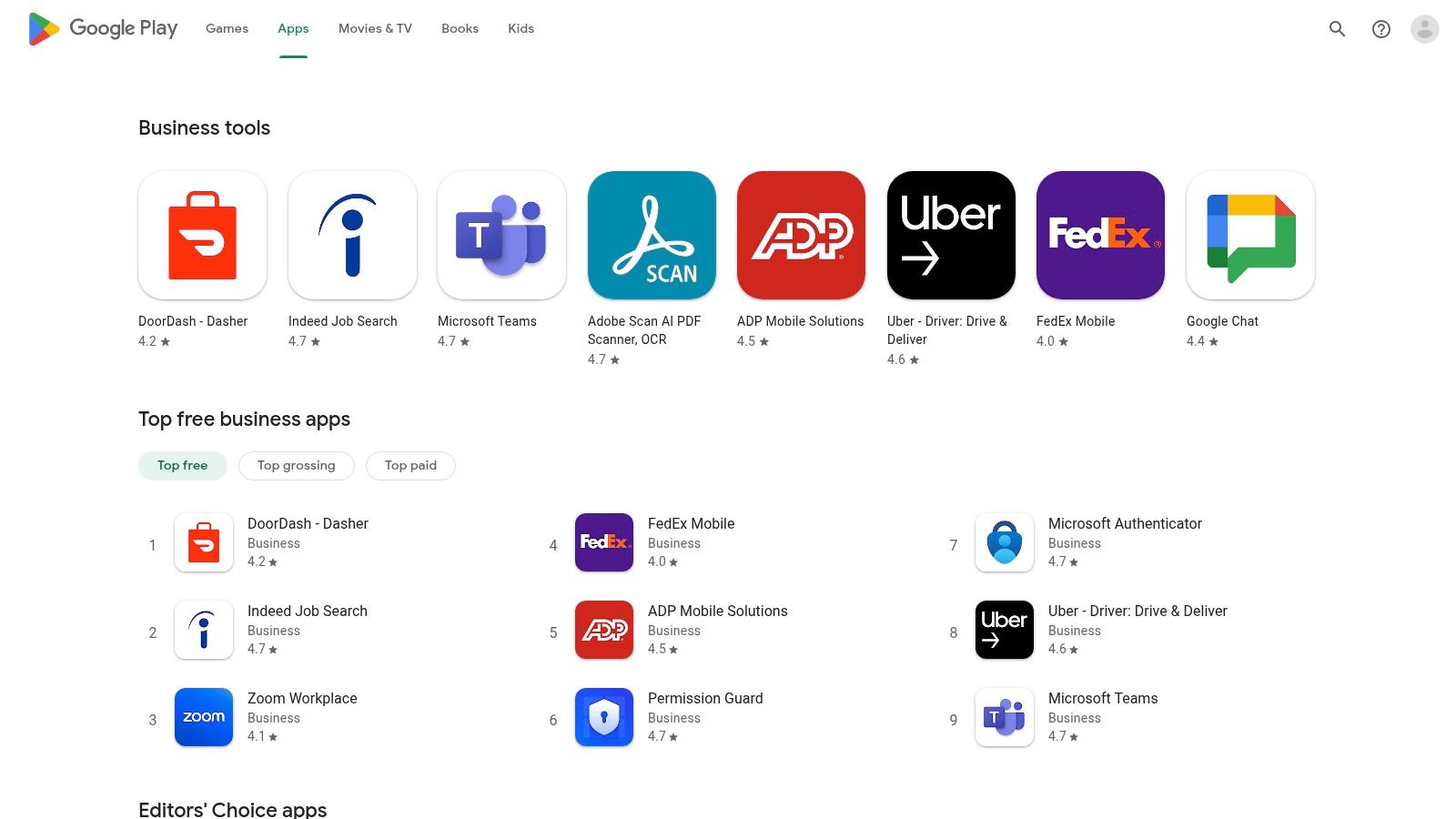
The platform’s major advantage is its open nature, which fosters a huge catalog of applications at competitive price points, including many powerful free and freemium options. For companies managing multiple field technicians, Android Enterprise allows for the centralized management and deployment of apps to company-owned devices. This ensures every team member has the necessary software installed and configured correctly, simplifying onboarding and tech management for a fleet of affordable Android devices.
Key Considerations
- Platform: Exclusively for Android devices. This is perfect for businesses leveraging the flexibility and affordability of Android hardware but excludes iPhone or iPad users.
- Discovery: The sheer volume of apps can be overwhelming. Relying on user reviews, top charts, and editor's picks is critical to sift through and find high-quality, reliable business tools.
- Cost: Many professional tools operate on a subscription basis, which can be managed through a Google account. The platform's wide selection often provides more cost-effective alternatives compared to other ecosystems.
- Integration with Phone Staffer: A wide variety of CRM and scheduling apps available on Google Play can be integrated with virtual receptionist services. By granting your Phone Staffer team access, they can manage client calls, schedule jobs, and update customer records directly within your chosen app, creating an efficient link between your office and field operations.
The Google Play Store's immense selection and powerful device management features make it a cornerstone for any home service business built on the Android platform.
Website: https://play.google.com/store/apps/category/BUSINESS
3. Microsoft AppSource / Microsoft Commercial Marketplace
For home service businesses built on the Microsoft ecosystem, AppSource is the go-to marketplace for finding powerful and deeply integrated apps for small business. It offers a vast library of add-ins and standalone software designed to enhance tools you likely already use, such as Outlook, Teams, and Dynamics 365, ensuring seamless operational continuity.
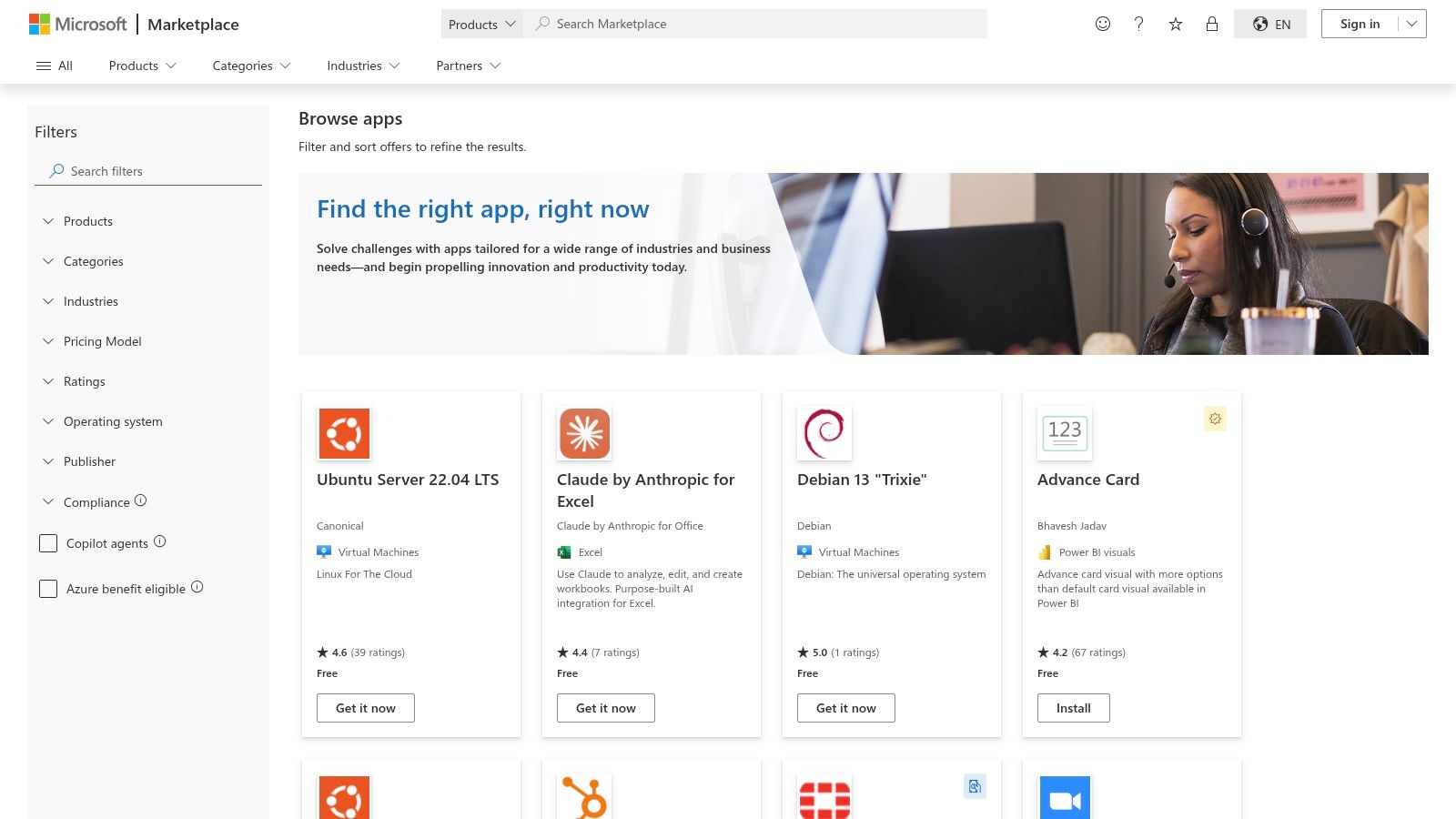
The platform’s major advantage is its focus on deep integration and certified compliance. Each listing provides detailed information on security and governance, helping you make safe choices for your business data. This makes it ideal for finding specialized tools like a scheduling add-in for Outlook or a project management app within Teams, keeping your entire workflow consolidated within a familiar environment.
Key Considerations
- Platform: Primarily for businesses invested in the Microsoft 365, Dynamics 365, and Azure ecosystems.
- Discovery: Excellent filtering options by product (e.g., Outlook, Excel) and industry allow you to quickly find relevant tools. The availability of free trials and test drives for many apps simplifies the evaluation process.
- Cost: The marketplace includes a mix of free add-ins and subscription-based SaaS solutions. Pricing is transparent, and procurement can often be managed directly through your existing Microsoft business account.
- Integration with Phone Staffer: Many apps on AppSource, especially those for Outlook or Dynamics 365, can extend their functionality to your virtual receptionist team. By granting secure, permission-based access, your Phone Staffer can use these integrated tools to book appointments in your calendar, update customer records, and manage communications directly within your Microsoft environment.
Microsoft AppSource is an indispensable resource for businesses seeking to maximize their investment in Microsoft products by extending their functionality with vetted, secure, and highly compatible applications.
Website: https://marketplace.microsoft.com/en-us/marketplace/apps
4. Google Workspace Marketplace
For home service businesses built around Gmail, Calendar, and Google Drive, the Google Workspace Marketplace is the key to unlocking powerful new automations. It's a central hub for add-ons that embed directly into the Google apps you use daily, transforming them into more specialized apps for small business operations. You can find tools that generate quotes from a Google Sheet, automate appointment reminders from your Calendar, or manage customer communications right inside Gmail.

The platform's primary strength is its seamless integration, which reduces the need for constant app-switching and simplifies employee training. Instead of learning a new interface, your team gains functionality within a familiar environment. Security badges on listings indicate which add-ons have passed independent security assessments, providing extra confidence when connecting third-party tools to your company data. Business admins can also control which apps are available to their team, ensuring consistency and security.
Key Considerations
- Platform: Works with any device that can access Google Workspace (web, Android, iOS). It is ideal for teams already using Google's suite.
- Discovery: The marketplace is categorized for functions like CRM, Project Management, and Accounting. User reviews and popularity leaderboards help identify reliable and effective add-ons.
- Cost: Many add-ons are free or offer a freemium model. Professional tools often require a separate subscription, though some functionalities may require a paid Google Workspace tier.
- Integration with Phone Staffer: Numerous CRM and scheduling add-ons available here can be configured for your virtual receptionists. A Phone Staffer team can use an integrated Gmail add-on to log calls, update customer records, and schedule appointments without ever leaving their inbox, ensuring all communication is centrally tracked.
By extending the capabilities of everyday tools, the Google Workspace Marketplace offers a low-friction way to build a customized, efficient software stack.
Website: https://workspace.google.com/marketplace
5. Salesforce AppExchange
For home service businesses or franchises managing high-volume sales pipelines within the Salesforce ecosystem, the AppExchange is the definitive marketplace for extending CRM functionality. It provides a vast library of specialized apps for small business needs, ranging from advanced scheduling and dispatching tools to industry-specific templates that streamline operations and customer management.
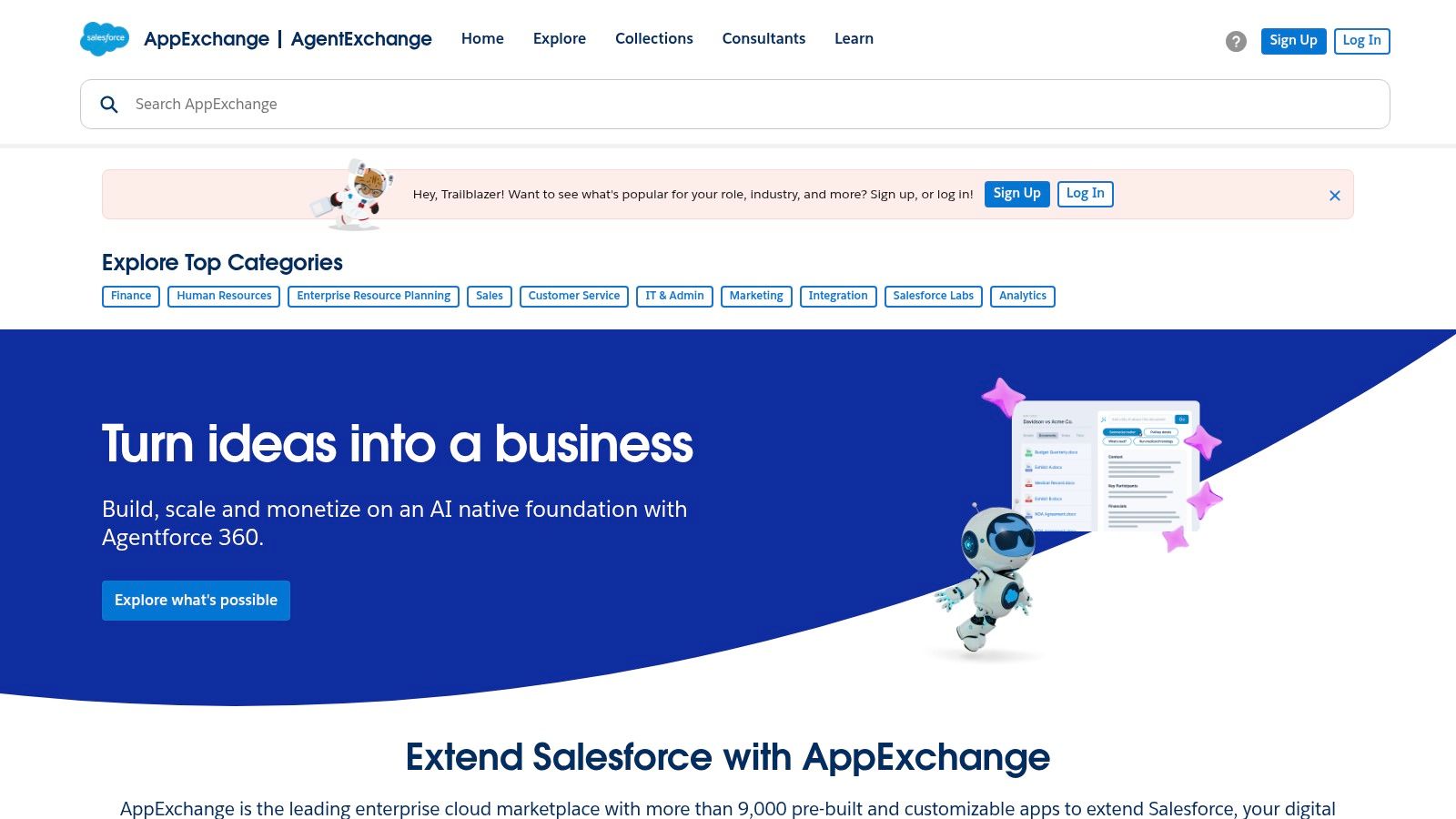
The platform’s major advantage is its mature, deeply integrated environment. Every app is built to work natively with Salesforce, ensuring data consistency and workflow automation. You can filter by industry, Salesforce edition, and price, with detailed user reviews helping you vet solutions before committing. Stay updated on the latest offerings and seamless connections, including new Salesforce app integrations, to maximize your CRM capabilities.
Key Considerations
- Platform: This is an add-on marketplace exclusively for businesses using Salesforce CRM. It is overkill if you are not already a Salesforce customer.
- Discovery: The powerful filtering, ratings, and detailed listings make it easy to find niche solutions, like a specialized quoting tool for HVAC or a routing app for plumbing fleets.
- Cost: While some free apps exist, most are paid solutions that tend to skew toward mid-market and enterprise budgets, reflecting their powerful capabilities.
- Integration with Phone Staffer: Many apps found on the AppExchange, especially those enhancing the Service Cloud, can be used by your virtual receptionists. A Phone Staffer team can be given limited access to log service calls, update customer records, and schedule appointments directly in Salesforce, ensuring your central CRM remains the single source of truth.
For businesses committed to Salesforce, the AppExchange is an indispensable resource for tailoring the CRM to the unique demands of the home service industry.
Website: https://appexchange.salesforce.com
6. QuickBooks App Store (Intuit)
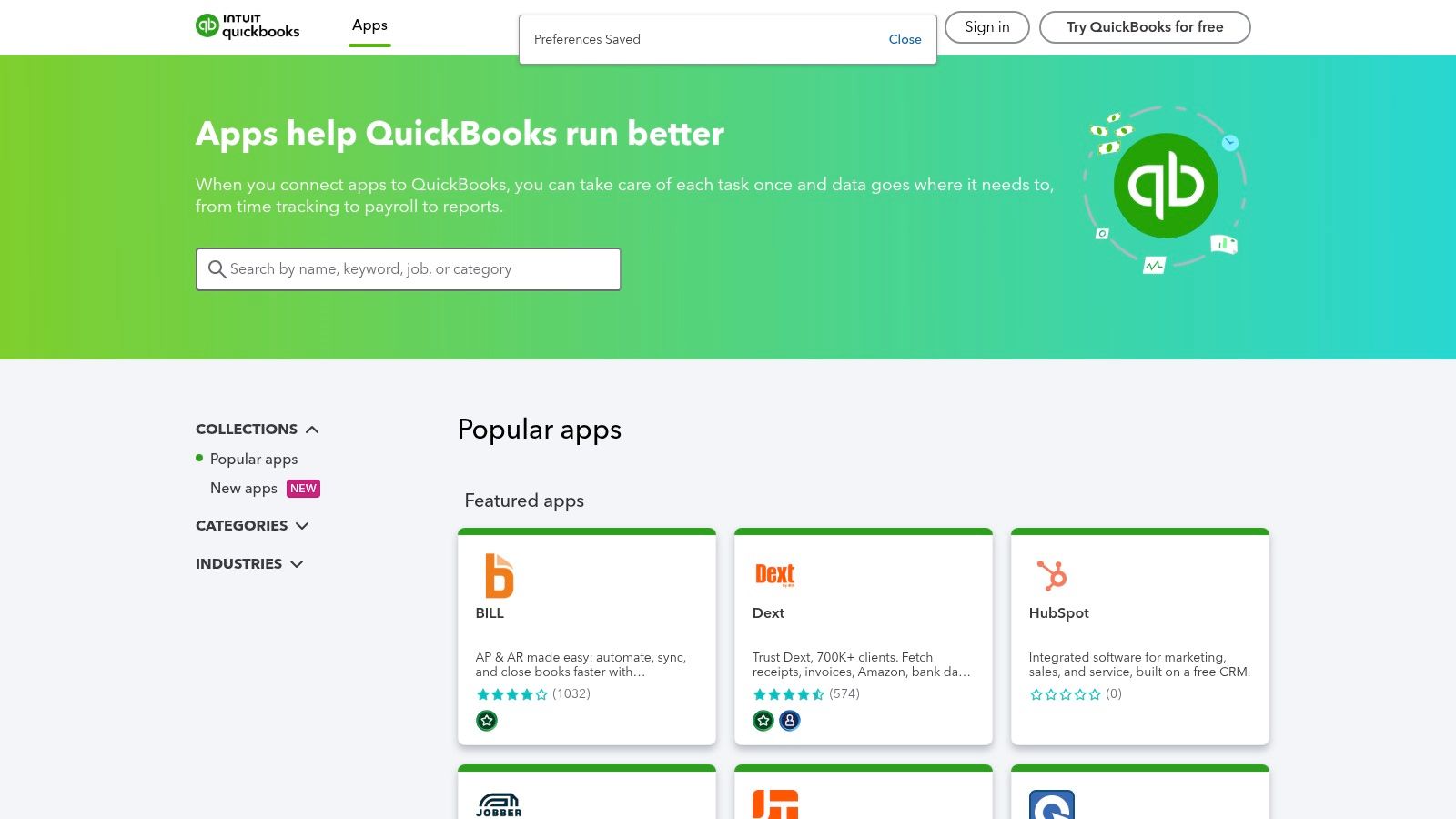
For any home service business built on QuickBooks Online, the Intuit App Store is an indispensable resource. It’s a specialized marketplace focused on apps that integrate directly with your accounting software, aiming to eliminate double data entry and streamline financial workflows. This is where you find the essential apps for small business that connect your field operations directly to your financial back office.
The platform's primary value is its ability to create a cohesive tech stack. By connecting field service management tools, payment processors, or time-tracking software directly to QuickBooks, you ensure that job details, invoices, and payroll data flow seamlessly. This synchronization saves significant administrative time and reduces the risk of costly manual errors, making financial reporting more accurate and efficient.
Key Considerations
- Platform: Web-based, connecting third-party SaaS apps to QuickBooks Online. Compatibility can vary between QuickBooks plan tiers (Simple Start, Essentials, Plus, Advanced).
- Discovery: Apps are curated specifically for accounting and operational needs, with many designed for contractors and field service businesses. User reviews and clear connection workflows help you choose with confidence.
- Cost: While the store is free to browse, most apps carry their own subscription fees. Think of it as investing in modules that extend your core accounting system.
- Integration with Phone Staffer: Many CRM and scheduling apps found here, such as Housecall Pro or Jobber, can be accessed by your virtual receptionist team. This allows Phone Staffer to book jobs, update customer records, and process payments directly within a system that automatically syncs with your QuickBooks account, keeping your books and schedule perfectly aligned.
By centralizing integrations, the QuickBooks App Store helps you build a powerful, interconnected system that bridges the gap between fieldwork and financial management.
Website: https://quickbooks.intuit.com/app/apps/home/
7. Shopify App Store
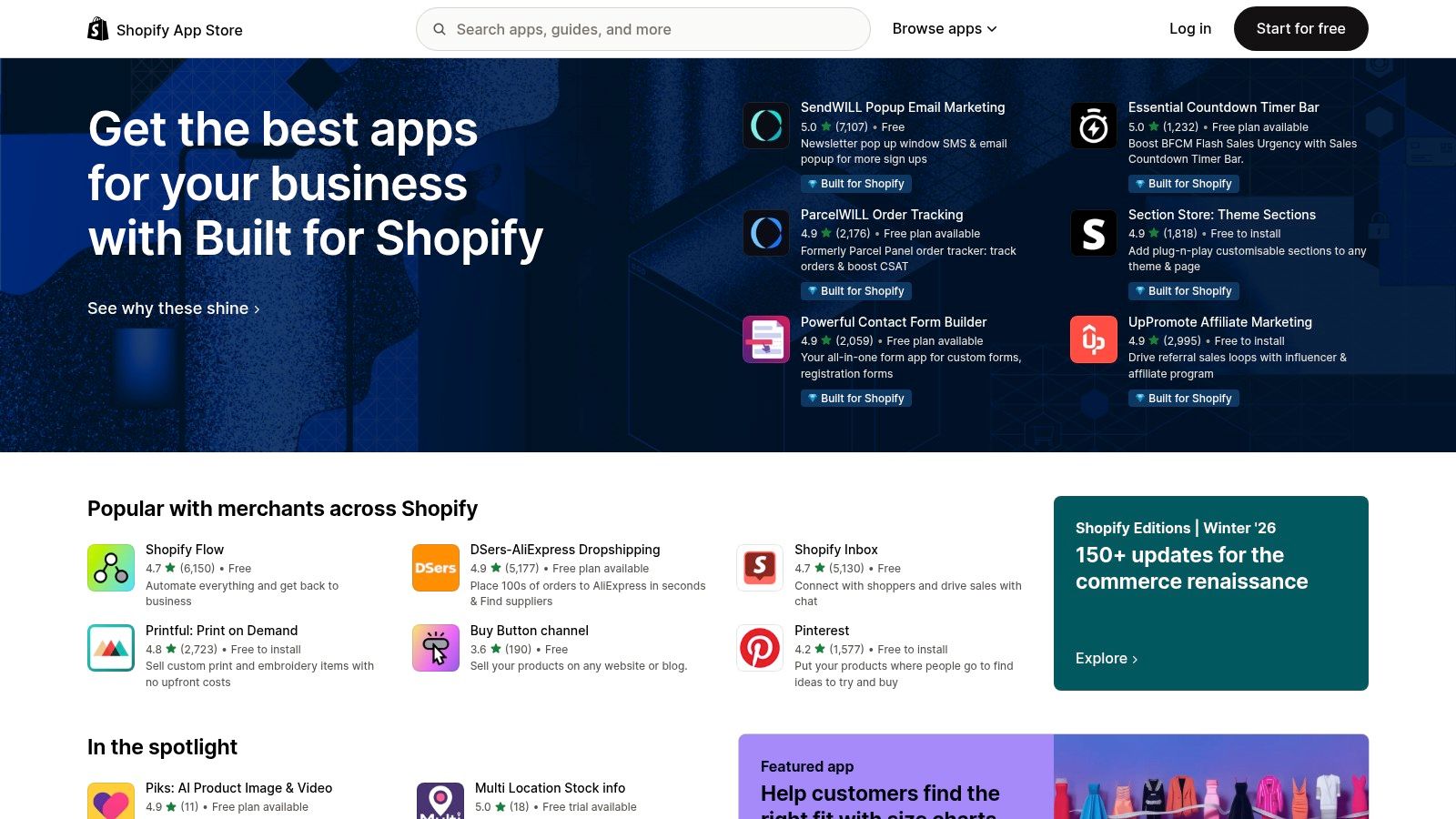
For home service businesses that sell parts, merchandise, or service plans online, the Shopify App Store is an essential marketplace for extending their e-commerce capabilities. It offers a vast collection of vetted apps for small business owners designed to add powerful features like subscription management, customer reviews, advanced marketing, and streamlined shipping directly to a Shopify store.
The store’s primary advantage is its seamless integration with the Shopify platform and a stringent review process. The "Built for Shopify" program highlights apps that meet the highest standards of performance, security, and usability, helping you confidently choose tools to enhance your online storefront. This is particularly useful for franchises needing to standardize online sales across multiple locations.
Key Considerations
- Platform: Exclusively for Shopify-based websites. It is a must-have for those using Shopify but irrelevant for businesses on other e-commerce platforms.
- Discovery: The well-organized categories, curated guides, and transparent merchant reviews make it easy to find specific solutions, from appointment booking to local delivery apps.
- Cost: Many apps offer a free starter plan, but scaling up often requires paid monthly subscriptions. These costs can accumulate, so it’s important to budget accordingly.
- Integration with Phone Staffer: Many helpdesk and live chat apps from the store can be connected to your answering service. Your Phone Staffer team can use these tools to handle customer inquiries about online orders, process returns, and provide support directly through your website, creating a unified customer service experience.
The Shopify App Store is the definitive resource for any home service business looking to build a robust and feature-rich online sales channel on the Shopify platform.
Website: https://apps.shopify.com/
8. HubSpot App Marketplace
For home service businesses focused on growth, the HubSpot App Marketplace is a critical resource for connecting your CRM to every other tool in your arsenal. It’s a central hub for finding and integrating apps for small business operations, ensuring that lead data from website forms, ads, and phone calls flows seamlessly into one system, streamlining both your sales and marketing workflows.
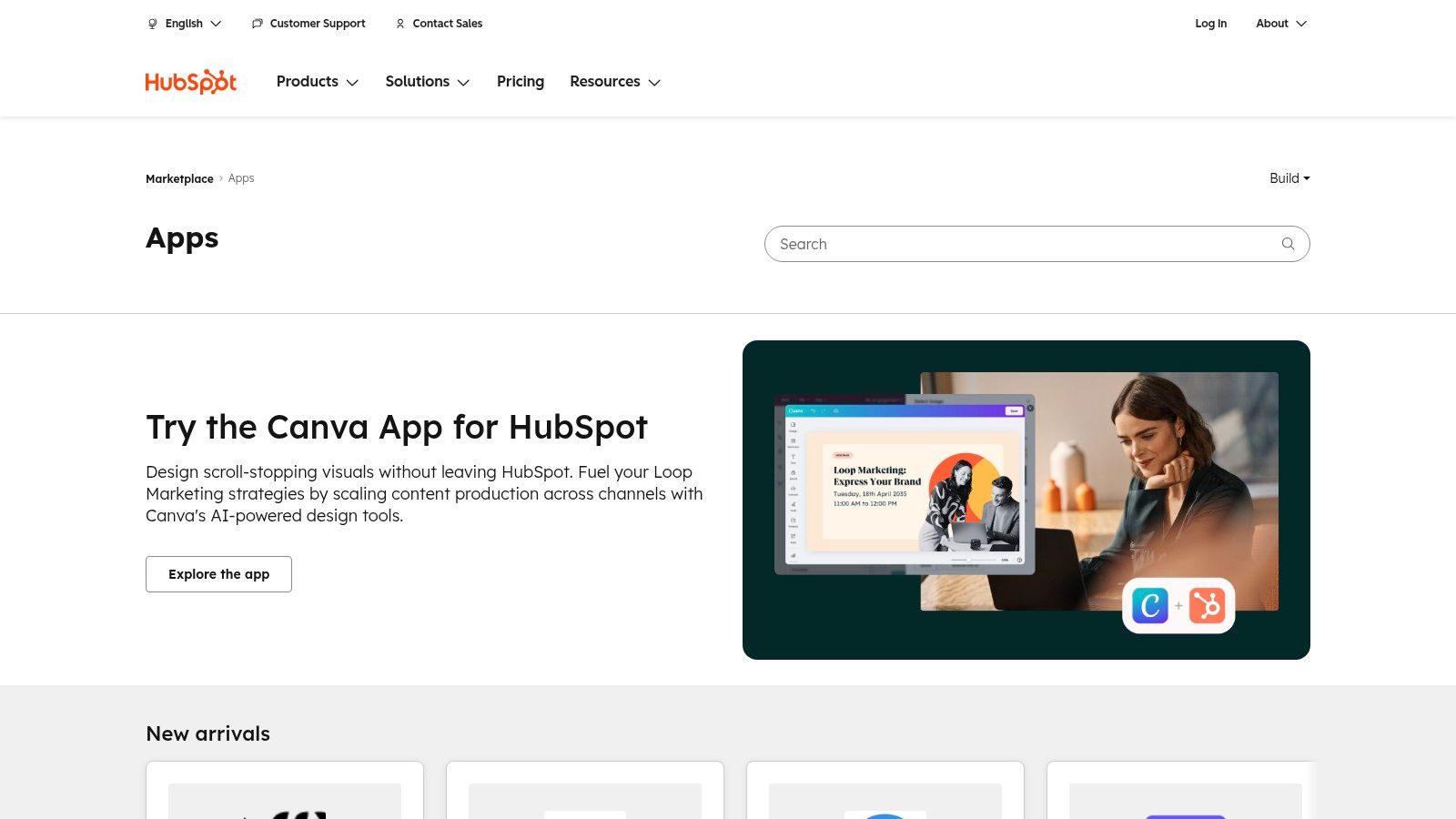
The marketplace’s strength is its tight integration with the HubSpot platform, which acts as a single source of truth for customer information. Each app listing is transparent, detailing data flow, pricing, and required HubSpot subscription tiers, which simplifies the decision-making process for connecting tools like scheduling software or payment processors. This ecosystem is key for optimizing your franchise lead generation.
Key Considerations
- Platform: This is an app ecosystem built around the HubSpot platform. Its value is maximized when your business already uses or plans to adopt HubSpot's CRM, Marketing, or Sales Hubs.
- Discovery: The marketplace features excellent search filters, detailed solution categories, and clear partner information, making it easy to find certified integrations that solve specific business problems without guesswork.
- Cost: While the HubSpot CRM has a free tier, many powerful integrations require a paid HubSpot subscription (e.g., Starter, Professional) and may have their own separate subscription fees.
- Integration with Phone Staffer: Many apps found here, particularly those for scheduling and communication, can be connected to Phone Staffer. Our team can be granted access to your HubSpot portal to log calls, update contact records, and book appointments, ensuring every lead is captured and tracked centrally.
By consolidating your tech stack through its marketplace, HubSpot helps create a unified and efficient system for managing the entire customer journey.
Website: https://ecosystem.hubspot.com/marketplace/apps
9. Zapier App Directory
For home service businesses using a mix of specialized software, the Zapier App Directory is the essential glue that connects disparate systems. It’s a massive no-code automation platform that lets you link thousands of apps for small business operations, creating automated workflows (called "Zaps") without needing a developer. This means you can automatically send a new lead from a website form directly into your CRM, create an invoice when a job is marked complete, or log customer calls in a spreadsheet.
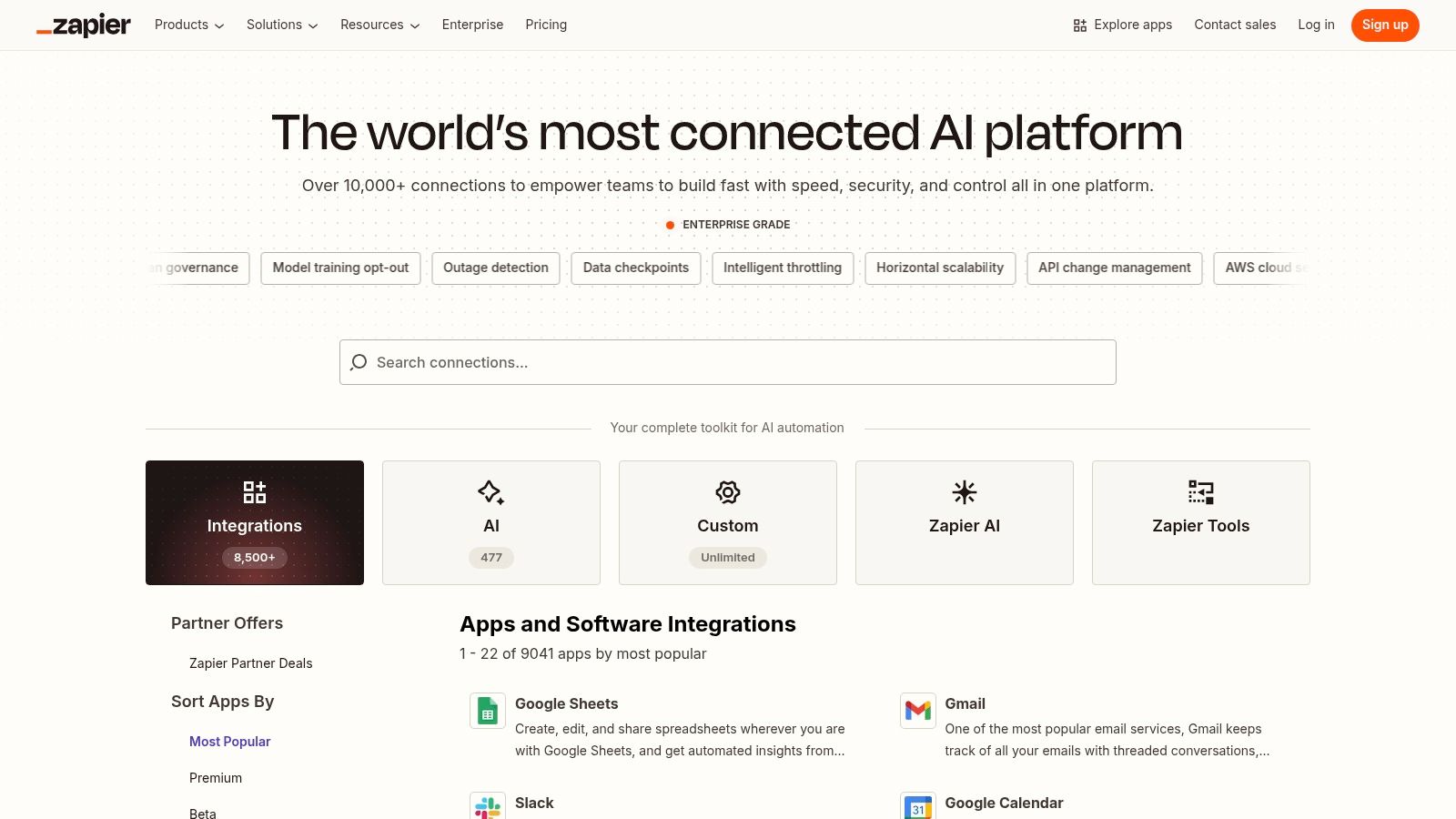
The platform’s power lies in its extensive library of over 8,000 app connections and pre-built templates, which significantly speeds up setup. Instead of manually entering data between your booking calendar, accounting software, and customer database, Zapier does it for you. This frees up administrative time, reduces human error, and ensures your customer data is consistent across all your essential tools.
Key Considerations
- Platform: Web-based, connecting cloud applications regardless of the operating system your team uses.
- Discovery: The directory is organized by app and business function (e.g., CRM, scheduling), making it simple to find and build integrations for the tools you already use.
- Cost: Zapier offers a free tier for basic, low-volume automations. Paid plans are based on the number of Zaps and how often they run, which can become costly for high-volume operations.
- Integration with Phone Staffer: This is a game-changer. You can create a Zap where every call logged by your Phone Staffer virtual receptionist automatically creates a new lead in your CRM, adds the customer to a specific email list, and sends a notification to your dispatch manager in Slack, creating a fully automated lead intake and follow-up process.
Zapier’s ability to seamlessly connect your software stack makes it an indispensable resource for streamlining operations and maximizing efficiency.
Website: https://zapier.com/apps
10. G2
When selecting critical software, G2 is an indispensable research platform for validating vendor claims and assessing real-world user satisfaction. It acts as a massive library of peer-to-peer reviews, offering unfiltered insights into the apps for small business you are considering, from field service management suites to accounting tools. This allows you to look beyond marketing materials and see what actual users think.
The platform’s power comes from its sheer volume of over 3.2 million verified user reviews and detailed comparison grids. For a home service business owner, this means you can directly compare top scheduling apps side-by-side, filter reviews by company size to see what similar-sized businesses are using, and uncover potential issues or standout features that vendor websites rarely mention.
Key Considerations
- Platform: Web-based and accessible from any device.
- Discovery: Its strength is in validation and comparison rather than initial discovery. Use its detailed category rankings and "Best Software for Small Business" lists to vet options you've already identified.
- Cost: Access to reviews and basic comparison tools is free for buyers. Vendors pay for enhanced profiles and marketing, so be mindful of sponsored placements.
- Integration with Phone Staffer: Before committing to a CRM or booking software, you can check its G2 profile for user-reported integration capabilities. This helps verify if a platform will seamlessly connect with third-party services, ensuring your Phone Staffer team can efficiently manage communications within your chosen app.
G2 provides the social proof and deep-dive data needed to make an informed software investment, preventing costly mismatches and ensuring the tools you choose truly fit your operational needs.
Website: https://www.g2.com/
11. Capterra
For home service businesses overwhelmed by the sheer volume of software options, Capterra serves as an essential research and discovery engine. As a long-running software directory with over 900 categories, it provides a comprehensive landscape of tools for nearly every business need, from field service management and scheduling to specialized apps for small business accounting. Its primary value is in comparing software side-by-side using verified user reviews and detailed feature lists.
The platform excels at helping you create an informed shortlist. You can filter solutions by business size, specific features like dispatching or work order management, and pricing models. For niche trades like HVAC, plumbing, or electrical, Capterra’s pre-built category pages offer a curated starting point, saving you countless hours of initial research and vendor calls.
Key Considerations
- Platform: Web-based directory accessible from any device. It is a research tool, not a direct software provider.
- Discovery: The powerful filtering tools and millions of verified user reviews are its greatest strength, helping you objectively evaluate options. Pay attention to reviews from businesses similar in size and scope to your own.
- Cost: Capterra is free for users. Be aware that some vendor listings are sponsored, so always cross-reference information and pricing on the vendor’s actual website.
- Integration with Phone Staffer: When evaluating CRM or scheduling software on Capterra, look for platforms with web-based access or user permission settings. This allows you to grant your Phone Staffer team direct, secure access to manage appointment booking and client communications within the tool you ultimately choose.
Capterra empowers you to make a data-driven decision by transforming a confusing market into a well-organized, comparable list of viable solutions.
Website: https://www.capterra.com/
12. GetApp (by Gartner Digital Markets)
For home service business owners who need to compare multiple software options, GetApp is an invaluable research platform. As part of Gartner Digital Markets, it provides a massive directory of apps for small business needs, allowing you to filter, sort, and create side-by-side comparisons for everything from field service management to invoicing and CRM software.
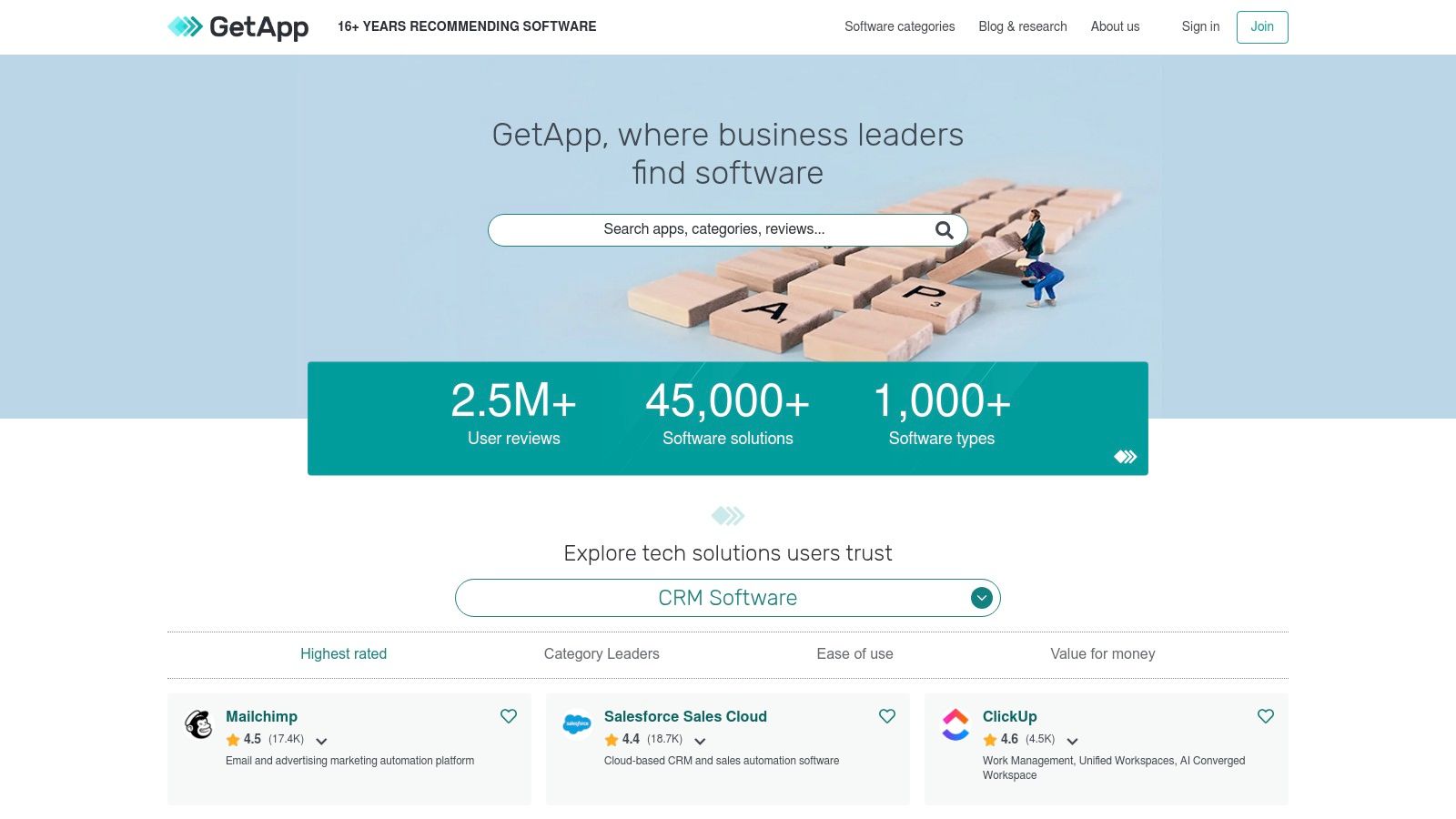
The platform’s real power lies in its comparison tools and curated "Category Leaders" lists, which leverage over 2.5 million verified user reviews to help you shortlist the best-fitting solutions. Instead of visiting dozens of individual vendor sites, you can quickly assess feature sets, pricing models, and real-world user feedback in one place, saving significant time in the procurement process.
Key Considerations
- Platform: Web-based directory accessible from any device. Most actions link out to the specific software vendor’s website for trials or purchases.
- Discovery: The robust filtering and comparison functionality is its key strength. You can narrow down over 45,000 solutions by features, business size, and user rating.
- Cost: The platform is free to use for research. The cost of the software you discover will vary by vendor.
- Integration with Phone Staffer: GetApp is a strategic starting point for finding dispatching or CRM software that is compatible with third-party access. After shortlisting potential apps here, you can confirm with Phone Staffer which ones allow for easy integration, ensuring your virtual receptionists can manage scheduling and customer data within your chosen system.
By aggregating reviews and features, GetApp simplifies the complex task of selecting the right software stack for your home service business.
Website: https://www.getapp.com/
Top 12 Small-Business App Marketplaces Comparison
| Marketplace | Core focus & features ✨ | Quality & Trust ★ / 🏆 | Value & Pricing 💰 | Best for 👥 |
|---|---|---|---|---|
| Apple App Store — Business category | Vetted iOS/iPadOS business apps; device & license management; editorial curation ✨ | ★★★★ | 💰Free to browse; many paid/subscriptions | 👥 iOS-based crews, Apple-managed fleets |
| Google Play Store — Business category | Large Android SMB app catalog; direct installs to managed devices; charts ✨ | ★★★ | 💰Free to browse; many freemium apps | 👥 Android field teams on budget devices |
| Microsoft AppSource / Commercial Marketplace | Apps/add-ins across M365, Teams, Azure; compliance & private offers ✨ | ★★★★ | 💰Free listings; many enterprise-priced apps | 👥 Microsoft 365/Azure offices & IT |
| Google Workspace Marketplace | Add-ons for Gmail/Sheets/Calendar; security badges & admin controls ✨ | ★★★★ | 💰Mostly low-cost or free add-ons | 👥 Google Workspace users needing automations |
| Salesforce AppExchange | CRM-first apps, industry templates & consulting partners; private catalogs ✨ | ★★★★★ 🏆 | 💰Paid listings; mid-market → enterprise costs | 👥 Salesforce orgs & high-volume sales teams |
| QuickBooks App Store (Intuit) | Integrations for QBO (payments, time, FSM); clear connector flows ✨ | ★★★★ | 💰Free to browse; connector subscriptions common | 👥 Bookkeeping-driven contractors & FSM |
| Shopify App Store | Commerce apps for stores (payments, subscriptions, marketing) ✨ | ★★★★ | 💰Free→paid apps; monthly add-on costs | 👥 Merchants selling parts, service plans |
| HubSpot App Marketplace | Integrations for CRM/Marketing/Sales; clear data flow & demos ✨ | ★★★★ | 💰Free to browse; some require higher HubSpot tiers | 👥 SMBs using HubSpot CRM & marketing |
| Zapier App Directory | No-code automations connecting 8,000+ apps; templates & governance ✨ | ★★★★★ 🏆 | 💰Free tier; automation volume can increase cost | 👥 Ops teams needing fast integrations |
| G2 | Millions of user reviews, side-by-side comparisons & buyer guides ✨ | ★★★★★ 🏆 | 💰Free to browse; vendor pricing varies | 👥 Buyers validating vendor reputation |
| Capterra | SMB-focused categories, verified reviews & comparison tools ✨ | ★★★★ | 💰Free to browse; vendor pricing varies | 👥 SMBs shortlisting field-service tools |
| GetApp (Gartner) | Side-by-side comparisons, category leaders & country filters ✨ | ★★★★ | 💰Free to browse; links to vendor pricing | 👥 Small businesses comparing software options |
Building Your Tech Stack: From Selection to Seamless Integration
Navigating the vast landscape of apps for small business can feel overwhelming, but as we've explored, the right digital marketplaces are your gateway to operational excellence. From the comprehensive ecosystems of the Apple App Store and Google Play to the specialized platforms like the QuickBooks App Store and HubSpot App Marketplace, the tools you need to streamline every facet of your home service business are within reach. The key is moving beyond simple discovery and toward strategic implementation.
The goal isn't just to collect a random assortment of software. It’s to build a cohesive, interconnected system where each app serves a specific purpose, communicates with others, and ultimately drives your business forward. This transition from a collection of tools to a fully integrated tech stack is where the real transformation happens.
From Individual Apps to a Unified System
The marketplaces and review sites we’ve detailed, such as G2 and Capterra, provide the necessary filters and social proof to help you shortlist the best candidates. But the selection process must be guided by a clear vision of your end-to-end workflow. Think about the entire customer journey, from the moment a potential client finds your business to the final invoice payment and follow-up.
- Lead Capture: How do your marketing apps (discovered via Google Workspace Marketplace or Shopify App Store) feed new leads into your CRM?
- Customer Communication: How does your scheduling software integrate with your communication tools to send automated reminders and updates?
- Operations: How does your field service management app sync with your accounting software to ensure accurate and timely invoicing?
Answering these questions prevents you from creating "data silos" where information is trapped within a single application. This is where tools like Zapier become invaluable, acting as the digital glue that connects disparate systems and automates the flow of information between them.
Key Considerations for Implementation
Once you have your shortlist, the real work of implementation begins. Adopting new technology successfully requires more than just a subscription; it demands a thoughtful rollout plan.
- Prioritize Core Functions First: Start with the most critical pain points in your business. Is it scheduling, invoicing, or customer relationship management? Solve the biggest problem first and build your stack around that core solution.
- Focus on Integration Capabilities: Before committing to a new app, rigorously investigate its ability to connect with your existing tools. Check its listing in marketplaces like Salesforce AppExchange or look for a native Zapier integration. A powerful standalone app that doesn't "talk" to your other systems will create more manual work, not less.
- Factor in the Human Element: Technology is only as effective as the people using it. This is particularly true for customer-facing roles. The most advanced CRM is useless if incoming calls are missed or if new leads aren't entered into the system promptly and accurately. The human touchpoint remains the most critical part of your service delivery.
Building a truly effective system means harmonizing your technology with your team. To effectively select and integrate various applications, it's crucial to understand how to build your overall tech ecosystem. This includes referencing an actionable guide to building a modern marketing technology stack to ensure your choices align with a broader strategy.
The ultimate aim is to create a seamless operational engine where technology handles the repetitive tasks and your team focuses on high-value activities like delivering exceptional service and building customer relationships. The right combination of apps for small business doesn't replace your team; it empowers them to be more efficient, responsive, and effective, turning your tech investment into measurable growth and enhanced customer satisfaction.
Ready to ensure your new apps deliver maximum ROI? Let Phone Staffer provide the skilled, US-based virtual receptionists who can operate your CRM, scheduling software, and communication tools, guaranteeing no lead is ever missed. Discover how our team can become the human core of your new tech stack by visiting Phone Staffer today.