

When you look at the top field service management software, you'll see names like ServicePower, Salesforce Field Service, Jobber, and Microsoft Dynamics 365. Each has its own strengths, whether it's AI-powered optimization for huge enterprises or streamlined tools perfect for a small crew.
The best choice for you, however, is the one that pulls your entire workflow—from scheduling and dispatching to invoicing and customer updates—into one cohesive system. It really becomes the central nervous system for your home service company.
What Exactly Is Field Service Management Software?
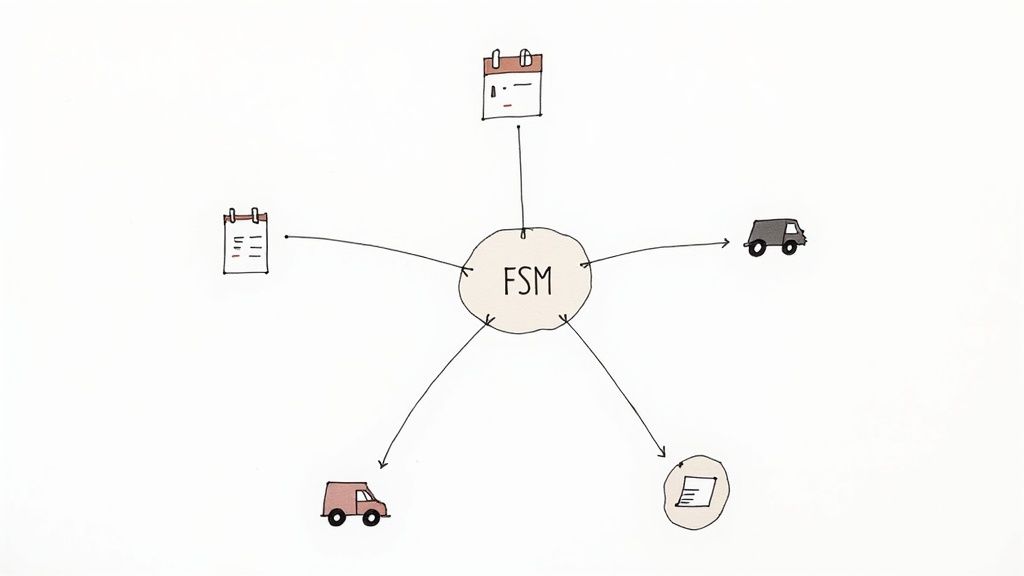
Think about trying to run an orchestra without a conductor. Every musician—your dispatcher, your field techs, your back-office admin—might be a pro, but the result is pure chaos without someone leading the charge. That's exactly what it feels like to run a service business using spreadsheets, messy whiteboards, and a mountain of sticky notes.
Field Service Management (FSM) software is your conductor. It’s a dedicated platform built to bring harmony to your operations by connecting all the moving parts of your business. It takes all those clunky, manual tasks and turns them into a well-oiled machine.
At its heart, FSM software is all about managing people and jobs that happen outside your office walls. It’s the digital toolkit that makes sure the right technician shows up to the right job at the right time with all the right parts.
The Shift From Chaos To Control
Before FSM platforms became the standard, a simple service call was riddled with potential problems. A paper work order could easily get lost. A dispatcher might accidentally send a tech clear across town for a low-priority job. An invoice could sit on a desk for weeks, unpaid. Each one of these little mistakes costs you time, money, and your customer's trust.
The top field service management software solves this by creating a single, reliable source of truth for everyone. To give you a better idea, here’s a quick breakdown of what a great FSM platform really does.
Core Functions Of Top Field Service Management Software
This table sums up the essential functions that separate a top-tier FSM from a basic scheduling tool.
| Core Function | Impact on Your Business |
|---|---|
| Intelligent Scheduling & Dispatch | Optimizes routes to cut fuel costs and fit more jobs into the day. Assigns the best tech based on skill and location. |
| Mobile App for Technicians | Empowers techs with customer history, job details, and parts information on their phone. They can create invoices and take payments on-site. |
| Real-Time Job Tracking | Gives you and the customer total visibility. See job status, tech location, and notes as they happen. |
| Automated Invoicing & Payments | Triggers invoices the moment a job is done, dramatically speeding up your cash flow. |
| Customer Communication Hub | Sends automatic appointment reminders and "tech-on-the-way" texts, which massively improves the customer experience. |
| Inventory Management | Tracks parts from the warehouse to the van, ensuring techs have what they need to finish the job on the first visit. |
Ultimately, these features work together to connect your entire operation, creating a smooth flow from the first call to the final payment.
A Rapidly Growing Industry
This move toward digital operations isn't just a fleeting trend—it's a massive shift in how service businesses are run. The numbers back this up: the global field service management market is expected to jump from USD 5.10 billion in 2025 to USD 9.17 billion by 2030.
What’s driving this growth? Businesses are realizing they can gain a serious competitive edge by adopting cloud-based systems and new tech like AI to operate more efficiently.
In the end, FSM software is about gaining visibility and control over your business. It’s the difference between constantly putting out fires and proactively managing your company for growth. To get a deeper look at how to maximise field service management software efficiency, it's worth exploring resources tailored to specific business needs.
The Non-Negotiable Features of Top FSM Software

When you start shopping for top field service management software, it's easy to drown in feature lists and marketing promises. To find what actually works, you have to look past the buzzwords and focus on the core functions that solve the real-world headaches of running a home service company.
These aren't just flashy add-ons; they are the bedrock features that turn a piece of software into your business's central nervous system. A great FSM platform needs to have robust scheduling capabilities to keep your team moving efficiently, but that's just the start. Let's dig into the features that really move the needle.
Intelligent Scheduling and Dispatching
This is so much more than a shared digital calendar. Think of intelligent scheduling as your own personal logistics expert, working around the clock to optimize your entire operation. It doesn't just show you open time slots; it actively figures out the smartest way to run your day.
Instead of a dispatcher spending hours piecing together a puzzle of routes, the software does the heavy lifting. It looks at technician skills, job locations, live traffic data, and service priority to build the most efficient schedule possible. This one feature can slash drive time and fuel costs, letting your team fit more paying jobs into the day without getting burned out.
Real-World Impact: An emergency call for an HVAC repair comes in. Instead of a frantic scramble, the FSM software instantly finds the nearest certified tech, confirms they have the right parts in their van, and dispatches them with a click. At the same time, it automatically texts the customer with an updated, accurate ETA.
A Powerful Mobile App for Technicians
Your techs are the face of your business, and their performance on-site is everything. A solid mobile app is their lifeline to the office, putting all the information they need to nail the job right in the palm of their hand.
With a good FSM mobile app, your team can:
- See the full job history: No more guessing games. They can pull up past service notes, customer details, and even equipment manuals on their phone or tablet.
- Build quotes and invoices on the spot: Forget chasing down paperwork. Techs can create a professional invoice, get a signature, and take payment the moment the work is done.
- Update job status instantly: When a job is started, paused, or completed, the status change is reflected across the entire system in real-time. No more "what's the status on…" calls.
This seamless connection cuts down on errors, eliminates endless back-and-forth calls, and dramatically shortens the time it takes to get paid.
Integrated Inventory Management
There’s almost nothing that sours a customer experience faster than a technician showing up unprepared. Integrated inventory management is the cure for the common—and costly—problem of having to leave a job site to pick up a part.
The system tracks every part, from your main warehouse right down to what’s stocked in each van. When a job gets scheduled, the software can automatically check if the assigned tech has the parts they need. If not, it flags the item for restocking before they even head out. This is absolutely key for improving your first-time fix rate, a metric that directly impacts both customer happiness and your bottom line.
Automated Customer Communications
In this day and age, keeping your customers in the loop isn't a bonus—it's an expectation. The best FSM software handles this for you automatically.
It can send out confirmation emails, text reminders the day before an appointment, and even "your tech is on the way" alerts complete with a live map link. This kind of proactive communication practically eliminates no-shows and stops those constant "Where's my tech?" calls, freeing up your office staff to focus on growing the business.
A Practical Checklist for Choosing Your FSM Software
Feeling overwhelmed by the sheer number of options for top field service management software? You're not alone. Picking the right platform is a huge decision that will define your daily operations for years to come. It’s time to cut through the marketing fluff and figure out what your business actually needs.
This isn't just another feature comparison. This is a practical guide to help you move from initial research to a final decision you can feel good about. We'll focus on a real-world evaluation process that ensures the software you pick solves your biggest problems and sets you up for growth down the road.
Stage 1: Start With Your Pain Points
Before you even think about watching a demo, take a hard look at your own business. The best software isn't about adding fancy bells and whistles; it's about getting rid of your biggest headaches.
Grab a whiteboard, pull your team into a room, and get honest. What are the top 3 things that consistently create chaos in your day-to-day?
- Is it the endless phone tag with technicians just to confirm job details?
- Are you bleeding cash because invoices are sitting around for weeks before they're sent?
- Do most customer complaints come from missed appointments or wildly inaccurate arrival windows?
Don't sugarcoat it. This list of frustrations is your most powerful tool for cutting through the noise. A platform that solves these core issues is worth ten times more than one with a bunch of features you’ll never touch.
By defining your problems first, you shift from being a passive software buyer to an active problem solver. This approach ensures your investment delivers a tangible return by fixing what's actually broken in your workflow.
Stage 2: Define Your Budget and Technical Needs
Once you know what you need to fix, you can figure out what you can realistically afford and implement. This goes way beyond just the monthly subscription price.
You absolutely have to consider these factors:
- Total Cost of Ownership: Pin vendors down on all potential fees. Ask about one-time setup costs, data migration fees, mandatory training packages, and charges for ongoing support. A cheap monthly price is a classic bait-and-switch if it’s surrounded by hidden costs.
- User Count and Scalability: How many people need access right now—both in the office and in the field? More importantly, can the software grow with you? The last thing you want is to be forced into a painful and expensive migration in two years because you outgrew your starter plan.
- Integration Requirements: Make a list of the other software you can't live without, like QuickBooks for your books or a specific CRM you love. Does the FSM software have a seamless, pre-built way to connect with these tools? If not, you risk creating more manual work, which defeats the entire purpose of getting the software.
Stage 3: The Demo Gauntlet
Software demos are your chance to see if a vendor's promises hold up under pressure. Don't just sit back and let the salesperson run through their standard, polished presentation. You need to take control.
Come prepared with specific scenarios based on the pain points you identified earlier.
Arm yourself with pointed, practical questions like these:
- "Show me exactly how your system handles an emergency reschedule for a tech who is already on their way to another job."
- "Walk me through the precise steps a technician takes on their phone to build a multi-option quote, capture a customer's signature, and take a credit card payment right on the spot."
- "What does your onboarding and training process actually look like for my team? How long does it take, and what happens when we need help six months from now?"
This forces them to show you how the software works for a business just like yours. Pay close attention to the user interface—for both the dispatcher in the office and the tech on their phone. If it looks clunky and confusing during the demo, imagine how frustrating it will be to use every single day.
To help you stay organized, we've put together a simple checklist. Use this table to compare different options side-by-side as you go through the evaluation process. It's a great way to keep your notes in one place and make an informed, apples-to-apples comparison.
FSM Software Evaluation Checklist
| Evaluation Stage | Key Questions to Ask | Your Notes |
|---|---|---|
| Pain Point Analysis | What are our top 3 operational bottlenecks? Does this software directly address them? | |
| Budgeting | What is the total cost of ownership (setup, training, monthly fees)? Is it a predictable cost? | |
| Scalability | Can this platform support our projected growth for the next 3-5 years? What are the plan tiers? | |
| Core Features | Does it nail the essentials: scheduling, dispatching, invoicing, and mobile access? | |
| Integrations | Does it connect seamlessly with our accounting software (e.g., QuickBooks) and other essential tools? | |
| User Experience (UX) | Is the interface intuitive for both office staff and field technicians? Can they learn it quickly? | |
| The Demo | Did the salesperson answer our specific, scenario-based questions? Did we see our workflow in action? | |
| Support & Training | What kind of onboarding is included? What are the ongoing support options and response times? | |
| Reviews & References | What are other businesses in our trade saying? Can the vendor provide references? |
By the time you fill this out for a few different platforms, a clear winner will likely emerge. This structured approach helps ensure your final choice is based on solid business needs, not just a slick sales pitch.
Of course, here is the rewritten section with a more natural, human-written tone:
Figuring Out the Real Cost and ROI of FSM Software
Sooner or later, every conversation about top field service management software comes down to money. As a business owner, you really only need to know two things: what’s it actually going to cost me, and will it be worth it? It’s absolutely critical to look past the sticker price to get a handle on the total cost and what you can expect in return.
Most platforms have pretty straightforward pricing—maybe a monthly fee per user or different tiers that add more features as you go up. But that subscription fee is almost always just the starting point. To get to the true cost, you have to dig a little deeper and account for the expenses that aren't on the pricing page.
Uncovering the Hidden Costs
Before you sign on the dotted line, you need to get the full financial picture. These are the kinds of costs that can really catch you off guard if you aren't looking for them:
- Implementation Fees: Will the vendor charge you a one-time fee to get your account set up, pull in your existing data, and get the system configured? This can be anything from a few hundred bucks to several thousand.
- Training and Onboarding: Does the price include proper training for your office team and your techs in the field, or is that an extra line item? Skimping on training is a surefire way to have the software flop.
- Ongoing Support: Basic support is usually included, but if you want faster responses or dedicated help, that premium support often comes with a premium price tag. You’ll want to ask what their standard response times are and what’s actually covered.
- Data Migration: If you’re switching from an old system (or even just a tangled web of spreadsheets), getting all your customer lists, job histories, and inventory moved over can sometimes be a separate charge.
Getting these numbers upfront helps you build a real-world budget and saves you from frustrating, unexpected bills later on.
Shifting from Expense to Investment
Once you know the costs, it’s time to flip the script and calculate your return on investment (ROI). This is where FSM software stops being just another bill and starts becoming a profit-driving machine for your business. The industry's explosive growth tells the story here. The FSM market was valued at around USD 4 billion in 2022 and is expected to rocket to over USD 10.6 billion by 2030. That kind of growth is happening because companies are seeing real returns. You can read more about these market growth projections and trends.
So, how does that return actually show up in a home service business?
The biggest ROI from FSM software rarely comes from one single feature. It’s the cumulative effect of dozens of small efficiencies, day in and day out. Shaving off drive time, nailing the first-time fix, and getting invoices paid faster—it all compounds into a major impact on your bottom line.
Calculating Your Potential ROI
To see what this could look like in your own business, let’s run some simple, back-of-the-napkin numbers:
- Reduced Fuel and Drive Time: Smart scheduling can easily cut a tech’s daily windshield time by 30-60 minutes. If you have five techs on the road, that’s up to five hours of labor and fuel you get back every single day.
- More Jobs Per Day: When routes are tight and workflows are smooth, each tech might be able to squeeze in just one extra job per day. If your average ticket is $300, that’s an extra $1,500 in revenue coming in the door every day for a five-person team.
- Faster Cash Flow: With techs invoicing and taking payment on the spot, the time it takes to get paid can shrink from weeks to literally hours. This does wonders for your cash flow, freeing up capital to reinvest in growth.
When you start adding up these gains, the software often pays for itself many times over. This isn't about justifying an expense; it's about making a strategic move to run a more profitable and buttoned-up operation.
Integrating Your FSM Software for Maximum Power
Your field service software shouldn't operate in a silo. On its own, it’s a powerful tool, but its real magic happens when it communicates with the other software that runs your business. Think of it like a quarterback on a football team—he's a great player, but he needs to be connected to the rest of the team to win the game.
When your FSM software is integrated properly, it becomes the central hub for a seamless flow of information. This eliminates the soul-crushing task of entering the same data into multiple systems, cuts down on human error, and gives you a bird's-eye view of your entire operation. Without these connections, you're just trading one set of problems for another, and your team is still wasting time on repetitive tasks.
Connecting Your Core Business Systems
For any home service business, a few key integrations are absolute must-haves. These connections form the bridges between your field team, your office staff, your finances, and your customer relationships, creating one unified, efficient machine.
The most critical integrations you'll want to look for are:
- Accounting Software: This is a big one. Connecting your FSM to platforms like QuickBooks or Xero is a total game-changer. When a technician completes a job and generates an invoice in their app, that data flows directly into your accounting system. No more manual entry, which means you get paid faster and always have an accurate, up-to-the-minute look at your financials.
- Customer Relationship Management (CRM): While many FSMs have some CRM functionality, a dedicated CRM integration provides a complete picture of your customer journey. Every conversation, service history detail, and quote is logged in one central place, allowing your team to deliver truly personalized service that keeps customers coming back.
- Marketing Automation: By linking your FSM to your marketing tools, you can transform service data into real growth. Imagine automatically sending a review request email the moment a job is marked complete. Or, you could create targeted email campaigns for furnace tune-ups to customers you serviced last fall. It’s smart, proactive marketing powered by your own data.
A well-integrated FSM acts as the central nervous system for your business. It ensures every bit of information—from a new customer inquiry to a final payment—moves exactly where it needs to without anyone having to lift a finger. This saves an incredible amount of time and prevents costly mistakes.
The infographic below shows how the initial investment in FSM software reduces your operational costs, freeing up capital to reinvest in your business and drive real financial gains.
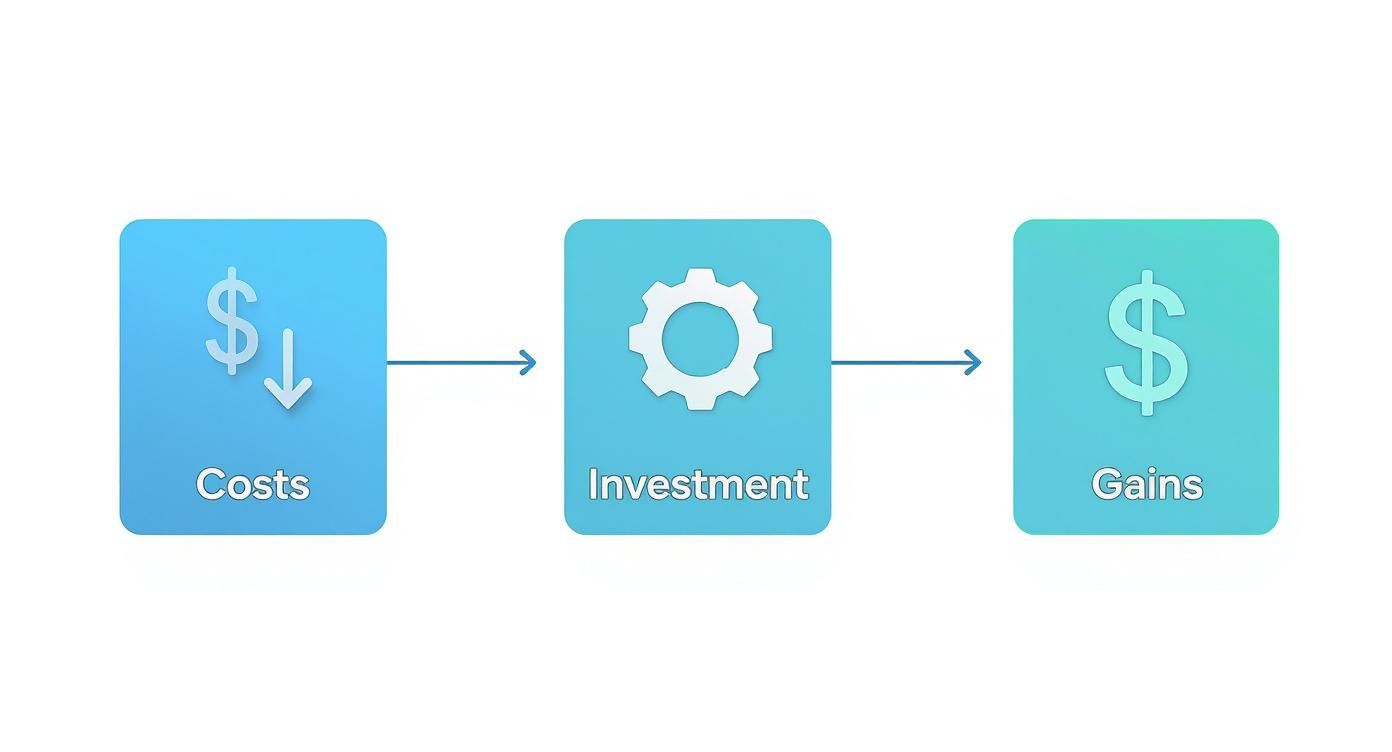
This process shows that reducing expenses is an investment in efficiency, which ultimately produces a much higher return.
When you're evaluating any top field service management software, make sure to grill them on their integration capabilities. The platform's ability to connect with the tools you already use is just as crucial as its core features. For example, your FSM must be able to properly handle customer data right from the start, because a clear sales lead description is the foundation of every successful service call.
A Few Lingering Questions About FSM Software
Even after you've weighed the features and crunched the ROI numbers, a few questions are probably still bouncing around in your head. That’s perfectly normal. Choosing one of the top field service management software platforms is a huge decision, so let’s clear up some of the most common questions we hear from business owners.
How Long Does This Actually Take to Set Up?
This is always a big one, and the real-world answer is, "it depends." For a small team grabbing a simple, ready-to-go solution, you could be up and running in a matter of days.
But for a bigger operation that needs custom features, has a ton of customer data to move over, and needs to train a larger crew, you’re likely looking at a few weeks to a couple of months. The vendor’s onboarding process makes all the difference here. A good partner will give you a clear timeline, take charge of importing your data, and provide solid training to get your team on board without pulling their hair out.
Is This Stuff Worth It for My Small Team?
Yes, without a doubt. It’s easy to think of FSM software as something for giant companies with huge fleets, but many of the best tools are designed specifically for small and medium-sized businesses. Honestly, smaller teams often feel the positive impact the fastest.
Think of it this way: if software helps your two technicians squeeze in just one extra job each per week, the platform can pay for itself almost immediately. It’s not about how many trucks you have; it’s about how much more efficient you can be.
FSM software isn’t just for massive companies. For a small business, it’s a force multiplier. It lets you punch above your weight and deliver a polished, professional experience that rivals the big guys.
What Kind of Support Can I Realistically Expect?
Don't even consider a platform without solid, ongoing support. It's a deal-breaker. Before you sign anything, get a straight answer on what their support actually looks like. You should be looking for a few key things:
- A solid knowledge base: Easy-to-find articles and video guides for when you want to figure things out on your own.
- Real people to talk to: Whether it's through email, chat, or a phone call, you need a way to reach a human who can solve problems you can't.
- Clear response times: They should be able to tell you exactly how quickly they promise to get back to you when you have an issue.
The best providers don't treat support as an afterthought; it's a core part of their service. They know their success is tied to yours, so they invest in making sure you have the help you need long after they’ve made the sale. That commitment is often what separates a decent tool from the truly top field service management software.
At Phone Staffer, we know that even the best software is only as good as the people handling your calls. Your front line has to be solid. Whether you just need a virtual CSR to make sure you never miss a call or a full team to book jobs directly into your new FSM calendar, we’re here to fill the gaps. Discover how we help home service companies grow.