

Is your desk buried under a mountain of spreadsheets, sticky notes, and a whiteboard that looks more like a modern art piece than a job board? If so, you know the feeling. For so many service companies, this is just the reality of scheduling. It’s a constant battle against double bookings, tangled travel routes, and unhappy customers.
It's time to find a better way.
Why Spreadsheets Are Holding Your Service Business Back
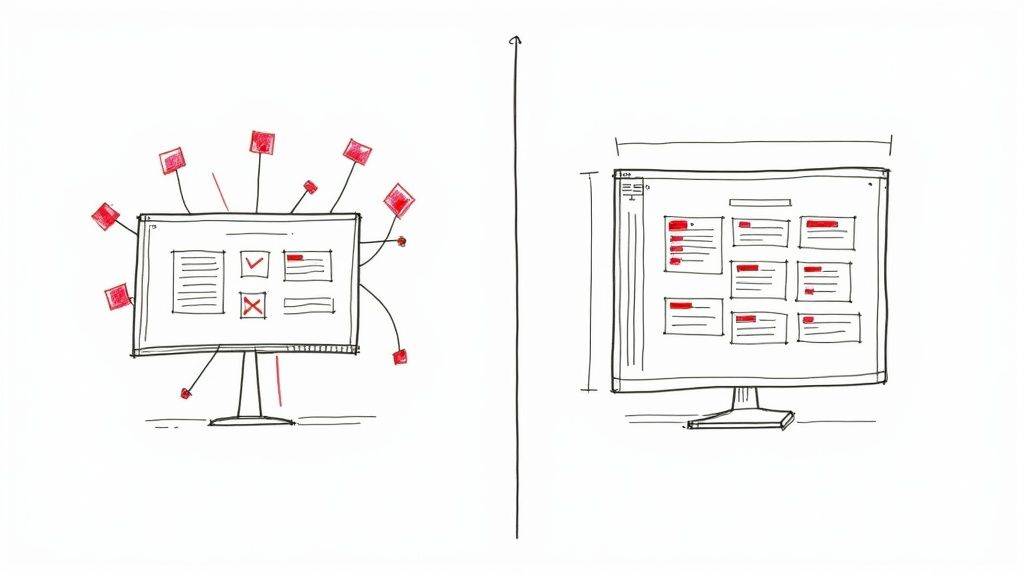
Running a service business in trades like HVAC, plumbing, or electrical work means your team is always on the move. Sticking with old-school scheduling tools is like trying to manage downtown traffic with nothing but a whistle and hand signals. It might work when you're small, but as you grow, things get chaotic—fast.
Manual scheduling is a bottleneck that directly eats into your profits. Every minute your office staff spends on the phone tracking down a tech or apologizing for a missed appointment is a minute they aren't booking new jobs that bring in money. This administrative drag is a silent killer of profitability, which is why 80% of service businesses are looking for ways to automate these exact processes.
The Real-World Cost of Sticking with the Old Way
The problem is much bigger than just wasted time. A messy, disorganized schedule creates real problems that can hurt your reputation and stop your growth in its tracks.
- Wasted Drive Time: When techs are zig-zagging across town, you’re burning fuel, putting extra miles on your vehicles, and fitting in fewer paying jobs each day.
- Poor Communication: Without a system for automatic reminders, customer no-shows go up. People are left in the dark, wondering where their technician is.
- No Room to Grow: You can't scale your business if your entire scheduling system implodes every time you add another truck to the fleet.
The fundamental flaw in any manual system is the lack of a single, reliable source of truth. Information is scattered everywhere, making it impossible to see what's happening across your entire operation at a glance.
This is exactly what modern scheduling software for service companies is built to fix. It acts as a central hub, connecting your office team, your field technicians, and your customers in real-time. It’s so much more than a digital calendar—it’s the command center for your entire business.
As you expand, managing these administrative details becomes non-negotiable. Many growing companies discover how to hire a virtual assistant to take this work off their plate, freeing them up to focus on the bigger picture. The right software can do the same thing, taming the chaos so you can finally focus on growth.
So, How Does This Software Actually Work?

To really get what scheduling software for service companies does, you need to ditch the idea of a simple digital calendar. Think about your old process—the whiteboards, the messy spreadsheets, the endless phone tag. It’s like a chaotic intersection with no traffic lights. You get constant gridlock, a few near-misses, and a lot of frustrated people.
Scheduling software is the exact opposite. It's more like an advanced air traffic control system for your entire field team. It doesn't just "book" jobs; it intelligently coordinates the whole life of a service call, from the first ring to the final invoice. This tech is built from the ground up to manage a mobile team with absolute precision.
What you're really doing is swapping a reactive, paper-heavy headache for a proactive, organized operation that delivers consistent service. It becomes the digital glue holding your office, your techs, and your customers together.
From Simple Booking to Smart Operations
At its heart, the software is a central hub where every shred of job-related information lives and breathes. When a customer calls in, your dispatcher isn't just hunting for an empty slot on the calendar. They're tapping into a dynamic system that juggles multiple variables in real-time.
- Technician Skills and Certifications: The system knows exactly who is certified for that tricky furnace repair or licensed for a complex electrical panel upgrade, so you always send the right pro for the job.
- Geographic Location: It sees where all your technicians are on a map, which means you can dispatch the closest person, cutting down on drive time and saving a bundle on gas.
- Job History and Notes: Your team can pull up a customer's entire service history in seconds—past issues, specific notes from other techs, even equipment details. This makes every visit feel more personal and efficient.
This move from manual chaos to automated control is why these tools are exploding in popularity. The global market for appointment scheduling software hit USD 470.7 million in 2024 and is on track to reach a staggering USD 1,518.4 million by 2032. It’s a clear signal that the entire service industry is moving toward smarter, cloud-based management.
The Magic of Automated Communication
Beyond just getting the schedule right, modern software takes over the critical task of customer communication. Automated reminders and confirmations are your secret weapon against no-shows and the "When are you getting here?" phone calls. Done right, this is key to automating customer engagement and building real trust.
Instead of your staff spending hours calling or texting to confirm every appointment, the software does it for them. It can send "on my way" texts with an ETA, fire off a customer satisfaction survey after the job, and even schedule reminders for annual maintenance.
This constant, professional communication does more than just impress customers. It frees up your office team from mind-numbing, repetitive tasks. They can finally focus on work that actually grows the business, like following up on new leads or giving your field techs better support.
Essential Features That Power Your Business Growth
Knowing what scheduling software is and understanding what it does for your business are two different things. The right platform doesn't just tidy up your calendar; it actively drives growth by making your whole operation smarter and more profitable. These features are the real engine behind your new command center.
Think about automated dispatching. Instead of a dispatcher squinting at a map, trying to guess which technician is the best fit for a job, the software handles it all. It instantly cross-references a tech's skills, their current location, and their schedule to assign the perfect person, every single time. No more guesswork, and no more sending a rookie to a complex commercial job they aren't ready for.
Seeing Your Operations in Real Time
Then there’s real-time GPS tracking, which gives you a live, bird's-eye view of your entire fleet. This isn't about micromanaging your team—it's about having operational intelligence at your fingertips.
You can instantly see who's running behind schedule, pinpoint the closest technician for an emergency call, and give customers an incredibly accurate ETA. "Your plumber is just 10 minutes away" is a game-changer for customer satisfaction. This visibility lets you optimize routes on the fly, which cuts down on fuel costs and wasted drive time, turning your dispatch from a reactive scramble into a proactive, strategic advantage.
The infographic below shows how these core features work together to create a solid foundation for your operations.
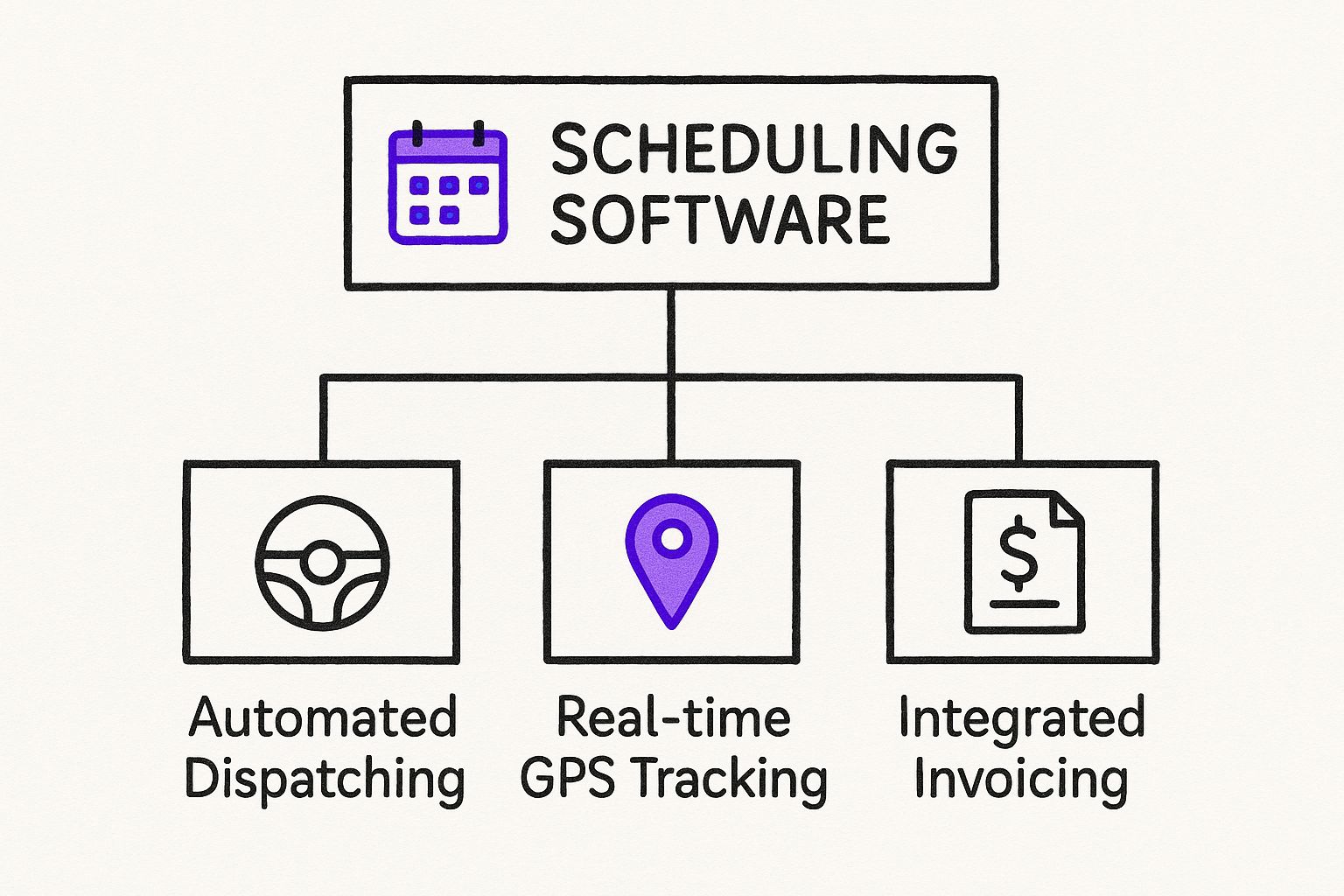
As you can see, scheduling is the heart of the system, but it's powered by intelligent dispatching, real-time tracking, and smooth financial integration.
Essential vs. Advanced Software Features
Not all software is created equal. It's helpful to think about features in two buckets: the "must-haves" you need from day one and the "nice-to-haves" that help you scale later. Here’s a quick breakdown.
| Feature Category | Essential Feature | Advanced Feature |
|---|---|---|
| Scheduling & Dispatch | Drag-and-drop calendar, job assignments, basic route mapping. | AI-powered automated dispatching, multi-day job scheduling. |
| Field Mobility | Mobile app with job details, notes, and status updates. | On-the-spot invoicing, mobile payments, digital forms & photos. |
| Customer Management | Centralized customer database with contact info and job history. | Automated appointment reminders, customer portal, service agreements. |
| Financials & Reporting | Basic job costing, technician performance tracking. | Advanced KPI dashboards, inventory management, QuickBooks integration. |
Starting with a solid foundation of essential features is key. As your business grows, you can look for platforms that offer these advanced capabilities to further streamline your operations and boost profitability.
Connecting the Field to the Office
The best scheduling software for service companies closes the gap between your field techs and the back office with a killer mobile app. This puts all the critical information your team needs right in the palm of their hand.
- Instant Customer History: Techs can pull up past jobs, notes, and photos before even knocking on the door. This means they walk in prepared, providing smarter, more personalized service.
- On-the-Spot Invoicing and Payments: Forget chasing down checks. Technicians can create an invoice and take payment the moment the job is done, which drastically improves your cash flow.
- Digital Forms and Photos: Capture customer signatures, run through safety checklists, and snap photos of the finished work. Everything gets attached directly to the job file, creating a complete digital record.
This mobile connection is a huge reason why the market for this kind of technology is booming. The Advanced Planning and Scheduling (APS) software market, which covers many service industries, was projected to hit USD 1.33 billion in 2025 on the back of an 11.5% growth rate. Why? Because businesses need better ways to manage complex field operations.
A powerful mobile app transforms every technician's vehicle into a mobile office. It eliminates messy paperwork, reduces trips back to the shop, and professionalizes the entire customer experience from start to finish.
Ultimately, having these features baked into your daily routine is a cornerstone of smart small business growth strategies, allowing you to scale without the chaos. For instance, having instant access to customer data makes it much easier to spot upsell opportunities or develop new service packages—a key tactic for generating more leads for tree service companies and other specialized trades.
Calculating the True Return on Your Software Investment
It’s easy to look at a new monthly subscription and see just another bill. But when it comes to scheduling software for service companies, that’s the wrong way to look at it. The real question isn't "What does it cost?" but "What's the return on this investment?"
Think of it like buying a new truck for your fleet. You don't just focus on the monthly payment. You see an asset that lets you take on more work and bring in more money. This software does the exact same thing, creating real, measurable financial gains by making your entire operation run smarter.
Uncovering Hidden Revenue Streams
First, let's talk about the most obvious win: fitting more paying jobs into the day. When route optimization shaves off an average of 30 minutes of drive time per tech, that's time you just bought back.
With a team of five technicians, that adds up to over 12 hours of extra capacity every single week. That’s not just a little extra time; it’s enough to complete several more jobs and pad your bottom line.
Then there's the money you get back from slashing no-shows. Automated appointment reminders are absolute game-changers here. We've seen businesses reduce missed appointments by up to 27% just by turning them on. Every single one of those saved appointments is revenue that would have otherwise vanished.
The ROI isn't just about saving money; it's about unlocking revenue you're currently leaving on the table due to operational friction. It transforms wasted time and missed opportunities directly into cash flow.
Slashing Your Biggest Operational Costs
Next up are the cost savings, and they are significant. For any service fleet, fuel is a huge, unpredictable expense. Smart routing isn't just a minor tweak—it's a direct assault on high gas prices, often cutting fuel consumption by 15-20%. Over a year, that alone can mean thousands of dollars staying in your bank account.
And don’t forget the administrative overhead. Just think about the hours your office staff spends on the phone juggling schedules, confirming appointments, and answering the classic "where's my tech?" call. Automating these repetitive tasks frees them up for work that actually grows the business, like following up on leads or improving customer service. That’s a direct, measurable reduction in labor costs.
A Plumber's ROI: A Quick Example
Let's put some real numbers to this. Imagine a small plumbing company with three vans.
-
Software Cost: Let's say it's $150 per month, or $1,800 a year.
-
Increased Revenue: By fitting in just one extra $300 job each week thanks to better routing, they add $15,600 to their annual revenue.
-
Reduced Costs: Shaving $200 a month off the fuel bill and cutting 10 hours of weekly admin time (at $20/hr) saves them another $12,800 a year.
The total gain for the year is a massive $28,400. Subtract the $1,800 software cost, and you're left with a net profit of $26,600. That's not just a good return on investment; it's a powerful engine for growth.
How to Choose the Right Scheduling Software for Your Team
With a sea of options out there, picking the right scheduling software for service companies can feel like a monumental task. It's easy to get sidetracked by flashy demos and long feature lists.
The secret is to tune out the noise and zero in on what your business actually needs to solve its biggest headaches. A platform that's perfect for a solo electrician will likely be a terrible fit for an HVAC company with twenty technicians on the road.
Before you even think about booking a demo, take a hard look at your own operations. Where are things breaking down? Are you drowning in paperwork? Is your fuel bill through the roof? Are last-minute cancellations killing your profits? Nailing down your single biggest challenge will give you a clear direction.
Start With Your Own Business Needs
The first step is a simple needs assessment. This isn't some formal, fifty-page business plan. It’s a gut-check—a practical list of what you need this software to do for you. Getting this clarity upfront will let you quickly weed out any platforms that just aren't a good fit.
Think through these key areas:
- Team Size and Structure: Are you a one-person show, or are you managing multiple crews across town? The software you choose needs to support your team today and be able to grow with you tomorrow.
- Tech-Savviness: Let's be honest—how comfortable are your office staff and field techs with new technology? A clean, intuitive interface is absolutely essential for getting everyone on board without a mutiny.
- Existing Tools: What other software is already running your business? If you live and breathe in QuickBooks, for example, you need a platform that integrates seamlessly to avoid creating more work.
This little bit of self-evaluation is the most critical part of the entire process. It makes sure you're shopping for a genuine solution, not just another piece of tech.
Key Criteria for Comparing Your Options
Once you know what you're looking for, you can start comparing platforms with a consistent scorecard. This approach helps you make an objective, apples-to-apples decision instead of getting swayed by a slick sales pitch.
You're not just buying a tool; you're looking for a long-term partner. Prioritize reliability, stellar support, and a transparent pricing model that makes sense for your company's future.
Here are the non-negotiables to look for in any scheduling software for service companies:
- Ease of Use: How fast can your team actually start using it? Look for a clean, logical layout and a mobile app that’s simple enough for anyone to master on the fly.
- Mobile App Reliability: Your techs depend on the mobile app every single day. It has to be fast, stable, and work even when cell service is spotty.
- Real Customer Support: When things go sideways at 8 AM on a Monday, can you get a real human on the phone quickly? Scour reviews for honest feedback on support quality.
- Transparent Pricing: Are there hidden costs for adding users, storing data, or unlocking "premium" features? You want straightforward pricing that you can actually budget for without any surprises.
The push for specialized, efficient scheduling tools is happening everywhere. Take the medical field, for instance—its scheduling software market is expected to reach an incredible USD 1,102.5 million by 2033. This growth, explored in this detailed market analysis, is all about gaining better operational control.
It just goes to show a universal truth: no matter the industry, software built for the job is no longer a luxury—it's a necessity.
Answering Your Key Questions About Scheduling Software
Jumping into new technology can feel like a big step, and you’re right to have questions. When it comes to scheduling software for service companies, you need straight answers before you commit. Let's walk through the most common questions and concerns I hear from business owners every day.
Think of it this way: you're not just buying a tool, you're giving your business a brand-new nervous system. Figuring out how it will actually work day-to-day is the most important part.
How Long Does Implementation Actually Take?
This is the big one, isn't it? I get it—you can't afford weeks of downtime. The good news is that modern, cloud-based software is built to get you up and running surprisingly fast. For most small to medium-sized service companies, you can get the basics done—importing your customer list, setting up your tech profiles, and adding your job types—in just a couple of days.
But let's be realistic. The full transition depends on how complex your business is and, frankly, how good the software company’s support team is. A dedicated onboarding specialist who knows your industry is worth their weight in gold. They'll guide you through getting your data moved over and training the team. With solid support, you can expect to go from initial setup to having everyone on board and using the system within two to four weeks.
Will My Technicians Struggle with the Mobile App?
This is a totally valid fear. Your techs are pros at their trade, not at navigating clunky software. The last thing you want is for them to be fighting with an app in a customer's home.
Luckily, the best apps out there are designed by people who understand this. They have clean layouts, big buttons, and a workflow that just makes sense.
To make sure it’s a smooth transition for your crew:
- Pick an app that’s dead simple. When you're doing demos, focus on the mobile experience. Can a tech find what they need, update a job, and create an invoice in a few quick taps?
- Do a hands-on training session. Get everyone together and have them play around with the app on their own phones. Create a few fake jobs so they can get comfortable without any real-world pressure.
- Show them what's in it for them. Point out how the app gets rid of their clipboards, gives them instant access to a customer's history, and helps them get paid on the spot.
Once your team sees the software as a tool that genuinely makes their lives easier, they’ll get on board faster than you think.
Is This Different from Basic Calendar Software?
Oh, absolutely. Using something like Google Calendar to run a service business is like trying to haul a ton of gravel in a family sedan. Sure, you might move a little bit of it, but it’s the wrong tool for the job and it’s going to get messy.
A basic calendar just tells you when. Purpose-built scheduling software manages your entire operation. It connects the dots from the first phone call all the way to the final payment.
This kind of software has critical features a simple calendar could never handle. We're talking about smart dispatching that sends the right tech based on their skills and location, real-time GPS tracking for your vans, and invoicing right from a phone or tablet. It’s the difference between just booking an appointment and truly managing a job.
Can This Software Connect with My Accounting Tools?
Yes, and this is where you’ll see some of the biggest time savings. The top scheduling platforms are built to talk directly to accounting software like QuickBooks. This link creates a seamless flow of information that cuts out hours of mind-numbing data entry and slashes the risk of human error.
Imagine this: your technician finishes a job, takes payment in the field, and boom—the invoice and payment details are instantly synced to your books. Just like that, your financials are always current, your cash flow is healthier, and you can actually trust your reports. It turns a bunch of separate, tedious tasks into one clean, efficient process.
At Phone Staffer, we know that running a slick operation takes more than just great software—it requires the right people. We provide highly-trained virtual CSRs and assistants who can manage your new scheduling system, field customer calls, and make sure no lead ever falls through the cracks. Discover how our team can help you get the most out of your technology and grow your business.