

In the world of remote work, a first impression is not just important; it's foundational. A disorganized or impersonal onboarding process can quickly lead to disengaged new hires, higher turnover rates, and a significant drop in productivity before an employee even truly begins. Conversely, a meticulously planned and executed onboarding experience builds a strong foundation for a successful, long-term professional relationship, fostering loyalty and engagement from day one. This is where a definitive remote employee onboarding checklist becomes an indispensable tool for any manager or business owner.
This comprehensive guide is engineered to eliminate the ambiguity and common pitfalls of virtual integration. We will provide a step-by-step roadmap that covers every critical stage, ensuring your new team members feel welcomed, fully equipped, and confident enough to contribute meaningfully, regardless of their physical location. You will gain actionable insights into eight essential components, from pre-boarding communication and IT setup to structured 30-60-90 day performance milestones. Following this checklist will help you transform a promising new hire into a high-performing, long-term asset for your team. Let's explore the key elements required to build a world-class remote onboarding program.
1. Pre-boarding Communication and Welcome Package
The period between a candidate accepting a job offer and their official start date is a critical, yet often overlooked, part of the remote employee onboarding checklist. Effective pre-boarding sets the tone for the entire employee experience, transforming a new hire’s initial excitement into genuine engagement and loyalty. This phase focuses on making your new team member feel welcomed, prepared, and connected before they even log in for their first day.

This process involves a structured sequence of communications and a thoughtful welcome package. The goal is to eliminate first-day jitters and logistical friction. By providing clear instructions, necessary information, and a touch of company culture in advance, you ensure the new hire can hit the ground running with confidence. It’s the first, and perhaps most important, step in building a strong remote work relationship.
How to Implement a Pre-boarding Strategy
A successful pre-boarding program is more than just an email; it’s a carefully orchestrated experience. Leading remote companies like GitLab and Buffer have pioneered this approach with great success.
Start by creating a pre-boarding timeline that begins within 24 hours of the signed offer letter. This timeline should include key touchpoints and information releases.
- Initial Welcome Email: Send an immediate welcome from their direct manager and a key team member.
- Swag Box Shipment: Mail a branded welcome package. Consider including a company hoodie, high-quality water bottle, notebook, and perhaps a local treat or coffee to add a personal touch.
- Paperwork and Access: Guide them through completing all necessary digital paperwork. In parallel, your IT team should prepare their accounts and hardware.
- First-Day Itinerary: A few days before they start, send a detailed schedule for their first day and week, including meeting links and who they will be meeting.
- Early Access: Grant access to non-sensitive resources like a company handbook or a dedicated Slack channel for new hires to connect.
This structured communication ensures new employees feel seen and valued from the moment they accept the offer, making it an essential component of any modern remote employee onboarding checklist.
2. Technology Setup and IT Equipment Provisioning
A seamless technology experience is the backbone of a productive remote work environment. This crucial step in the remote employee onboarding checklist involves systematically providing, configuring, and securing all necessary hardware and software. It ensures that new hires have the tools they need to perform their roles effectively and securely from day one, without frustrating technical delays or security risks.
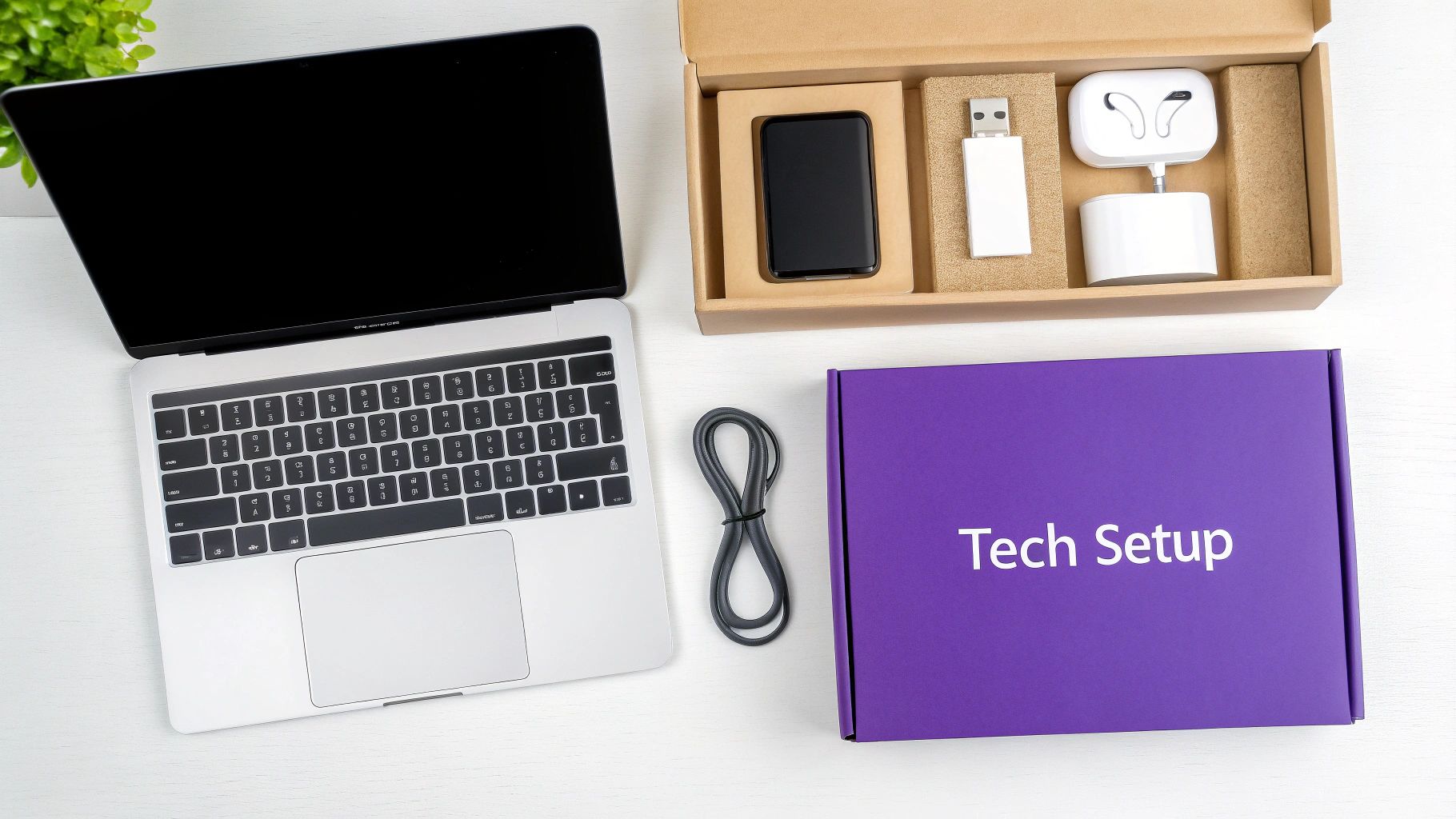
The goal is to deliver a "plug-and-play" experience where the employee unboxes their equipment and can log in with minimal friction. This process covers everything from shipping a pre-configured laptop to granting access to cloud-based applications and providing clear support channels. Getting this right demonstrates operational excellence and shows the new hire that they are being set up for success from the very beginning.
How to Implement a Technology Provisioning Process
A robust IT provisioning process minimizes day-one issues and streamlines security. Tech-forward companies like Apple and Microsoft have set the standard with powerful device management solutions that many remote-first organizations now leverage. A systematic approach is key.
Start by creating an IT provisioning checklist for every new hire, triggered as soon as the offer is signed. This ensures no step is missed.
- Timely Hardware Shipment: Ship all necessary equipment, such as laptops, monitors, and peripherals, to arrive 3-5 business days before the start date. This provides a buffer for any shipping delays.
- Pre-Configuration is Key: Use Mobile Device Management (MDM) solutions like Jamf for Apple devices or Microsoft Intune for Windows. These tools allow your IT team to pre-install software, configure security settings, and manage the device remotely.
- Secure Access Management: Implement an identity management platform like Okta to provide secure, single sign-on (SSO) access to all company applications. This simplifies the login process for the employee and enhances security for the company.
- Clear Setup Guidance: Include a detailed, user-friendly setup guide with screenshots and step-by-step instructions. Schedule a dedicated IT support call on the first day to walk the new hire through the final setup stages and answer any questions.
- Contingency Planning: Have a plan for emergencies, such as providing loaner equipment that can be shipped overnight if a primary device fails.
This methodical approach to technology is a non-negotiable part of any comprehensive remote employee onboarding checklist, ensuring a secure and productive start for every new team member.
3. Digital Workspace Access and Security Setup
Ensuring a new hire has secure and appropriate access to the company's digital ecosystem is a cornerstone of any effective remote employee onboarding checklist. This crucial step involves provisioning all necessary credentials, software licenses, and access rights while rigorously upholding security protocols. The goal is to create a seamless digital workspace that empowers the employee to be productive from day one without compromising sensitive company data.
This process is about more than just sending a list of passwords. It requires a strategic approach to identity and access management (IAM), ensuring that each employee has exactly the access they need, no more and no less. By properly configuring access to communication tools, project management software, and core business systems, you prevent security risks and reduce potential IT friction for your new team member.
How to Implement Digital Access and Security
A robust digital onboarding process is a hallmark of security-conscious, remote-first companies like Okta and Duo Security. Their platforms are built on the principles of secure, centralized access management, which you can emulate in your own strategy.
Your IT and HR teams should work in tandem to create a standardized access provisioning workflow for each role.
- Implement Least-Privilege Access: Grant new hires access only to the systems and data essential for their specific role. This minimizes the potential attack surface.
- Mandate Multi-Factor Authentication (MFA): Use tools like Duo Security to require a second form of verification for all critical applications. This adds a vital layer of security against unauthorized access.
- Centralize Password Management: Provide a business account for a password manager like 1Password. This promotes strong, unique password creation and secure sharing of credentials when necessary.
- Conduct Security Training: Before granting full access, require the new employee to complete a brief security awareness training module. This should cover phishing, data handling, and secure Wi-Fi practices.
- Establish Clear Protocols: Document and share procedures for requesting additional access, reporting security incidents, and what to do in case of an account lockout.
This meticulous setup is a non-negotiable part of a modern remote employee onboarding checklist, protecting both the company and the employee in a distributed work environment.
4. Virtual Meet-and-Greet Sessions and Team Introductions
Building personal connections is one of the biggest challenges in a remote environment. Structured virtual meet-and-greets are a non-negotiable part of any remote employee onboarding checklist, as they intentionally create opportunities for new hires to build relationships, understand team dynamics, and integrate into the company culture. These sessions combat the isolation that can come with remote work and help new employees feel like part of a team from day one.
These introductions go beyond a simple wave in a large team meeting. They should include a mix of formal one-on-ones with key stakeholders and informal group chats designed purely for socialization. The goal is to replicate the spontaneous "water cooler" conversations and desk-side chats that build camaraderie in a physical office, ensuring the new hire establishes a strong social foundation.
How to Implement Virtual Introductions
A strategic approach to virtual introductions prevents new hires from feeling overwhelmed while maximizing connection. Industry leaders like HubSpot and GitLab have set the standard for fostering remote relationships effectively. GitLab’s famous "Coffee Chat" culture, for example, encourages random, informal 25-minute calls between team members to get to know each other personally.
You can build a similar program by scheduling a series of introductory meetings throughout the first two weeks.
- Manager and Peer One-on-Ones: Schedule brief (15-30 minute) video calls with their direct manager and key team collaborators. Provide managers with a structured conversation guide to cover roles, expectations, and personal interests.
- Buddy System: Implement a "buddy program" like HubSpot's, pairing the new hire with a tenured employee who can answer informal questions and serve as a cultural guide.
- Virtual Team Lunch or Coffee: Organize a casual, non-work-related video call for the entire team. To break the ice, use fun virtual backgrounds or start with a simple team-building game.
- Cross-Departmental Intros: Schedule short meetings with leaders or key contacts from other departments they will interact with. This helps them understand how their role fits into the bigger picture.
By intentionally engineering these social touchpoints, you help your new remote employee build a network, fostering a crucial sense of belonging and accelerating their integration.
5. Company Culture and Values Immersion Program
Integrating a new remote employee into your company's culture is one of the most challenging, yet crucial, aspects of virtual work. A Company Culture and Values Immersion Program is designed to move beyond a simple mention in a handbook. It actively immerses new hires in the company’s mission, values, and unwritten working principles through interactive content, storytelling, and guided experiences. This ensures cultural alignment from day one, which is vital for long-term retention and engagement in a distributed team.
This program isn't about forced fun or generic value statements; it’s a strategic effort to translate abstract ideals into daily behaviors. By creating a structured cultural onboarding, you help new remote employees understand not just what they do, but why they do it and how it connects to the larger company vision. It’s a cornerstone of any effective remote employee onboarding checklist, bridging the physical distance with a strong sense of shared purpose.
How to Implement a Culture Immersion Program
A successful culture program is an ongoing narrative, not a one-time presentation. Companies like Netflix, with its famous culture deck, and Zappos, known for its culture-first hiring and onboarding, have demonstrated the power of intentional immersion.
To build your own, focus on authentic and interactive experiences that bring your values to life.
- Culture Storytelling Sessions: Schedule dedicated sessions where company leaders or veteran employees share stories that exemplify core values. This is more impactful than simply listing the values on a slide.
- Interactive Workshops: Develop workshops based on your company’s unique principles. For example, if "Radical Candor" is a value, run a workshop with real-world scenarios to practice giving and receiving constructive feedback.
- Assign a Culture Ambassador: Pair the new hire with an experienced employee who isn’t their direct manager. This ambassador serves as a go-to resource for questions about communication norms, social rituals, and "how things are really done around here."
- Mission-Driven Projects: Early in their tenure, assign a small project that directly connects to the company's mission. If your company has a social impact goal like Patagonia or Warby Parker, this reinforces the bigger picture.
- Codify Your Principles: Document your core operating principles, like Salesforce does with its V2MOM (Vision, Values, Methods, Obstacles, Measures) framework, and teach new hires how to use it in their own goal-setting.
6. Role-Specific Training and Skills Development Plan
A generic onboarding program is not enough to ensure a new remote hire thrives. A tailored, role-specific training and skills development plan is essential for accelerating their journey to full productivity and demonstrating your investment in their long-term growth. This approach goes beyond standard orientation to address the unique competencies required for their specific position within the company.
This process involves creating a structured learning path that maps directly to the role’s responsibilities and career trajectory. It combines technical skills, process knowledge, and professional development opportunities to build a well-rounded and highly capable team member. By defining clear learning objectives and milestones, you remove ambiguity and empower the new employee to take ownership of their development from day one.
How to Implement a Skills Development Plan
Building an effective training plan requires a strategic, multi-faceted approach. Leading learning platforms like Coursera for Business and LinkedIn Learning have popularized structured, on-demand skills development that can be adapted for any role. The key is to customize content to your company’s specific needs.
Start by conducting a skills gap analysis for the role to identify the most critical competencies for success. From there, you can build a comprehensive learning journey.
- Create Bite-Sized Learning Modules: Break down complex topics into short, digestible modules. This format is ideal for remote learning, improving retention and allowing employees to learn at their own pace.
- Include Practical Projects: Reinforce learning with hands-on projects and real-world applications. This allows new hires to apply their skills in a safe, controlled environment before tackling live work.
- Provide Multiple Learning Formats: Cater to different learning styles by offering a mix of video tutorials, text-based guides, interactive simulations, and live Q&A sessions. Platforms like Pluralsight excel at this for technical roles.
- Set Up Regular Check-ins: Schedule frequent meetings between the new hire, their manager, and their mentor to review progress, answer questions, and adjust the plan as needed.
This focused training is a non-negotiable part of a successful remote employee onboarding checklist, ensuring every new team member is equipped with the exact skills needed to excel.
7. 30-60-90 Day Milestone Check-ins and Goal Setting
The first 90 days are a critical window for integrating a new remote employee. A structured 30-60-90 day plan provides a clear roadmap for success, moving a new hire from learning and observation to autonomous contribution. This framework breaks the initial onboarding period into three distinct phases, each with its own set of goals, activities, and feedback loops, ensuring alignment and preventing new hires from feeling adrift.
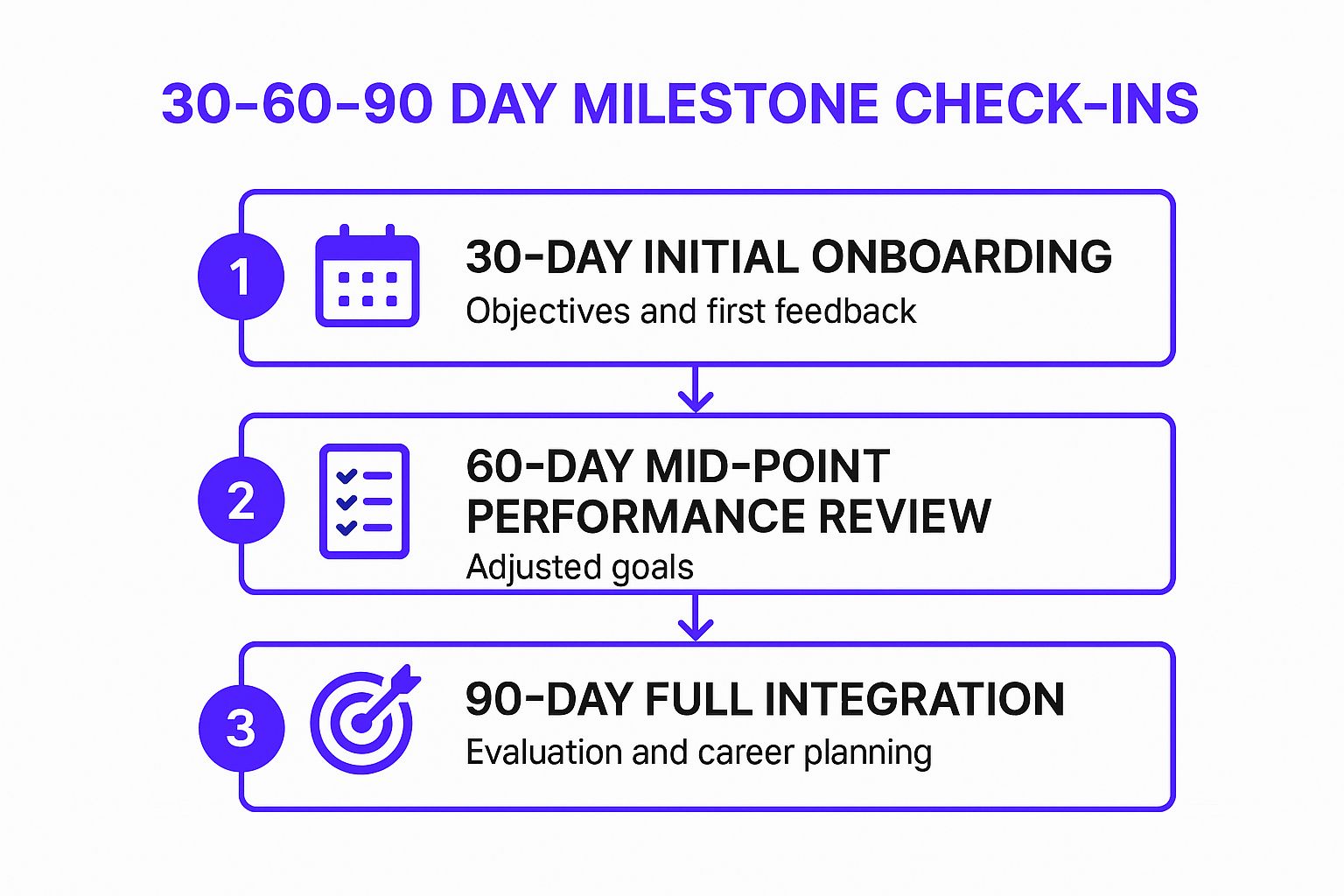
This systematic approach demystifies expectations and provides regular touchpoints for course correction and support. It is a cornerstone of a comprehensive remote employee onboarding checklist because it builds momentum, fosters accountability, and gives both the manager and the employee a shared language for measuring progress.
How to Implement a 30-60-90 Day Plan
Implementing this plan involves setting clear, phased objectives and scheduling dedicated check-in meetings. Companies like Google use their OKR (Objectives and Key Results) methodology to structure similar goal-setting processes, while Amazon's principles guide evaluations from day one.
Start by outlining what success looks like at each stage, focusing on learning, integration, and performance.
- Days 1-30 (Focus on Learning): The primary goal is absorption. The employee should focus on understanding company culture, tools, processes, and key team members. Goals should be tied to completing training modules, meeting colleagues, and understanding core responsibilities.
- Days 31-60 (Focus on Contribution): The employee begins to apply their knowledge. Goals shift toward contributing to small projects, taking ownership of specific tasks, and collaborating more actively with the team. Feedback should focus on performance and initial impact.
- Days 61-90 (Focus on Autonomy): The employee should be operating more independently, identifying challenges, and proposing solutions. Goals are tied to taking initiative, managing larger responsibilities, and setting the stage for long-term performance objectives.
- Use SMART Goals: Ensure all objectives are Specific, Measurable, Achievable, Relevant, and Time-bound to provide clarity and eliminate ambiguity. Document progress in a shared file and celebrate milestones to maintain motivation.
8. Communication Protocols and Collaboration Tools Training
In a remote setting, the digital workspace is the office. Without clear guidelines on how to communicate and collaborate within it, productivity falters and team cohesion erodes. This part of the onboarding process focuses on providing comprehensive training on company communication standards, collaboration tools, and the unwritten rules of remote work etiquette. This ensures every team member knows which tool to use for which purpose and how to interact effectively.
This process involves more than just showing a new hire how to log into Slack or Microsoft Teams. It's about instilling the company's communication philosophy, whether that prioritizes asynchronous communication to support different time zones or real-time collaboration for quick problem-solving. A thorough training program prevents digital friction and empowers employees to communicate with clarity and confidence.
How to Implement Communication and Tools Training
An effective training strategy is hands-on, contextual, and continuous. Companies renowned for their remote-first culture, like Slack and Microsoft, have built extensive resources around this very concept, demonstrating that tool proficiency is foundational to success.
Your training should cover both the "how" and the "why" behind your communication stack.
- Platform-Specific Training: Provide dedicated, hands-on sessions for core tools like Slack, Microsoft Teams, Asana, or Zoom. Go beyond basic features and demonstrate workflows specific to your company's processes.
- Establish Clear Etiquette: Create and share a communication guide. This document should outline expectations for response times, when to use email vs. instant messaging, and virtual meeting protocols (e.g., cameras on, using the "raise hand" feature).
- Asynchronous Communication Mastery: Train new hires on the art of asynchronous communication. Teach them how to write clear, concise updates that provide full context, reducing the need for follow-up questions and unnecessary meetings.
- Provide Quick Reference Guides: Develop one-page cheat sheets for each major tool and protocol. These handy guides serve as an immediate resource, reducing the new hire's need to constantly ask for help.
- Schedule Practice Scenarios: Run mock projects or problem-solving sessions where new employees must use the tools and follow protocols in a safe, controlled environment.
This structured approach is a non-negotiable part of a successful remote employee onboarding checklist, turning potential communication chaos into a streamlined and efficient digital collaboration environment.
Remote Employee Onboarding: 8-Step Checklist Comparison
| Item | Implementation Complexity 🔄 | Resource Requirements ⚡ | Expected Outcomes 📊 | Ideal Use Cases 💡 | Key Advantages ⭐ |
|---|---|---|---|---|---|
| Pre-boarding Communication and Welcome Package | Medium-High: Coordination & logistics | Moderate-High: Shipping & content creation | High: Reduces anxiety, boosts retention | New hires needing early engagement | Builds emotional connection and preparedness |
| Technology Setup and IT Equipment Provisioning | High: Hardware management & IT support | High: Equipment purchase & IT resources | High: Immediate productivity, strong security | Remote employees requiring ready-to-use tech | Standardizes devices, improves security |
| Digital Workspace Access and Security Setup | High: Complex security configurations | Moderate-High: IT infrastructure & support | High: Enhanced security and compliance | Roles needing secure data access | Streamlines access control, reduces password fatigue |
| Virtual Meet-and-Greet Sessions and Team Introductions | Medium: Scheduling & facilitation | Low-Moderate: Time commitment | Medium-High: Faster integration and connection | Building relationships in remote teams | Reduces isolation, fosters culture and collaboration |
| Company Culture and Values Immersion Program | Medium-High: Content development & delivery | Moderate: Program development | Medium: Strong cultural alignment | Deep cultural onboarding for remote staff | Enhances engagement and consistent culture |
| Role-Specific Training and Skills Development Plan | Medium-High: Training design & maintenance | Moderate-High: Content & mentorship | High: Accelerates productivity and skill growth | Skill development and professional growth | Clear learning paths and measurable milestones |
| 30-60-90 Day Milestone Check-ins and Goal Setting | Medium: Manager involvement and tracking | Moderate: Time and planning | High: Clear expectations and early feedback | Performance management in first 90 days | Increases engagement, reduces turnover |
| Communication Protocols and Collaboration Tools Training | Medium: Continuous updates & training | Moderate: Training materials & sessions | Medium-High: Improved collaboration & productivity | Effective use of communication tools | Standardizes practices, reduces miscommunication |
From Checklist to Culture: Building Your Onboarding Flywheel
Moving through this comprehensive remote employee onboarding checklist, it becomes clear that a successful process is far more than a series of administrative tasks. It's an orchestrated experience designed to build a foundation of connection, confidence, and competence from the very first interaction. When thoughtfully executed, each item on this list contributes to a powerful flywheel effect, transforming a transactional process into a strategic, culture-building engine.
The initial welcome package and pre-boarding communication set the tone, making new hires feel valued before they even log on. Seamless technology and systems access remove friction, allowing them to focus on learning rather than troubleshooting. By weaving in deliberate culture immersion and structured team introductions, you bridge the physical distance inherent in remote work, fostering genuine relationships and a sense of belonging that is crucial for long-term retention.
Key Takeaways for Lasting Impact
The true power of this checklist lies not in simply checking boxes, but in understanding the "why" behind each step.
- Proactive vs. Reactive: A strong onboarding program is proactive. It anticipates needs, from IT equipment to role-specific training modules, preventing the common pitfalls that leave new hires feeling isolated and unproductive.
- Structure Creates Freedom: The 30-60-90 day plan provides a clear roadmap. This structure doesn't stifle creativity; it empowers employees by giving them clear goals and a tangible path to success, reducing ambiguity and new-job anxiety.
- Consistency is Key: Every step, from communication protocol training to performance check-ins, must be applied consistently for every new hire. This consistency builds trust and demonstrates a fair, well-organized operational environment, which is a massive competitive advantage for home service businesses.
Turning Your Checklist into a Competitive Advantage
Ultimately, mastering your remote employee onboarding is about building a scalable system for success. It's about ensuring every new customer service representative or virtual assistant who joins your home service company is equipped, engaged, and aligned with your mission from day one. This systematic approach directly translates into better customer interactions, higher lead conversion rates, and a stronger, more resilient team culture. It transforms onboarding from a necessary chore into one of your most potent tools for growth and operational excellence. This isn't just a list; it's a blueprint for building a high-performing remote workforce that will drive your business forward.
Tired of the endless cycle of hiring, training, and managing remote staff? Phone Staffer specializes in finding, vetting, and fully onboarding elite remote CSRs and VAs specifically for the home service industry, so you can focus on growth. Let us handle the checklist for you and place a fully-trained, top-tier professional on your team.