

If you're still juggling customer calls with a pile of sticky notes, a clunky spreadsheet, or a chaotic email inbox, you're not just being disorganized—you're actively losing money. Every follow-up call you miss is a job that goes to your competitor. This is where lead management software for small business comes in, turning that chaos into a simple, automated system built to help you grow.
Stop Losing Sales and Start Winning Jobs
Picture your current sales process as a leaky bucket. You pour your hard-earned marketing dollars in the top to generate leads, but a good chunk of them just trickle out through the cracks—missed calls, slow response times, and forgotten follow-ups. Many small businesses suffer from the concept of "leaky bucket syndrome", and those lost opportunities hit your bottom line directly.
Lead management software is the fix. It patches those holes by giving you one central, organized hub for every single lead. Think of it as an air traffic control tower for your business. Instead of valuable prospects circling aimlessly and getting lost in the fog, the software helps you guide each one to a safe and profitable landing.
For a home service business, this is everything. When a homeowner's AC gives out in July or a pipe bursts in the middle of the night, they call the first company that answers and sounds like they can solve the problem. Speed isn’t just a nice-to-have; it's your biggest competitive advantage.
Why Organization Is Your Greatest Asset
A solid system does more than just keep names and numbers straight. It gives you the power to deliver an incredible customer experience right from the first "hello." Imagine being able to pull up a lead's entire history in a second. You can have a real, personalized conversation and build trust immediately. That first impression is your chance to start building rapport with customers and set a professional tone that gets more jobs on the schedule.
For home service businesses, the speed of your response is often more important than the price you quote. An organized lead management process ensures you are always the first to call, giving you a massive head start over the competition.
The Growing Need for Automation
It's no surprise that more and more business owners are catching on. The global market for this software was valued at USD 8.7 billion in 2023 and is expected to hit USD 13.3 billion by 2030. That explosive growth tells one clear story: trying to track everything by hand is quickly becoming a thing of the past.
Using a dedicated software tool isn't just for the big guys anymore. It's a must-have for any small business that wants to compete and scale. It's your guarantee that no lead gets left behind and every opportunity gets a real shot.
How Lead Management Actually Works
At its heart, lead management software takes the messy, often chaotic art of tracking potential customers and turns it into a clear, repeatable science. It builds a structured path for every single person who shows interest in your services, making sure nobody ever falls through the cracks. The entire process transforms confusion into a predictable system for growth.
Think of it like tending a garden. You can’t just toss seeds on the ground and hope for the best; you need a process. Lead management software gives your business that exact process, guiding a potential customer from their first flicker of interest all the way to a signed contract.
This diagram perfectly illustrates that powerful shift from disorganized lead handling to structured, sustainable growth.

As you can see, a solid system is the crucial bridge connecting the chaos of manual tracking to the clarity that fuels real business growth.
Step 1: Planting the Seed with Lead Capture
The journey always begins with lead capture. This is that initial moment when a potential customer raises their hand and shows they're interested. In our garden analogy, this is planting the seed. It’s when someone fills out a form on your website, calls your business line, or texts you asking for a quote.
Without a system, these "seeds" get scattered everywhere—a sticky note on your dash, an unread email, a voicemail you forgot about. Good software acts like a seed tray, automatically catching them all and putting them in one central spot, ready for the next step. Every single inquiry, no matter where it comes from, is safely collected.
Step 2: Nurturing the Sprout with Qualification and Tracking
Once a seed is planted, it needs the right care to grow. This is the lead nurturing and tracking phase. Let's be honest, not every lead is ready to buy the second they reach out. Some are just kicking tires and getting information, while others have a pipe bursting and need you right now.
This is where lead qualification is so important. The software helps you sort these leads based on how urgent their need is and what their potential value might be. It’s like spotting which sprouts are the strongest and need immediate attention. For example, you could automatically tag a lead who selected "emergency plumbing repair" on your web form as a top priority.
At the same time, the software is tracking every single interaction. Did they open your follow-up email? Did they click the link to your services page? Each action is a signal that tells you how interested they are, helping you focus your energy on the leads most likely to become paying customers.
One study found that responding to a lead within five minutes can increase conversion rates by a factor of ten. Automation inside a lead management system makes this kind of speed not just possible, but the standard way you do business.
This immediate, consistent follow-up is the "watering" that prevents a promising lead from drying up and blowing away.
Step 3: Harvesting the Crop Through Distribution and Conversion
The final stage is all about turning that carefully nurtured lead into a happy, paying customer. This happens through two key actions: lead distribution and conversion.
Lead distribution means getting the right lead to the right person on your team, instantly. For a home service business, this is a total game-changer. Imagine a lead comes in for an HVAC issue in a specific zip code. The software can automatically assign that lead to the technician who covers that area and ping their phone with a notification.
This completely eliminates delays and the headache of manual assignments. The closest, most qualified tech is on it, the customer gets a lightning-fast response, and your whole team operates with way more efficiency.
Finally, all these steps come together for the conversion. Because the lead was captured instantly, qualified correctly, nurtured consistently, and assigned efficiently, your team is in the perfect position to close the deal. The entire journey—from that first website click to the final handshake—is managed smoothly right inside the system, setting you up for a successful and profitable job.
Must-Have Features for Home Service Businesses
Not all software is created equal, especially when your office is a truck and your desk is a customer's driveway. When you’re picking a lead management software for small business, it’s easy to get sidetracked by flashy features that don’t actually help you get the job done. Home service pros need a specific toolkit built for the field, not the boardroom.
The right system acts as the central hub for your entire operation. It's what connects the office, your techs on the road, and the customers you serve in real-time. Think of it as the brain of your business, making sure information flows smoothly from that first phone call all the way to the final paid invoice.
Let's dig into the non-negotiable features you absolutely need to look for.
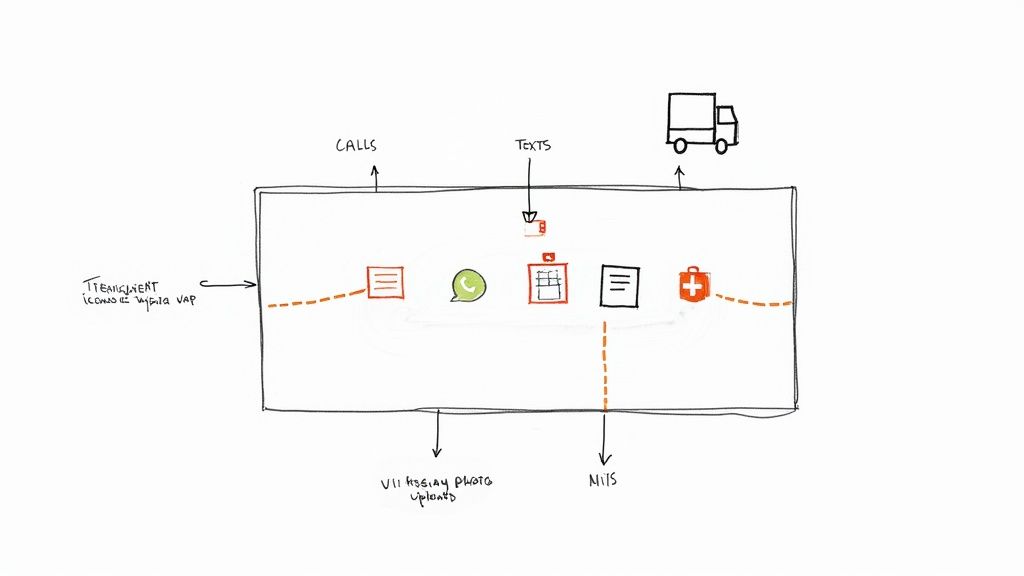
1. Multi-Channel Lead Capture
Your potential customers will reach out however it’s easiest for them. Some will call, others will fill out a form on your website, and more and more people will just send a quick text. A solid lead management tool has to grab every single one of these inquiries and put them in one place, automatically.
This is a big deal. Why? Because doing it by hand is where leads fall through the cracks. Every time your office manager has to copy-paste info from an email into a spreadsheet, there's a risk of typos, delays, or forgetting about it entirely.
Your software must handle:
- Website Forms: Instantly create a new lead the moment someone requests a quote on your site.
- Phone Calls: Log every incoming call and create new contacts from unknown numbers, so you never miss a callback.
- Text Messages: Let customers text you for service and have those messages pop up right in your system.
A unified inbox guarantees no opportunity gets lost, no matter how a customer decided to get in touch. It’s the foundation for a fast, professional response that helps you win more jobs.
2. Intelligent Lead Routing
Once a lead comes in, speed is everything. You simply can't let a high-priority call for an emergency repair sit in a general inbox while you figure out who’s available. This is where intelligent lead routing becomes a complete game-changer.
This feature automatically assigns new leads to the right technician based on rules you set up. You can route by location, a specific skill (like sending a master plumber instead of an apprentice), or who’s currently on call.
For example, a request for an "emergency AC repair" in a specific zip code can instantly ping the phone of the HVAC tech assigned to that area. This kind of automation shaves precious minutes—sometimes even hours—off your response time, which directly boosts your chances of booking the work.
Today's customers expect an immediate response. Automated lead routing makes sure the most qualified person is notified instantly, turning your team's reaction time into a serious competitive advantage.
3. Integrated Scheduling and Calendar Sync
Trying to manage appointments in a separate calendar is a recipe for disaster. It leads to double-bookings, missed jobs, and confused technicians. Your lead management software absolutely must have a built-in scheduling tool that syncs up with your team's calendars.
This creates a single source of truth for your entire operation. Your office staff can see a technician's real-time availability and confidently book appointments right from the lead's profile.
The technician then gets an automatic notification, and the appointment just appears on their phone's calendar. This seamless link between booking and dispatching kills confusion and makes sure your team is always where they need to be, when they need to be there. This is a core part of a winning strategy for any service business, even for those focused on something like commercial cleaning lead generation.
4. A Powerful Mobile App for Field Techs
Your team spends their day on the road, not sitting behind a computer. A powerful, easy-to-use mobile app isn't just a nice perk—it's an absolute necessity. The app needs to give your techs everything they need to manage their entire day right from their phone or tablet.
Picture your tech arriving at a job. With a good mobile app, they can:
- See Job Details: Pull up the customer's name, address, contact info, and notes on the problem.
- Create On-Site Estimates: Build a professional quote, get the customer's signature for approval on the spot, and turn it into a work order.
- Update Job Status: Tap a button to mark the job as "in progress" or "completed," keeping the office in the loop.
- Send Invoices and Get Paid: Generate the final invoice and take a credit card payment right then and there.
All of this information should sync back to the main system in the office instantly. This real-time connection between the field and the office doesn't just make you more efficient—it dramatically speeds up your cash flow.
Choosing the Right Software Without the Headache
Picking the right lead management software for your small business can feel like a chore. You're slammed with options, and every single one promises the world. It’s easy to get lost in a sea of feature lists and slick sales pitches.
The trick is to tune out the noise. Forget the hype and start with a simple, practical game plan that puts your business front and center.
Think of it like buying a new work truck. You wouldn’t get a massive semi-trailer to haul a few lawnmowers, right? And you wouldn't try to move a ton of gravel in a tiny pickup. You need the right tool for the job. The same goes for software. The goal is to find something that fits how you work now and can grow with you, without you having to pay for a bunch of bells and whistles you'll never touch.
This whole process starts by looking in the mirror, not by watching software demos. You’ve got to be crystal clear on what you actually need—and what you can afford—before you ever talk to a salesperson.
Define Your Goals and Budget First
Before you even think about opening a new browser tab, grab a notepad. It's time to answer two simple but crucial questions.
First, what are your top three goals for getting this software? Are you trying to respond to leads faster? Stop letting phone calls fall through the cracks? Maybe you just need to get a better grip on your team's schedule. Be specific here. "Get organized" is too vague. "Cut down on double-bookings" is a real goal.
Second, what's your realistic monthly budget? The price for these tools is all over the map. Some charge per user, while others have tiered plans based on how many leads you handle. Knowing your number from the get-go saves you from drooling over software you can't afford. It keeps the search grounded in reality and helps you focus on value, not flash.
Key Questions to Ask During a Demo
Once you have your goals and budget locked in, you're ready to schedule a few demos. This is your time to kick the tires. Don’t just sit back and let the salesperson run the show. You need to come armed with pointed questions that matter to a real home service business like yours.
Drill down on these critical areas:
- Ease of Use: "How long does it really take for a tech in the field to get the hang of the mobile app?" Your team is busy. They won't fight with a complicated system. If it’s not dead simple, they just won't use it.
- Essential Integrations: "Does this connect directly with QuickBooks and Google Calendar?" Manually typing in data is a soul-crushing waste of time. Make sure the software talks to the other tools you already depend on.
- Scalability and Growth: "What's in the next price tier up, and when do most businesses like mine usually need to upgrade?" You want a partner that can grow with you, not one that penalizes you for being successful.
Pro tip: During the demo, always demand to see the mobile app in action. A pretty desktop screen means nothing if your technicians can't easily update job statuses, whip up an estimate, and take a payment right on their phones.
Calculating the Real Return on Investment
Finally, let's connect the price tag to the potential payoff. This isn't just another bill—it's an investment that should make you more money. When small businesses get a handle on their leads, they almost always see a major improvement in turning those leads into paying customers.
In fact, studies show that small businesses using this type of software see a serious bump in their lead conversion rates, with some reporting improvements of up to 30% within the first year. Having one place to track every lead from every source—Facebook, your website, phone calls—gives you a clear picture of what's working and what's not. You can learn more by checking out these lead management software findings.
To figure out your potential ROI, do some quick back-of-the-napkin math. If a $150 per month tool helps you land just one extra $500 job each month that you otherwise would have missed, it's already paid for itself several times over. Thinking about it that way changes the decision from an expense into an investment in a more predictable, profitable future for your company.
Your Implementation and Team Training Plan
Picking the right software is a huge win, but the real test is getting your team to actually use it. A powerful tool collecting digital dust is just an expensive mistake. The key is a clear, no-nonsense plan that makes this new technology a core part of your team's daily hustle.
Think of it like getting a new, top-of-the-line multi-tool for every technician. It has all the attachments they could ever need, but it's useless until they know what each one does—and trust that it’s better than the old screwdriver in their pocket. A solid rollout isn't about forcing change. It's about showing so much value that your team can't imagine going back to the old way.
This part is a mix of technical setup and people management. It's all about making the transition so smooth the software feels like a helping hand, not just another login to remember.

Step 1 Start with a Clean Data Import
First things first: get your existing customer and lead data into the new system. This is your chance for a fresh start. Don't just dump a messy, decade-old spreadsheet into your shiny new software.
Take the time to scrub your contact lists. Get rid of duplicates, fix typos in names and addresses, and delete anyone you know is no longer a viable lead. A clean import means your team starts with accurate, reliable information from day one, which builds immediate trust in the new system.
Step 2 Define Roles and Workflows
Your lead management software for small business has to be set up for how your business actually works. That means creating specific rules and permissions for different people on your crew.
Start by defining user roles:
- Office Staff/CSRs: They need full access to see incoming leads, book jobs, and talk to customers.
- Field Technicians: Their access should be mobile-first. They need to see their schedule, update job statuses, build estimates, and take payments on the go.
- Owners/Managers: You need the keys to the kingdom. Administrator access lets you see everything, from sales dashboards and performance reports to system settings.
Next, build custom workflows for different service types. An "Emergency Water Heater Repair" lead should fire off a completely different, more urgent set of actions than a "Request for a Landscaping Quote" lead. This kind of tailoring makes the software actively support your process instead of forcing you into a generic box.
The goal of implementation is to make the software an extension of your team's will. It should automate the repetitive tasks they hate and provide the information they need, exactly when they need it.
Step 3 Frame the Benefits and Train for Adoption
This is where the rubber meets the road. If your team sees the software as "more work," they will fight you on it. Your job is to show each person how it makes their specific job easier and more profitable.
When you roll out the new system, it helps to think about how the training fits into your broader employee onboarding best practices. This ensures people don't just learn it once and forget it.
Focus your training on the "What's In It For Me?" (WIIFM) principle:
- For Technicians: "This app means no more calling the office for addresses. All the job notes are right on your phone, and you can create an invoice and get paid before you even leave the driveway."
- For Office Staff: "You'll no longer have to chase down techs for updates. You'll see in real-time when a job is started and finished, which means fewer angry customer calls asking where the technician is."
When you frame the training around solving their daily headaches, resistance melts away and turns into excitement. Suddenly, the software isn't just a mandate from the boss; it's a powerful tool that helps everyone win more jobs and have a much less stressful day.
Your Quick-Start Action Checklist
Alright, let's get down to business. Feeling fired up is one thing, but turning that energy into a real plan is what counts. I've broken down everything we've talked about into a simple, step-by-step game plan. Follow this, and you’ll go from just thinking about a new system to actually having one in place.
Phase 1: Laying the Groundwork
This first phase is all about strategy. Seriously, before you even look at a single piece of software, you have to know exactly what you need and why. Getting this part right makes everything that follows a whole lot smoother.
-
Audit Your Current Process: Grab a notepad or a whiteboard and be brutally honest. Map out how a lead currently moves through your business from the first call to the final invoice. Where do leads come from? Who's the first point of contact? More importantly, where are the bottlenecks? Where are leads falling through the cracks? Finding the leaks is the only way to plug them.
-
Define Your Must-Have Features: Think back to the features we covered earlier. Now, create your own "non-negotiable" list. Do you absolutely need a solid mobile app for your techs to create estimates on the spot? Is intelligent lead routing the one thing that could solve your response time issues? Pick three to five core features your business truly can't function without.
-
Set a Realistic Budget: Figure out what you can actually afford to invest each month. But don't just look at the cost—think about the potential return. If a $150/month tool helps you land just one extra job that month, it’s already paid for itself and then some.
"The goal isn't just to buy software; it's to buy a better process. Your checklist ensures you focus on the operational improvements that actually drive revenue."
Phase 2: Evaluation and Selection
With your foundation solid, it's time to start the hunt for the right tool. This stage is all about smart, focused research. It's about asking the right questions to find a platform that feels like a genuine partner in your growth.
-
Research and Shortlist Three Contenders: Use your must-have features list and your budget to narrow the field down to three top options. Dive into reviews, especially from other home service businesses. You want to see which platforms are really built for companies like yours, not just generic sales teams.
-
Schedule Live Demos: This is a step you cannot skip. When you’re on the demo, don’t just let them give you the standard sales pitch. Ask them to show you exactly how their software solves the specific problems you identified in your audit. If a mobile app is critical, insist on seeing it in action.
-
Select Your Software: After the demos, lay out your notes. Which platform felt the most intuitive? Which sales team actually seemed to understand the challenges of running a service business? Make your final call based on the overall value and how well it fits your company, not just on the price tag.
-
Plan Your Team Launch: You're almost there. The last step is mapping out how you’ll roll this out to your team. Pick a launch day, schedule a quick training session (pizza helps!), and get everyone on board by showing them how this new tool will make their jobs easier, not harder.
Common Questions About Lead Management Software
Diving into new technology always stirs up a few questions, no matter how solid your plan is. Making the right call on lead management software for your small business means getting those questions answered before you sign on the dotted line. Here are a few of the most common things we hear from home service pros.
Getting these details straight from the start ensures you pick a tool that actually fits your business, rather than trying to shoehorn your process into a system that was never designed for you.
What Is the Difference Between CRM and Lead Management Software?
It’s easy to get these two confused because there's definitely some overlap. The simplest way to think about it is focus. Lead management software is a specialist, laser-focused on the very top of your sales funnel. Its main job is to grab, track, and warm up new leads until they’re truly ready to talk business.
A Customer Relationship Management (CRM) system, on the other hand, is the big-picture tool. It’s built to handle the entire customer journey—from the first call to ongoing service and repeat business. While many modern CRMs have decent lead management features built-in, a dedicated platform will often give you more powerful tools for things like automatically scoring hot leads or routing them to the right technician in the field.
How Much Should a Small Business Expect to Pay?
The price tag can swing wildly, so it helps to know what’s typical. You'll see some platforms advertising free plans, but be warned—they're usually very restrictive, often capping you at a single user or a handful of contacts.
Realistically, most small businesses should budget somewhere between $25 to $150 per user, per month.
Before you commit, make sure you understand exactly how they charge. It usually falls into one of three buckets:
- Per-User Pricing: You pay a monthly fee for every team member who needs access.
- Per-Contact Pricing: Your bill is based on how many leads you have in your system.
- Tiered Plans: You unlock more advanced features as you upgrade to higher-priced plans.
Don’t forget to ask about hidden fees. Setup costs, training sessions, or must-have integrations can add up, so get the full picture of your total investment.
Can I Integrate This Software with My Existing Tools?
Yes, and you absolutely should. This isn't just a nice-to-have; it's a priority. A good lead management platform should act as the central command center for your sales and ops. For that to happen, it has to talk to the other software you already use every day.
A system that doesn’t integrate with your key tools creates more manual work, not less. The goal is to build a connected tech stack where information flows automatically, saving you time and preventing errors.
Look for essential connections with your accounting software (like QuickBooks), email marketing tools (like Mailchimp), and scheduling calendars (like Google Calendar). Always check a platform's integration list to make sure it plays nicely with your current setup before making a final choice.
At Phone Staffer, we don't just help you manage leads—we help you generate them and ensure they're handled by trained professionals. Whether you need a done-for-you cold calling service or a dedicated remote CSR, we provide the people and processes to turn your leads into booked jobs. Learn how we can fill your calendar at https://phonestaffer.com.